> ## Documentation Index
> Fetch the complete documentation index at: https://chatbotx.io/docs/llms.txt
> Use this file to discover all available pages before exploring further.
# Count Characters
> Count the characters in a customer response in ChatbotX and use the result to validate a Flow step.
**Count Characters** counts the number of characters in a text value. Use it when a Flow needs to check whether a customer entered enough information before continuing.
For example, you can ask a customer to enter an order code, then check its length before the Flow sends the next message.
## Add Count Characters to a Flow
Open the Flow that collects or uses the text value.
Add a **Perform Action** node after the Flow receives the customer's response.
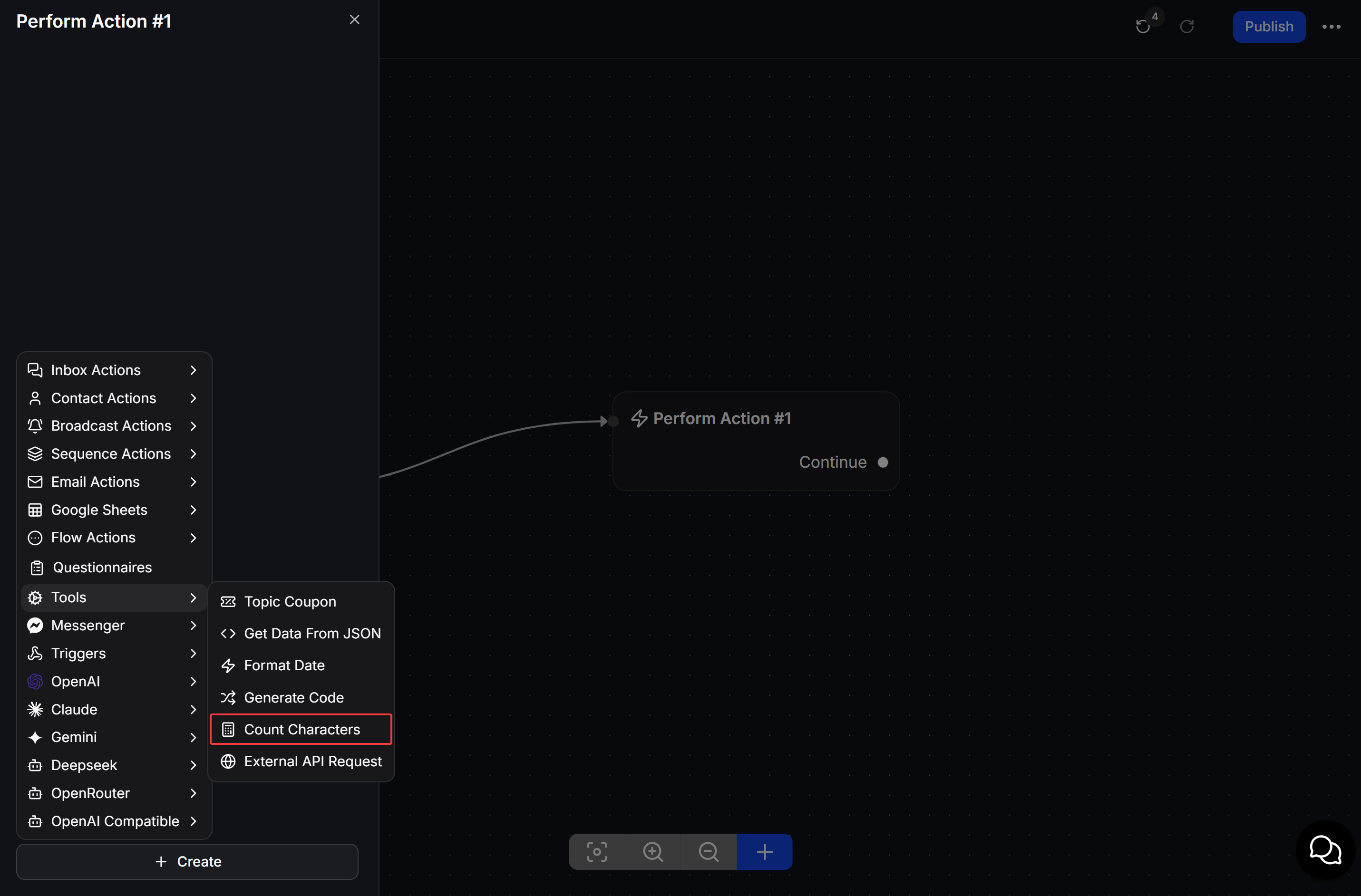
Open the node, click **Create**, then select **Tools > Count Characters**.
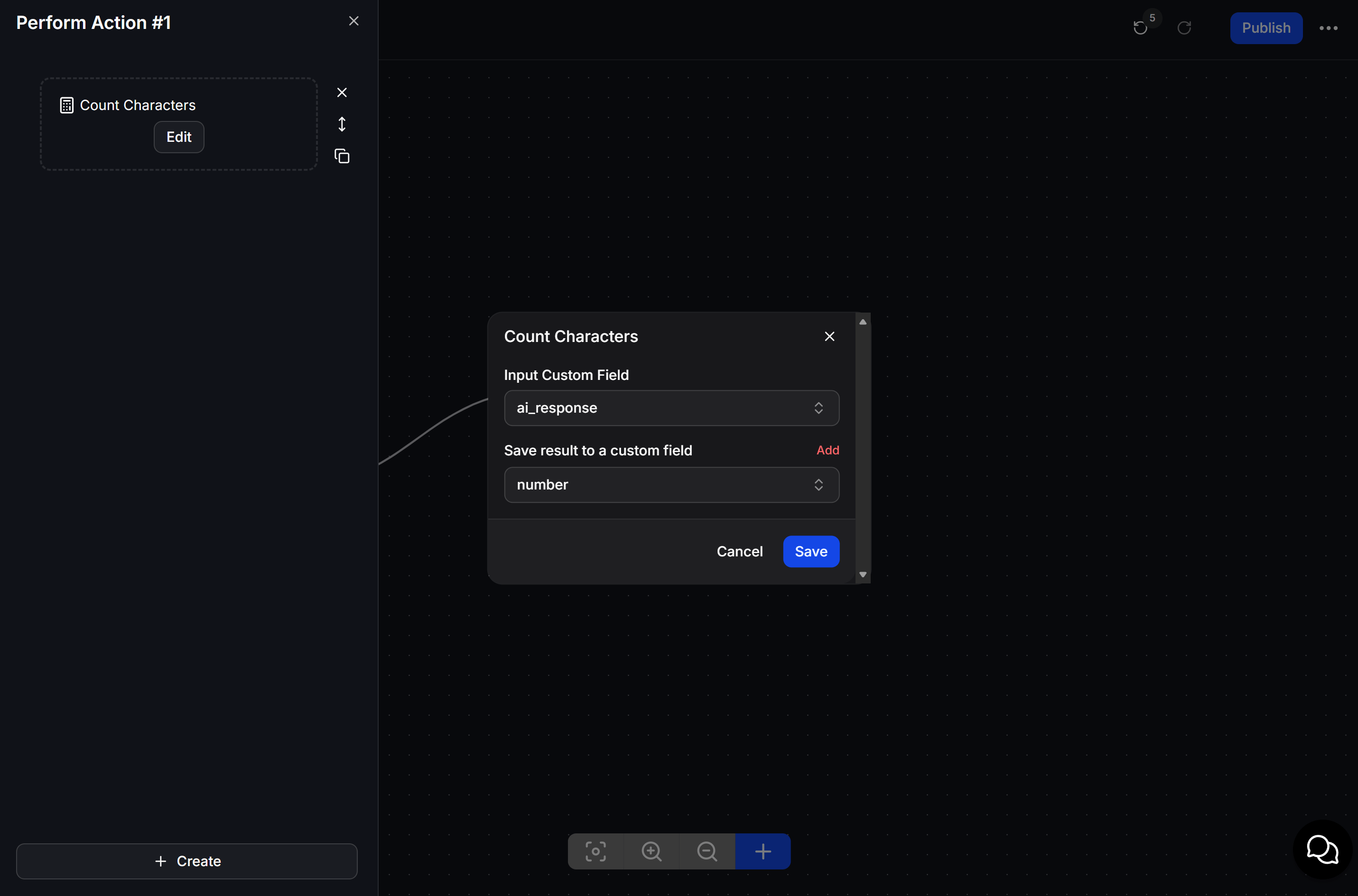
 Select the **Input Custom Field** that contains the text. Under **Save result to a custom field**, choose the Custom Field that will receive the character count, then click **Save**.
 ## Example: validate an order code
Ask the customer to enter an eight-character order code. After the reply is saved, **Count Characters** counts the response. A Condition can then route an eight-character value forward and ask for the code again when the count does not match.
Count Characters measures every character in the selected text, including spaces. Tell customers whether they should enter spaces in a code or reference number.
## Example: validate an order code
Ask the customer to enter an eight-character order code. After the reply is saved, **Count Characters** counts the response. A Condition can then route an eight-character value forward and ask for the code again when the count does not match.
Count Characters measures every character in the selected text, including spaces. Tell customers whether they should enter spaces in a code or reference number.