> ## Documentation Index
> Fetch the complete documentation index at: https://chatbotx.io/docs/llms.txt
> Use this file to discover all available pages before exploring further.
# Generate Code
> Generate a unique random code in a ChatbotX Flow for vouchers, tickets, order references, and other customer records.
**Generate Code** creates a unique random string or number inside a Flow. Use it when each customer needs a reference that is different from every other customer, such as a voucher code, event ticket, or order ID.
The Flow can use the generated result in a later message, a Custom Field, or another Action.
## Add Generate Code to a Flow
Open the Flow that needs to create a unique code.
Add a **Perform Action** node before the Flow sends or stores the code.
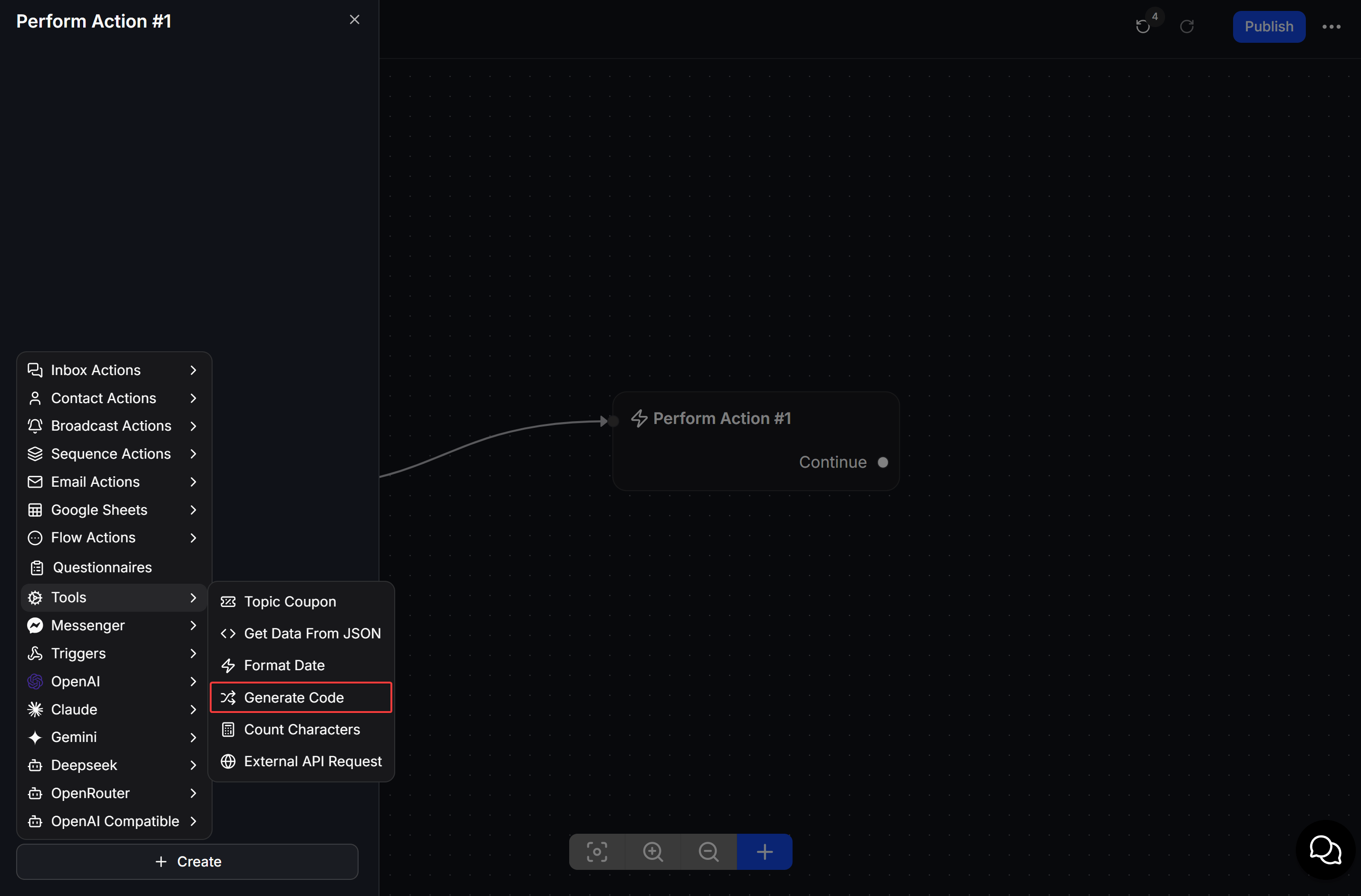
Open the node, click **Create**, then select **Tools > Generate Code**.
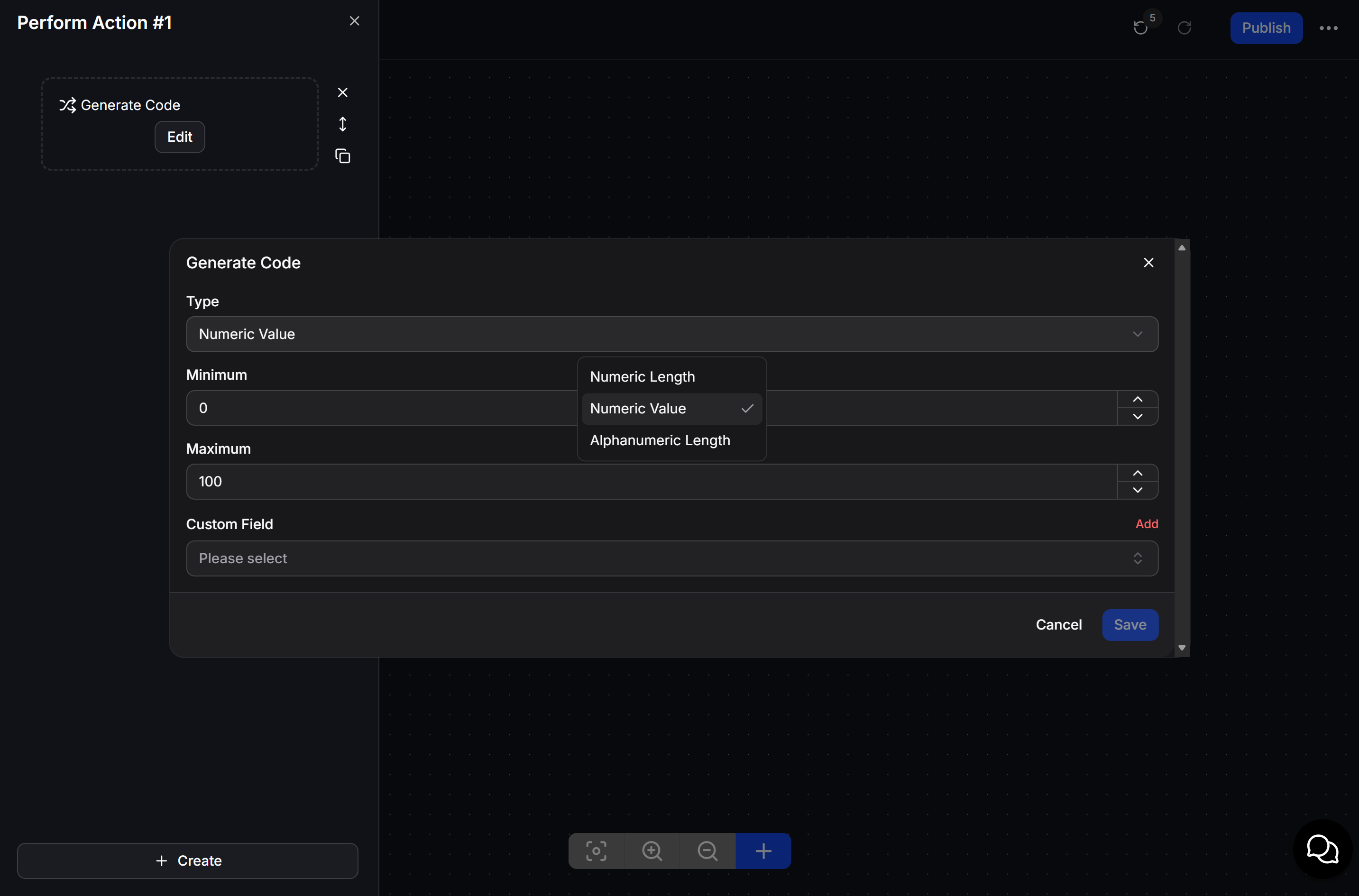
 Select a **Type**, set the values required by that type, choose the **Custom Field** that will receive the code, then click **Save**.
 ## Choose a code type
| Type | Description |
| ----------------------- | ---------------------------------------------- |
| **Numeric Length** | Generates a random sequence of decimal digits. |
| **Numeric Value** | Generates a random integer. |
| **Alphanumeric Length** | Generates random characters. |
Select the **Custom Field** where ChatbotX should save the generated result. Use **Add** when you need a new Custom Field.
## Example: send a check-in code
When a customer registers for an event, the Flow runs **Generate Code** and saves the result. The next message sends the code to the customer as their check-in reference.
Generate the code before the message that displays it. This ensures the Flow has a value ready to insert for the customer.
## Choose a code type
| Type | Description |
| ----------------------- | ---------------------------------------------- |
| **Numeric Length** | Generates a random sequence of decimal digits. |
| **Numeric Value** | Generates a random integer. |
| **Alphanumeric Length** | Generates random characters. |
Select the **Custom Field** where ChatbotX should save the generated result. Use **Add** when you need a new Custom Field.
## Example: send a check-in code
When a customer registers for an event, the Flow runs **Generate Code** and saves the result. The next message sends the code to the customer as their check-in reference.
Generate the code before the message that displays it. This ensures the Flow has a value ready to insert for the customer.