> ## Documentation Index
> Fetch the complete documentation index at: https://chatbotx.io/docs/llms.txt
> Use this file to discover all available pages before exploring further.
# Block Contacts
> Learn how to block spam contacts in ChatbotX manually from Inbox or automatically through Flow Builder.
When you deal with spam accounts, abusive messages, or simply do not want the Bot to keep replying to a certain person, **Block Contact** gives you a clean way to handle it.
After a user is blocked, they will no longer receive any response from the Bot. You can unblock them anytime if needed.
## Method 1: Block manually in Inbox
Use this when you are already viewing the conversation and want to block the contact immediately.
**Steps:**
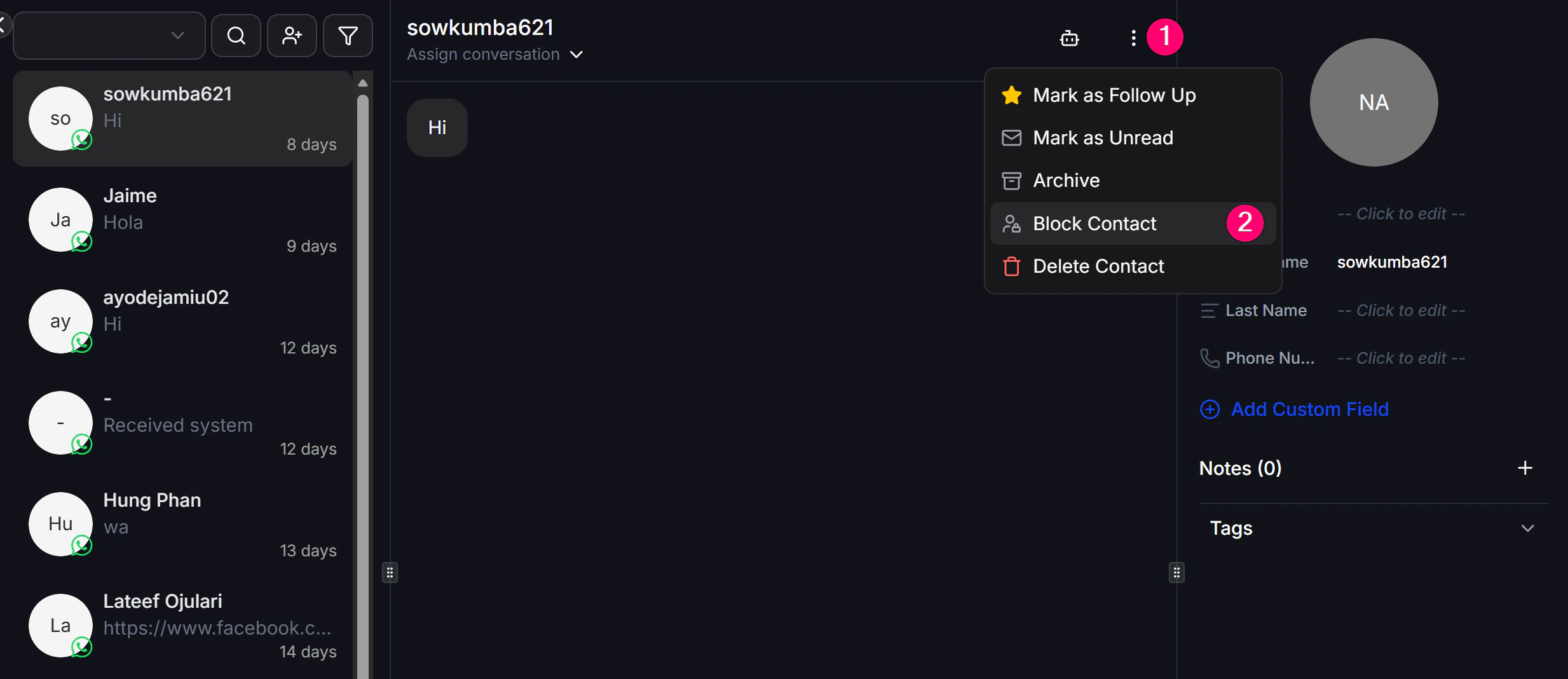
1. Open the conversation of the person you want to block in Inbox.
2. Click the **Menu** icon in the top corner.
3. Choose **Block Contact**.
 ## Method 2: Block automatically in a Flow
Use this when you want the system to block contacts automatically based on a condition, such as abusive language or a specific behavior.
**Steps:**
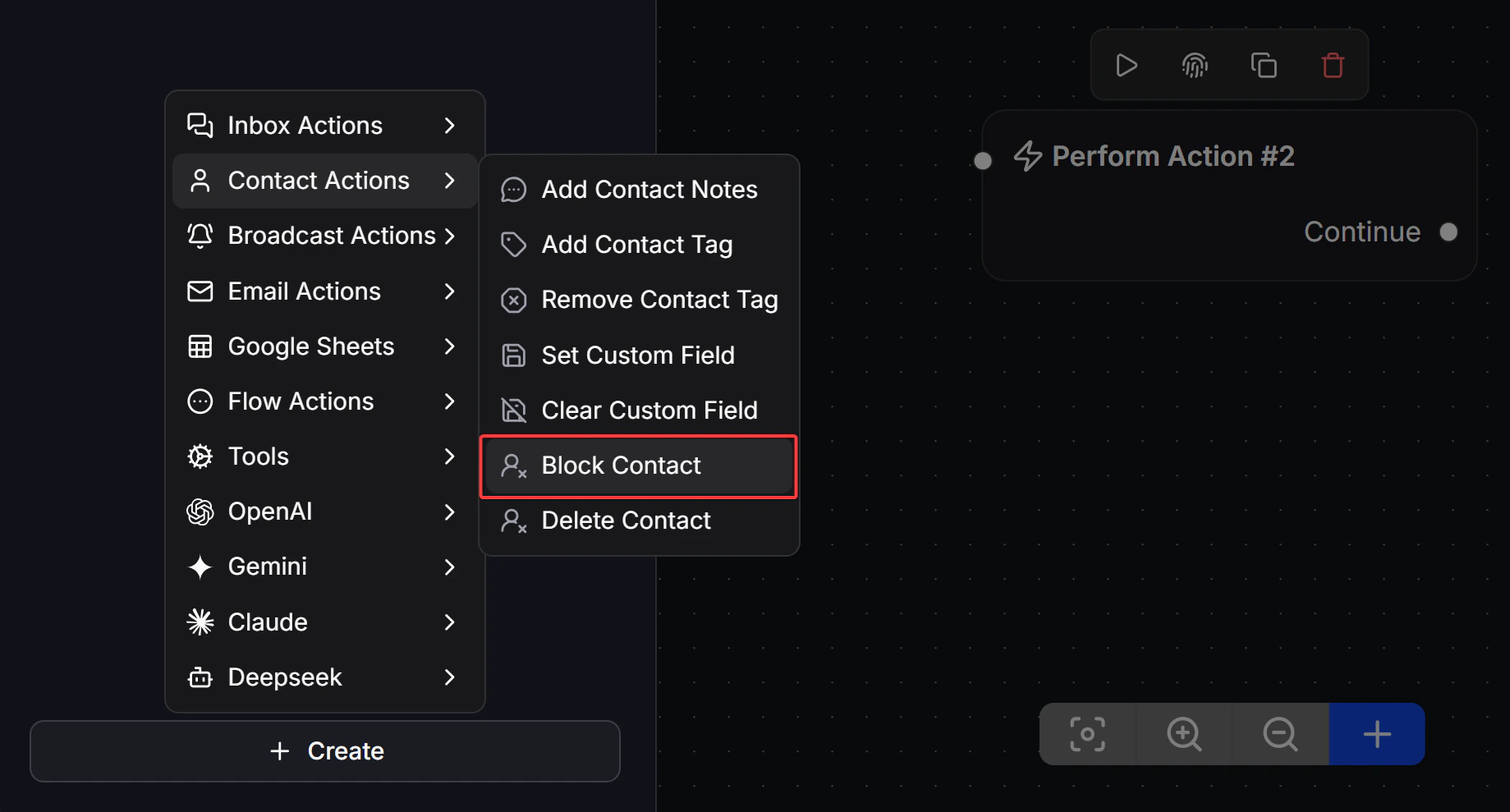
1. In any Flow, add a **Perform Action** block.
2. Choose **Contacts Actions -> Block Contact**.
## Method 2: Block automatically in a Flow
Use this when you want the system to block contacts automatically based on a condition, such as abusive language or a specific behavior.
**Steps:**
1. In any Flow, add a **Perform Action** block.
2. Choose **Contacts Actions -> Block Contact**.
 > **Note:** Blocking is different from deleting. **Block** only stops the Bot from replying, while the customer's data stays in the system. **Delete** removes the customer completely and cannot be undone.