> ## Documentation Index
> Fetch the complete documentation index at: https://chatbotx.io/docs/llms.txt
> Use this file to discover all available pages before exploring further.
# Manage Workspaces and Monitor Usage on ChatbotX White Label
> Guide to manage all workspaces and monitor resource usage quotas on ChatbotX Portal.
To ensure your White Label system operates smoothly, it is essential to manage customer workspaces and closely monitor resource consumption. ChatbotX provides two independent management modules under the **SaaS** menu to assist you.
## Manage Workspaces
The **Workspaces** interface allows you to monitor all workspaces created by your reseller account as well as those of your client sub-accounts.
You can access this page under the **SaaS > Workspaces** section on the left navigation menu.
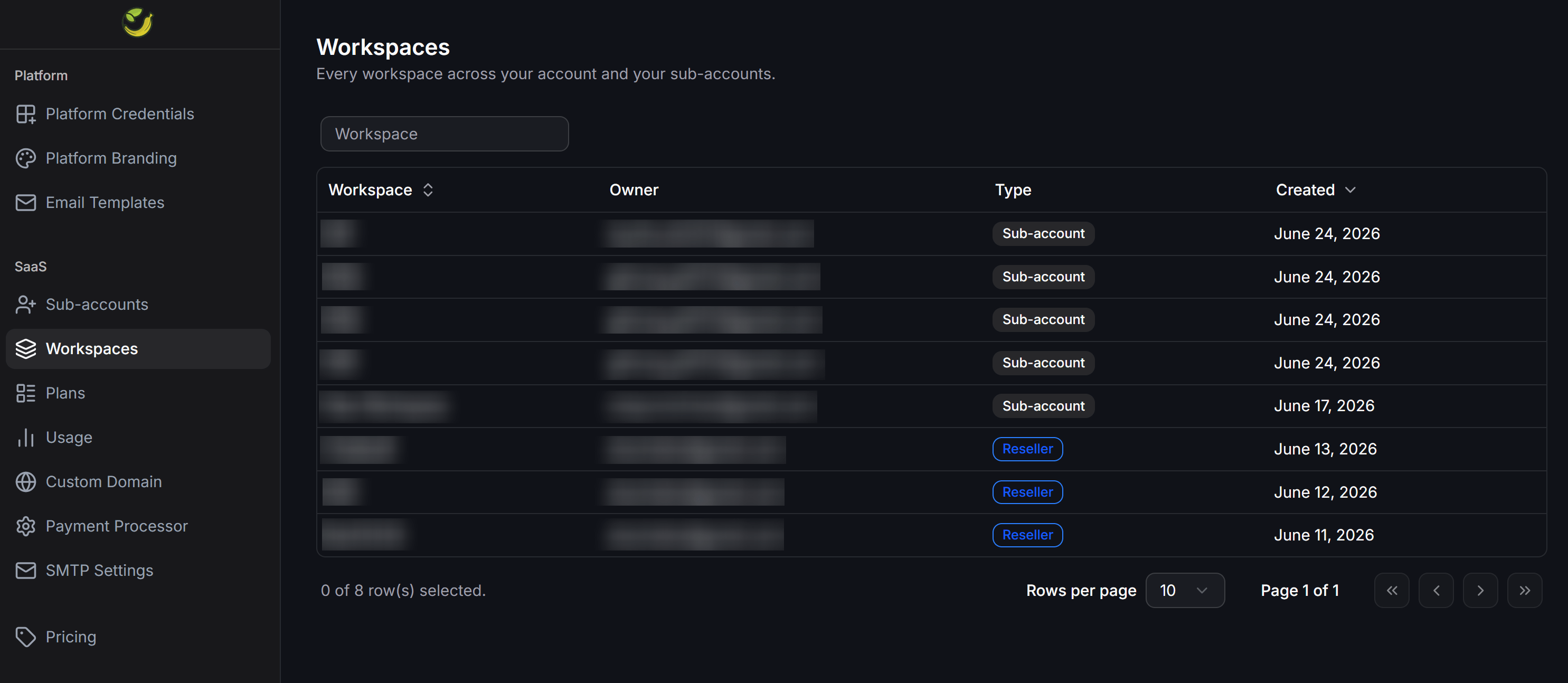 The list table displays core administrative information:
* **Workspace**: The name of the workspace.
* **Owner**: The login email address of the workspace owner.
* **Type**: The classification of the workspace owner. The system displays two distinct badges:
* `Sub-account`: Workspace owned by an end user.
* `Reseller`: Workspace owned by your own agency.
* **Created**: The creation date of the workspace.
You can use the search bar at the top of the page to quickly locate a specific workspace by name.
## Monitor Resource Usage
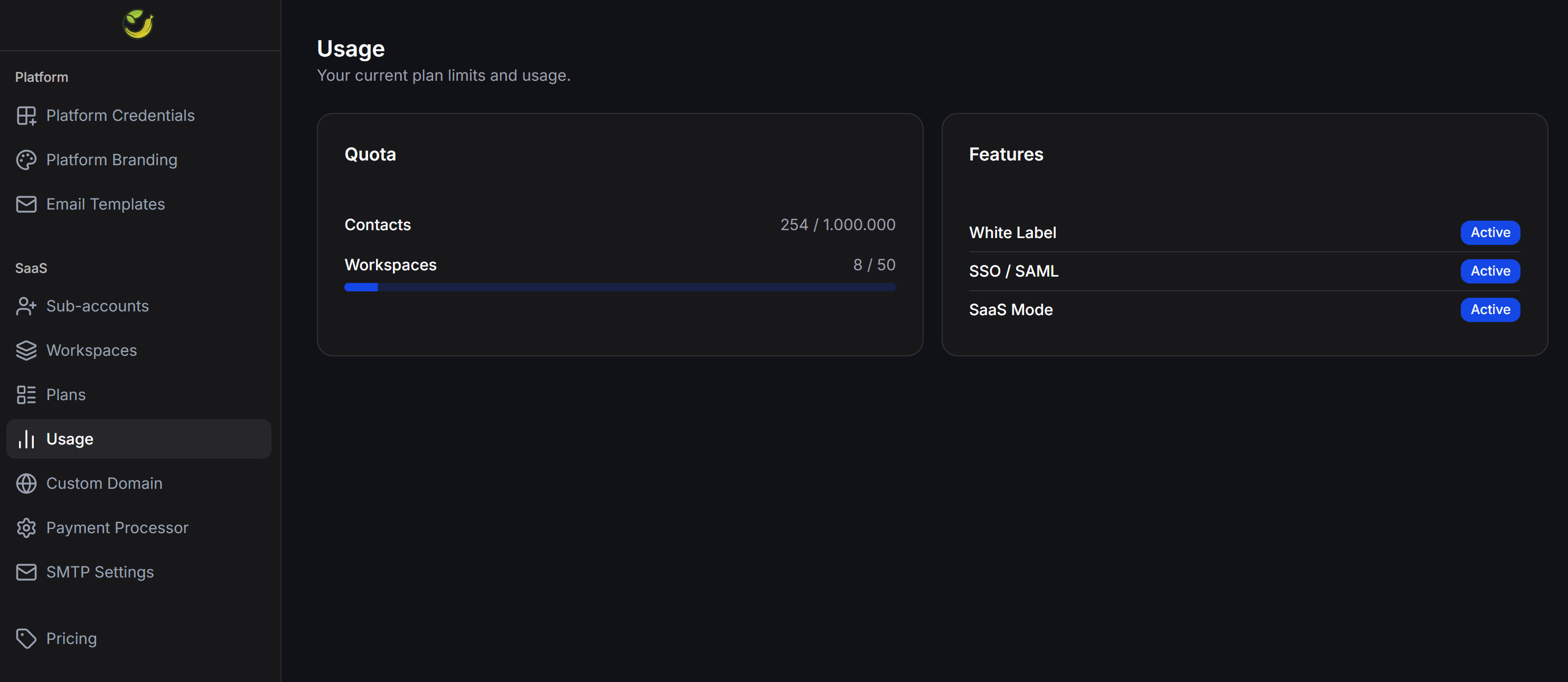
The **Usage** page displays the maximum resource quotas allocated to you and monitors the real-time consumption across your entire reseller network.
You can access this page under the **SaaS > Usage** section on the left navigation menu.
The list table displays core administrative information:
* **Workspace**: The name of the workspace.
* **Owner**: The login email address of the workspace owner.
* **Type**: The classification of the workspace owner. The system displays two distinct badges:
* `Sub-account`: Workspace owned by an end user.
* `Reseller`: Workspace owned by your own agency.
* **Created**: The creation date of the workspace.
You can use the search bar at the top of the page to quickly locate a specific workspace by name.
## Monitor Resource Usage
The **Usage** page displays the maximum resource quotas allocated to you and monitors the real-time consumption across your entire reseller network.
You can access this page under the **SaaS > Usage** section on the left navigation menu.
 ### Quotas
This section summarizes your actual resource consumption against your total allowed limits:
* **Contacts**: The total number of active contacts accumulated across your entire system (including your reseller account and all sub-accounts).
* **Workspaces**: The total number of workspaces created across your network compared to your limit.
### Features
This section displays the activation status of advanced business features:
* **White Label**: The activation status of the custom branding feature.
* **SSO / SAML**: The activation status of Single Sign-On authentication.
* **SaaS Mode**: The activation status of subscription pricing plans and automated billing.
### Quotas
This section summarizes your actual resource consumption against your total allowed limits:
* **Contacts**: The total number of active contacts accumulated across your entire system (including your reseller account and all sub-accounts).
* **Workspaces**: The total number of workspaces created across your network compared to your limit.
### Features
This section displays the activation status of advanced business features:
* **White Label**: The activation status of the custom branding feature.
* **SSO / SAML**: The activation status of Single Sign-On authentication.
* **SaaS Mode**: The activation status of subscription pricing plans and automated billing.