 Webchat
Give Website Visitors
Instant Answers
And a Clear Path
to Sales or Support
Webchat should do more than sit in the corner of your site. ChatbotX answers from trusted knowledge, captures visitor intent, routes qualified conversations, and hands off to agents with page context and history intact.
Stop Letting High-Intent Visitors Disappear Into Static Pages
Visitors land on pricing pages, docs, blogs, and product pages with different questions. If your site only offers navigation and forms, support and sales intent is easy to miss.
Fragmented Knowledge
Answers may live in docs, pages, PDFs, and help articles, but visitors still need a direct path to the right one.
Uncaptured Intent
The page someone visits, the question they ask, and the campaign they came from should shape the next step.
Website Conversation Layer
Turn every page visit into a guided path to answers, qualification, or human help
ChatbotX combines self-service answers, visitor intent, proactive triggers, live routing, and reporting in one webchat workflow.
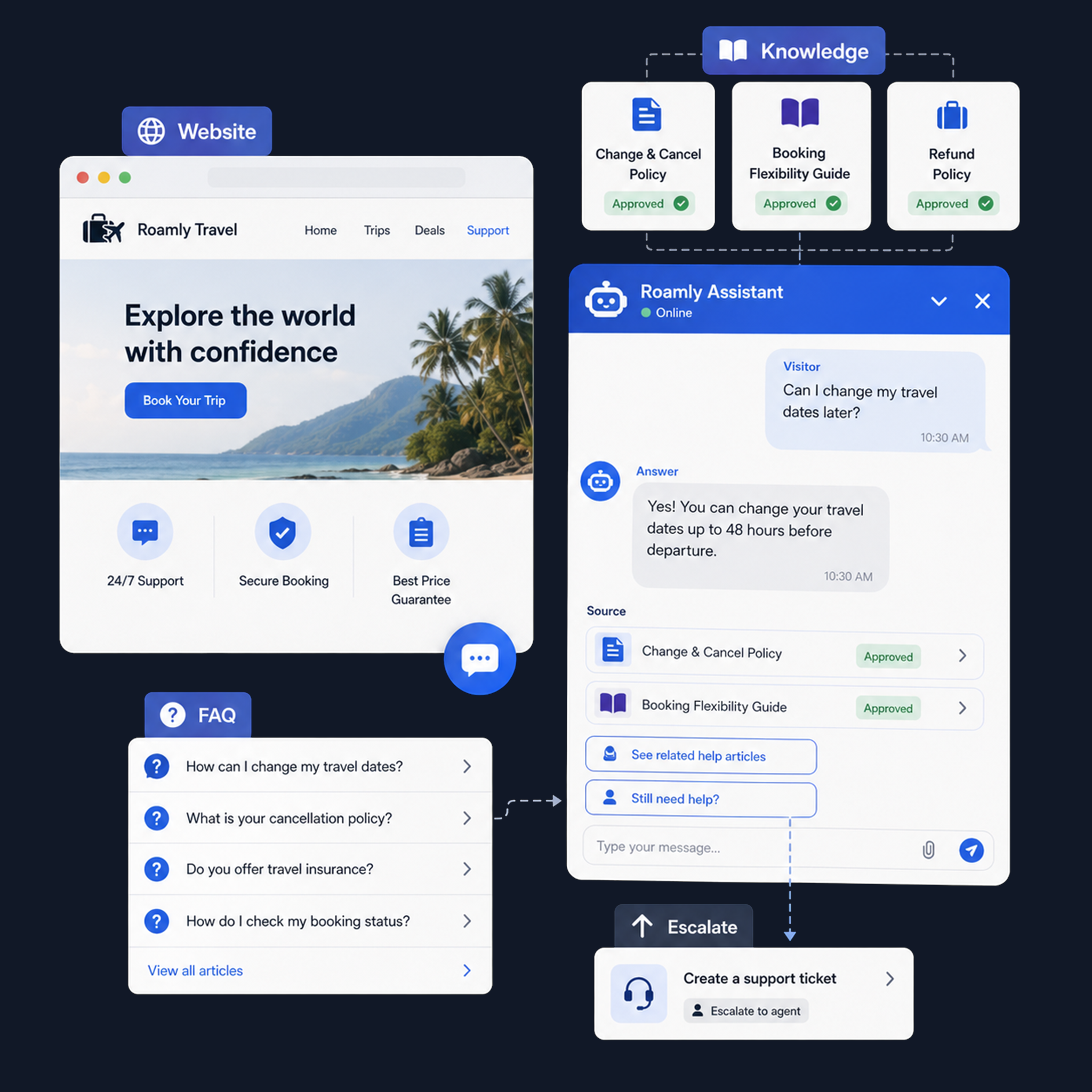
Answer from approved content before a ticket is created
Connect help articles, product pages, docs, policy content, and PDFs so visitors get grounded answers while agents avoid repetitive questions.
- Use URLs, documents, help content, and approved answer sources
- Keep responses aligned with current product, pricing, and policy context
- Escalate unanswered or sensitive questions with a clear transcript
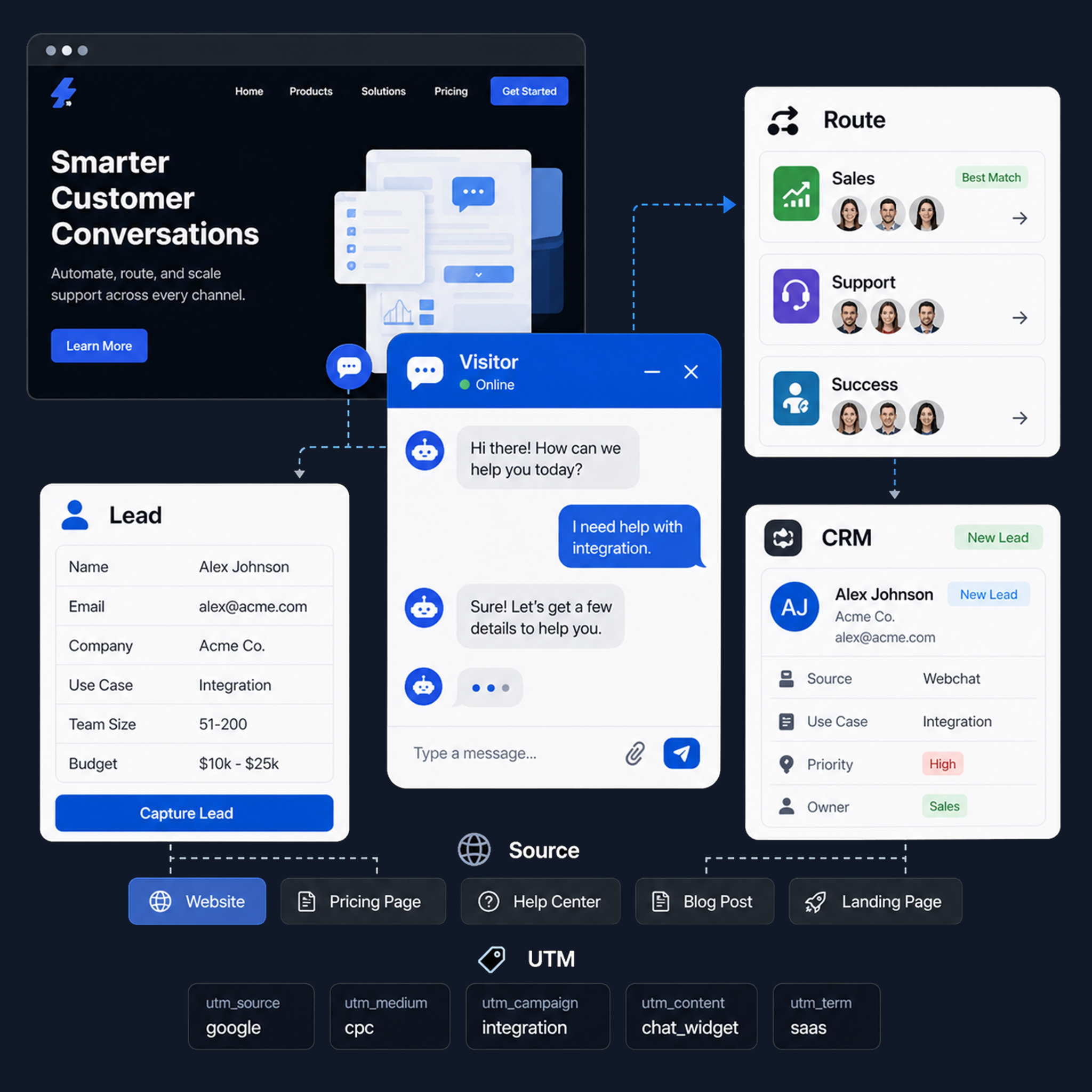
Capture the details agents need before the handoff
Ask targeted questions based on page context, campaign source, account fit, and user intent, then route conversations to the right team.
- Collect contact details, company fit, use case, timeline, and issue type
- Create CRM-ready leads with page path, UTM source, and chat summary
- Route sales, support, partner, and customer-success requests differently
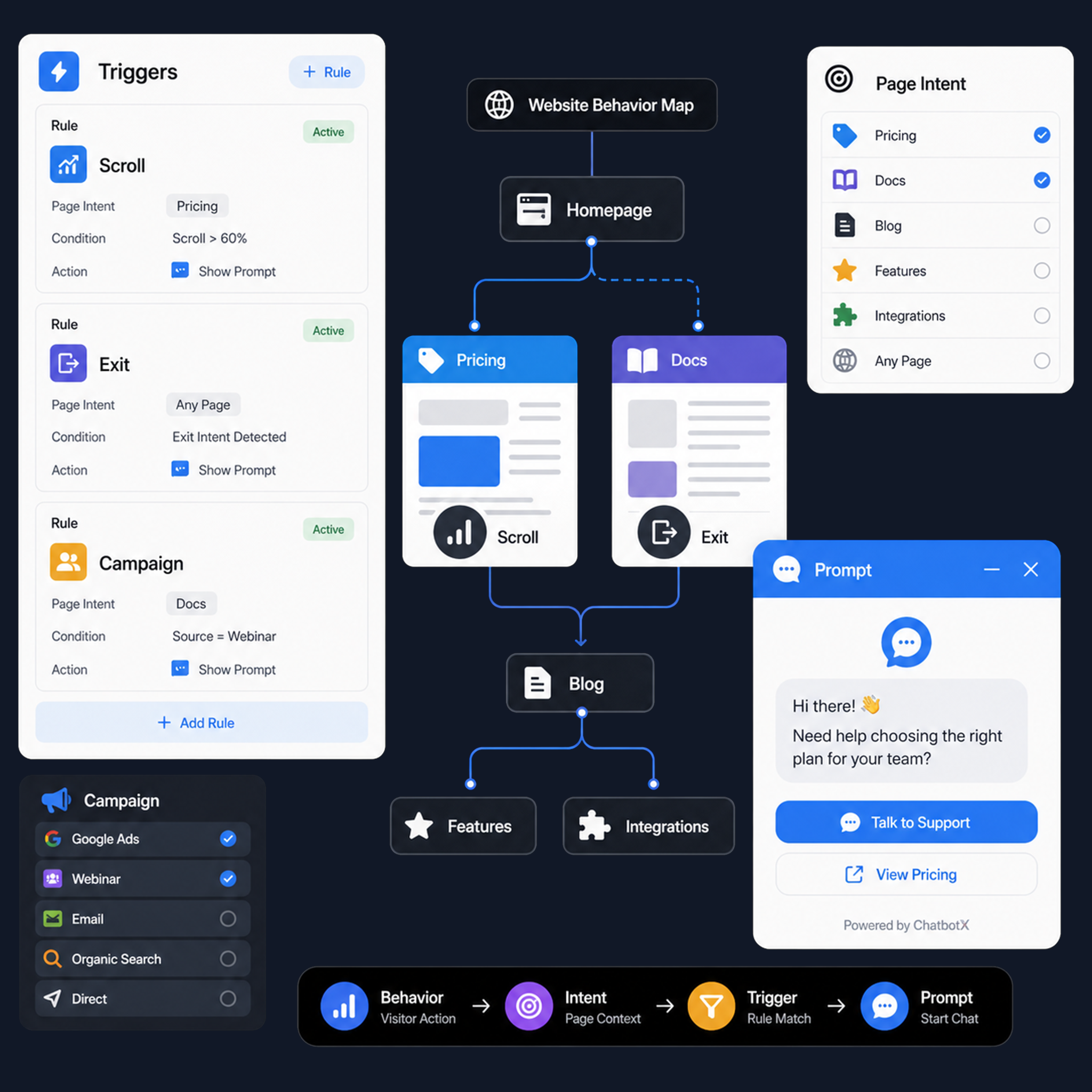
Trigger help from behavior, page context, and campaign source
Start timely conversations when visitors show buying intent, support confusion, return behavior, or exit risk.
- Trigger prompts from pricing views, docs visits, scroll depth, or exit intent
- Match messages to product pages, customer segments, and campaign sources
- Respect frequency and page context so prompts feel helpful, not noisy
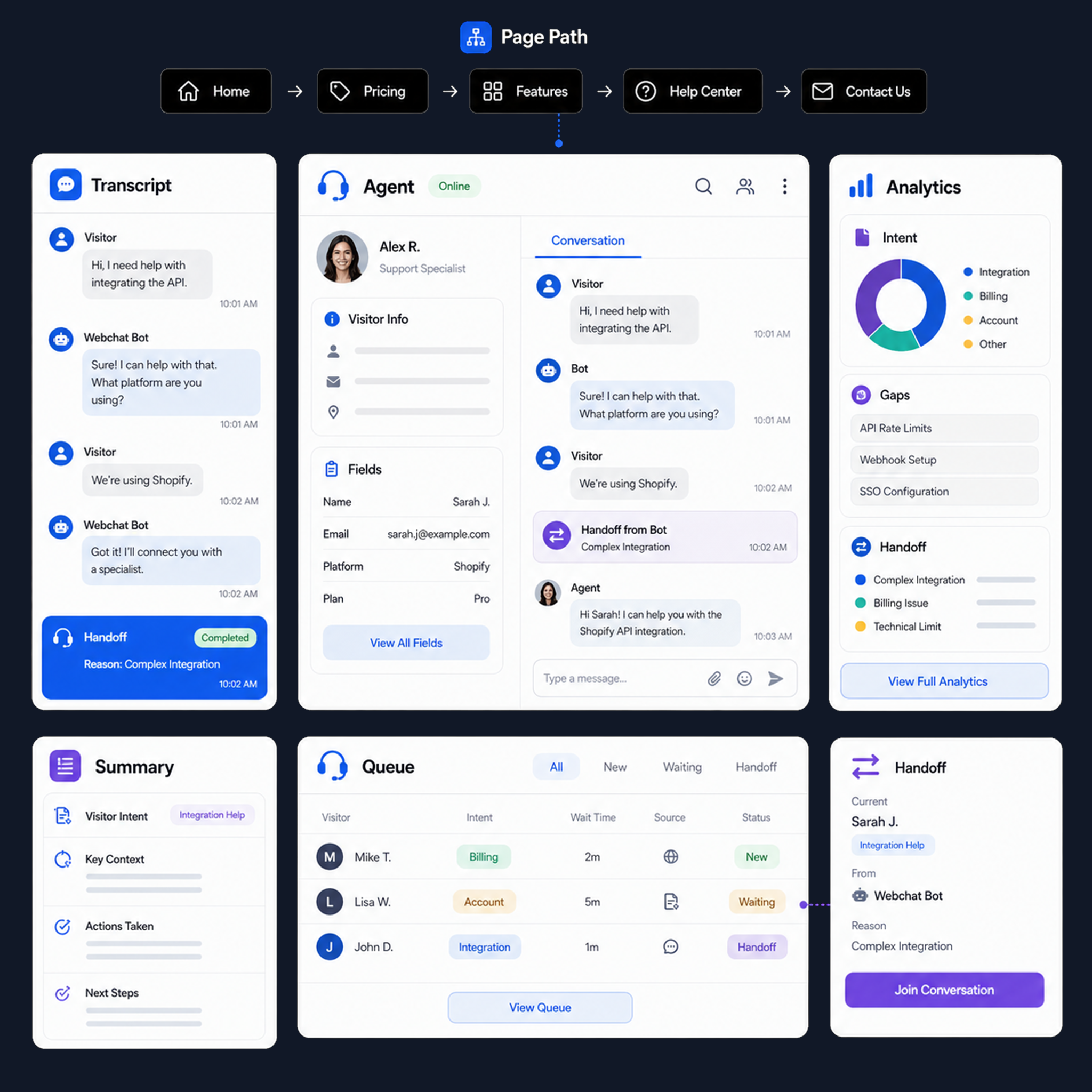
Move complex chats into the agent workspace with the full story
When AI should stop, ChatbotX transfers the transcript, visitor path, captured fields, and summary so agents can respond without re-asking.
- Route chats to sales, support, success, billing, or specialist queues
- Show agents page path, answers shown, captured fields, and conversation summary
- Track intents, answer gaps, handoff reasons, resolution patterns, and conversion signals
Complete Website Conversation Toolkit
Everything your site needs to answer, qualify, route, and measure visitor conversations from one shared workspace.
Widget Deployment
Add the webchat to WordPress, Shopify, Next.js, or custom sites with a lightweight install path.
Brand and UX Controls
Set launcher behavior, greeting tone, forms, routing prompts, and widget placement for each site.
Self-Service Answers
Use trusted pages, docs, FAQs, policies, and help center content before escalating to agents.
Contextual Triggers
Start conversations from page intent, campaign source, return visits, scroll depth, or exit behavior.
Agent Workspace Handoff
Move complex chats to the right queue with transcript, page path, summary, and captured fields.
Conversation Analytics
Measure intents, answer gaps, qualified leads, handoff reasons, resolution paths, and conversions.
Launch Webchat as a Managed Customer Channel
Connect knowledge, configure qualification, and route conversations into your omnichannel inbox.
Connect Trusted Knowledge
Sync URLs, documents, FAQs, policies, and help content so answers are grounded from day one.
Configure Routing and Triggers
Set page-specific prompts, qualification fields, handoff queues, CRM sync, and escalation rules.
Measure and Improve
Review answer gaps, handoff reasons, source quality, and conversion signals from real visitor chats.
Ready to Turn Your Website Into a Managed Conversation Channel?
Frequently
asked
questions