AI Agents

Business-aware AI Agents with
prompt, knowledge, and tools

Build AI Agents inside ChatbotX that answer with the right business context, retrieve knowledge from your documents, run structured AI Functions, and connect to external MCP tools when the conversation needs real action.

System Prompt

Define business context, tone, and response rules.

Knowledge

Let the agent read documents and business references.

AI Functions

Collect fields, trigger flows, and continue naturally.

MCP Servers

Load tools from external systems for real-time operations.

Start in AI Hub, then shape how the agent behaves

The creation flow is straightforward: open AI Hub, create an agent, then define what it should know, how it should speak, and which tools it can use.

Agent setup

Create the agent, then define the operating rules

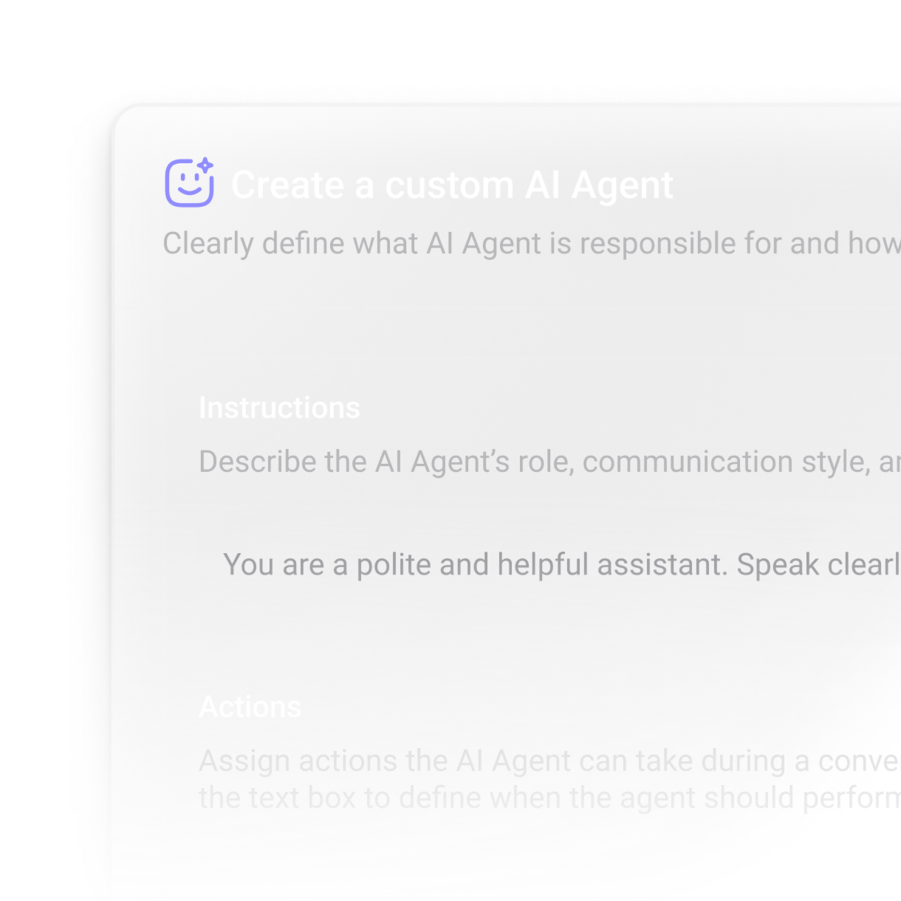
AI Hub is the control layer for creating, listing, editing, and removing agents. Once an agent exists, the System Prompt becomes the operating brief that tells it how to introduce the business, what tone to use, and which boundaries to follow.

AI Hub workflow

Open AI Hub, choose + Create AI Agent, then manage agents from one list.

Prompt foundation

Set business identity, reply style, and instructions before the agent starts answering.

Ongoing management

Edit, test, or delete agents as the product catalog, policies, and workflows evolve.

Tool-ready design

The prompt works best when it is paired with Knowledge, AI Functions, and MCP tools.

AI Hub

Create, manage, and configure

+ Create AI Agent

Agent list

Sales Assistant

Support Agent

Booking Agent

System Prompt

Business intro, tone, and operational rules live here.

Edit
Delete
Attach tools

Knowledge layer

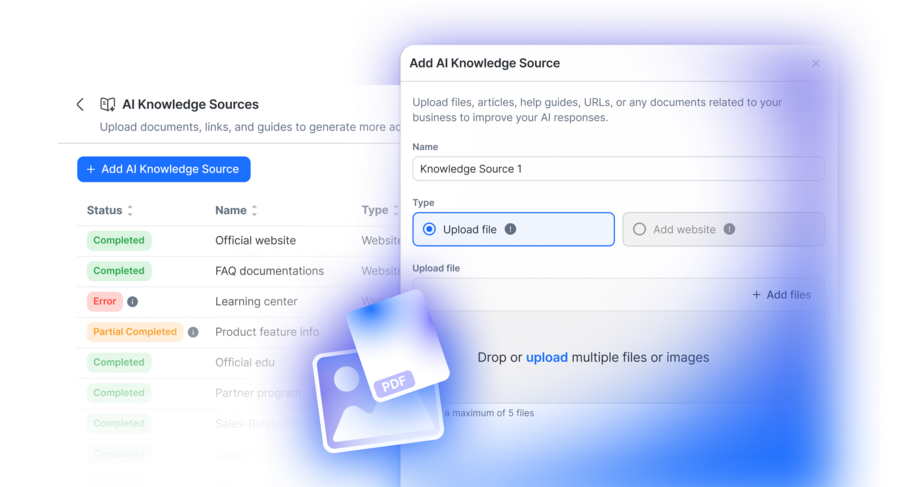
One reused visual stays here because it still matches the real product story: the agent answering from business documents and controlled reference material.

ChatbotX AI Knowledge layer
Knowledge

Turn business documents into usable context

Knowledge gives the agent a place to read business materials before it answers. Upload the files, keep the library organized, then attach the right documents to the right agent so replies stay aligned with your products, policies, and operations.

Library management

Search, review, and remove uploaded files from one list with file name, format, size, and created time.

Agent linking

Attach the right uploaded documents to each agent so it uses the correct business reference set.

Document types that fit naturally

Use business documents and structured files such as PDF, DOCX, TXT, CSV, JSON, slides, spreadsheets, web-style content, and support exports. The point is not the extension list itself. The point is giving the agent grounded material it can actually use.

AI Functions let the agent collect, trigger, and continue

When the conversation needs more than an answer, AI Functions define what data to collect, what output to return, and whether a Flow should run behind the scenes.

AI Functions

Define what the agent should collect and what comes back

Each function tells the AI when it should be used, which parameters it should collect, what raw output will be returned after completion, and whether a Flow ID should run as part of the process.

Function definition

Set a descriptive name, explain the purpose, and give the AI a clear reason to choose it.

Data collection

Specify meaningful parameters like email, city, or date.

Output message

Return a structured result, then let the AI rewrite it into a more natural response.

Trigger Flow ID

Optionally launch a flow to save data, hit a webhook, or route to a human.

Function builder

Structured input for the AI

get_current_weather

Purpose

Use this when the user asks for current weather conditions.

Collect

city email reason

Output

{{data_from_api}}

Optional Flow ID

Save data, call a webhook, or hand the conversation to a human.

Weather lookup

Collect the city, run the function, and answer with current conditions.

Book appointment

Gather date, email, and reason, then return a confirmed outcome.

Connect to human

Trigger a flow with an inbox action so a rep can take over.

Join email list

Collect the email, run the flow, and confirm subscription in the same chat.

MCP Server setup

Bring external tools into the agent

Get Tools
Name
URL
Auth

Authentication

None Token Custom Header

Loaded tools

Search product

Check customer purchase history

Create external action request

MCP Servers

Connect the agent to advanced external toolsets

MCP Servers extend the agent beyond document lookup and flow triggers. Add the server, choose the authentication method, click Get Tools, then enable that MCP server inside the agent so it can use the loaded toolset in real time.

Server configuration

Create the server with a name, URL, and authentication pattern that matches the external service.

Agent activation

After tools are loaded, select the MCP server from the agent tool settings.

Examples that fit this model

Shopify Stripe WooCommerce Zapier Make

The agent becomes operational when all four layers work together

Prompt sets behavior, Knowledge supplies business context, AI Functions run structured operations, and MCP tools reach external systems when the conversation needs real-time action.

Operational flow

One conversation can move across context, collection, and action

1. Read the request. The System Prompt frames how the agent should behave and which boundaries matter.

2. Check Knowledge. The agent looks through uploaded documents when the answer depends on business material.

3. Collect missing data. If the user request needs a field like city, email, or booking time, the agent can trigger an AI Function and gather it.

4. Run the right tool. The AI Function may launch a flow or return structured data, while MCP can call an external toolset directly.

5. Return a natural reply. The raw output comes back, and the agent rewrites it into a smooth customer-facing answer.

Scenario

Support + action + external data

Live chain

User asks a specific question

For example: pricing policy, shipping estimate, or order status.

Knowledge checks the business reference

Documents fill the context gap before the agent answers.

AI Function or MCP tool runs

Collect fields, call a flow, or reach an external system.

Agent responds naturally

The user sees one coherent answer, not the toolchain behind it.

Frequently
asked
questions

Underline decorative

Why make an open source ChatbotX?

What's the difference between ChatbotX and ManyChat, Wati, Respond.io?

What channels does ChatbotX support?

Do you offer a free forever plan?

What kind of payment methods are supported by ChatbotX?

What is your cancellation policy?

Can I trust ChatbotX?

Subscribe to the Newsletter

For occasional updates, news and events