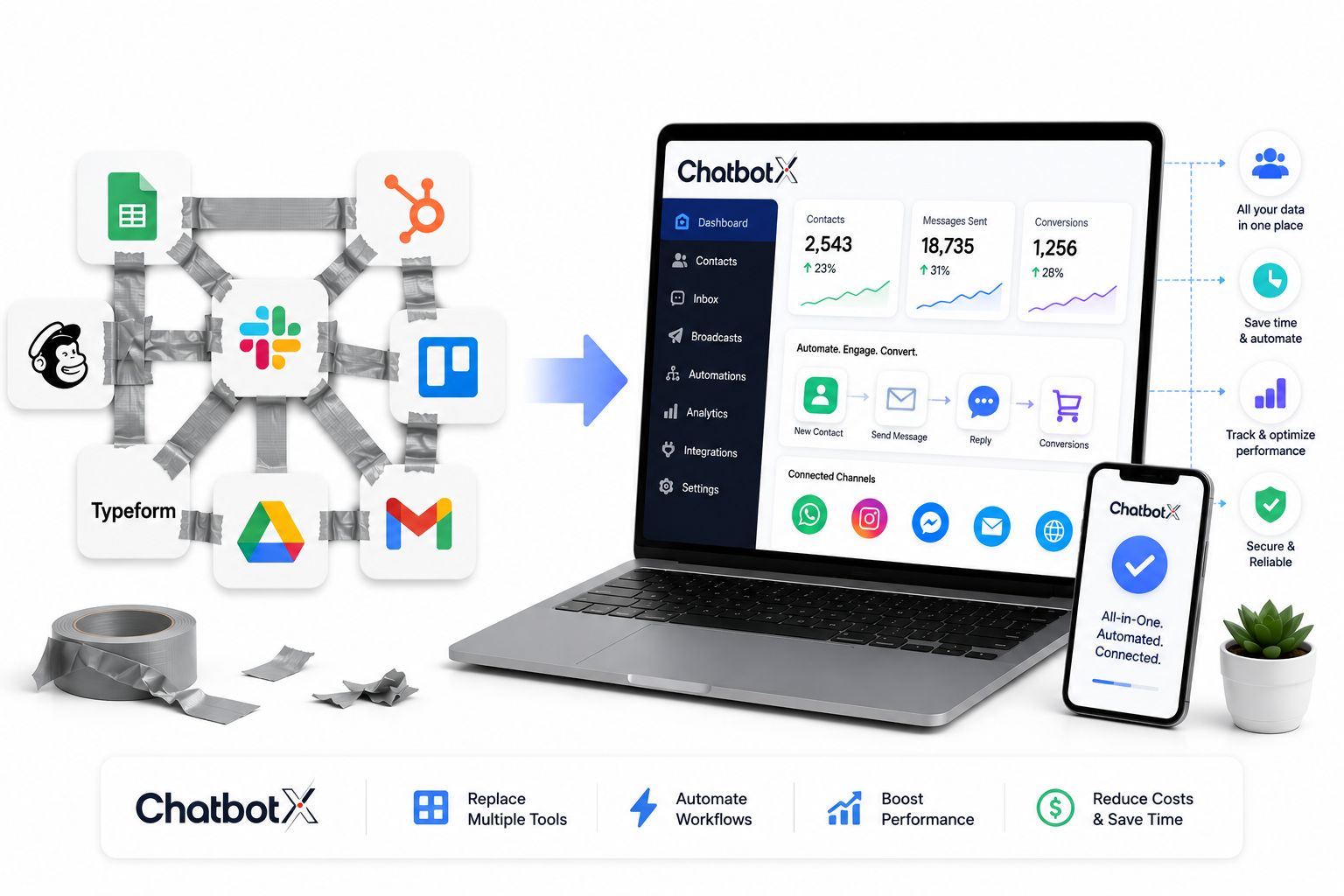
Every growing company starts the same way: a spreadsheet for leads, a separate inbox for support tickets, a scheduling app bolted on later, and a billing tool nobody remembers choosing. None of these decisions were wrong on their own. The problem is what happens after – nobody goes back to connect them. What you’re left with isn’t a tech stack. It’s a duct-taped stack: a pile of single-purpose apps held together by manual exports, copy-paste habits, and someone’s memory of where everything lives.
This isn’t a symptom of poor planning. It’s what happens to nearly every founder who scales fast and adds tools reactively. But the longer that patchwork stays in place, the more it costs you – in hours, in missed context, and in customers who feel like they’re talking to five different companies instead of one.
Launch agentic chat marketing in minutes with ChatbotX














What a Duct-Taped Stack Actually Looks Like
A duct-taped stack forms one decision at a time. You pick a CRM for sales. A different app for support tickets. A messaging tool for WhatsApp or Instagram DMs. Analytics live somewhere else entirely. None of it was designed to talk to the others, so your team becomes the connective tissue – manually re-typing a customer’s name into three different systems just to answer one question.
Call it the “reconciliation tax”: the invisible cost of stitching data together by hand, every single day, across every department.
Why Fragmented Tools Cost More Than They Save

The math on disconnected software is not subtle. Recent SaaS benchmarking puts the average company’s application count in the hundreds, and Zylo’s 2026 SaaS Management Index found that the average organization now manages around 305 separate SaaS applications, a figure that has barely moved even as spending keeps climbing. That’s not a sales-team problem or a support-team problem – it’s a company-wide leak.
A few figures make the case bluntly:
- Running close to 300 SaaS apps makes tool sprawl close to unavoidable, and 20–30% of SaaS budgets can typically be recovered through a structured audit.
- Companies now waste roughly $21 million a year on licenses that nobody actually opens, according to recent industry analysis of SaaS spend.
- Organizations that adopt dedicated SaaS management practices report 23–30% reductions in software spending within just twelve months – proof that the waste is real and recoverable.
- Beyond the invoice, disconnected customer data means agents answer support tickets without knowing what marketing already promised, or sales reps chase leads that support already resolved.
For a business built around customer conversations – sales inquiries, support tickets, order updates – this fragmentation is worse than an accounting problem. It shows up directly in response times, repeat questions, and customers who have to explain themselves twice.
Five Signs Your Business Has Outgrown Its Patchwork Setup

Not sure if your setup counts as duct-taped? Look for these patterns:
Your team is the manual bridge. If someone has to copy a customer’s order number from one tool into another before they can reply, that’s not a workflow – that’s a workaround.
No one has the full picture. Sales sees one version of a customer. Support sees another. Marketing has a third. Nobody actually knows what’s true.
You’re paying for tools you barely touch. Overlapping subscriptions accumulate quietly, and most teams don’t discover the redundancy until renewal season.
Every channel is its own silo. A customer messages you on Zalo, then follows up on WhatsApp, then emails – and your team treats each one like a stranger.
Onboarding a new hire takes a week just to explain the tools. If training someone means walking through six different logins before they can help a single customer, the stack itself has become the bottleneck.
What a Unified Messaging Platform Looks Like Instead

Picture a ten-person online retailer that started, like most do, on spreadsheets and a shared inbox. Leads came in through Facebook comments, Instagram DMs, and a contact form, and every one of them had to be manually logged before anyone could follow up. By the time a customer reached a human, the context from their first message was already gone.
The fix wasn’t a bigger stack – it was consolidating sales, support, and messaging into one place. Once every channel fed the same system, the team stopped re-typing customer details, response times dropped, and follow-ups that used to fall through the cracks started happening automatically.
That’s the model behind ChatbotX, an open-source, agentic omnichannel platform built to replace exactly this kind of patchwork. Instead of juggling a separate app for every channel, ChatbotX brings WhatsApp, Messenger, Instagram, Telegram, Zalo, TikTok, email, and web chat into a single shared workspace – so a conversation that starts on one channel doesn’t lose its history the moment it moves to another.
Three parts of the platform do the heavy lifting:
- The AI Agents feature handles routine questions, qualifies leads, and hands off complex conversations to a human without the customer having to repeat themselves.
- The Shared Inbox gives every team member – sales, support, marketing – the same real-time view of a customer, across every channel, in one screen.
- The built-in Analytics feature replaces the guesswork of pulling numbers from five dashboards with one place to see response times, conversion rates, and channel performance.
For teams that have outgrown spreadsheets but aren’t ready for a heavyweight enterprise suite, this kind of consolidation is often the difference between a support team that’s constantly behind and one that runs ahead of the conversation.
Where AI Actually Pays Off — And Where It Doesn’t
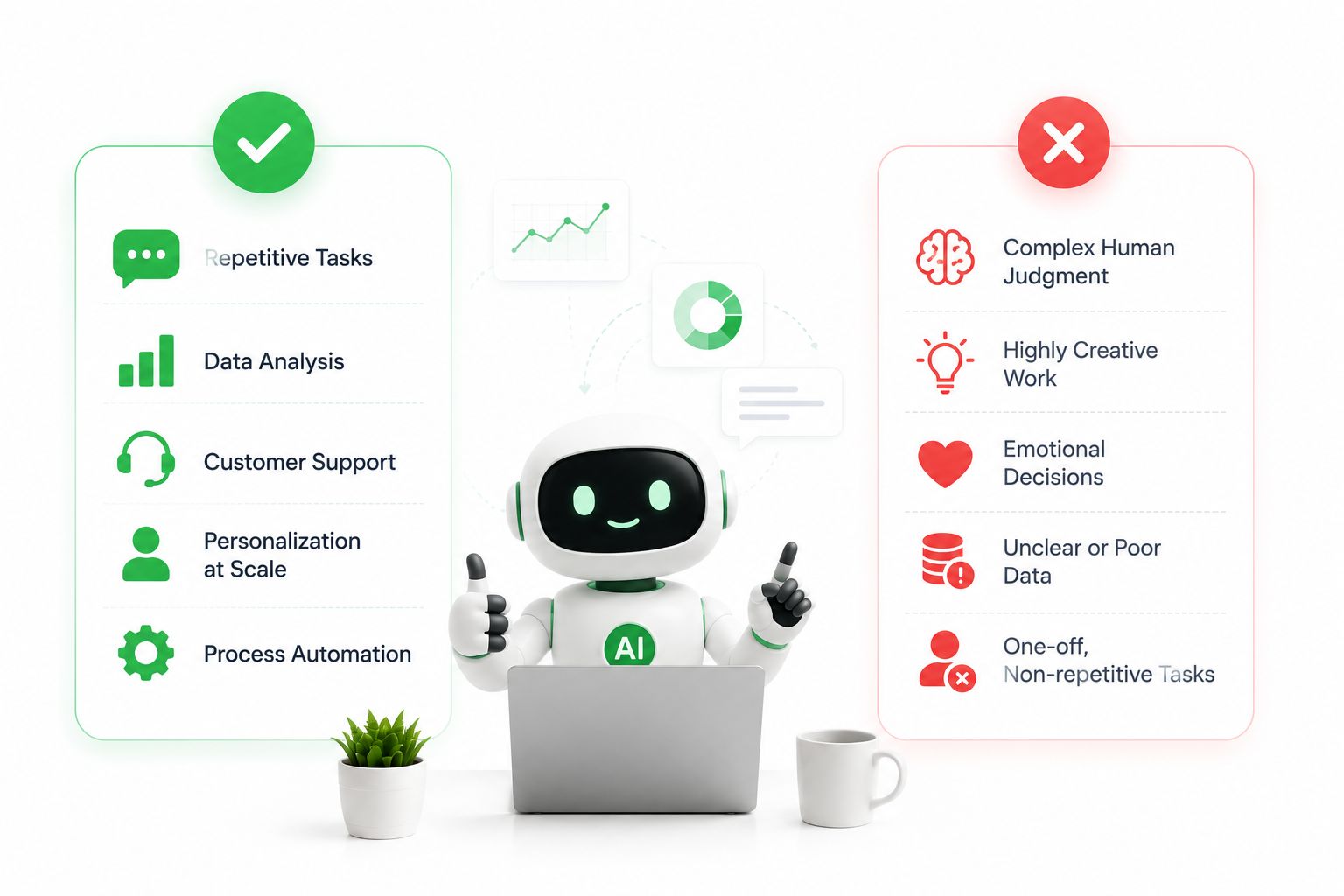
AI is only as useful as the data it can see. Bolting a chatbot onto your support tool and a separate AI writer onto your CRM – with nothing shared between them – is just a more expensive version of the same duct-taped problem. The bot still can’t see what the CRM knows, and someone still has to connect the dots by hand.
When automation sits inside a single platform that already holds your contact history, conversation logs, and sales pipeline, it behaves differently. It can recognize a returning customer, recall what they last asked about, and suggest the next best action – without a human stitching systems together first. That’s the gap between AI as a bolted-on feature and AI as part of a genuinely connected stack.
Being open-source also means teams aren’t locked into a black box – the automation logic, integrations, and data flow are visible and extensible rather than hidden behind a vendor’s walls. You can track exactly what’s shipping in each version through the project’s release notes, rather than waiting on a vendor’s roadmap announcement.
Related Reading
If you’re mapping out how a connected messaging stack fits your broader operations, these guides go deeper on two pieces of the puzzle:
- AI Chatbot with CRM Integration: The Complete 2026 Playbook for Smarter Customer Conversations
- Omnichannel Customer Service Platform: The Complete 2026 Buyer’s Guide
Frequently Asked Questions
What is a duct-taped tool stack?
It’s a collection of single-purpose business apps – CRM, support desk, messaging tools, analytics – that were each adopted to solve one problem, without a plan for how they’d share data with each other. Teams end up manually bridging the gaps.
How do I know if my business has outgrown its current setup?
Common signs include manual data re-entry between systems, no single view of a customer across departments, paying for overlapping tools, and new hires needing days just to learn the toolset before they can help a customer.
Can a small team really run AI-powered messaging without an engineering department?
Yes. Platforms like ChatbotX are designed to be deployed without a dedicated IT team, since the AI agents, inbox, and analytics already work together out of the box rather than requiring custom integration work.
What’s the real difference between connected tools and a truly unified platform?
Connected tools are often bridged through third-party integrations or manual exports that break when one app updates. A unified platform runs messaging, automation, contacts, and reporting in the same environment from day one, so there’s no separate integration to maintain.
Is switching to one platform expensive or disruptive?
Consolidating channels usually costs less than maintaining several overlapping subscriptions, and because ChatbotX is open-source, teams can start with the core platform and expand only into the channels and features they actually need.
Ready to Stop Stitching Tools Together?
If your team is still copy-pasting customer details between five different apps, it might be time to give them one workspace instead. Get started with ChatbotX for free, connect your first channel in minutes, and see what your support and sales teams can do when every conversation lives in one place.