Quick answer: You can automate most of your social media content work by chaining several small Claude Skills inside Claude Code or Claude Cowork. One skill finds creators, another spots outlier posts, another transcribes them, and another rewrites the scripts in your own voice. Add a publishing layer and a conversation layer, and the whole loop, from idea to reply, runs with very little manual effort.
A creator-education team recently shared a workflow that has been circulating in AI-agent communities. Their claim sounds almost too bold: a single person can replace an entire social media team using Claude Code, a few custom Claude Skills, and a transcription flow built in n8n. According to the team, the same playbook helped their own account grow past 400,000 followers.
Watching the system run from start to finish feels less like a productivity hack and more like a preview of how marketing teams will operate in the near future. This guide breaks down how it works, what tools power it, where it falls short, and how to fill the gaps so your agents ship results instead of leaving drafts in a database.
Launch agentic chat marketing in minutes with ChatbotX














Why AI Agents Beat Simple Prompts for Social Media
Most “AI content automation” online is a thin layer over one instruction: write me a post about X. The output is generic, and nothing connects one step to the next.
The workflow described here is different because each stage is its own agent with a narrow job. Anthropic’s tooling for Claude Code and Claude Cowork made this practical, and the original demo reportedly came together in only three days. The secret is not magic. It is a strict set of operating principles for finding ideas, writing scripts and shipping content, and those principles map cleanly onto reusable Claude Skills.
If you want the official background on the tooling, Anthropic’s Claude Code documentation explains how agents can read files, run commands and call external tools.
What Is a Claude Skill, and Why Does It Change Social Media Automation?

A Claude Skill is a packaged bundle of instructions, reference knowledge and tools that Claude can load whenever a task calls for it. Instead of pasting a long prompt every time, you store the rules once inside the skill and trigger it with a short request.
Take the creator-finder skill as an example. You ask for “three creators in the personal-branding niche, not filmmaking.” The skill already knows what to do: open Instagram in the browser, scan candidate profiles, apply your criteria, drop the ones that do not fit, and save the rest to a Notion table. It also checks the table first, so it never adds the same person twice.
That small “check before you write” rule is what turns a fragile demo into something you can leave running unattended.
The Five-Skill Content Pipeline, Step by Step
Once creators land in Notion, the remaining work is handled by a chain of agents:
- Creator Finder. Searches a niche, validates each profile, and stores new creators without duplicates.
- Viral Spotter. Scans each creator’s profile and flags the videos that performed far above that creator’s own average. Relative outliers reveal which hooks and topics the algorithm currently rewards.
- Transcriber. Extracts the audio from each flagged video, converts it to text, and saves the transcript in a content-ideas database with a link to the source.
- Re-scripter. Takes an approved idea plus your personal knowledge base (past videos, talks, call transcripts) and rewrites the script in your voice while keeping the structure that made the original work.
- Full Pipeline. A master skill that runs all four in order from a single prompt and a niche description.
The re-scripter is what separates this system from ordinary “rewrite with AI” tools. Because it is fed real material from your own content, the result carries your opinions, examples and rhythm instead of bland machine prose. The skeleton of the winning video stays; the substance becomes yours.
The Tech Stack Behind the Workflow
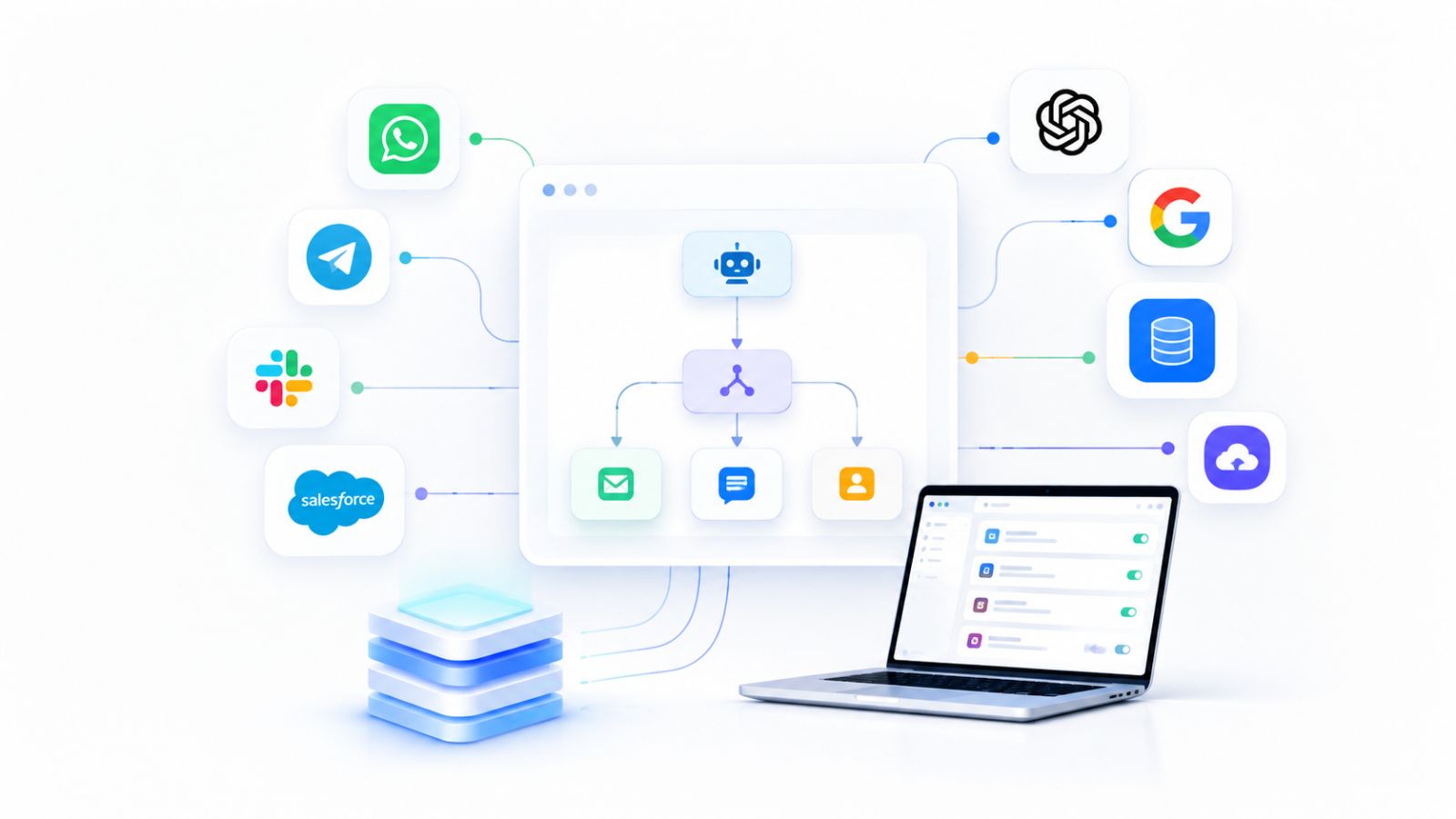
The dependency list is short:
- Claude Pro or Max. Claude Cowork sits behind paid plans. Pro is enough to start, while heavy daily use of the full pipeline tends to push people toward Max.
- Claude in Chrome. Lets skills open a browser, use your logged-in session, and read profile content, so agents can act rather than only write.
- n8n. Acts as a transcription endpoint. Claude does not transcribe video natively, so an n8n webhook receives a video URL and returns text using a speech-to-text service. You can explore the platform at n8n.io.
- Notion. The durable storage layer: one database for creators, one for content ideas, and a knowledge-base page for your reference material.
Most of these pieces are free or inexpensive. The only step that needs a little technical comfort is configuring the webhook and API key, which is usually a few minutes of work.
The Missing Piece: Publishing and Engagement
Here is where the original demo stops, and where many teams get stuck. The pipeline ends with approved scripts sitting in Notion. A human still has to copy each script, draft the caption, attach media, schedule it on every platform and later check what performed.
For a solo creator, that gap is an annoyance. For an agency serving ten clients across six platforms, it is the entire job. A content pipeline that ends in a database is a draft folder, not a publishing system.
There is a second gap that gets even less attention: what happens after the post goes live. Good content generates comments, direct messages and questions. If nobody (or nothing) answers them quickly, the reach you earned leaks away.
To make the system truly end to end, add two more layers:
- A publishing layer that exposes an API, a CLI or an MCP server, so a “Publisher” skill can read approved scripts, choose a time, attach media and schedule posts across channels.
- A conversation layer that captures every reply, comment and DM across your messaging channels and answers them with AI.
Where ChatbotX Fits: The Conversation Layer

This is where ChatbotX comes in. ChatbotX is an open-source, agentic chat marketing platform that connects WhatsApp, Messenger, Instagram, Telegram, Zalo, TikTok, Email and Webchat in one place. Instead of stopping at content creation, it helps you turn attention into conversations and conversations into customers.
Three capabilities matter most for an agent-driven workflow:
- AI Agents. Deploy goal-oriented agents that detect intent, answer questions and qualify leads around the clock, so the audience your content attracts gets an instant, relevant reply.
- API, CLI & MCP. ChatbotX is built for agents. You can connect Claude Code or other assistants through the public API, command line and Model Context Protocol, and let your pipeline trigger real actions in your workspace. If MCP is new to you, the Model Context Protocol website is the best starting point.
- Flow Builder. Design a conversation once and run it across every channel, with AI-powered responses and clear rules controlling what the bot can do.
If you want a deeper look at how agents handle both content and customer chats, read our guide to Social Media MCP and how AI agents automate content and conversations. To plan each stage properly, our article on how to design AI agent workflows for small business walks through triggers, context, tools and actions.
Because ChatbotX is open source, developers can inspect the code, self-host it and extend it. Browse the ChatbotX repository on GitHub or follow the latest ChatbotX releases to see what has shipped recently.
Five Lessons for Building Your Own AI Social Media System

Whether or not you copy this exact stack, these principles apply:
- Skills beat giant prompts. Give every operating principle its own agent with its own instructions.
- Outliers are the signal. Look for posts that beat a creator’s own baseline, not just accounts with large followings. That filters out vanity metrics.
- A knowledge base separates channeling from rewriting. Feed the system transcripts of your real talks and calls, or your voice will melt into the same neutral tone everyone else’s AI produces.
- Keep an approval gate. A simple “idea approved” status before the re-scripter runs prevents agents from writing posts you would never publish.
- Never stop at the script. A pipeline without publishing, analytics and conversation handling is an ideation tool, not automation.
Following Google’s guidance on creating helpful, people-first content also matters here. Use AI to speed up research and drafting, but keep human judgment, original experience and clear editorial standards in every piece you publish.
Frequently Asked Questions
Can Claude Code really automate social media content?
Yes, for the research, scripting and organizing stages. Claude Code and Claude Skills can find creators, analyze outlier posts, process transcripts and draft scripts. Publishing and replying require extra tools connected through an API or MCP server.
Do I need to be a developer to build this workflow?
Not necessarily. The hardest step is setting up a webhook in n8n for transcription. Everything else relies on configuring skills and databases, which most marketers can learn quickly.
Should I let AI publish posts without review?
For most brands, no. Keep a human approval step before scripts are finalized and before anything goes live. Automation should remove repetitive work, not remove accountability.
How does ChatbotX help after content is published?
ChatbotX handles the conversations your content creates. Its AI agents answer messages across channels, capture leads, and hand complex cases to your team, all from one inbox.
Ready to Turn Your Content Into Conversations?
Great content only pays off when someone is there to talk to the people it attracts. If your agents already write and schedule posts, give them a conversation layer that never sleeps.
Start with ChatbotX today: connect your channels, launch an AI agent, and let your workflow run from the first post to the final sale. Prefer full control? Self-host it for free from GitHub, or start a free trial and see how quickly your first automated conversation goes live.