Picture opening your laptop at 8 a.m. and finding your inbox already triaged, three qualified leads waiting in your pipeline, and a draft social caption sitting in your drafts folder – all done overnight, without a single coffee break. That’s not a fantasy anymore. It’s what a well-configured AI virtual assistant does for small teams heading into 2026.
For years, “virtual assistant” meant a freelancer you hired by the hour. Today it increasingly means a software layer – an always-on digital teammate that never sleeps, never asks for a raise, and never forgets a follow-up. Small businesses that build this layer into their daily operations are freeing up hours that used to disappear into repetitive admin work, and redirecting that time toward the strategic moves that actually grow revenue.
Launch agentic chat marketing in minutes with ChatbotX














Why Small Teams Can’t Skip an AI Assistant Anymore
If you’re running a business solo or with just a handful of people, you already know the feeling of being stretched across sales, marketing, and support at the same time. A recent industry survey found that small business owners are over 1.5 times more likely to say they need more time than to say they need lower costs – a clear sign that the real bottleneck for most small teams isn’t budget, it’s bandwidth.
An AI-powered assistant closes that gap in three concrete ways:
- It scales without headcount. Message volume can double overnight during a promotion or a viral post, and the assistant absorbs the spike without you needing to hire.
- It works around the clock. Customers in different time zones – or just people browsing at midnight – get an instant reply instead of a “we’ll get back to you tomorrow.”
- It reduces manual errors. A human juggling ten tasks at once will eventually mistype a price or forget a follow-up. A properly configured assistant follows the same rules every single time.
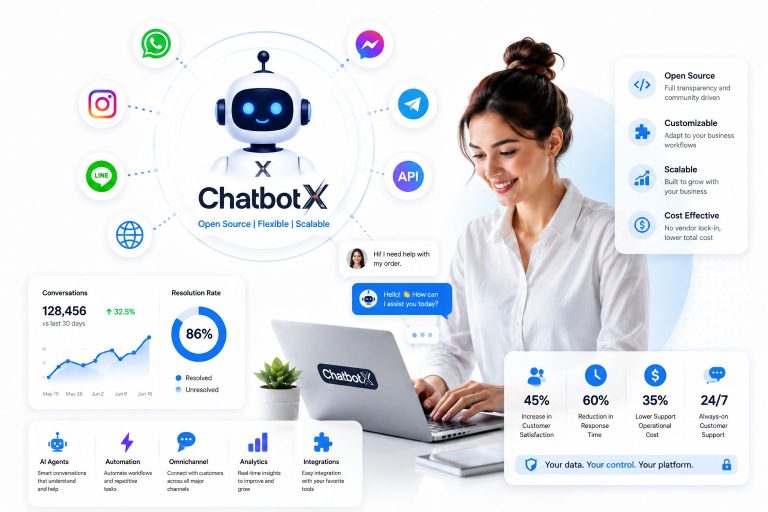
This is exactly the gap that platforms like ChatbotX were built to close – giving small teams an agentic layer that runs alongside them across every messaging channel, not just one inbox.
Bringing an AI Assistant Into Your Team the Right Way

Rolling out new software badly is a fast way to make your team distrust it. Rolling it out well makes it feel like hiring a genuinely useful colleague. A few principles make the difference:
Define the Job Description First
Before you turn anything on, write down exactly what the assistant is and isn’t responsible for – answering FAQs, qualifying leads, booking appointments, or routing tickets. Ambiguity here is where automation projects quietly fail; teams stop trusting a tool they don’t understand. ChatbotX’s AI Agents feature lets you scope this precisely, so the assistant handles clearly defined tasks autonomously instead of guessing at intent.
Train the Humans, Not Just the Bot
Your team needs a short onboarding on how to hand off conversations, review flagged messages, and step in when the assistant escalates something complex. Even a 30-minute walkthrough dramatically shortens the adjustment period and prevents the “the bot got it wrong” complaints that come from unclear expectations.
Connect It to Where Your Data Already Lives
An assistant is only as useful as the context it can see. Wiring it into your CRM or contact database means every reply is personalized instead of generic. This is where a unified CRM Contacts layer pays off – every past order, support ticket, and preference becomes something the assistant can reference in real time, rather than starting from zero with every new message.
Give Your Assistant Access to Real Customer Context

A digital assistant with no memory of past interactions is barely more useful than a static FAQ page. To make it genuinely valuable, focus on three things:
- Centralize contact history. Every WhatsApp message, Messenger DM, and web-chat conversation should land in one place, not five disconnected tabs.
- Automate the repetitive branches. A no-code Flow Builder lets you map out lead qualification, appointment booking, or order-status flows visually – no developer required, and changes go live in minutes.
- Let AI handle judgment calls, not just scripts. Rule-based bots break the moment a customer phrases something unexpectedly. Modern AI agents interpret intent and respond naturally, which is a big part of why Gartner projects agentic AI will autonomously resolve 80% of common customer service issues without human intervention by 2029, cutting operational costs by roughly 30%.
For a deeper look at how this plays out for people managing their own daily workload rather than a whole team, ChatbotX’s guide on building a personal AI agent as your daily operating system breaks down the exact structural differences between a traditional virtual assistant and a persistent, self-directed AI layer.
Comparing Manual Work vs. an AI-Assisted Workflow
| Task | Manual / Human-Only | AI Virtual Assistant |
|---|---|---|
| After-hours inquiries | Delayed until next business day | Answered instantly, any time zone |
| Lead qualification | Manual review of every form submission | Auto-tagged and routed in seconds |
| Data entry & CRM updates | Prone to typos and missed fields | Consistent, rule-based accuracy |
| Scaling for a promo spike | Requires temp staff or overtime | Absorbs volume with no added headcount |
| Follow-up sequences | Easy to forget after a busy day | Automated drip sequences, always on time |
Building for Growth, Not Just a Quick Fix

The tool you choose now shapes how easily you expand later. An assistant that only lives on one channel becomes a bottleneck the moment you add a second one. Look for a platform where sales, marketing, and support share the same data layer:
- Sales: automatically score and prioritize leads, then draft a personalized first-touch message.
- Marketing: generate and A/B-test subject lines, captions, and broadcast copy.
- Support: answer common questions instantly and route anything complex to a human with full context attached.
- Operations: keep every channel’s data synced into a single dashboard instead of five separate exports.
If you’re weighing options for handling this at scale across WhatsApp specifically, the comparison in Best WhatsApp Business Solution Providers in 2026 is a useful next read – it walks through exactly what separates a basic messaging app from a real automation backbone.
This kind of compounding value is consistent with what broader research on AI adoption shows: McKinsey estimates that generative AI could reduce human-handled customer service contacts by up to 50% in several industries, freeing teams to focus on the conversations that genuinely need a human touch.
A Practical Rollout Plan

- Consolidate your customer data into one system so every channel pulls from the same source of truth.
- Clean up your records – dedupe contacts and standardize fields before you automate on top of messy data.
- Map your FAQs and knowledge base so the assistant has accurate source material to draw answers from.
- Turn on AI Agents for one channel first – WhatsApp or Messenger is usually the highest-volume starting point.
- Track containment and response time weekly so you can see the assistant improving, not just assume it is.
- Expand channel by channel once the first rollout is stable, rather than launching everywhere at once.
- Revisit the scope every quarter – as your product and offers change, your assistant’s instructions should too.
Because ChatbotX is open-source, teams that want full control can self-host the entire stack, inspect exactly how each automation works, and extend it with custom logic instead of being locked into a closed platform. Developers can browse the codebase, track upcoming features, or review release notes and updates directly on GitHub.
Welcoming Your Assistant Without Losing the Human Touch
None of this is about replacing your team – it’s about giving them room to do the work that actually needs a human: building relationships, solving unusual problems, and making judgment calls. The assistant handles the repetitive 80%, freeing your people for the 20% that requires real thinking.
Ready to put this into practice? Get started with ChatbotX for free and set up your first AI agent across WhatsApp, Messenger, or web chat in minutes – no credit card, no code required.
Frequently Asked Questions
What exactly is an AI virtual assistant for a small business?
It’s a software layer – usually powered by conversational AI – that handles tasks like answering customer questions, qualifying leads, scheduling, and routing conversations, without needing a human to be online.
How is this different from a traditional virtual assistant?
A traditional VA is a person completing tasks when asked. An AI assistant is always-on, works across every channel simultaneously, and costs a fraction of hourly human rates once it’s configured.
Is it hard to set up for a small team with no developers?
No. Platforms with a visual, no-code flow builder let you launch a working assistant in a single afternoon, then expand automation gradually as your team gets comfortable.
Will it replace customer service staff?
It’s built to absorb repetitive, high-volume questions so your team can spend more time on complex or high-value conversations – not to eliminate the human side of support entirely.
Which channel should I automate first?
Start with whichever channel already gets your highest message volume – for most small businesses in 2026, that’s WhatsApp or Messenger – then expand to Instagram, email, or web chat once the first flow is stable.