Quick answer: An effective AI UGC workflow treats AI video as a testing lab, not a content vending machine. Study what already wins in your niche, rebuild that format around your own product, change a single variable per test, review each platform separately, and put real money behind only the concepts that prove themselves.
Short-form video rewards the teams that learn fastest. AI-generated user-generated content (AI UGC) gives you a cheap way to try dozens of hooks and angles before you commit to creators or paid media. The catch is that most people use it backwards: they type “realistic creator talking to camera” into a video model, burn credits, and publish whatever comes back.
This guide lays out a better system. It is designed for consumer apps, SaaS products, ecommerce stores, and any brand that needs a steady supply of fresh vertical video. By the end you will have a pipeline you can run almost on autopilot.
Launch agentic chat marketing in minutes with ChatbotX














What Is AI UGC?
AI UGC is short-form video that feels like an ordinary person filmed it on a phone, where the presenter, scene, or voice is produced by generative AI. Current video models such as Seedance 2.5, Google Omni, and Kling 3.0 can all produce this style of clip.
The smart way to use it is as an experimentation layer. You discover which hook, story, and format hold attention, then hand the proven concept to a human creator whom your audience already trusts. AI is the scouting report; real creators are the star players.
AI UGC apps vs. a custom workflow
All-in-one tools like MakeUGC, Arcads, and Creatify convert a script into an avatar video within minutes, which makes them the quickest way to dip a toe in. A hands-on workflow is slower, but it buys you three things: an original presenter, genuine product footage, and clean experiments where every result teaches you something.
The AI UGC Toolkit
Think of one AI coding agent as the operator, with other tools plugged in around it. Here is a practical stack:
| Tool | Role in the pipeline | How it connects |
|---|---|---|
| Claude Code (or a similar agent) | Plans, researches, writes briefs, edits, and coordinates | You chat with it directly |
| Apify | Scrapes TikTok and Instagram, then analyzes standout videos | MCP server |
| Higgsfield | Generates start frames and video with Seedance 2.5, Google Omni, Kling 3.0 | MCP server or CLI |
| FFmpeg or a video editor | Combines clips, product recordings, and captions | Local commands |
| A social scheduler | Uploads, drafts, schedules, and reports on posts | API, MCP, or CLI |
Two setup references are worth bookmarking: the Apify MCP documentation explains authentication and how to limit which scrapers the agent can run, and the Higgsfield MCP page lists the models currently available. Keep in mind that agent-driven generation consumes paid credits, so set a budget before you start.
The Eight-Stage Workflow

Stage 1: Write a product brief before anything else
A vague request like “find viral ideas for my app” wastes both time and credits. Your agent needs to know who the product is for, what problem it solves, and, most importantly, what a viewer can see that makes the benefit obvious.
That visible payoff is your marketing magic moment: the instant someone watches your product work and thinks, “I need to try that.” If you cannot describe it in one sentence, no amount of ad spend will rescue the campaign.
Your brief should include:
- Product description and target audience
- The core outcome users get
- The magic moment you can demonstrate on screen
- A list of verified features and claims (nothing invented)
- Real screenshots or screen recordings
- Target markets, languages, and budgets for research and generation
Add as much context as you can: support tickets, app store reviews, survey answers, and feedback from power users. When you are delegating decisions to an AI agent, richer input produces sharper output.
Stage 2: Hunt for outlier videos
Do not guess what works. Look at creators who repeatedly win attention around the problem your product solves.
Raw view counts can mislead. A stronger signal is an outlier ratio: a video’s views divided by the median views of that same creator’s recent comparable posts, excluding the video itself. If someone usually gets 10,000 views and one clip reaches 120,000, that 12x jump deserves investigation. It hints that the format did the work, not the size of the account.
An agent browsing the web alone gives patchy results, which is why a structured data source matters. Connect an Apify MCP server so the agent can run TikTok and Instagram scrapers and read back clean data. Ask it to:
- Inspect each scraper’s inputs and pricing first
- Stay inside your research budget
- Start with the last 30 days, widening to 90 only if evidence is thin
- Save structured results with source links, dates, and available metrics
- Mark missing numbers as unknown instead of inventing them
Stage 3: Build a local research board
Have your agent generate a simple local HTML gallery: one card per video, with the source link, metrics, outlier ratio, a one-line reason it made the shortlist, and a “pick” button with a notes field. Filters for platform and topic make comparison easier. Your selections get saved to a file the agent reads in the next stage.
Reviewing candidates visually beats scanning a spreadsheet, and it keeps the creative judgment in your hands.
Stage 4: Reverse-engineer why people kept watching
A caption and a view count cannot explain pacing, delivery, or the moment the product appears. Your agent needs to analyze the actual footage.
Options include a video-analysis scraper on Apify that returns timestamped breakdowns, transcription tools such as Descript, or a multimodal model like Gemini when you can provide the video file. For each selected reference, capture:
- The opening visual, spoken hook, and on-screen text
- The open question that keeps people watching
- The sequence of story beats and the payoff
- Where a product could appear naturally
- What is reusable versus unique to that creator
Then ask for three original concepts for your product, each with a script, timed shot list, required app footage, and call to action, aimed at 20 to 30 seconds. Never copy a creator’s words or personal story, and never write a fake customer testimonial.
Stage 5: Design tests that teach you something
AI lets you alter the hook, character, setting, length, product placement, and CTA. Change them all at once and you will learn nothing.
Run it in two rounds:
- Format exploration: give each promising format one fair attempt with your product woven in.
- Variable testing: take the strongest format and test one change, such as three different opening hooks over an identical body.
The hook usually moves results the most, so it is the best first variable. Give every creative a stable ID and log its hypothesis, what changed, what stayed fixed, estimated cost, and what result would justify another round.
Organic posting is never a perfect experiment. Timing, account history, and platform distribution all add noise. You are looking for a pattern strong enough to justify the next investment, not a laboratory-grade proof.
Stage 6: Create a believable start frame and generate it
This is where most AI UGC falls apart. People spend ten minutes typing “ultra realistic” and almost no time deciding what the shot should look like.
Instead of copying polished stock-style images, start from a frame of a genuine creator video (one you have rights to use) and borrow only its composition and lighting. Then build a clearly different, original character. Production choices that help:
- Pick the camera angle and body position before generating
- Keep visible skin texture and avoid blown-out highlights
- Give the background a little personality without clutter
- Use natural hand positions and keep text off the face
- Make the audio plausible, for example a visible lapel mic or close phone framing
Generate candidate images through your video platform’s MCP connection, review the model choice and cost before any paid batch, and wait for your approval before animating.
Choosing a video model. Based on hands-on testing described in the source workflow, Seedance 2.5 delivered the most reliable and highest-quality results (and costs the most), supporting clips up to 30 seconds. Google Omni can compete depending on the prompt and references. Kling 3.0 is more affordable and works nicely for B-roll.
Stage 7: Animate one test take, then finish with real footage
Generate one test clip before ordering the whole batch. Your prompt should state whether the camera is static or handheld, describe the energy, give the exact dialogue, and say what must stay consistent. Then check three things:
- Does the lip sync look believable?
- Do the hands stay coherent?
- Does the face drift halfway through?
If it keeps failing, fix the start frame or simplify the action rather than paying for more broken takes.
A generated clip is not a finished video. Record your real app doing exactly what the script promises, assemble the pieces with FFmpeg or an editor (your coding agent can often handle this), add accurate captions, and review every export at phone size with sound on. Never let an image model invent an interface your product does not have.
Watch: How to Create AI UGC Ads
Want to see how an AI UGC ad comes together in practice? This walkthrough demonstrates a workflow for developing creative concepts, generating AI video, and refining the final ad. Use it as a practical companion to the steps above, and always verify product accuracy, usage rights, and advertising disclosures before publishing.
Stage 8: Publish, measure, and judge each platform separately
Upload the approved exports to the scheduler you use, draft one post per platform, and keep the tested hook intact while adapting captions. Where available, apply the platform’s AI-content label and any commercial-content toggles.
Then evaluate each channel on its own terms. A weak TikTok result does not cancel a promising Instagram one, and a big view count on Facebook does not prove you are acquiring customers. Use consistent observation windows, compare against each account’s own baseline, and ask:
- Did the opening earn attention?
- Did viewers understand the product?
- Did attention turn into a useful action?
- Is the signal repeatable enough to fund?
Promote winners to a real-creator brief or paid test. Drop the rest. This is how you earn the right to scale.
Compliance Rules for AI UGC

Keep these guardrails in every brief and every prompt:
- No fake testimonials. An AI presenter can demonstrate your product but should never pose as a satisfied customer. In the United States, the FTC’s final rule on fake reviews and testimonials targets reviews that misrepresent who wrote them, including AI-generated ones.
- Verified claims only. Every feature mentioned must trace back to your brief.
- Real interface only. Show genuine recordings of your product.
- Label synthetic media. TikTok, YouTube, and Meta each have disclosure rules for realistic AI content, and promotional posts may need commercial-content labels.
- Protect credentials. Keep API keys in environment variables or CLI logins, never in prompts, galleries, or repositories.
This is general information, not legal advice. Check the rules for your market and category.
Turn Video Attention Into Customer Conversations

Winning a view is only half the job. The other half is catching the people who care and guiding them toward a purchase or sign-up, ideally before their attention drifts to the next video.
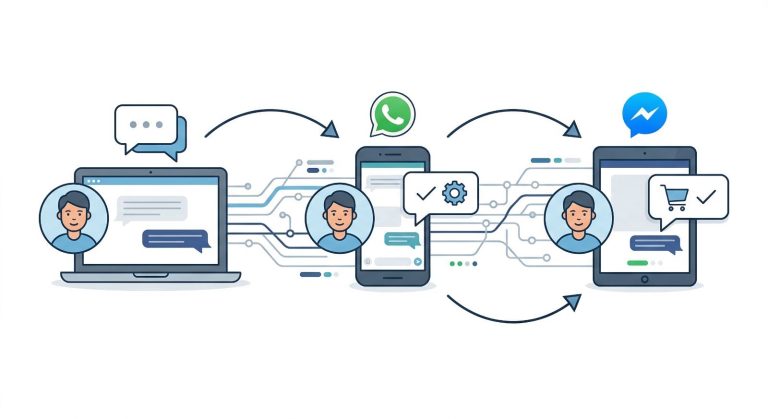
That is where an agentic chat marketing platform such as ChatbotX fits in. ChatbotX is an open-source, self-hostable alternative to tools like ManyChat that unifies WhatsApp, Messenger, Instagram, Telegram, Zalo, TikTok, email, and web chat in one workspace. A few ways it complements a video testing program:
- Qualify and answer automatically. Its AI Agents can respond to viewers around the clock, using the models you already prefer, so a comment or message from a curious viewer never goes cold.
- Design the journey visually. The drag-and-drop Flow Builder lets you map what happens after someone reacts to a video: a greeting, a product question, a lead form, and a handoff to your team.
- Measure what matters. Built-in Analytics show how conversations and campaigns perform, so you can connect the winning video concepts to real engagement downstream.
Developers and technical marketers can go further. ChatbotX exposes a public API, CLI, and MCP server, so the same coding agent that runs your creative pipeline can also help manage your messaging workflows. If you want a deeper look at that approach, read Automate Social Media with Claude Code and AI Agents: The 2026 Playbook, and for the strategic layer behind your channel choices, see Small Business Social Media Strategy: A Practical 2026 Playbook.
FAQ
How do you make AI UGC videos?
Research outlier videos in your niche, generate a believable start frame of an original presenter, animate one test take with a model such as Seedance 2.5, add real product footage and captions, publish variants, and scale only what the data supports.
Is AI UGC legal?
In most markets it is allowed, provided you follow advertising rules and platform policies. Label realistic AI content where required, disclose promotions, never present an AI presenter as a real customer, and make only claims your product can substantiate. Check local rules for your category.
Which AI video model is best for AI UGC?
In the testing behind this workflow, Seedance 2.5 produced the most dependable, highest-quality results and supports clips up to 30 seconds, though it is the priciest option. Google Omni can match it in some cases, and Kling 3.0 is a lower-cost choice for B-roll.
Can a coding agent edit UGC videos?
Yes. Point an agent such as Claude Code at a folder of footage with a clear brief, and it can assemble clips, product recordings, and captions using FFmpeg or a configured editor. Always review exports on a phone with sound on before publishing.
What is an outlier ratio?
It is a video’s views divided by the median views of the same creator’s recent comparable posts, with the video itself left out of the baseline. A high ratio suggests the format, not the account size, drove attention.
Should AI UGC replace real creators?
No. Use it to find winning angles cheaply, then remake the best performers with real creators who bring authenticity and audience trust that AI cannot.
Start Building Your Own AI UGC Engine

You now have a complete framework: brief, research, board, analysis, test design, generation, finishing, and measurement. Start small. Pick two formats and one hook variable, run a single batch you can actually learn from, and let the numbers decide what deserves more budget.
When the views start turning into conversations, give those conversations a home. Try ChatbotX to automate replies, capture leads, and route buyers across every messaging channel, with the freedom to self-host. Explore the open-source project on GitHub, check the latest releases, or start a free trial today and see how much more your next winning video can deliver.