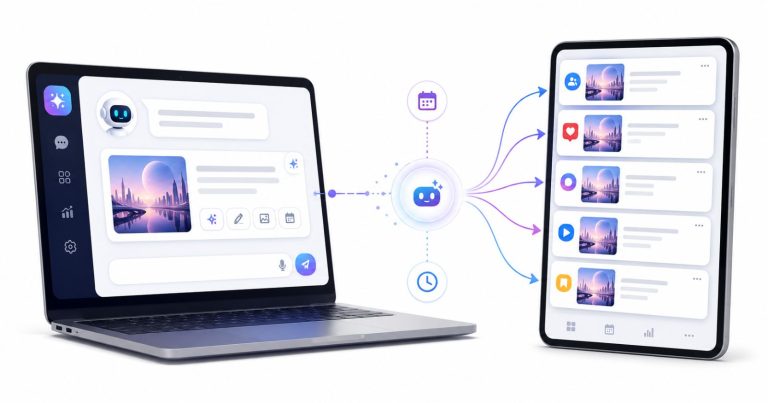


A single strong Facebook post can create two piles of work at once. Under the post, people drop “how much?”, “link please” and “still available?”. In your Page inbox, others ask the exact same things in private. Handling both manually is fine at ten messages a day. At a hundred, somebody waits overnight, and by morning the buyer has moved on.
The audience is still there. According to Pew Research Center, roughly seven in ten US adults use Facebook, and about half of them open it daily. They also expect speed: the Sprout Social Index reports that around three quarters of social users expect a brand to answer within a day, and a similar share say they would switch to a competitor that stays silent.
A solid Facebook auto reply setup removes the repetitive part of this job. This guide explains the two kinds of automation, what Meta already offers for free, the rules that govern every comment-to-DM tool, a step-by-step workflow, message templates, and how to measure whether it works.
Key takeaways
- “Facebook auto reply” covers two separate jobs: answering comments and answering Messenger conversations. Most Pages need both.
- Meta’s built-in automations are enough for simple Pages, but they rely on exact keywords and cannot answer publicly under a comment.
- Meta’s private reply rules (one DM per comment, seven-day window) apply to every tool, so your first DM has to be useful by itself.
- A public reply plus a private DM, written well and tested from a personal profile, is the highest-leverage setup for most businesses.
- Track matched comments, delivered DMs, replies and outcomes, then tune your keywords and wording weekly.
Launch agentic chat marketing in minutes with ChatbotX






Two jobs hiding behind one phrase
Comments and private messages look similar but behave differently. Treat them as separate workflows.
| Comment automation | Messenger automation | |
|---|---|---|
| Trigger | Someone comments on a Page post, ad or live video | Someone messages your Page |
| Who sees your answer | Everyone (public reply) or only the commenter (DM) | Only the person chatting |
| Meta constraint | One private message per comment, within seven days | Replies inside the 24-hour messaging window |
| Best for | Price checks, link requests, giveaways, lead magnets | FAQs, bookings, order status, support |
Comment automation converts a public “I’m interested” into a private conversation. Messenger automation serves people who already walked into your inbox. The sections below cover both.
What Meta gives you for free

Before paying for any tool, open the Inbox inside Meta Business Suite and look for the Automations area. Meta ships several ready-made options:
- Instant reply: a welcome message the first time someone writes to your Page.
- Away message: an automatic note while you are unavailable.
- Suggested questions: tappable FAQs in Messenger, each with a fixed answer.
- Keyword replies: a preset response when a message contains a word you define.
- Comment-to-message: a private message to people whose comment contains your chosen keyword.
For a small Page with a handful of predictable questions, that may be all you need. The friction appears as volume grows:
- Literal matching. “How much?” and “what’s the price?” are different strings, so you must list every variant yourself.
- No visible response. Native comment automation sends a private message but does not post a reply under the comment, so other readers see no sign that you answered.
- Siloed conversations. Everything lives in Meta’s inbox, apart from WhatsApp, website chat or email.
- Static answers. A keyword rule cannot check an order, look at a calendar or handle a question you did not anticipate.
The private reply rules you cannot bypass
Any tool that DMs a Facebook commenter, Meta’s own included, uses the Messenger Platform’s private reply feature. Meta’s developer documentation defines the limits, which in practice come down to four points:
- One message per comment. You get a single private message to the person who commented.
- A seven-day window. The message must be sent within a week of the comment.
- The user must respond. The thread only continues if the commenter writes back; after that, the normal 24-hour messaging window applies.
- People only. Private replies cannot be sent to other Pages.
Two consequences follow. First, your opening DM is your only guaranteed shot, so put the real answer in it. Second, never let two tools watch the same keyword. If Meta’s native automation and a third-party tool both react to “price”, one of them will fail because the comment already received its private reply. Assign each keyword to one tool.
When native tools stop being enough
Most growing Pages move to a dedicated platform for one or more of these reasons:
- They want a public reply too, because a short “Check your inbox!” under each comment shows every reader that the Page responds, which tends to encourage more comments.
- Customers do not type keywords exactly. Fuzzy intent (“how much is the blue one?”) needs flexible matching or an AI agent.
- The team needs one inbox for comment leads, Messenger, Instagram and website chat, with assignments and notes.
- Some questions deserve a real answer drawn from a knowledge base, not a fixed paragraph.
Where ChatbotX fits

ChatbotX is an open-source omnichannel chat marketing platform that brings these pieces together: a drag-and-drop flow builder, AI agents, a live chat inbox with human takeover, contacts, broadcasts and sequences. For Facebook specifically, its comment automation can reply publicly, send the private message, like a comment or hide it, and the same approach extends to Instagram and other supported channels. Automations can also respond to comments on Facebook Live broadcasts.
You can answer with a fixed text, a flow, or an AI agent, depending on how much flexibility you want. Because the project is MIT-licensed, teams that prefer to self-host or white-label can do so, while others use the hosted version. The rest of this guide stays platform-neutral where it can and points out ChatbotX details where they help.
Step-by-step: auto reply to Facebook comments

These steps work in most comment automation tools, ChatbotX included.
1. Connect your Facebook Page
Sign in with Facebook and select the Page you want to automate. You need a Page role that allows managing messages. Once connected, Messenger conversations from that Page should appear in your unified inbox too.
2. Choose which posts to watch
Decide between “all posts” and “specific posts”. A specific-post rule lets you tailor the wording to one product or campaign. An all-posts rule is better for evergreen questions such as pricing or opening hours.
3. Define the trigger
Pick the words that should fire the automation, for example price, how much, cost, rate. Include spelling variants and the phrases customers genuinely use. For giveaway or lead-magnet posts, tell people exactly what to type (“Comment GUIDE”) and match that single word.
4. Write the public reply
Keep it short and neutral, such as “Sent you the details in Messenger!” Add a few variations so your Page does not post an identical sentence dozens of times, which can look spammy to Facebook. Avoid posting prices or discount codes publicly.
5. Write the private message
Remember there is only one guaranteed DM. Put the answer, the link or the date inside it, and end with one easy question that invites a reply.
6. Remove overlaps
Check that Facebook’s default Instant Replies are not duplicating your bot’s greeting, and make sure no second tool is listening to the same keyword.
7. Test from a personal profile
Comment as a normal user, not as the Page. Run one comment that should match and one that should not. Confirm that the public reply appears, the DM arrives, and the conversation shows up in your inbox.
Writing replies people actually answer
Good automation fails with bad wording. Keep these habits:
- Be useful immediately. Answer the question in the DM instead of saying “thanks for your interest”.
- Ask one simple question at the end. “Which class time suits you?” gives a reason to respond, which opens the messaging window.
- Match the tone of the post. A playful post followed by a stiff corporate DM feels like two different brands.
- Name the product. Specific-post rules can mention exactly what the person asked about.
A quick example for a yoga studio’s class-schedule post:
Public reply: Just sent you the schedule in Messenger. 🧘
>
Private message: Hi! Here’s our weekday timetable: beginner flow at 7:00 AM and 6:30 PM, and a gentle evening class at 8:00 PM. Your first class is free. Which time works best for you?
Messenger automation: from away messages to AI agents

Comment automation starts conversations; Messenger automation answers everyone who writes to you directly. Think in three levels:
- Native instant and away replies. Good for “we’ll be back soon”.
- A rule-based bot. Build a flow with buttons for common paths such as pricing, opening hours, order tracking and “talk to a person”. It can also collect names, phone numbers or emails along the way.
- An AI agent. Point it at your website, documents and FAQs so it responds in natural language, qualifies leads and hands tricky chats to a human.
On ChatbotX, the Facebook Messenger channel lets you sign in with Facebook, select Pages, and combine comment-driven and inbox-driven conversations under the same AI policy. If you want a deeper walkthrough of Messenger bots, read the complete 2026 guide to Facebook Messenger chatbots.
When the bot cannot help, the human takeover works best if the full conversation history is already in the shared inbox. That is the main advantage of keeping automation and your team in one place.
Use cases by business type
| Business | Comment trigger | What the DM does |
|---|---|---|
| Online store | “price”, “size”, “available” on product posts | Sends price, sizes, delivery time and asks which variant they want |
| Restaurant or café | “menu”, “book”, “table” | Shares menu link and hours, asks for date and party size |
| Real estate agent | “details”, “viewing” on a listing post | Shares key specs and proposes viewing times |
| Course creator | An exact keyword on a lead-magnet post | Delivers the download and asks about the person’s goal |
| Local services | “quote”, “estimate” | Lists what information is needed and starts the quote chat |
Troubleshooting
- The rule did not fire. Confirm it is active, the comment came from a personal profile, the post selection is correct, and your keyword actually appears in the comment.
- A different rule answered first. When several rules overlap, order matters. Put narrow, post-specific rules ahead of broad ones.
- The DM never arrived. Typical causes are a comment older than seven days, a comment that already received a private reply from another tool, or a commenter that is a Page rather than a person.
- Duplicate greetings. Disable Facebook’s default Instant Replies if your bot already sends a welcome message.
- Message too long. Messenger caps message length, so trim long DMs or split the content across a flow.
How to measure results

Review four numbers for each rule or post:
- Matching comments: how many comments the trigger caught.
- DMs delivered: how many conversations it opened.
- Replies: how many commenters answered your first DM, which mostly reflects your wording.
- Outcomes: orders, bookings or qualified leads produced by those chats.
ChatbotX provides comment automation analytics with delivery rates, open rates, clicks, error logs and a view of the most common comments, which you can feed back into your keyword list so fewer leads slip through.
If many DMs go out but few get answers, rewrite the closing question. If a busy post produces few DMs, widen your keywords. For Messenger, track how many chats the bot resolves alone versus how many it hands off, and read the handoffs weekly to find answers worth adding.
Choosing a platform
Pick a tool on the basis of how you work, not just a feature checklist. Questions worth asking: Does it support public and private replies? Can AI answer when keywords fail? Is there a shared inbox? Can you export or self-host your data? Is pricing tied to contact counts?
If you are comparing options, the ChatbotX alternatives overview lines up popular tools side by side. For more depth, see this roundup of the best open-source ManyChat alternatives in 2026 and the guide on how to pick the right chat marketing platform.
FAQ
Can I auto reply to Facebook comments for free?
Yes, up to a point. Meta Business Suite includes a comment-to-message automation with keyword matching. For public replies, flexible matching or AI answers, you will need a third-party tool.
Is Facebook auto reply allowed by Meta?
Yes, as long as you follow the Messenger Platform policies, including the private reply limits of one message per comment within seven days.
How many times can I DM someone who comments?
You can send one private reply per comment. After that, you can only continue the chat if the person replies, and then the standard 24-hour messaging window applies.
Will auto replies hurt my Page’s reach?
Not by themselves. What hurts is repetitive, irrelevant or spammy replies. Vary your public wording, keep it relevant to the post, and avoid triggering on every comment unless the post truly calls for it.
Should I use keywords or AI for replies?
Start with keywords for predictable posts and giveaways. Add an AI agent when customers phrase questions in many different ways or when answers need to come from your own documentation.
Can the same setup work on Instagram?
Often yes. Many platforms, ChatbotX among them, offer similar comment automation on Instagram, though each network has its own rules, so check the details before launching.
Conclusion
Facebook auto reply does not replace your team. It makes sure nobody waits. Begin with one busy post and one keyword rule for the question you answer most, read the conversations it creates for a week, then expand to more posts, a Messenger flow and an AI agent for everything else.
Ready to stop answering the same question a hundred times? Try ChatbotX and set up your first comment-to-DM automation today. Prefer full control over your data? Read the project README on GitHub to see the full feature list and how to run it on your own server.