
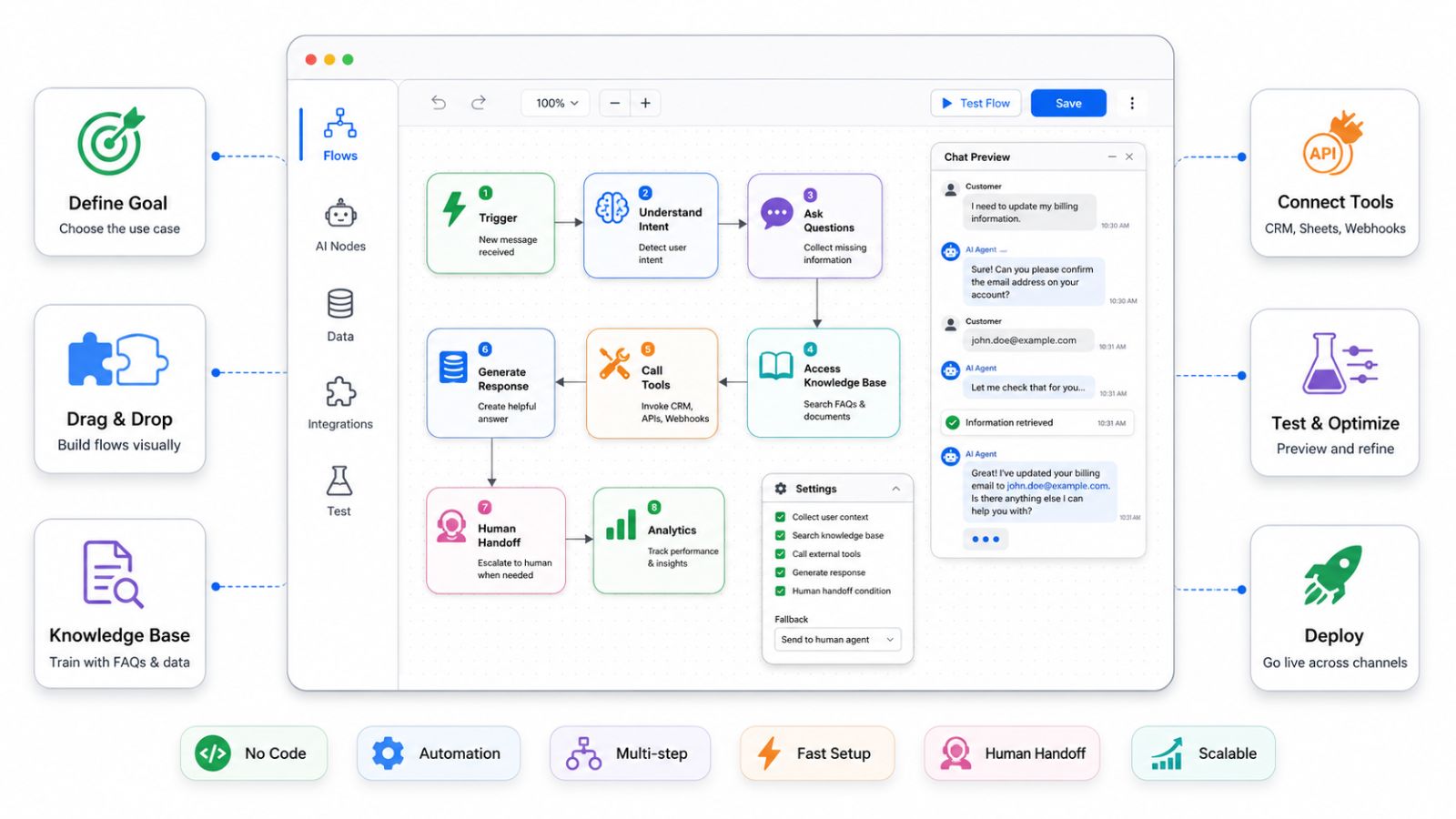
In 2026, building powerful AI agent flows is no longer the exclusive domain of developers and data scientists. Whether you run an e-commerce store, manage a real estate agency, or lead a customer support team, you can now design, deploy, and scale intelligent automation workflows – without writing a single line of code.
This guide breaks down everything you need to know: what AI agent flows are, why they matter, how to build one from scratch using a visual interface, and which platforms give you the most flexibility and power.
Launch agentic chat marketing in minutes with ChatbotX











What Is an AI Agent Flow?
An AI agent flow is a visual, logic-driven automation sequence that defines how an AI agent perceives inputs, makes decisions, and executes actions – across one or more channels.
Think of it as a “decision map” for your bot:
- A customer sends a WhatsApp message → the agent reads the intent → checks your CRM → replies with personalized information → logs the interaction → escalates to a human if needed.
All of that – triggered, processed, and completed – without a human being involved at every step.
The critical difference between traditional chatbots and modern AI agent flows is agency: today’s flows don’t just respond to scripts. They reason, adapt, and act based on real-time context.
Why No-Code AI Agent Building Is the 2026 Standard
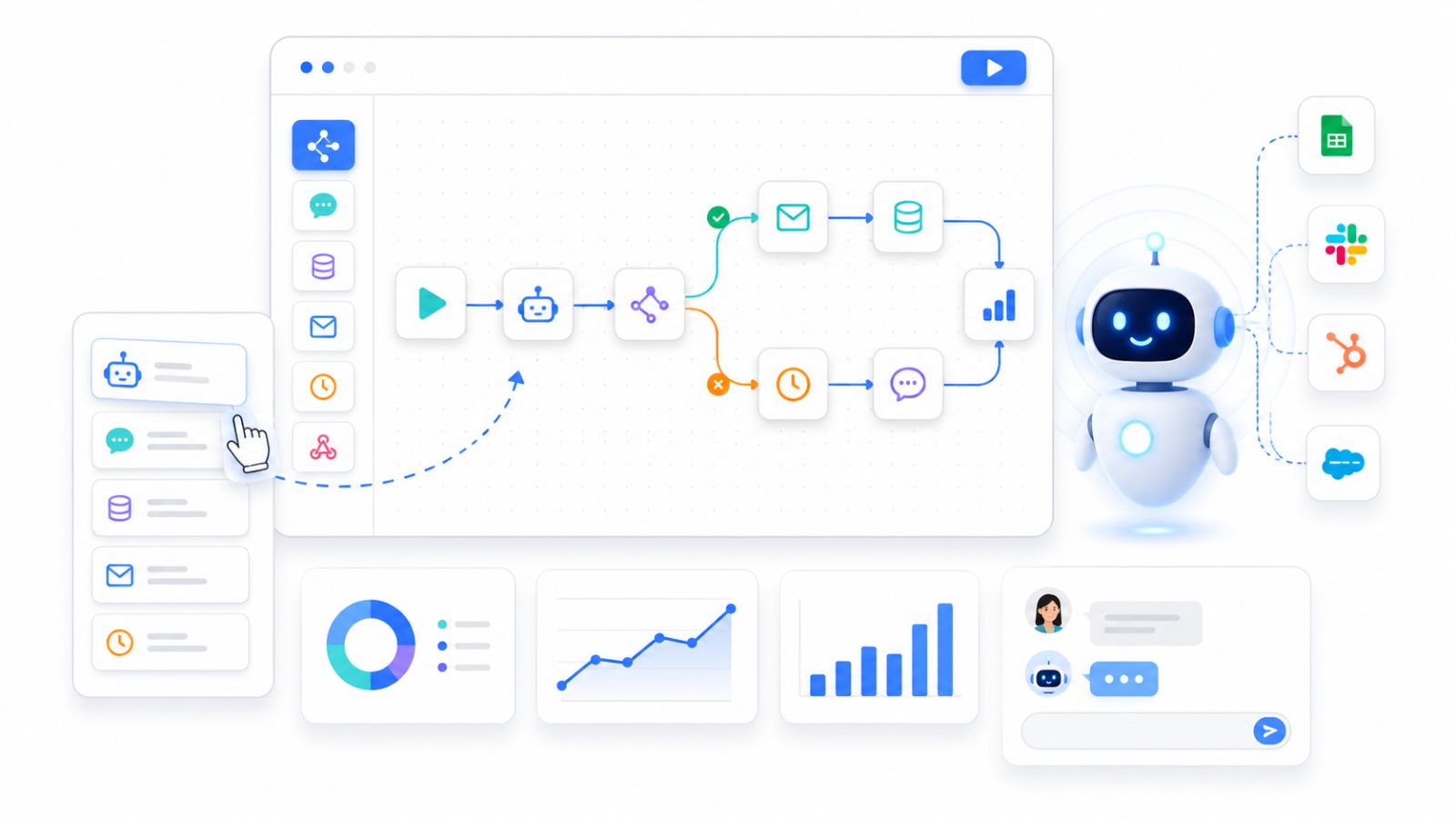
According to industry research, over 70% of new automation deployments in 2026 are being built by non-technical teams using visual, no-code platforms. The reasons are clear:
- Speed: A no-code flow can be live in hours, not weeks.
- Cost: No developer hire, no sprint cycle, no deployment pipeline.
- Iteration: Business teams can adjust flows instantly based on real data.
- Democratization: Marketers, support leads, and operations managers can own their automations.
The shift is also driven by the emergence of agentic AI – models that don’t just generate text but take structured actions: booking appointments, updating databases, triggering webhooks, and routing conversations – all from a single drag-and-drop canvas.
Core Components of an AI Agent Flow
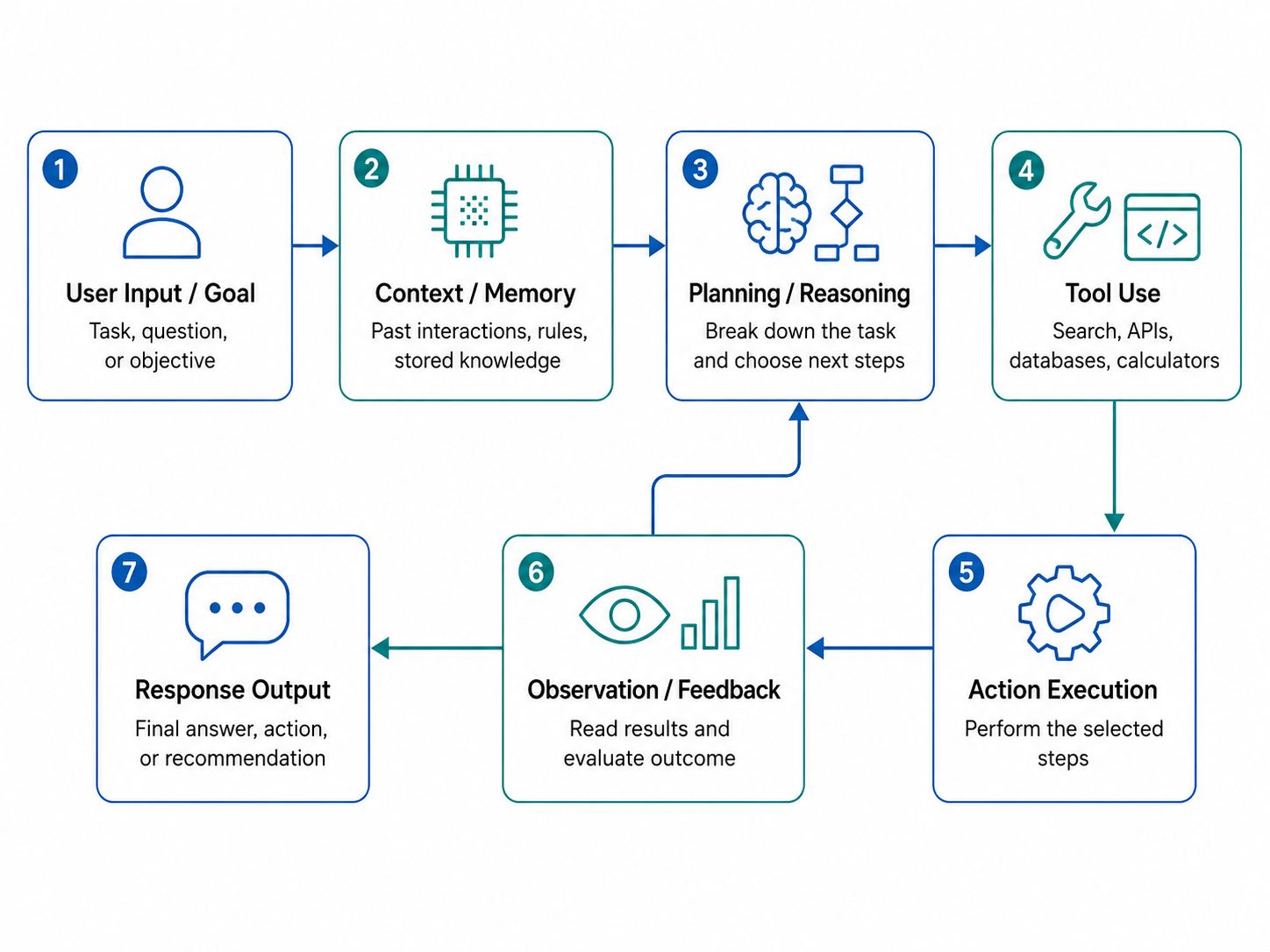
Before you open any builder, you need to understand the anatomy of an agent flow. Every workflow is made up of these building blocks:
1. Triggers
A trigger is the event that kicks off the flow. Common triggers include:
- A new message received on WhatsApp or Messenger
- A keyword match (e.g., user types “price” or “order status”)
- A scheduled time (e.g., daily 9 AM follow-up)
- A webhook call from an external system (CRM, Shopify, etc.)
- A user clicking a button in a chat widget
The richer your trigger library, the more precise your automation can be.
2. Conditions & Branching Logic
Not all users are the same. A good agent flow uses conditional branches to personalize responses:
- Is this a returning customer or a first-time visitor?
- Did they come from a paid ad or an organic search?
- What is their preferred language?
- Have they already submitted their email address?
Each condition creates a fork in the flow – sending the user down the most relevant path.
3. Actions
Actions are what the agent does in response to a trigger and condition. These include:
- Sending a text, image, video, or file
- Collecting user input (name, email, phone number)
- Calling an external API or webhook
- Tagging a contact in your CRM
- Assigning a conversation to a human agent
- Sending a follow-up message after a delay
4. AI Nodes
Modern no-code builders now include AI nodes – points in the flow where a large language model (like GPT-4o or Claude) handles open-ended conversations, summarizes data, classifies intent, or drafts a custom response. These nodes give your flow human-like flexibility without human involvement.
5. Exit Points
Every flow needs a clean exit: a completed sale, a booked appointment, a resolved ticket, a contact tagged in your CRM, or a handoff to a live agent. Defining your exit criteria is key to measuring success.
Step-by-Step: How to Build an AI Agent Flow Without Code
Here is a practical walkthrough using a visual flow builder – the type of drag-and-drop canvas available on modern no-code platforms.
Step 1 – Define the Goal of Your Flow
Start with the outcome, not the technology. Ask yourself:
“What problem am I solving, and what does a successful interaction look like?”
Good examples:
- Qualify 50 inbound WhatsApp leads per day without a sales rep
- Automatically recover abandoned carts via Messenger
- Book service appointments through a webchat widget
Step 2 – Map the User Journey on Paper First
Before touching the builder, sketch the conversation path on a whiteboard or in a notes app. Identify:
- Where does the user start?
- What are the 2–3 most common paths they take?
- Where do they typically drop off?
- What’s the ideal outcome?
This prevents you from building a confusing, branchy mess inside the canvas.
Step 3 – Choose Your Trigger
Open your flow builder and select your entry trigger. For a WhatsApp lead flow, you might choose:
- “User sends a message for the first time”
- “User replies to a Click-to-WhatsApp ad”
- “User types the keyword DEMO”
Platforms like ChatbotX’s Triggers & Actions give you granular control over exactly when and how flows activate – including time-based, keyword-based, and event-based triggers – without touching any code.
Step 4 – Add Your First Messages
Drag a Send Message node onto the canvas. Write your opening message. Keep it short, human, and action-oriented. Include a quick-reply button or a menu option to guide the user to the next step.
Step 5 – Build Your Conditional Branches
Add a Condition node after the first message. Define your branches:
- If the user selects “I want pricing” → go to Pricing Flow
- If the user selects “I need support” → go to Support Flow
- If no reply in 24 hours → trigger a follow-up sequence
This is where the magic happens. Each branch becomes its own micro-flow, fully tailored to the user’s intent.
Step 6 – Insert AI Nodes for Open-Ended Input
For questions you can’t predict – like “Can you explain how your enterprise plan works for a team of 12?” – insert an AI Agent node. The model handles the response dynamically, drawing from your knowledge base or product documentation.
ChatbotX’s AI Agents let you plug in your own models (OpenAI, Claude, or custom LLMs) directly into the flow canvas, with full context awareness across the conversation – no engineering required.
Step 7 – Connect to Your Tools
Most flows need to pass data somewhere: your CRM, your calendar, your e-commerce backend. Use Webhook or API action nodes to push and pull data from external systems. No-code platforms support native integrations with tools like HubSpot, Shopify, Google Sheets, and Zapier.
For developers or technical operators who want deeper control, ChatbotX’s API, CLI & MCP layer allows full programmatic access alongside the visual builder – giving you the best of both worlds.
Step 8 – Test Before You Go Live
Every major no-code builder has a test/preview mode. Run through every branch manually. Check:
- Are messages rendering correctly across devices?
- Do conditions fire at the right points?
- Is the AI node giving accurate, on-brand responses?
- Does the data flow correctly to your CRM or webhook?
Fix issues in the canvas – no deployment pipeline, no staging server.
Step 9 – Launch, Monitor, and Iterate
Go live on your chosen channel. From day one, watch your analytics:
- Which message gets the most drop-offs?
- Which branch drives the most conversions?
- Where are users going off-script?
Iteration is the most underrated part of building great agent flows. The best flows in 2026 are never “done” – they are continuously refined based on real user behavior.
No-Code AI Agent Flow Best Practices
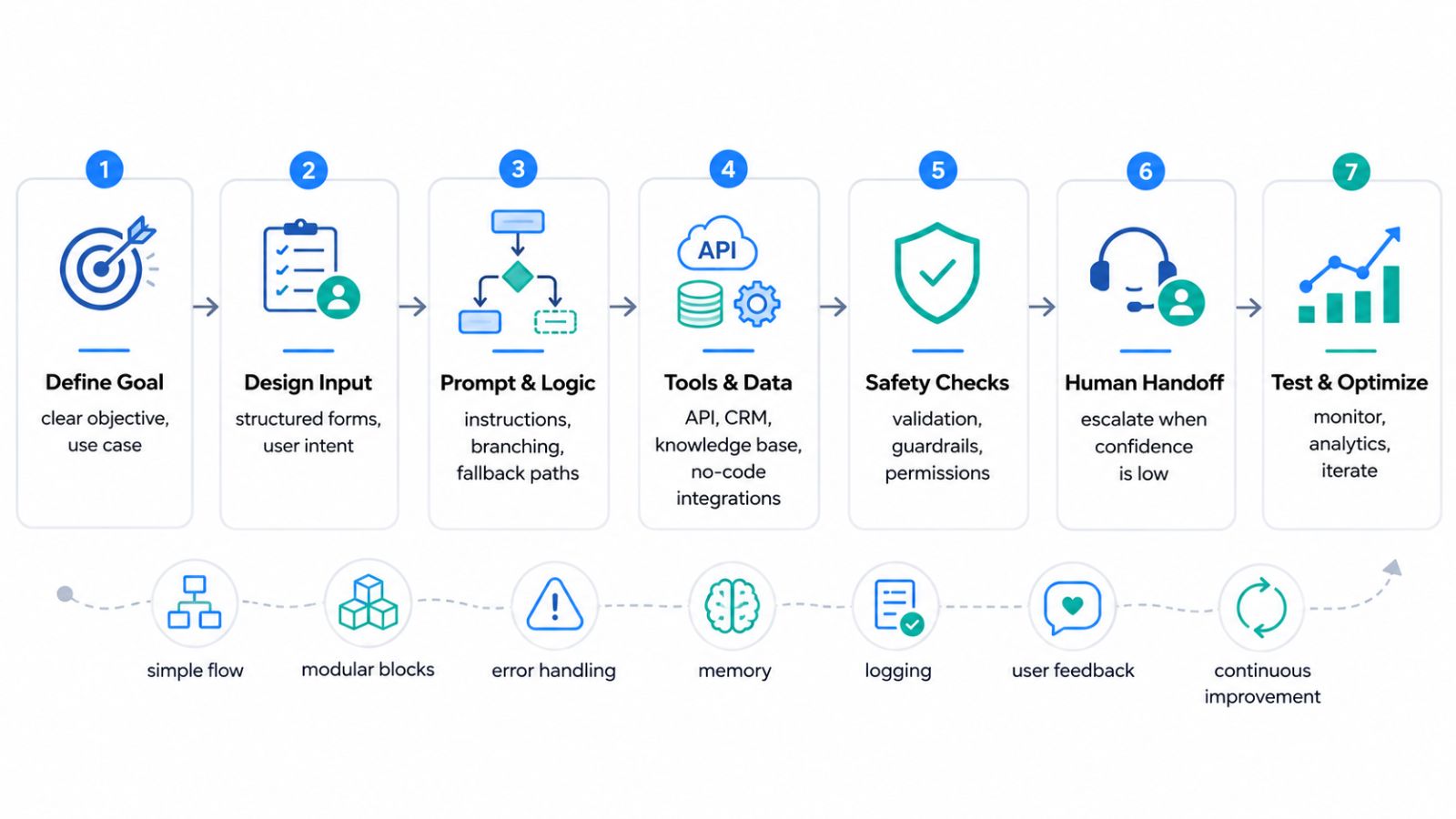
Keep flows short and linear. The best-performing flows are 5–7 steps maximum. Complexity kills conversion.
Always offer a human handoff. Even the best AI flow will encounter edge cases. Build in an escalation path to a live agent – it signals trust and keeps your NPS high.
Use quick replies, not open text, where possible. Structured inputs are easier for your agent to process and for users to complete. Save open-ended AI nodes for genuinely unstructured conversations.
Personalize with CRM data. If you know the user’s name, location, or purchase history – use it. Personalized flows convert at 2–3× the rate of generic ones.
A/B test your entry messages. Even a small change in your opening line can dramatically affect how many users engage with the full flow.
Real-World Use Cases That Work in 2026
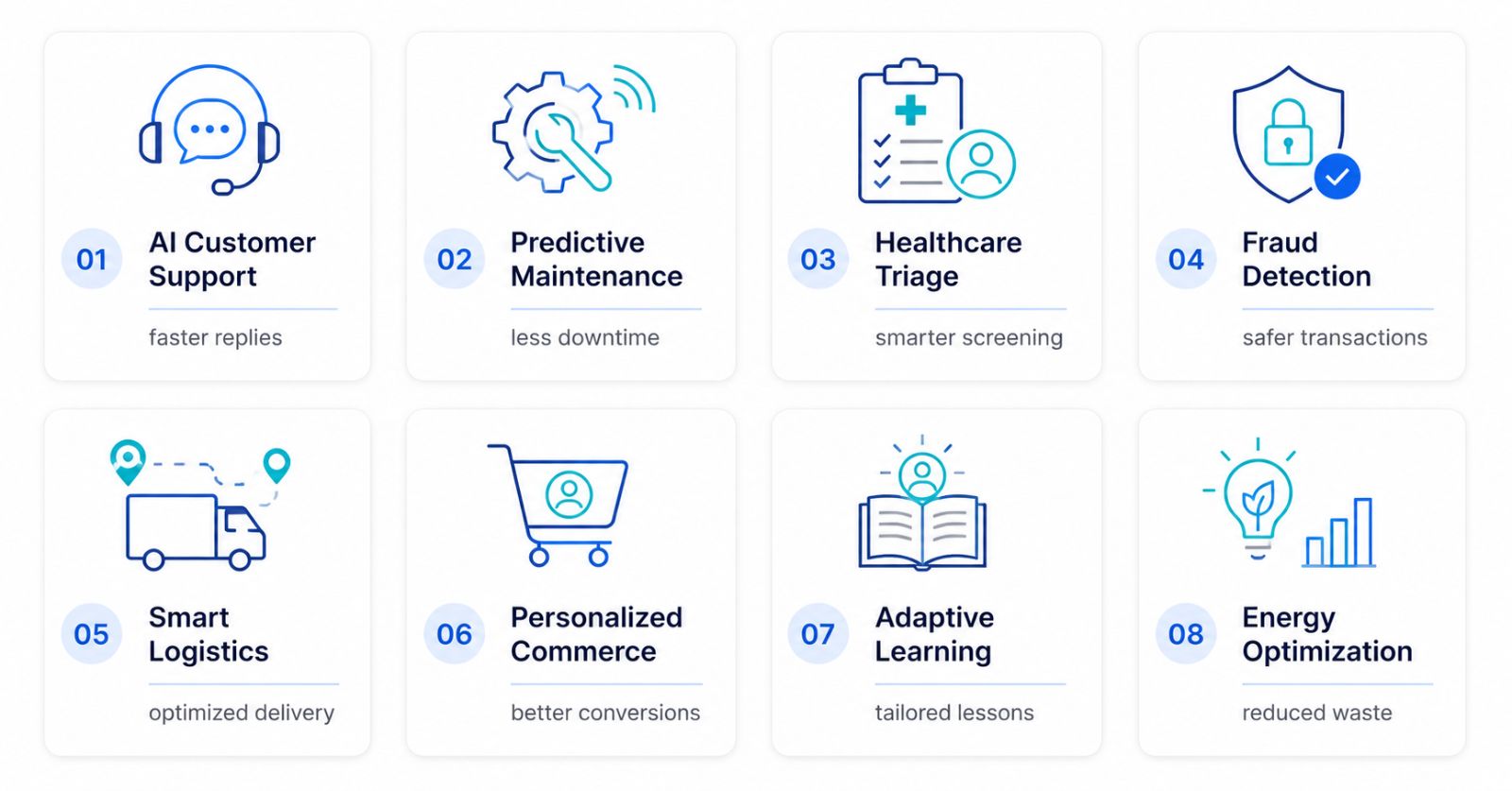
Here is how businesses are using no-code AI agent flows right now:
E-Commerce (WhatsApp): Abandoned cart recovery flows that re-engage shoppers with a personalized message 30 minutes after they leave, offer a discount code, and process the order – all within the chat thread.
Real Estate (Webchat + Messenger): Lead qualification flows that ask 5 qualifying questions, score the lead, book a viewing appointment in Google Calendar, and notify the sales agent – automatically.
Healthcare (WhatsApp): Appointment reminder flows with two-way confirmation, pre-consultation forms, and automated follow-up post-visit.
Education (Zalo + Webchat): Enrollment inquiry flows that answer FAQs, send a course catalog PDF, and route serious prospects to an admissions counselor.
Automotive (Messenger): Test drive booking flows that collect vehicle preference, preferred date, and nearest dealership – then sync directly to the sales team’s CRM.
For more on building intelligent, persistent AI systems, see this deep-dive from the ChatbotX blog: Personal AI Agent: How to Design Your Own Intelligent Daily Operating System in 2026.
Choosing the Right No-Code Platform in 2026
Not all no-code builders are equal. Here is what to evaluate before committing:
| Feature | What to Look For |
|---|---|
| Channel Support | WhatsApp, Messenger, Instagram, Email, Webchat |
| AI Integration | Native LLM nodes (GPT, Claude, custom) |
| Trigger Flexibility | Keyword, time, event, webhook |
| CRM & API Connectivity | Native + webhook support |
| Analytics | Flow-level drop-off, conversion tracking |
| Pricing Model | Contacts-based vs message-based vs flat |
| Open Source Option | Self-host for full data control |
For teams that want maximum flexibility, tools like n8n offer powerful agent flow capabilities with optional code nodes. For businesses focused on chat channels specifically, omnichannel-first platforms are the better fit.
Introducing ChatbotX: The Open-Source Agentic No-Code Platform
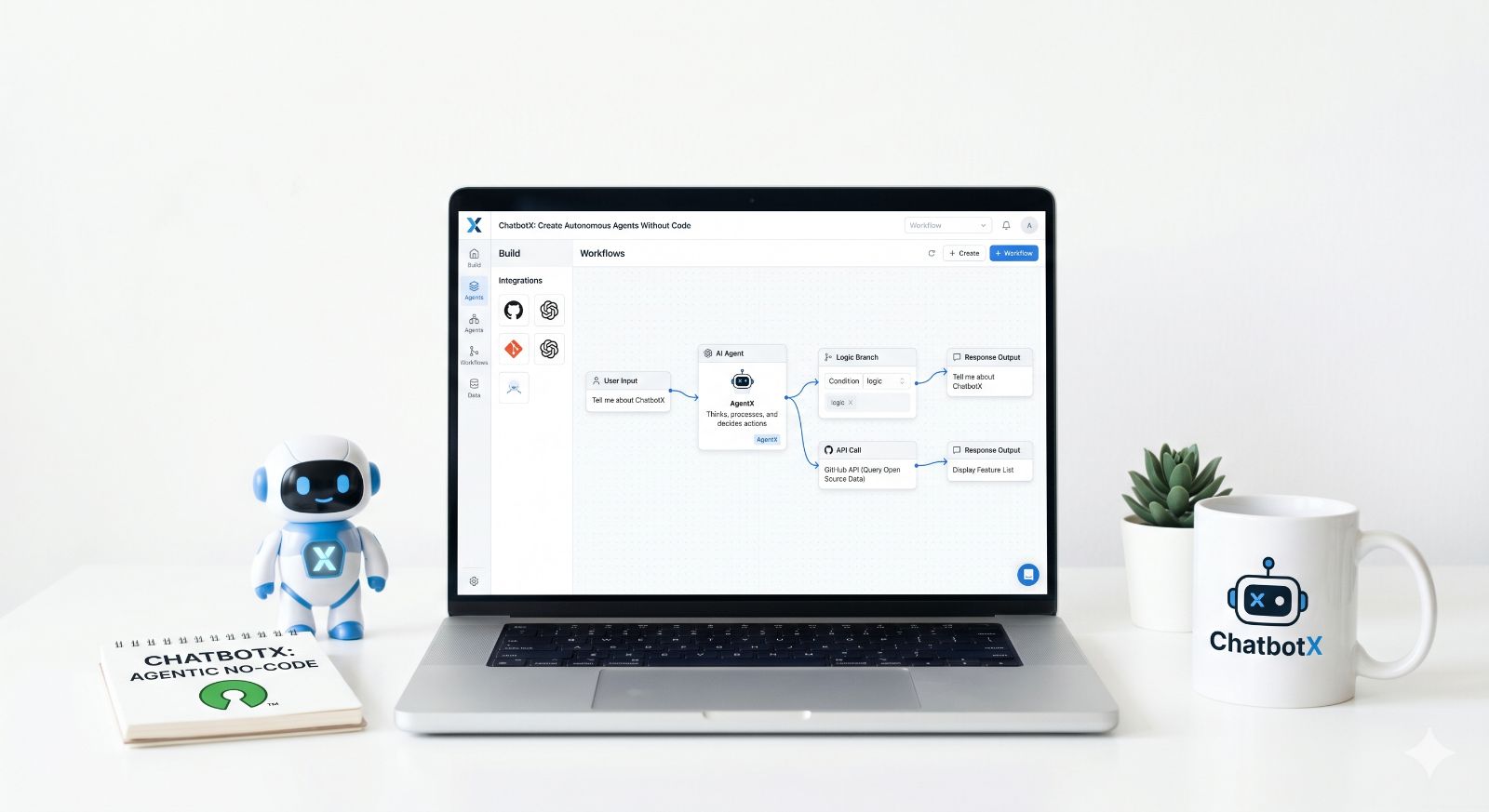
ChatbotX is an open-source, agentic omnichannel chatbot platform – built from the ground up for exactly this kind of no-code AI agent flow work.
It supports WhatsApp, Facebook Messenger, Zalo, Instagram, Telegram, Email, and Webchat from a single unified workspace. Its visual Flow Builder lets you design multi-step agent flows with a drag-and-drop canvas, AI nodes, conditional logic, and webhook integrations – all without writing code.
What makes ChatbotX distinct:
- Open source: Full transparency, no lock-in, self-host forever for free
- Agentic AI: Plug in any LLM (OpenAI, Claude, Hermes, custom) directly into your flows
- Omnichannel-first: One flow, multiple channels – no duplicating work per platform
- Developer-friendly: API, CLI, and MCP access for teams that want to go deeper
The project is actively maintained and open to community contributions on GitHub. Whether you want to explore the source code, report an issue, or fork and customize the platform for your business, you can find everything at the ChatbotX GitHub repository.
For developers who want to self-host or contribute to the project, the ChatbotX GitHub organization provides full documentation, Docker Compose setup guides, and the complete source code.
For content and marketing teams looking to scale their omnichannel presence while running AI flows, check out how social media algorithms work in 2026 – and how agentic automation can help you stay ahead of every platform shift.
The State of No-Code AI Agent Flows: Key Stats for 2026
- The global chatbot market is valued at $15.6 billion in 2026, driven by demand for conversational automation across messaging channels. (Infobip, 2026)
- No-code means “no JavaScript, no Python, no API calls” – the entire build, train, and deploy process happens in a visual interface. (AskMeevo, 2026)
- Platforms like n8n report that flows which would have taken 3 days to code from scratch can now be deployed in under 2 hours using a visual no-code builder.
- Companies with strong omnichannel automation strategies retain 89% of customers versus 33% for those with weak strategies. (Botpress, 2026)
Final Thoughts: Start Building Today
The barrier to building intelligent AI agent flows has never been lower. The tools exist, the infrastructure is mature, and the ROI is proven across every industry.
You do not need a developer. You do not need a six-month project plan. You need a clear goal, a visual canvas, and the willingness to iterate based on real user behavior.
🚀 Ready to Build Your First AI Agent Flow — For Free?
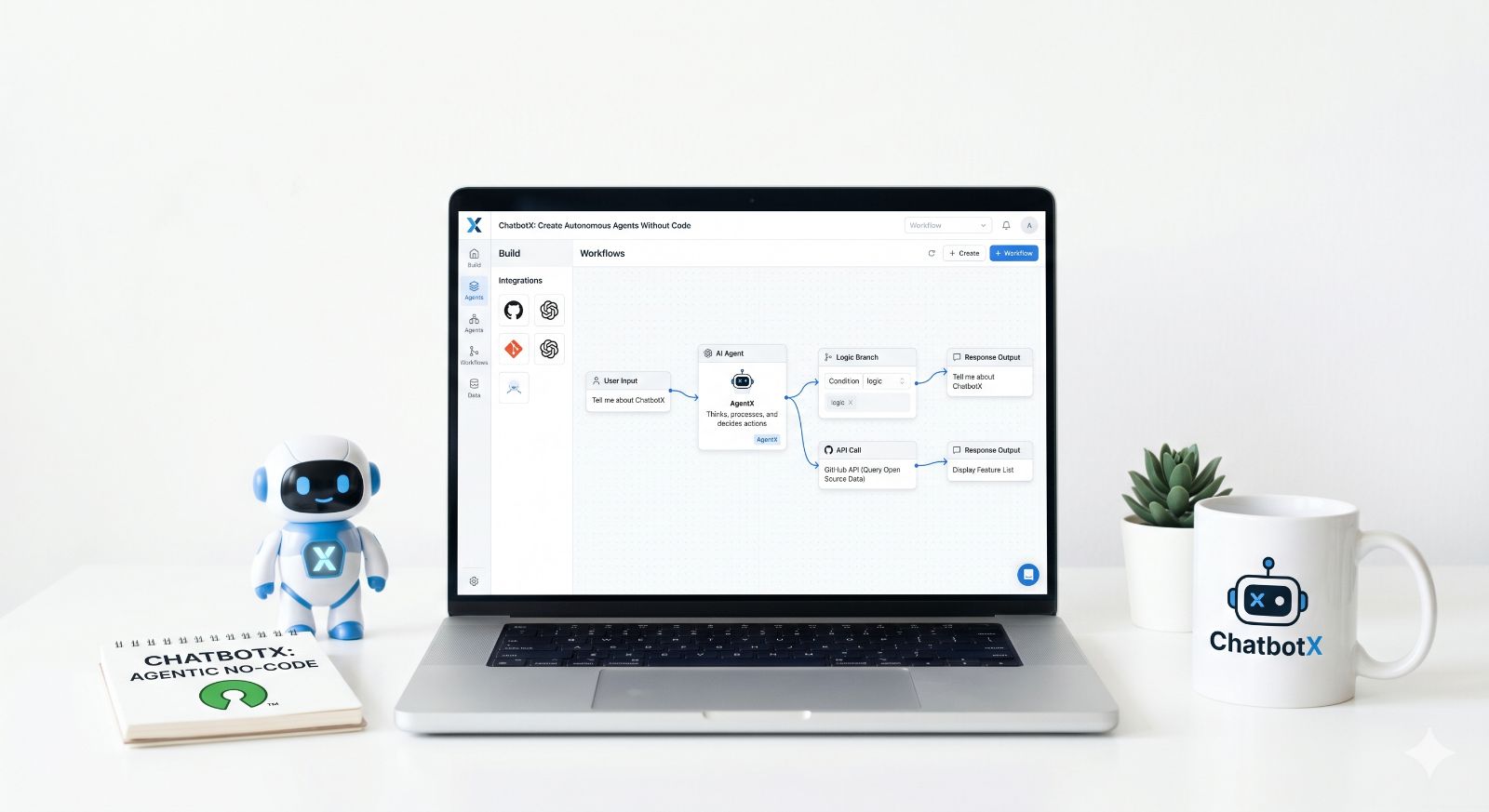
Join thousands of businesses already using ChatbotX to automate conversations, qualify leads, and grow revenue across WhatsApp, Messenger, Instagram, and more – all without writing a single line of code.
👉 Start your 7-day free trial at ChatbotX – no credit card required, no limits on contacts or channels during your trial.
Or, if you prefer full control and want to self-host for free forever:
👉 Star and fork the ChatbotX open-source repo on GitHub and deploy your own agentic chatbot platform in minutes.
The future of customer conversations is agentic, omnichannel, and no-code. ChatbotX is your launchpad.


