Customer expectations have shifted permanently. People no longer accept “we’ll get back to you within 24-48 hours” as a reasonable answer – they want a reply the moment they hit send, whether that’s on WhatsApp, a website chat widget, or email. For support teams stretched across multiple channels, meeting that bar manually is nearly impossible. That’s exactly why automating customer support has moved from a “nice-to-have” experiment to a core operational priority for businesses of every size heading into 2026.
This guide walks through what customer support automation actually means today, the building blocks you need, and a step-by-step approach to rolling it out without breaking the human touch your customers still expect.
Launch agentic chat marketing in minutes with ChatbotX














Why Manual Support No Longer Scales
A few years ago, hiring more agents was the default answer to rising ticket volume. That approach is expensive, slow to ramp up, and fragile – a single busy season can overwhelm even a well-staffed team. Meanwhile, customers now reach out through five or six different channels, and repeating the same context to a new agent every time creates frustration that shows up directly in satisfaction scores.
Modern support automation solves this differently. Instead of adding headcount, businesses layer AI-driven systems on top of their existing workflows to instantly triage, answer, and route conversations – reserving human agents for the cases that genuinely need judgment, empathy, or negotiation.
The Core Building Blocks of Automated Customer Support

1. Conversational AI Agents
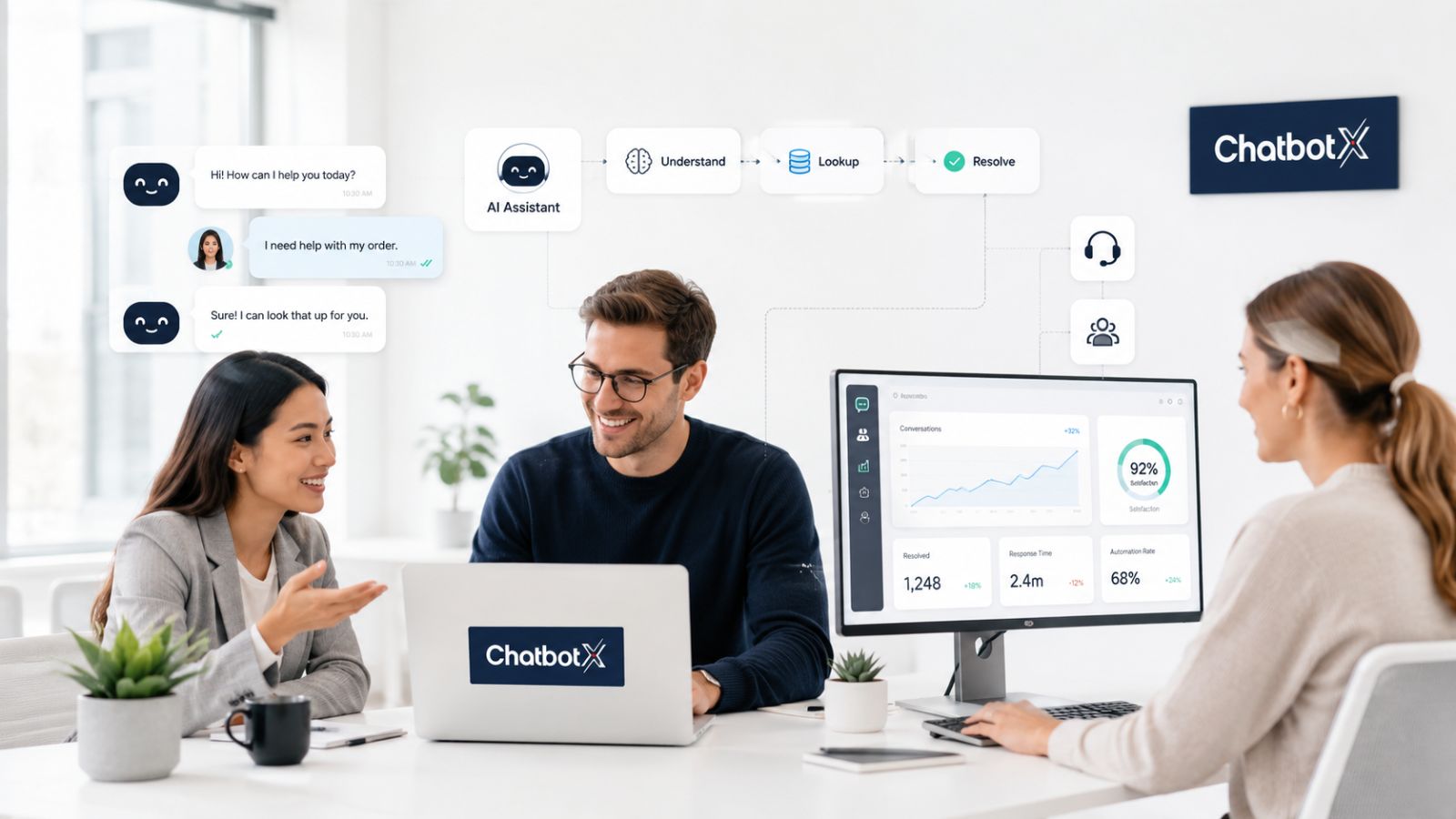
The foundation of any automation strategy is an AI agent capable of understanding intent, not just matching keywords. Rather than forcing customers through rigid decision trees, a well-trained agent can read a message like “my order hasn’t arrived and I need it by Friday” and immediately understand urgency, pull order data, and either resolve the issue or escalate with full context attached.
2. Omnichannel Unification
Support automation only works if it spans every channel your customers actually use – Messenger, WhatsApp, email, and your website chat. Fragmented tools force agents to jump between tabs and lose conversation history. Platforms built around a unified omnichannel architecture let one automated flow serve every channel from a single source of truth, so customers get the same quality of service no matter where they message you.
3. Smart Routing and Escalation
Automation isn’t about replacing humans entirely – it’s about routing the right conversation to the right place. Rule-based and AI-assisted triage can flag billing questions for finance, technical issues for support engineers, and anything emotionally charged for a senior agent, all before a human even opens the ticket.
4. A Centralized Inbox
Once conversations start flowing in from every channel, your team needs one place to see, assign, and respond to them. A centralized shared inbox keeps every message, tag, and customer history in a single dashboard, so agents aren’t hunting across platforms to piece together context.
5. Visual Automation Design
Building and adjusting automated flows shouldn’t require a developer for every tweak. A drag-and-drop flow builder lets support and ops teams map out logic – conditions, delays, branching paths, and fallback options – visually, then publish changes without touching a live conversation.
6. Multi-Channel Delivery
Consistency matters just as much as speed. Buyers expect the same experience whether they’re messaging you on Facebook Messenger, WhatsApp, or web chat, and automation that’s built to adapt across each platform avoids the mismatched tone and broken logic that comes from stitching together separate point solutions.
Step-by-Step: Rolling Out Customer Support Automation

- Audit your current ticket volume. Identify your top 10-15 recurring questions – these are your highest-ROI automation candidates.
- Map the customer journey per channel. Note where handoffs to humans currently happen and why.
- Start with FAQ and order-status automation. These carry the lowest risk and the fastest measurable payoff.
- Layer in AI agents for nuanced requests. Once basic flows are stable, let AI handle intent detection and personalized responses.
- Set clear escalation rules. Define exactly when a bot should hand off to a human, and make sure full context transfers with it.
- Measure and iterate. Track containment rate, first response time, and CSAT weekly, then refine flows based on real conversations.
Where ChatbotX Fits In

If you’re evaluating tools to execute this roadmap, ChatbotX is worth a look. It’s an open-source, agentic automation platform that lets you deploy AI-powered support agents across WhatsApp, Messenger, Zalo, and web chat from a single build, without vendor lock-in. Teams get a shared inbox, a visual flow builder, and developer-friendly APIs, CLI, and MCP support – meaning you can start with no-code automation and layer in custom logic as your needs grow. Because the core platform is open source, you can also self-host it, inspect exactly how it handles customer data, or extend it through the public repository if your team has engineering resources.
For more real-world context on how businesses are structuring AI-driven support workflows, these related reads are worth exploring: designing an AI agent operating system and this step-by-step channel integration guide.
Common Mistakes to Avoid
- Automating everything at once. Start narrow, prove the ROI, then expand.
- Hiding the “talk to a human” option. Customers trust automation more when the exit path is obvious.
- Ignoring tone consistency across channels. A flow that sounds robotic on WhatsApp but casual on web chat undermines brand trust.
- Skipping analytics. Without containment and CSAT tracking, you’re optimizing blind.
Industry data backs up the urgency here: research from Zendesk’s CX Trends report consistently shows customers expect near-instant replies, Salesforce’s State of Service research highlights how automation shifts agents toward higher-value work, and HubSpot’s service benchmarks point to measurable gains in response time once workflows are automated correctly.
Final Thoughts
Automating customer support in 2026 isn’t about removing the human element – it’s about giving your team the leverage to handle more conversations without sacrificing quality. Start with your highest-volume, lowest-complexity tickets, build out AI agents and routing logic gradually, and keep a human safety net in place for anything that needs real judgment.
Ready to stop juggling tabs and start scaling your support without scaling headcount? Explore ChatbotX for free and see how quickly you can launch your first automated support flow – no credit card required.