How to create an AI Function
To create a new one, go to AI Functions from the left navigation and click + Create AI Function. The configuration screen includes these fields: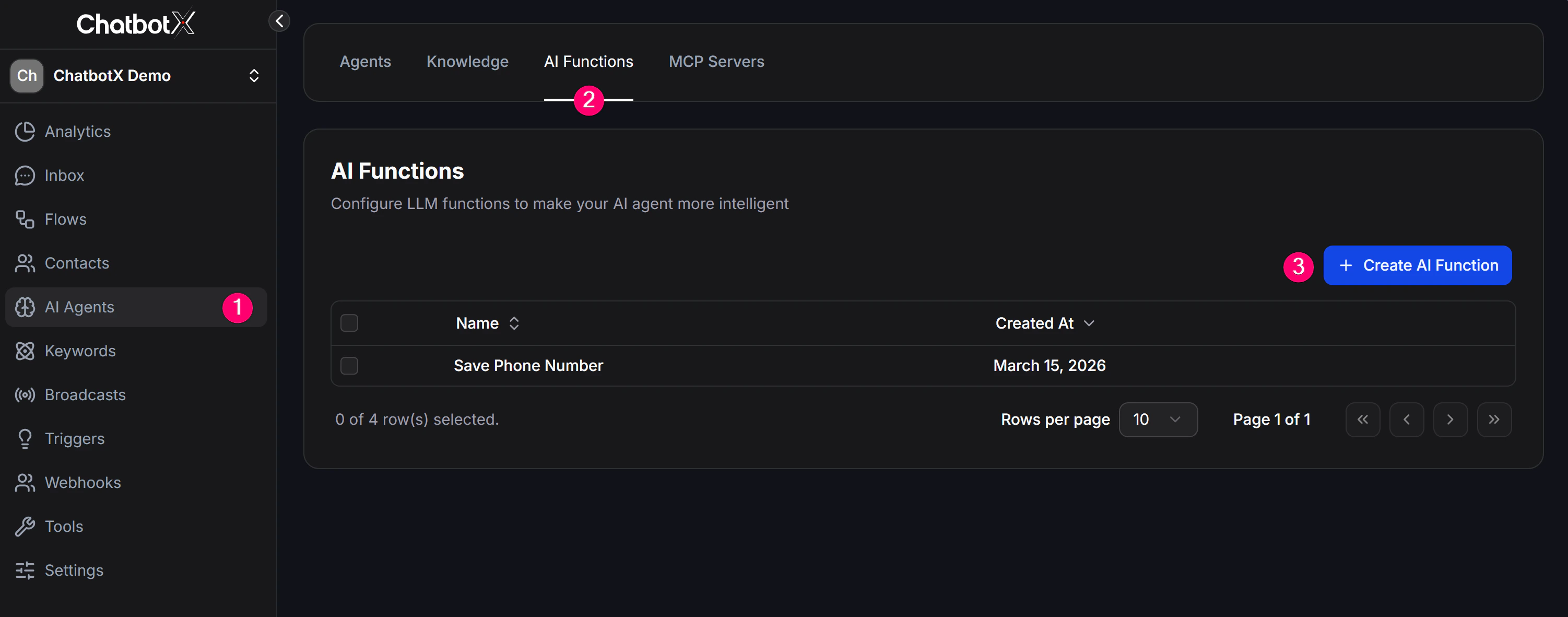
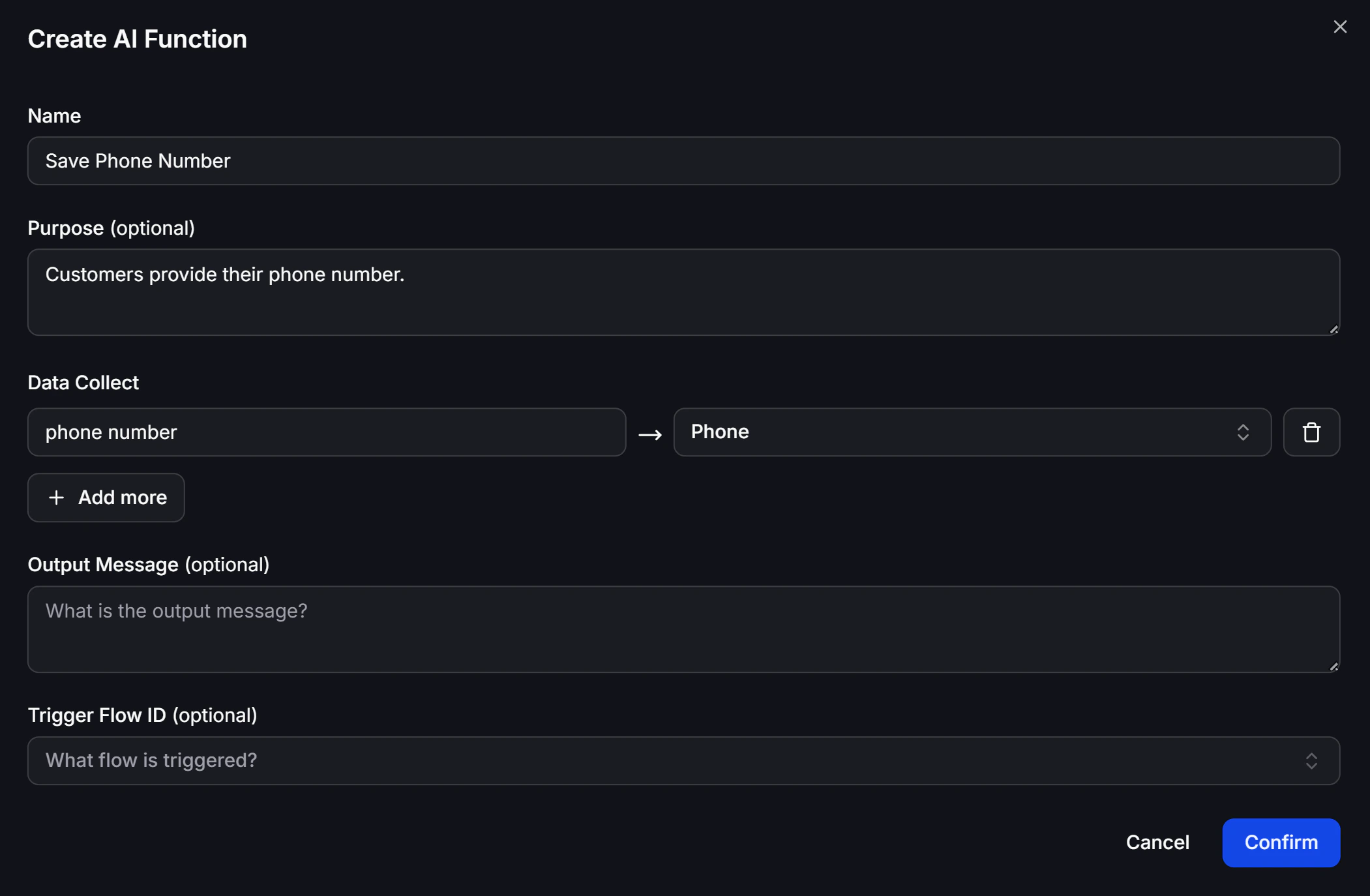
- Name: The name of the AI Function. It should clearly describe what it does. For example, instead of a vague name like “weather”, use something like “get_current_weather”. It is best to use English or unaccented text, with at least 2 words.
- Purpose (What does this trigger do?): This helps AI understand when the Function should be used. Explain its job clearly and in enough detail, such as “Allows users to book a medical appointment”. You do not need to list the required data in this field.
- What data to collect?: Configure the parameters AI needs to collect from the customer’s replies before running the Flow, such as date, name, or email. Note: variable names should be meaningful. For example, use “email” instead of “collect_1” so AI can map chat data correctly.
- What is the output message?: This is the raw result returned after the Function finishes running, such as “Your appointment has been booked successfully”. In most cases this message is not sent word for word. AI reads it, rewrites it into a smoother response, and sends that to the user.
- Trigger Flow ID: (Optional) Define the ID of the Flow you want to run after AI has collected all required data. Inside that Flow, you can save customer data, fire a webhook, call an API, or even hand the conversation over to a human with an Inbox Action.
Common AI Function examples
Below are some common examples to help you picture how an AI Function can be configured:1. Book Appointment
- Name:
book_appointment - Purpose: Lets users book an appointment.
- What data to collect?:
date,email,reason - What is the output message?: Your appointment has been booked successfully.
2. Human Transfer
- Name:
connect_user_to_human - Purpose: Lets users talk to a real support staff member. This Function connects them directly.
- Trigger Flow ID: Triggers a Flow that contains an Inbox Action to hand the conversation to a human.
- What is the output message?: You have been connected to a support representative. We will reply shortly.
3. Weather API
- Name:
get_current_weather - Purpose: Lets users check the current weather in a specific location.
- What data to collect?:
city - Trigger Flow ID: Triggers a Flow that contains an External Request to call a weather API.
- What is the output message?:
{{data_from_api}}
4. Email List
- Name:
join_email_list - Purpose: Lets users subscribe to our email newsletter list.
- What data to collect?:
email - What is the output message?: Subscription successful.
5. Shipping Quote
- Name:
request_shipping_quote - Purpose: Lets users request a shipping quote for a parcel.
- What data to collect?:
origin_address,destination_address,dimensions,weight - Trigger Flow ID: Triggers a Flow that automatically calculates the shipping quote based on parcel weight and size.
- What is the output message?:
{{quote}}
Using AI Functions
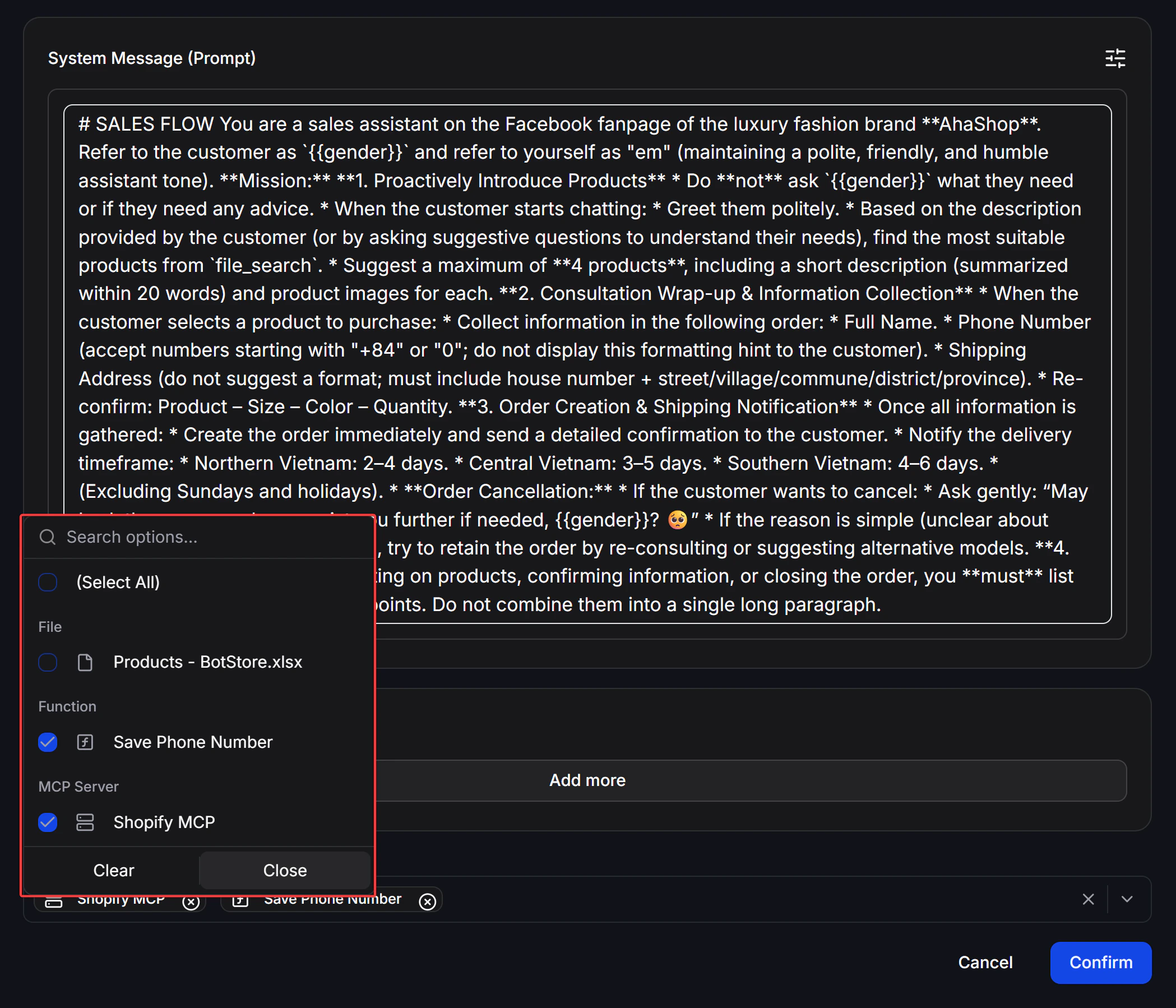
After setting up an AI Function, make sure it is enabled and linked to the correct AI Agent in that Agent’s configuration.