

Method 1: Block manually in Inbox
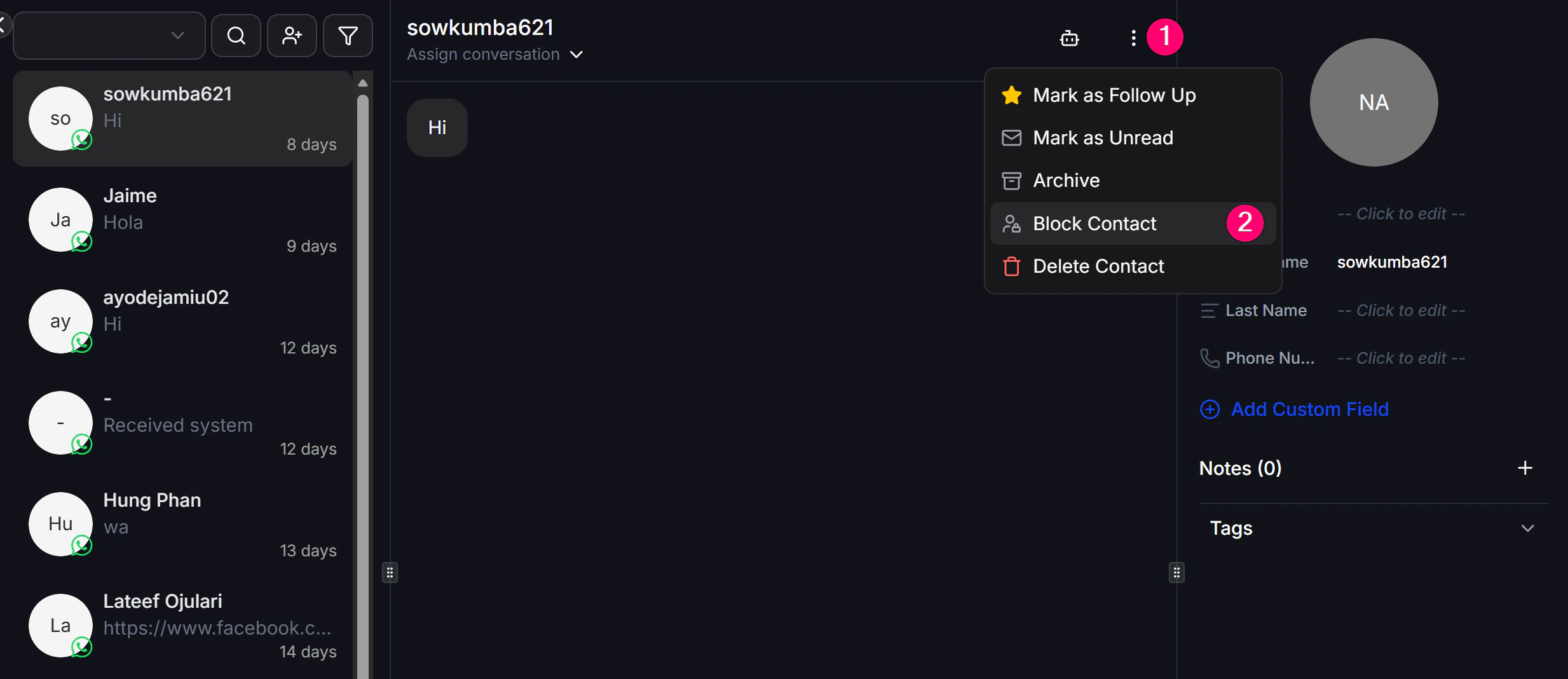
Use this when you are already viewing the conversation and want to block the contact immediately. Steps:- Open the conversation of the person you want to block in Inbox.
- Click the Menu icon in the top corner.
- Choose Block Contact.
Method 2: Block automatically in a Flow
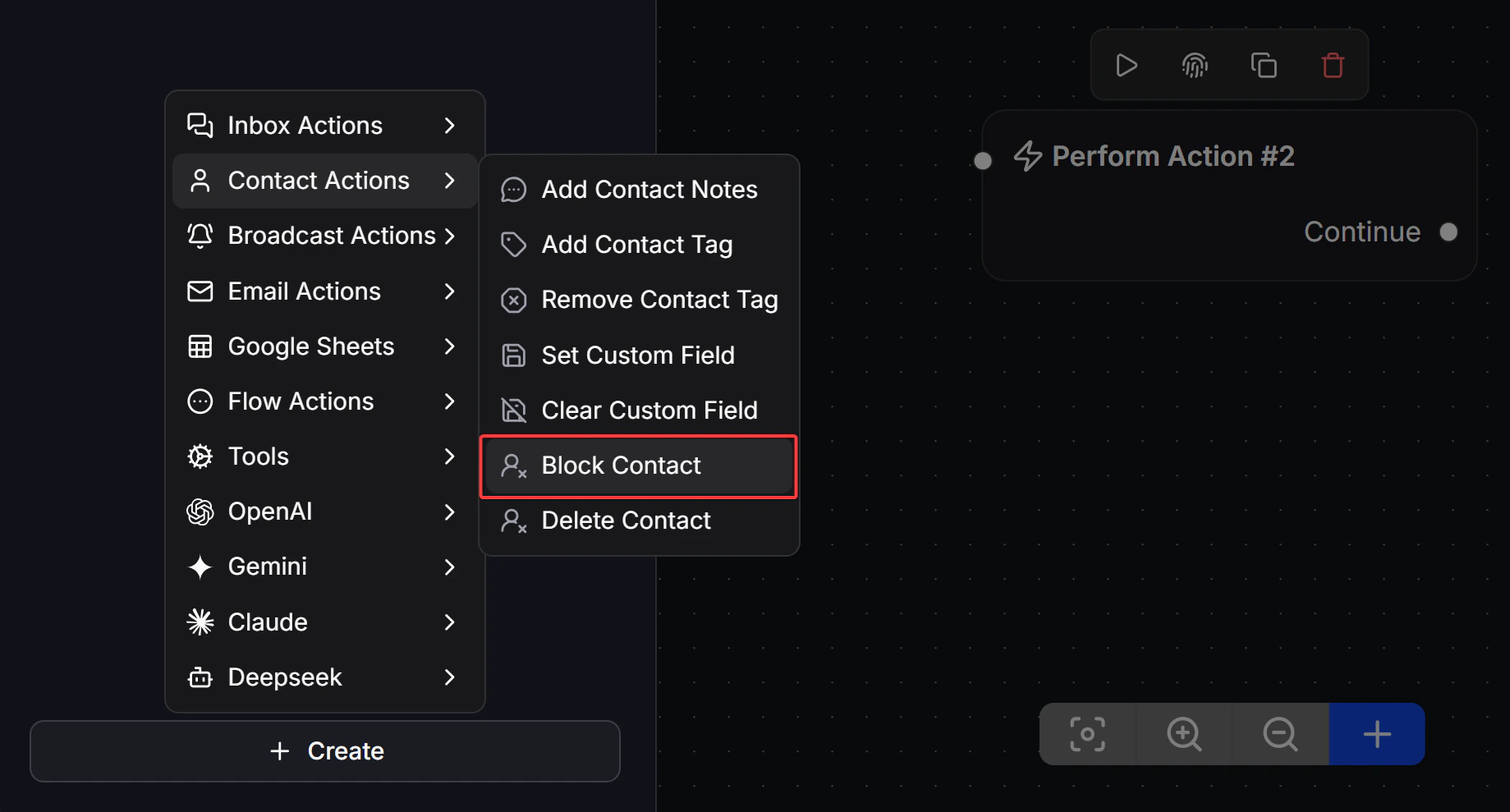
Use this when you want the system to block contacts automatically based on a condition, such as abusive language or a specific behavior. Steps:- In any Flow, add a Perform Action block.
- Choose Contacts Actions -> Block Contact.
Note: Blocking is different from deleting. Block only stops the Bot from replying, while the customer’s data stays in the system. Delete removes the customer completely and cannot be undone.