

Steps to add documents to Knowledge
To add data sources for your Agent, follow this structure:- Upload a new document: Go to Knowledge from the navigation menu. Click Upload file and choose a document from your computer.
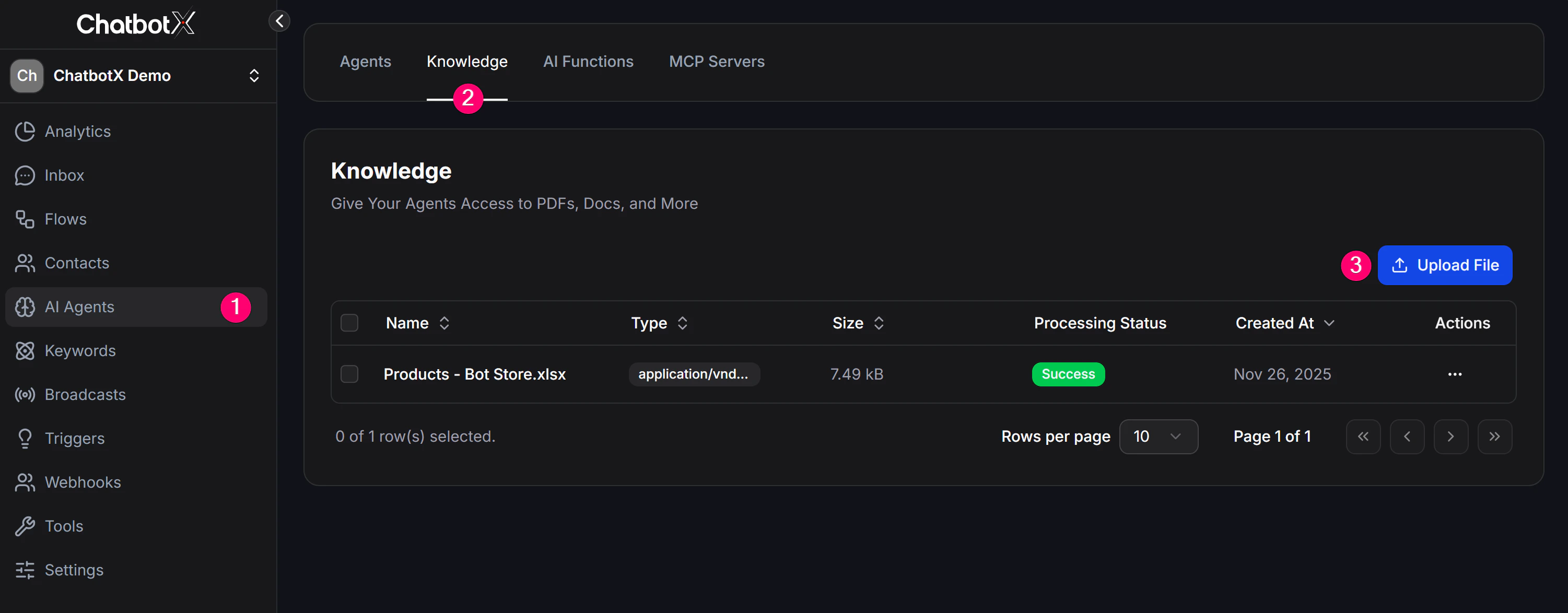
- Manage the list: The Knowledge screen shows all uploaded documents, including file name, format, size, and creation time. You can search, manage, or delete documents here.
- Link to the AI Agent: After the file is uploaded, edit your AI Agent. In the Agent’s knowledge settings, select one or more uploaded documents to attach to that Agent.
Supported file formats
You can upload common formats such as:- CSV
- DOCX, DOC
- JSON
- PPTX
- TXT
- VTT
- DOC
- EML
- PROPERTIES
- HTML
- XML
- XLS
- PPT
- MSG
- EPUB
- MDX
- PPTX
- HTM
- MARKDOWN