
Documentation Index

Fetch the complete documentation index at: https://chatbotx.io/docs/llms.txt

Use this file to discover all available pages before exploring further.

Bulk Actions lets you apply the same action to multiple contacts at once inside the Contacts interface.

Start with Bulk Actions

1

Open the Contacts page

Go to Contacts from the left menu.
2

Select contacts

Tick the checkbox for one or more contacts.
3

Open the Actions menu

Click Actions to open the list of available actions.
4

Choose the action

Select the action you want to apply to the chosen contacts.
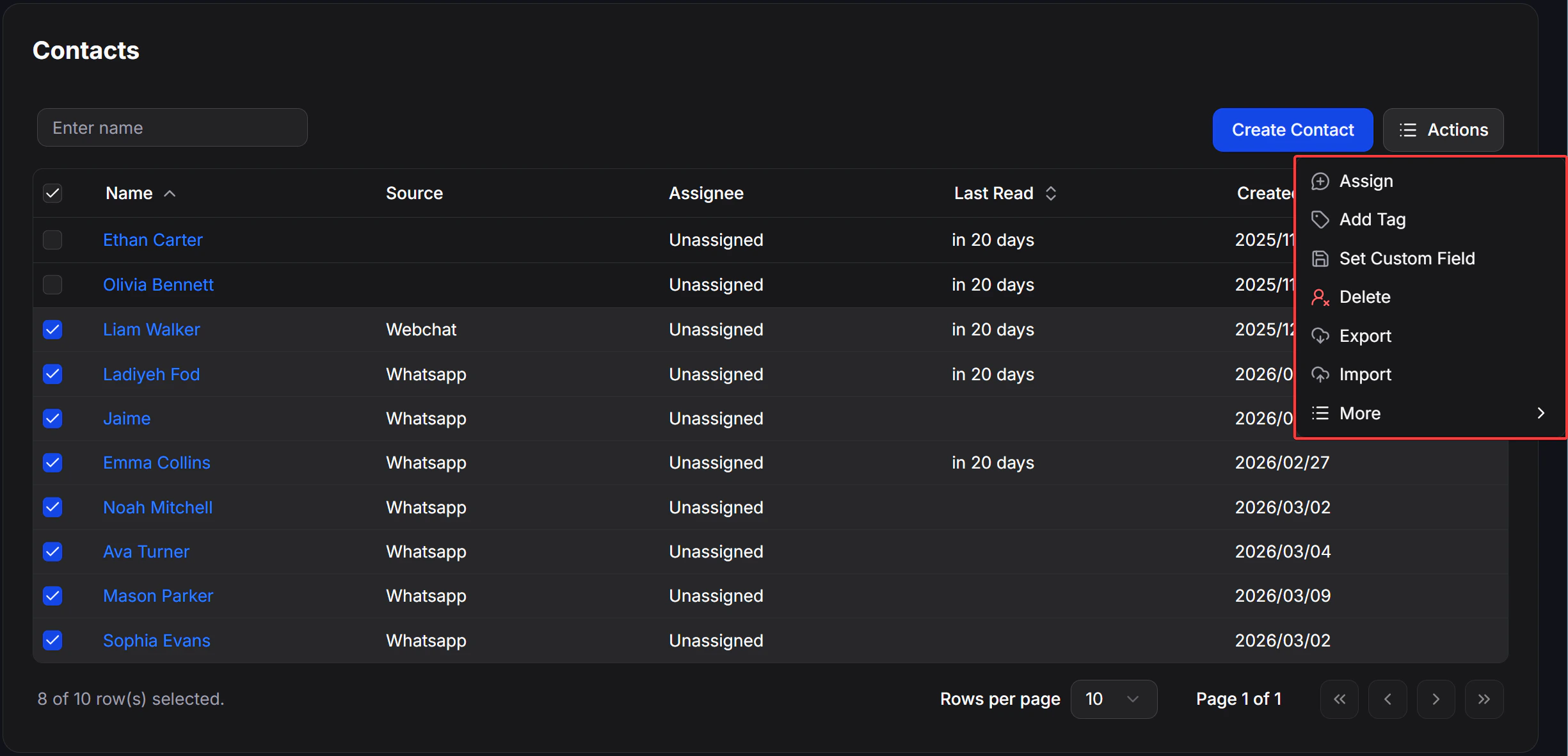
contacts_bulk_actions_menu

Actions

ActionResult
AssignAssign the contact to an assignee
Add TagApply a Tag to the contact
Set Custom FieldSet a value in a Custom Field
DeleteDelete the contact
ExportExport the contact list
ImportOpen the contact import screen

More

Inside the Actions menu, click More to open additional actions.
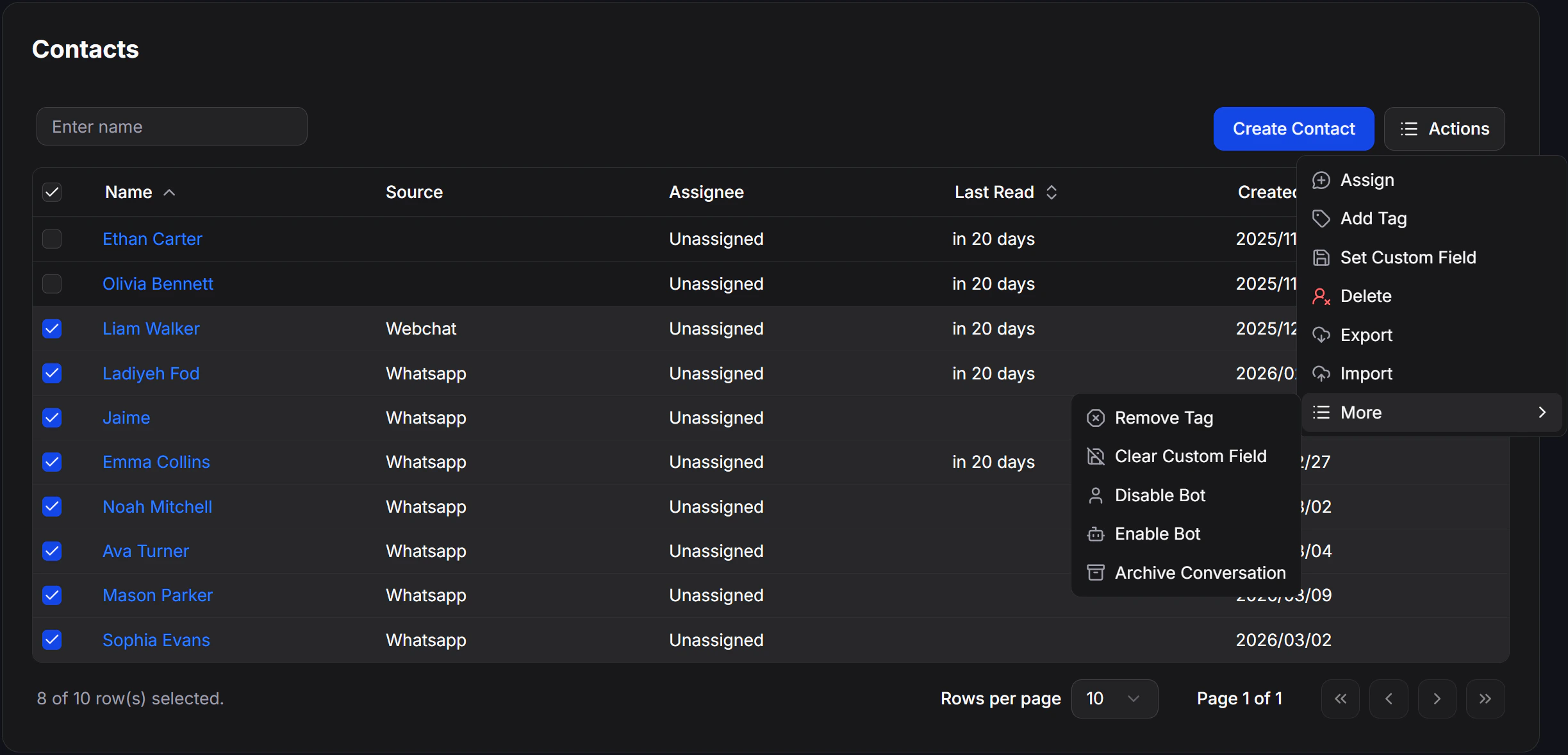
contacts_bulk_actions_more_menu
ActionResult
Remove TagRemove a Tag from the contact
Clear Custom FieldClear the value inside a Custom Field
Disable BotTurn off the Bot for the selected contacts
Enable BotTurn the Bot back on for the selected contacts
Archive ConversationArchive the conversations of the selected contacts