Chuyển đến nội dung chính

Documentation Index

Fetch the complete documentation index at: https://chatbotx.io/docs/llms.txt

Use this file to discover all available pages before exploring further.

Bulk Actions dùng để áp dụng cùng một thao tác cho nhiều contact trong giao diện Contacts.

Bắt đầu Bulk Actions

1

Mở trang Contacts

Vào Contacts từ menu bên trái.
2

Chọn contact

Tick checkbox của một hoặc nhiều contact.
3

Mở menu Actions

Nhấn Actions để mở danh sách thao tác.
4

Chọn action

Chọn action cần áp dụng cho nhóm contact đã chọn.
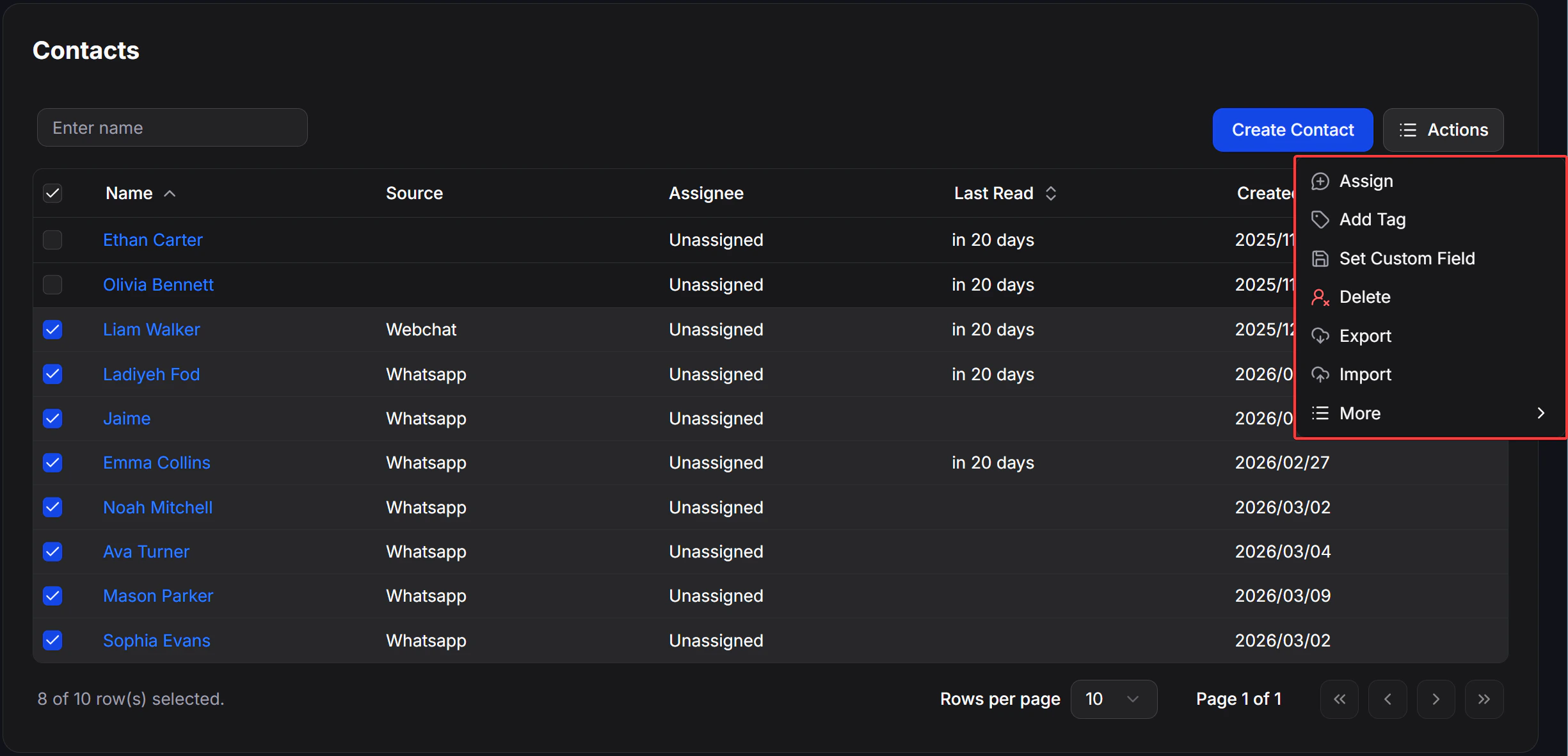
contacts_bulk_actions_menu

Actions

ActionThao tác
AssignGán contact cho assignee
Add TagGắn Tag cho contact
Set Custom FieldGán giá trị vào Custom Field
DeleteXóa contact
ExportXuất danh sách contact
ImportMở màn hình import contacts

More

Trong menu Actions, nhấn More để mở các thao tác bổ sung.
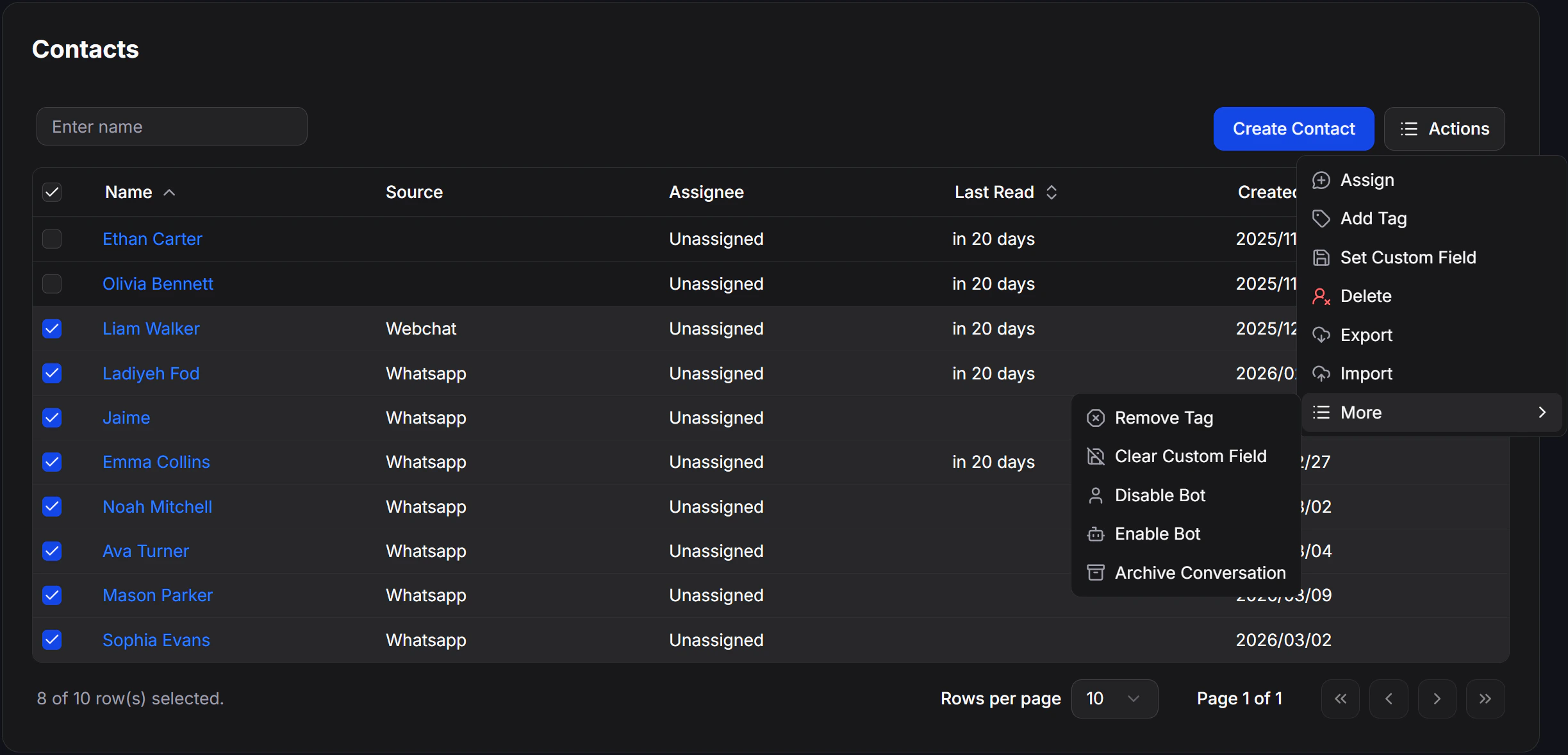
contacts_bulk_actions_more_menu
ActionThao tác
Remove TagGỡ Tag khỏi contact
Clear Custom FieldXóa giá trị trong Custom Field
Disable BotTắt bot cho contact đã chọn
Enable BotBật lại bot cho contact đã chọn
Archive ConversationLưu trữ hội thoại của contact đã chọn

Bài liên quan