- Delete a contact directly from the Inbox.
- Automatically delete a contact using an Action block in Flow Builder.
- Delete single or multiple contacts in bulk from the Contacts section.
Delete a contact from Inbox
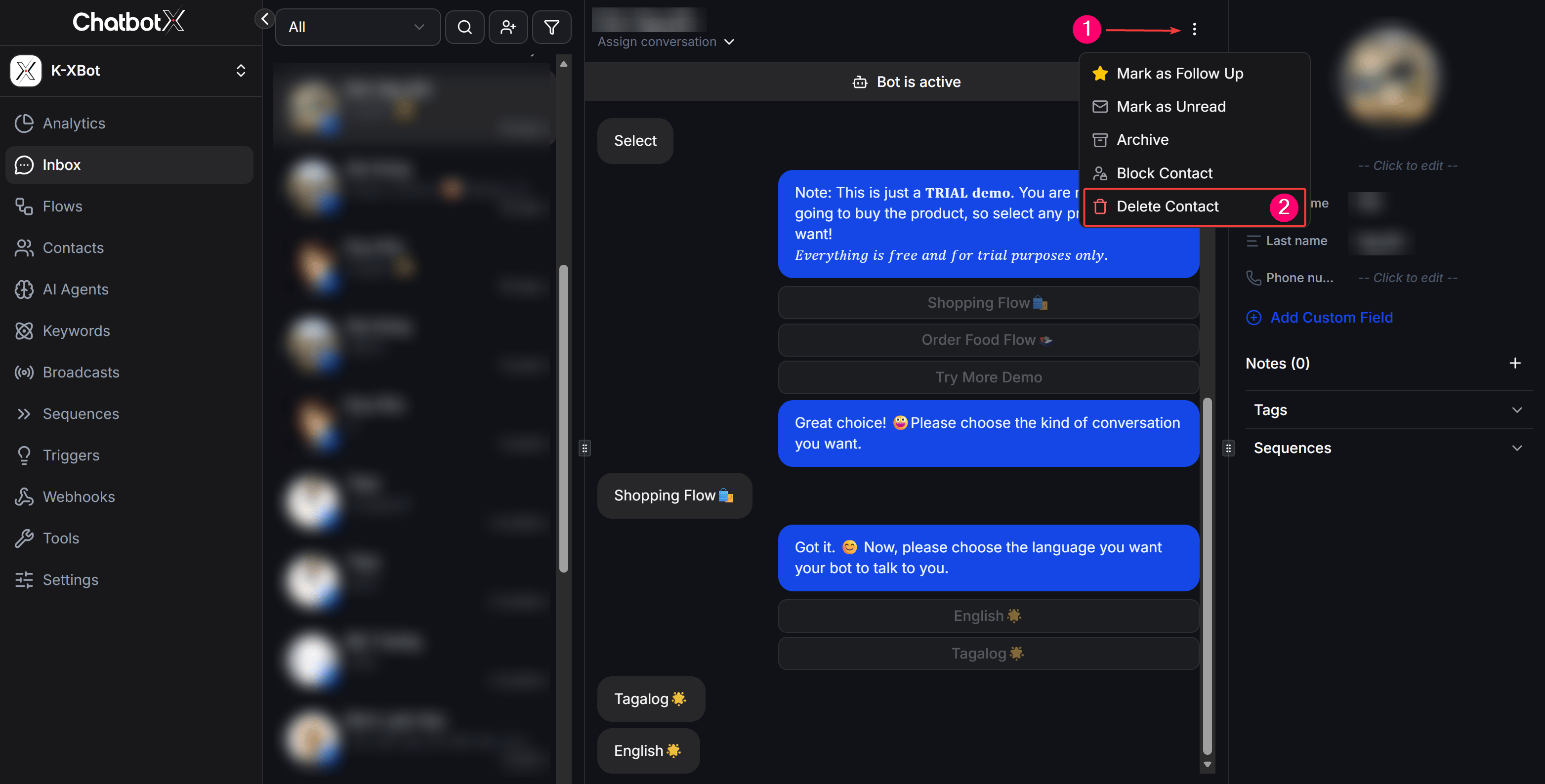
This method is useful when you are chatting with a customer in the Inbox and want to delete the contact immediately. Steps to perform:- Navigate to the Inbox section from the left sidebar.
- Select the conversation of the contact you wish to delete.
- In the customer profile panel on the right side of the screen, click the menu icon (3 dots).
- Select Delete from the dropdown menu.
Delete a contact using the ‘Delete’ action in Flow Builder
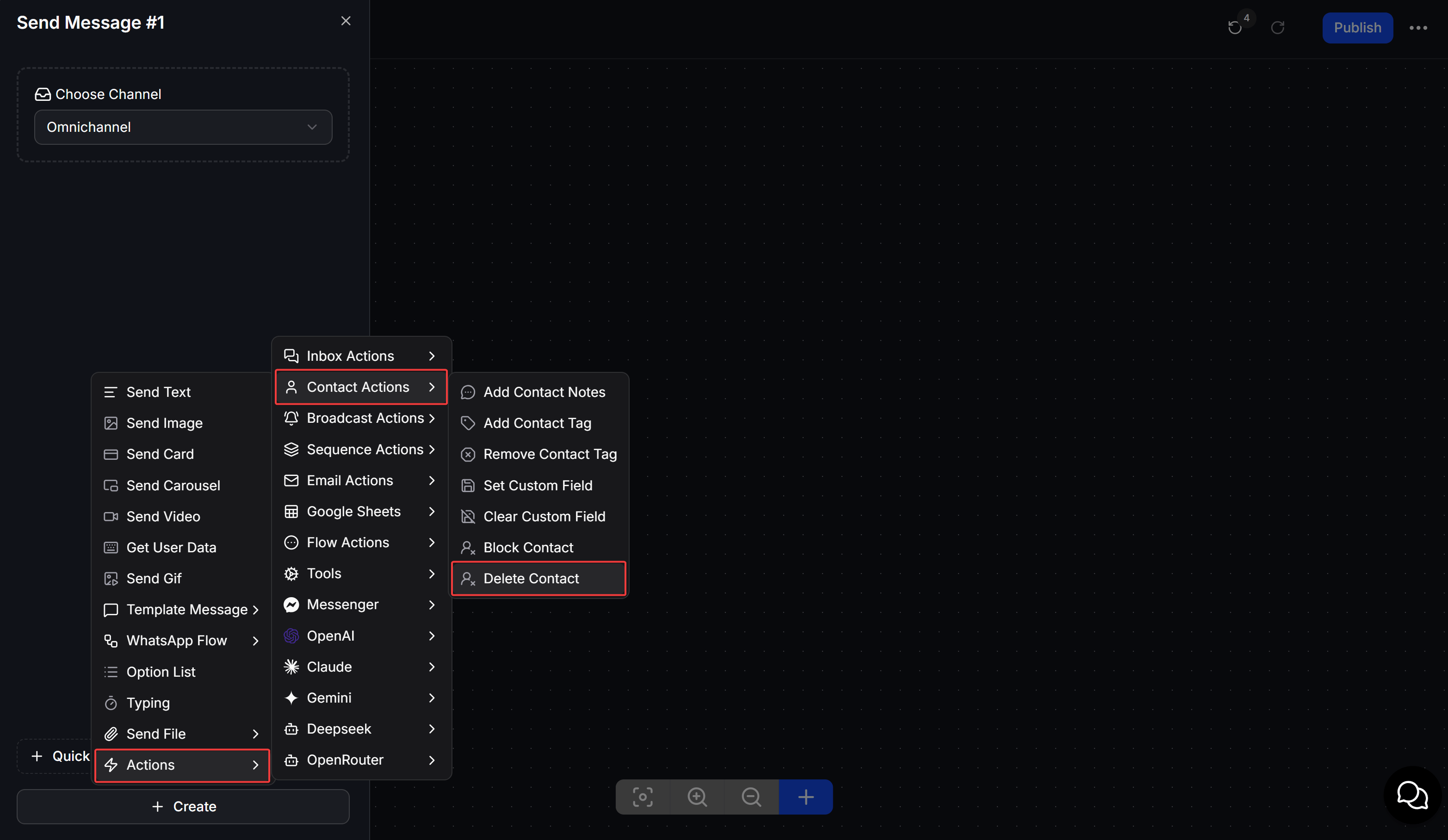
You can automate contact deletion based on customer behavior in your chatbot scripts (e.g., when a user chooses to opt-out, or after completing a specific survey flow). Steps to perform:- Inside the Flow Builder canvas, add a new Action block.
- Click the Action block and select Delete Contact from the list of available actions.
- Connect the block to the relevant flow branch to automatically delete contacts that reach this step.
Delete a contact/contacts from the Contacts section
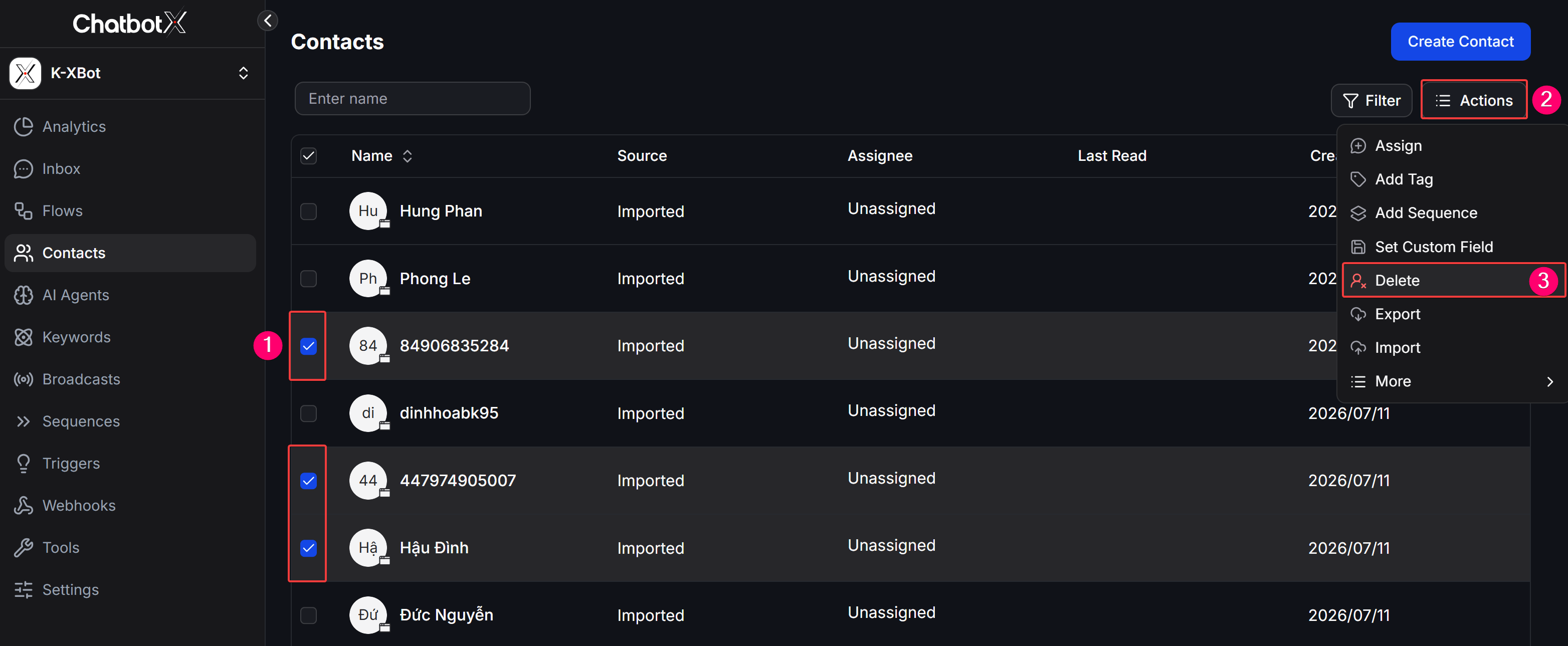
This method allows you to manage and perform bulk deletion after filtering contacts by specific criteria. Steps to perform:- Go to the Contacts section from the left sidebar.
- Search or use the filter options (Filter) to locate the contacts you want to delete.
- Check the box next to the names of the contacts (you can select all by checking the box in the header row).
- Click the Actions button at the top and select Delete from the dropdown menu.