

{{variable_name}}.
This feature helps businesses measure advertising campaign performance, append UTM tracking parameters to websites, or pass referral parameters directly into chatbot conversation flows (Messenger, WhatsApp, Telegram).
Accessing Magic Links
From the left navigation bar in ChatbotX, select Tools and click the Magic Links card.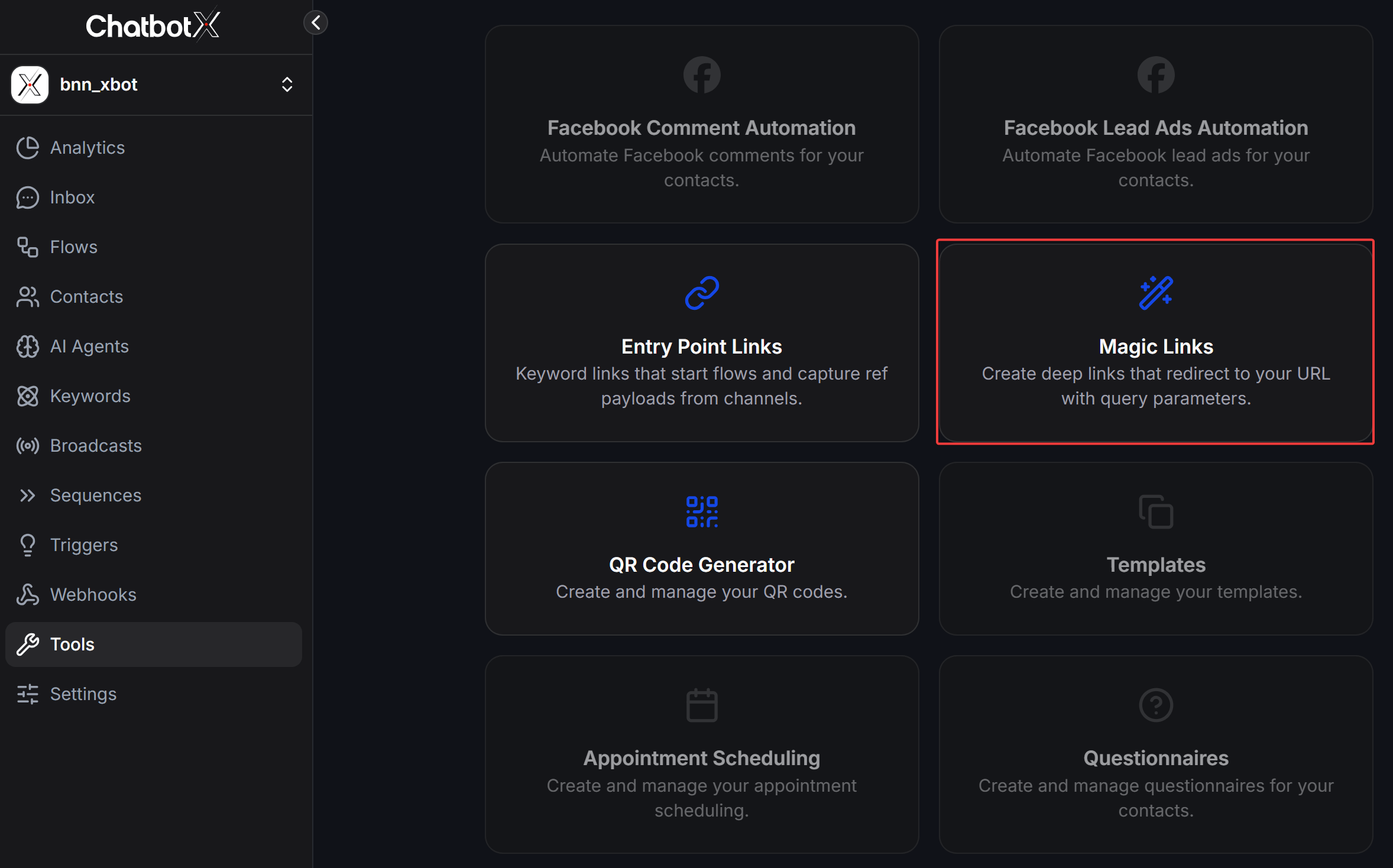
How to Create a New Magic Link
1
Open Magic Links Management Dashboard
On the Magic Links page, click the + Create Magic Links button in the top right corner.
2
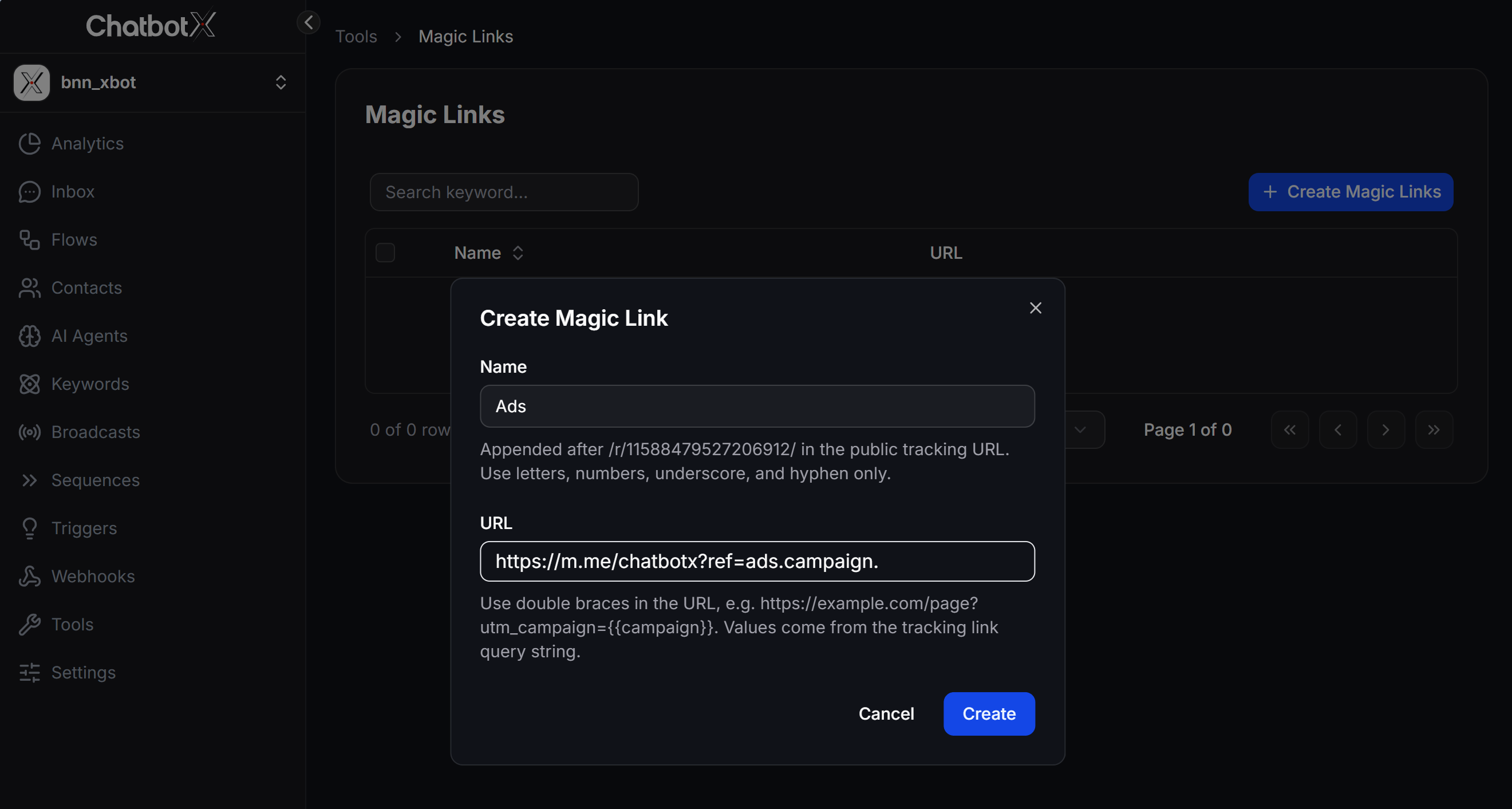
Configure Settings in the Create Magic Link Form
In the configuration window, fill in the following 2 fields:
- Name: Enter an identifier for your Magic Link (letters, numbers, underscores
_, and hyphens-only). This string will be appended immediately after/r/BOT_ID/in the public tracking URL (e.g.,https://app.chatbotx.io/r/11588479527206912/Ads). - URL: Enter the destination URL where users will be redirected. Use double curly brace syntax
{{variable_name}}to dynamically populate query string values from the tracking link.
3
Complete Creation
Click Create to save and generate your Magic Link.
Standard Sample Formats for the URL Field
Below are standard sample URL structures for common use cases that you can copy and paste into the URL field:1. Facebook Messenger Link (With Dynamic Ref Payload)
Use this format to redirect users to Facebook Messenger and automatically trigger a chatbot Flow with campaign parameters.- Standard Structure:
https://m.me/PAGE_USERNAME?ref={{ref_name}} - Sample URL Value:
https://m.me/chatbotx?ref=ads.{{campaign}}.{{source}} - How It Works: When you run ads using the public tracking URL
https://app.chatbotx.io/r/11588479527206912/Ads?campaign=summer_sale&source=facebook, clicking the link automatically redirects users to Messenger athttps://m.me/chatbotx?ref=ads.summer_sale.facebook.
2. Website / Landing Page Link (Passing UTM Parameters)
Use this format when running ad campaigns and passing dynamic UTM parameters from your tracking link to a destination website.- Standard Structure:
https://yourdomain.com/landing-page?utm_source={{source}}&utm_medium={{medium}}&utm_campaign={{campaign}} - Sample URL Value:
https://chatbotx.io/sale?utm_source={{source}}&utm_campaign={{campaign}}&utm_content={{ad_id}} - How It Works: When a user clicks
https://app.chatbotx.io/r/11588479527206912/Ads?source=facebook&campaign=black_friday&ad_id=123, the system captures the parameters and redirects tohttps://chatbotx.io/sale?utm_source=facebook&utm_campaign=black_friday&utm_content=123.
3. WhatsApp Business Link
Use this format to direct customers into WhatsApp with pre-filled referral messages or campaign codes.- Standard Structure:
https://wa.me/PHONENUMBER?text=/ref_{{campaign}} - Sample URL Value:
https://wa.me/84912345678?text=/ref_{{campaign}}
4. Telegram Bot Link
Use this format to start a Telegram Bot with a referral or promo code.- Standard Structure:
https://t.me/BOT_USERNAME?start={{ref_code}} - Sample URL Value:
https://t.me/bnn_xbot?start=promo_{{coupon}}
Summary Table of Standard Link Formats
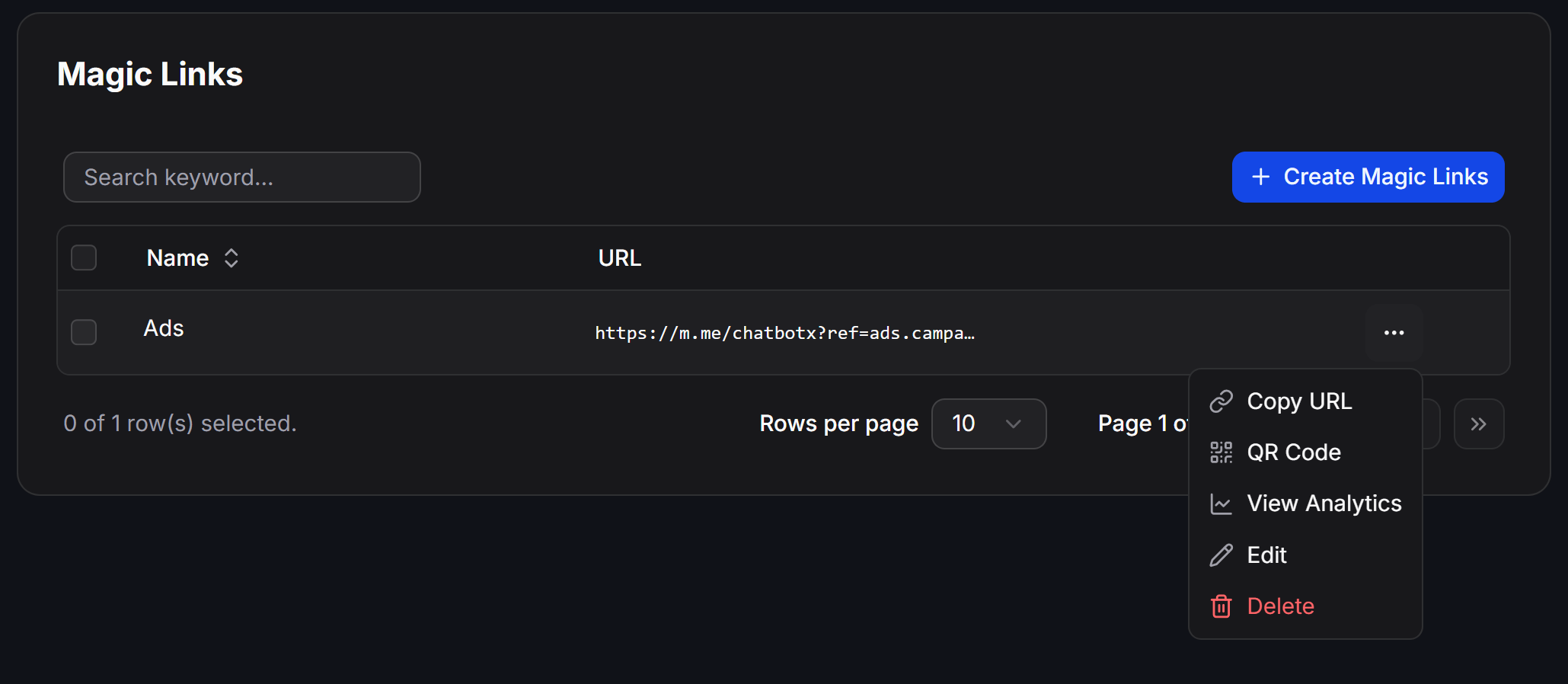
Managing Your Magic Links
After creation, your Magic Link appears in the management table. Click the … action menu at the end of any row to perform actions:- Copy URL: Copy the public tracking URL format (e.g.,
https://app.chatbotx.io/r/11588479527206912/Ads) to paste into ad campaigns, social media posts, or buttons. - QR Code: Automatically generate a QR code for the Magic Link.
- View Analytics: Open real-time click analytics and performance reports.
- Edit: Update the Name or destination URL.
- Delete: Remove the Magic Link from the system.
Best Practices and Important Notes
Variables inside double curly braces
{{variable_name}} in the URL field are dynamically replaced by values passed through the query string of your public tracking URL. If a query string parameter is omitted, {{variable_name}} safely resolves to an empty string.