

Overview of Meta CAPI Events
Meta CAPI Event is a Flow Action that sends conversion events directly from ChatbotX to the Meta Conversions API (CAPI) using server-side tracking. This helps businesses accurately capture lead data, purchases, and key customer interactions without being affected by browser ad blockers or cookie restrictions. Supported channels:- Facebook Messenger
Accessing Ads Optimization Settings
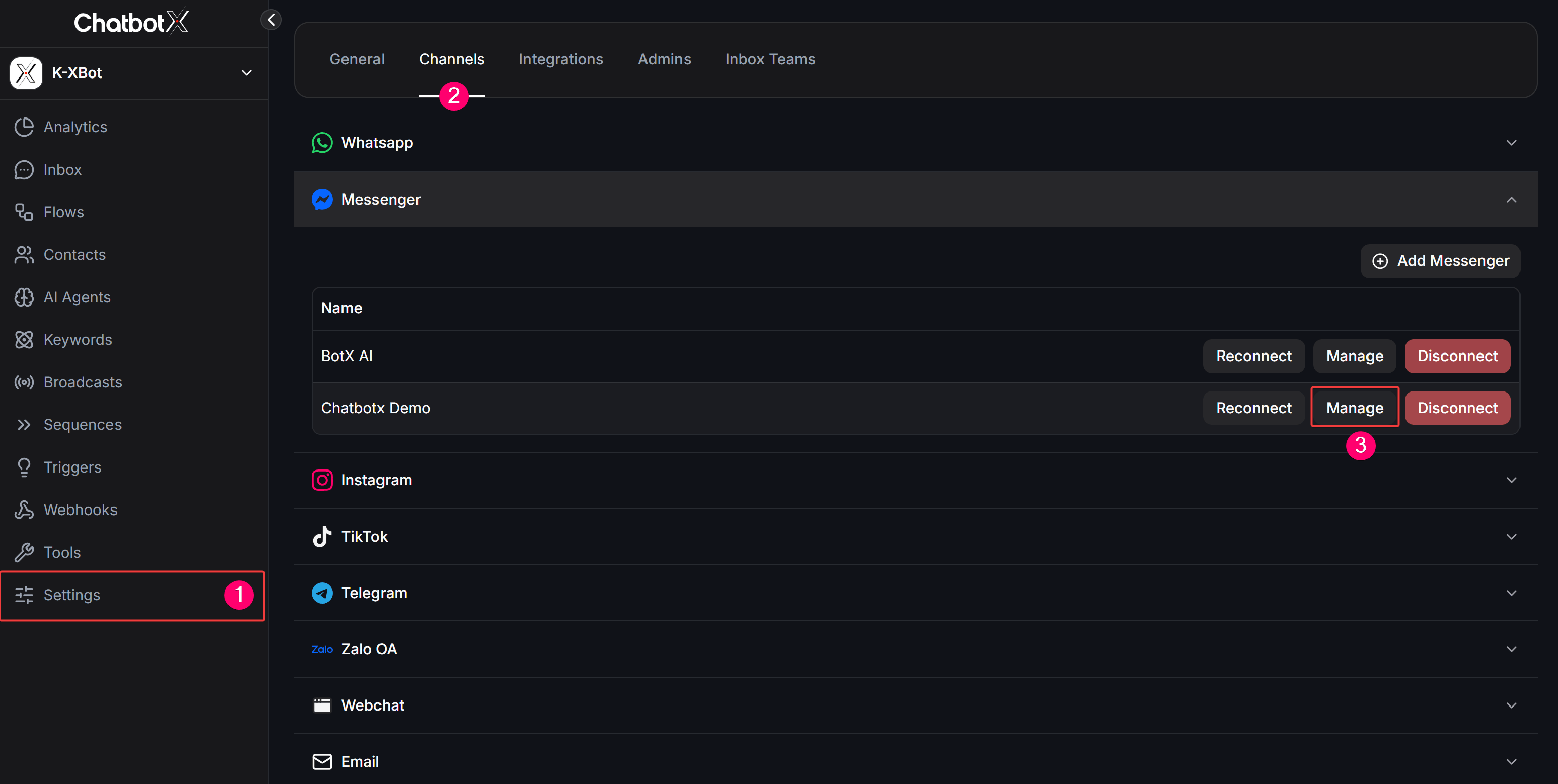
To configure Datasets and connect Meta Conversions API for each channel, follow these steps:1
Go to Settings
From the left navigation menu in ChatbotX, click Settings (1).
2
Select the Channels tab
Switch to the Channels tab (2) to view your connected messaging channels.
3
Select a Channel and click Manage
Locate the channel you want to configure (Messenger, WhatsApp, or Instagram) and click the Manage button (3) to open its management dashboard.
Configuring Datasets per Channel
A Dataset is where Meta receives and stores all conversion event data. Depending on the messaging channel, select the corresponding tab below:- Messenger
- WhatsApp
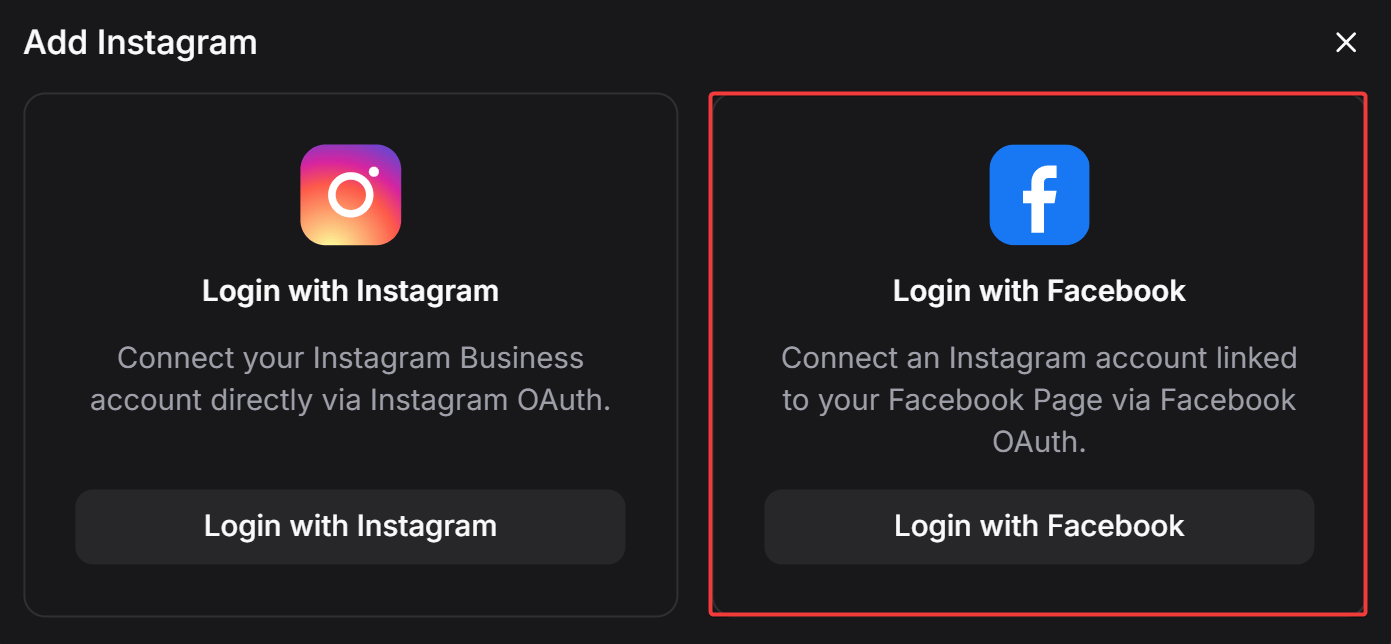
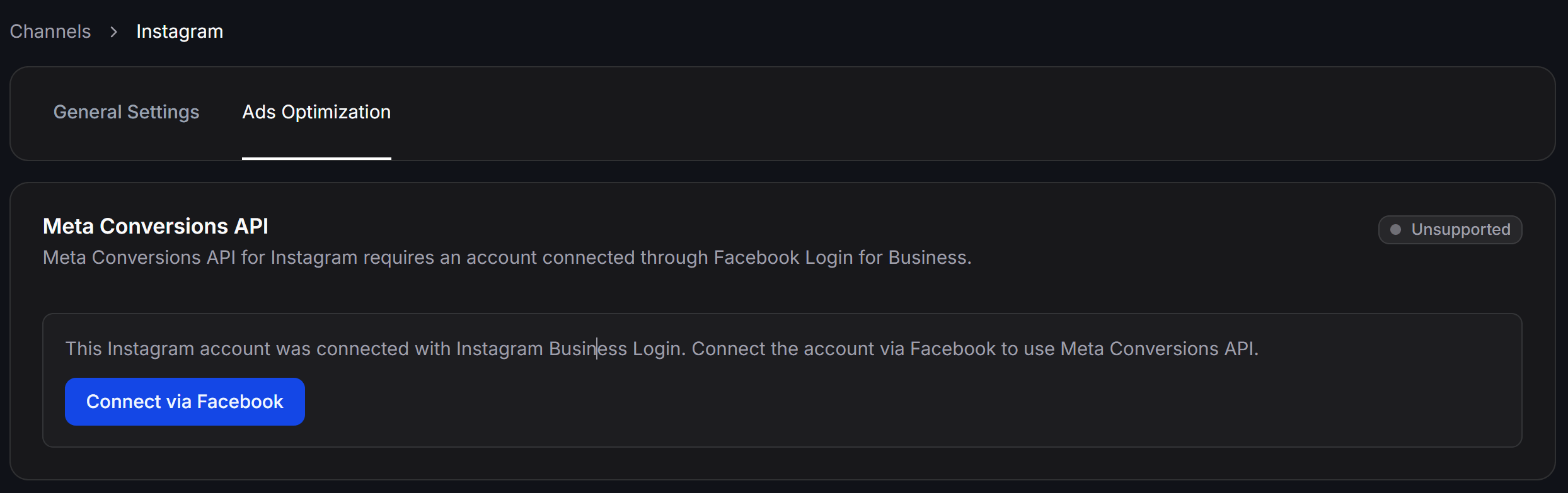
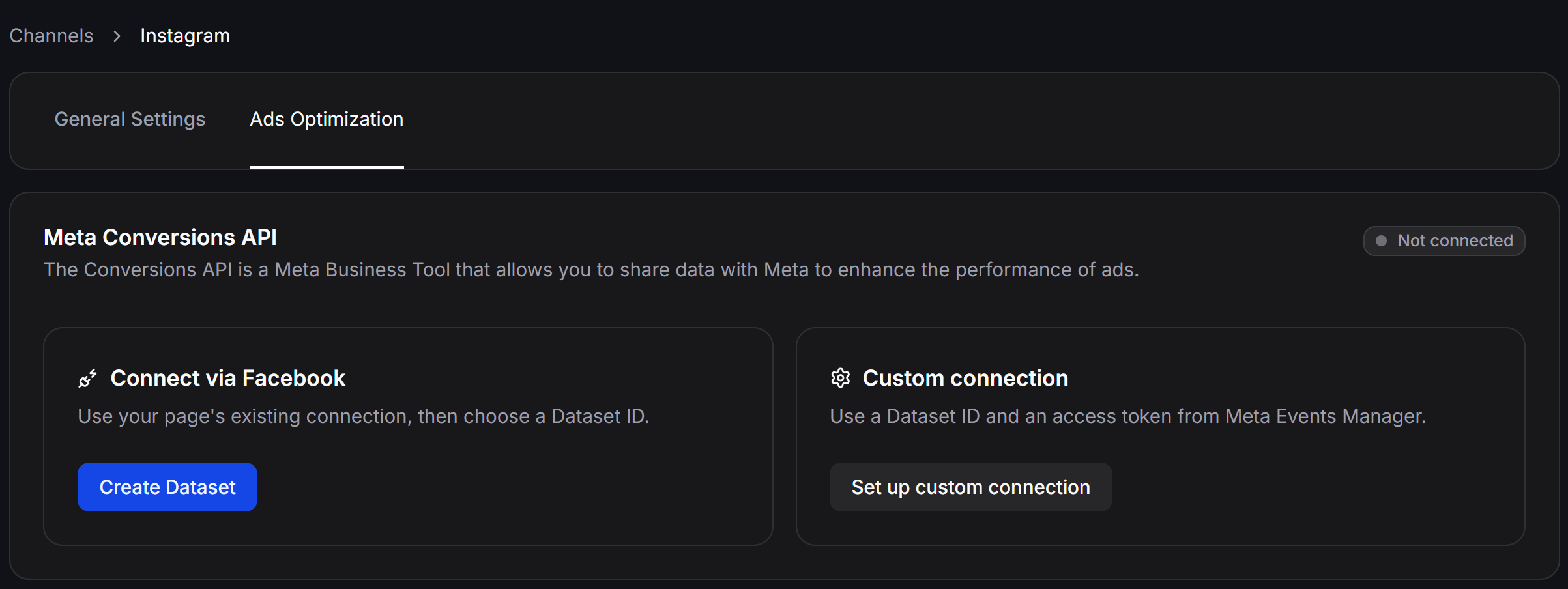
- Instagram
Under the Ads Optimization tab for Messenger: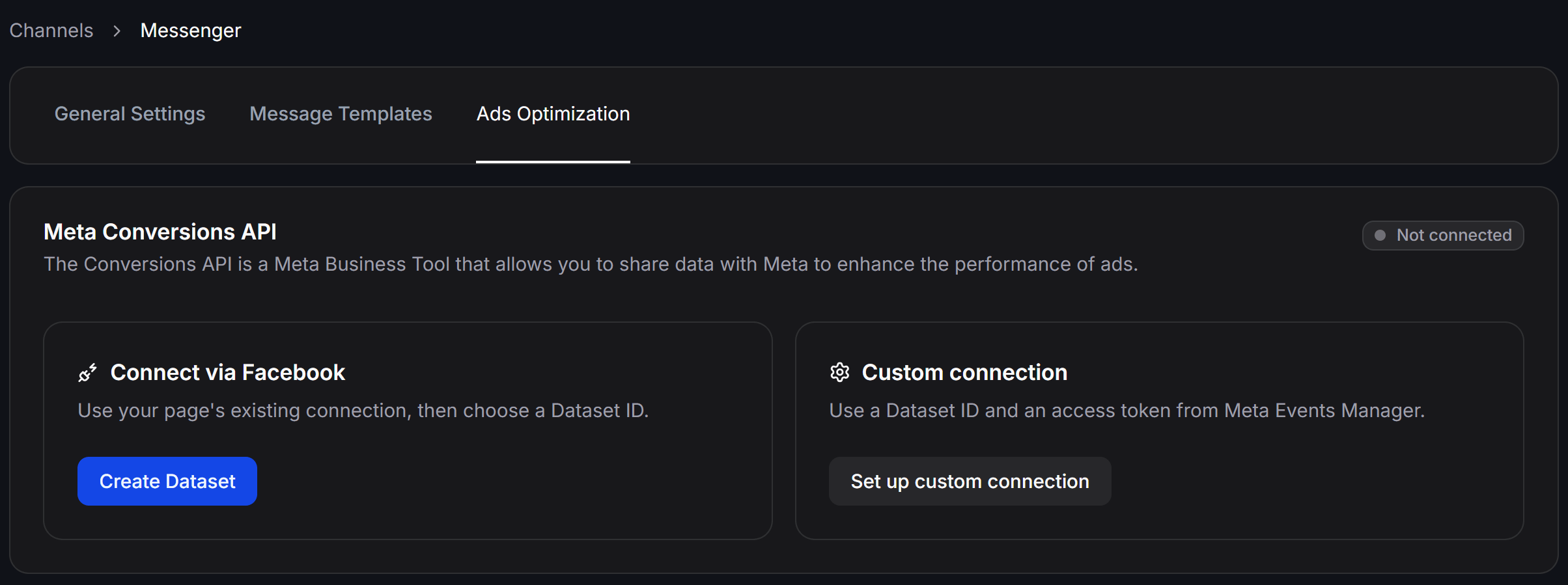
Select or Create a Dataset ID
- Paste Existing Dataset ID: If you already have a Dataset in Meta Events Manager, paste the ID into the Paste Dataset ID from Events Manager field and click Create Dataset.
- Automatic Dataset Creation: If no Dataset is linked, leave the field empty and click Create Dataset directly to generate a Dataset linked to your current Facebook Page.
Using a Dataset ID not properly linked to your Facebook Page or Instagram account may prevent Meta from attributing conversion events correctly.
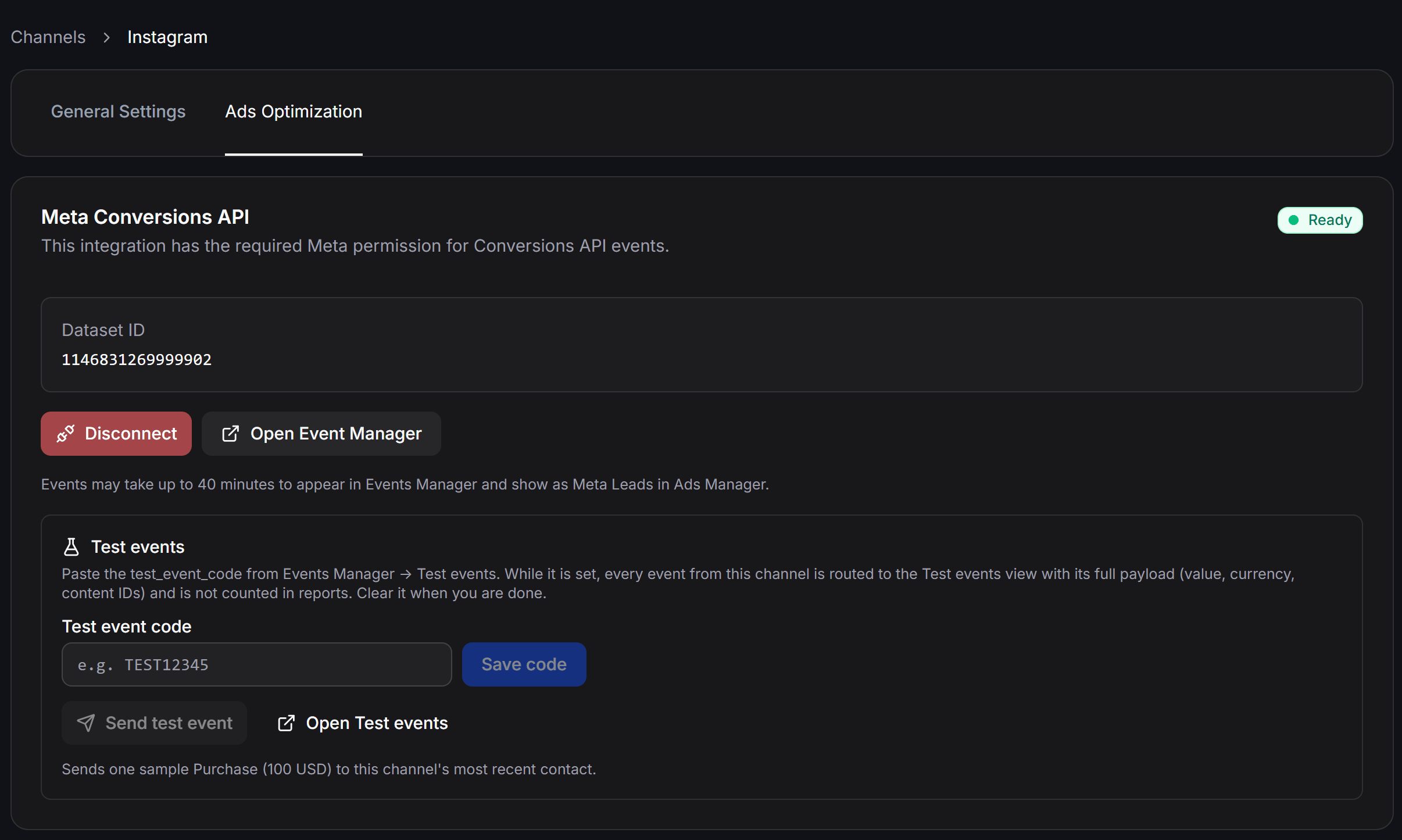
After Successful Connection
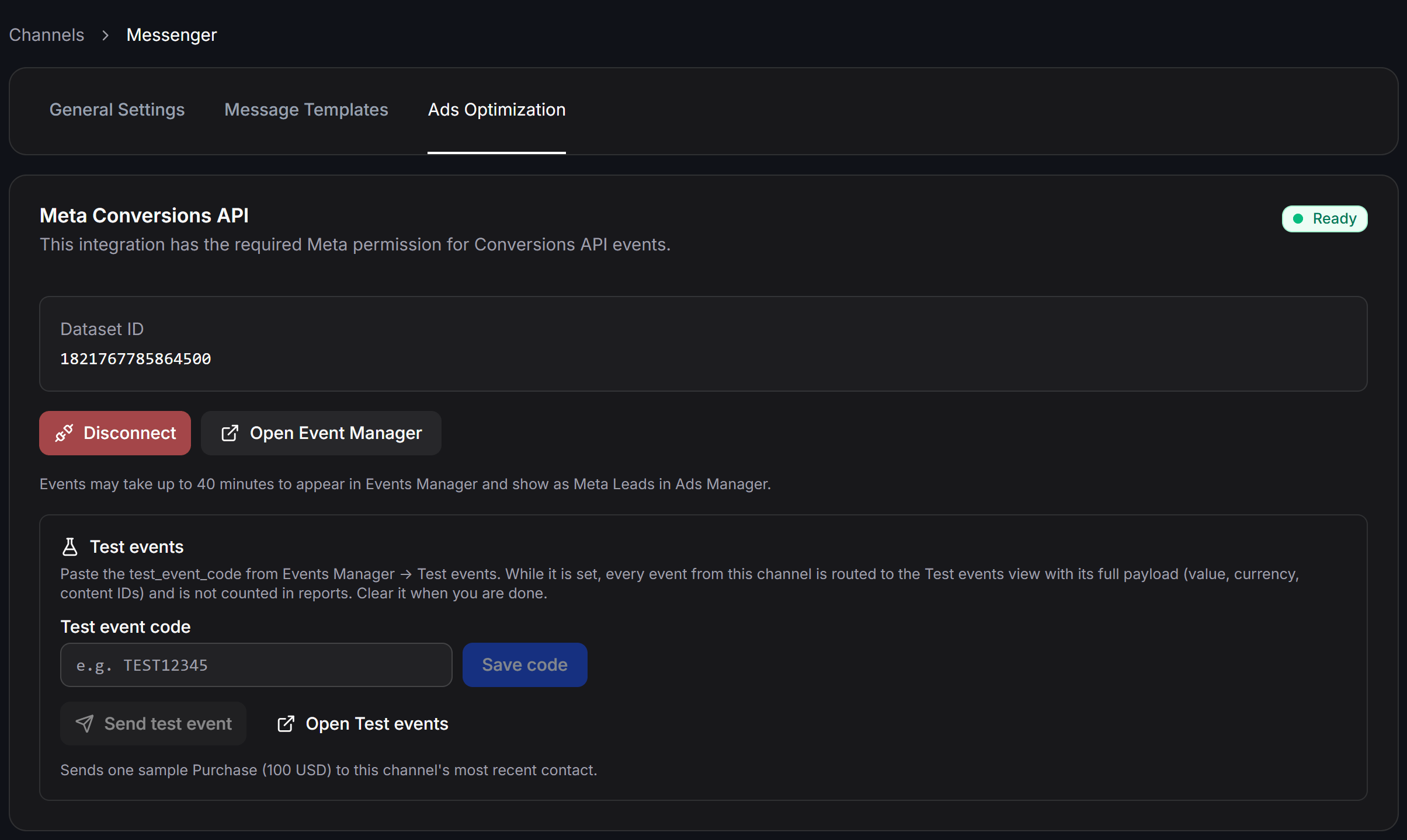
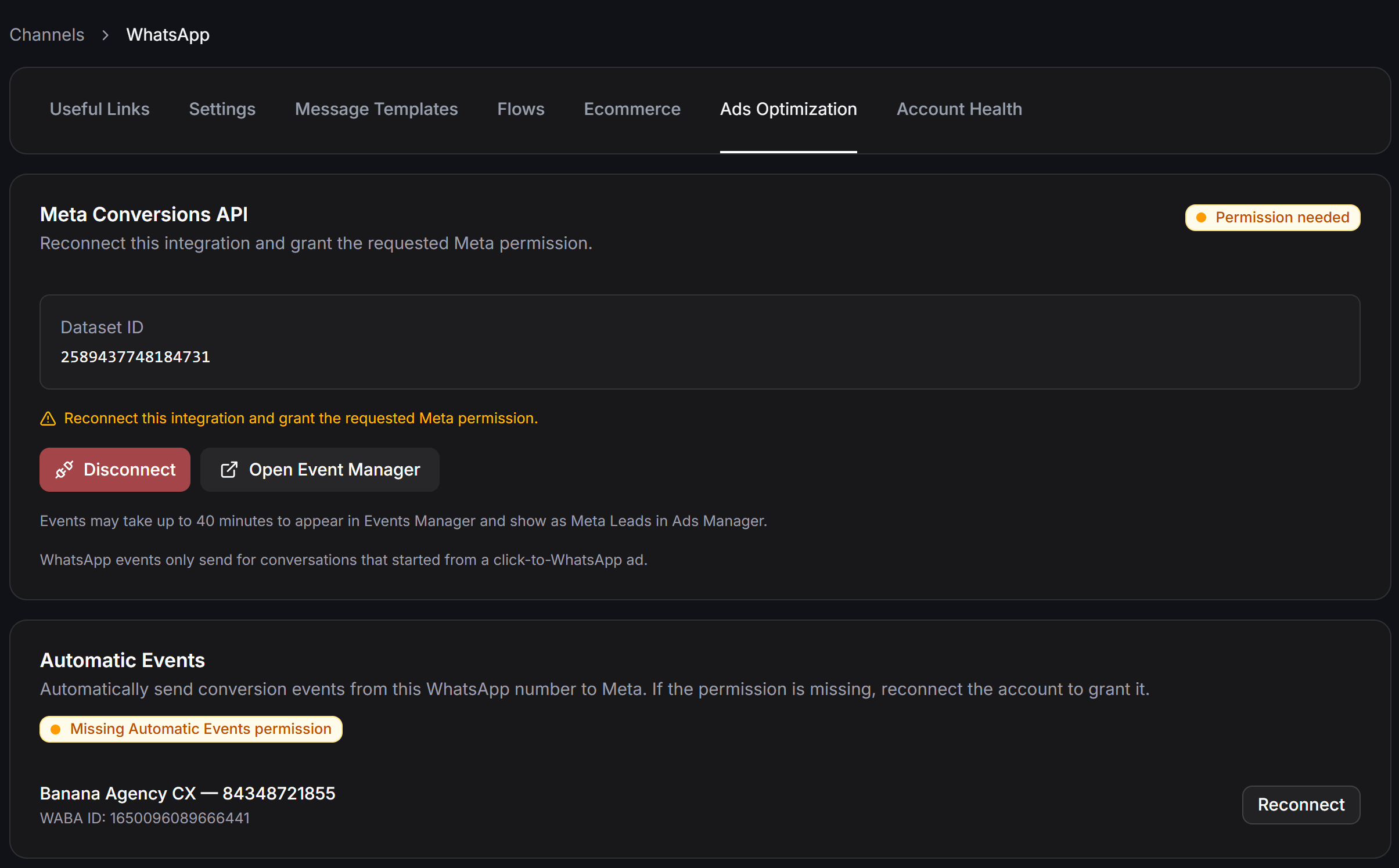
Once connected, the Meta Conversions API card displays a green Ready status along with:- Dataset ID: The active Dataset ID linked directly to Messenger.
- Disconnect: Unlink the current Dataset if you need to reconfigure.
- Open Event Manager: Open Meta Events Manager directly to verify live event streams.
Adding the Meta CAPI Event Action in Flows
Once your Dataset is configured for each channel, insert the Send Meta CAPI Event action inside your Flows to track conversion events:Auto-Detect Channel Mechanism
The Send Meta CAPI Event node features intelligent channel auto-detection. You do not need to specify the channel inside your Flow. When a user traverses the node, ChatbotX automatically identifies the active channel (Messenger, WhatsApp, or Instagram) and sends the conversion event to the corresponding Dataset.1
Open Target Flow
Go to Flows and open the automated chatbot workflow.
2
Add a Perform Action node
Insert a Perform Action step immediately after lead capture or purchase confirmation.
3
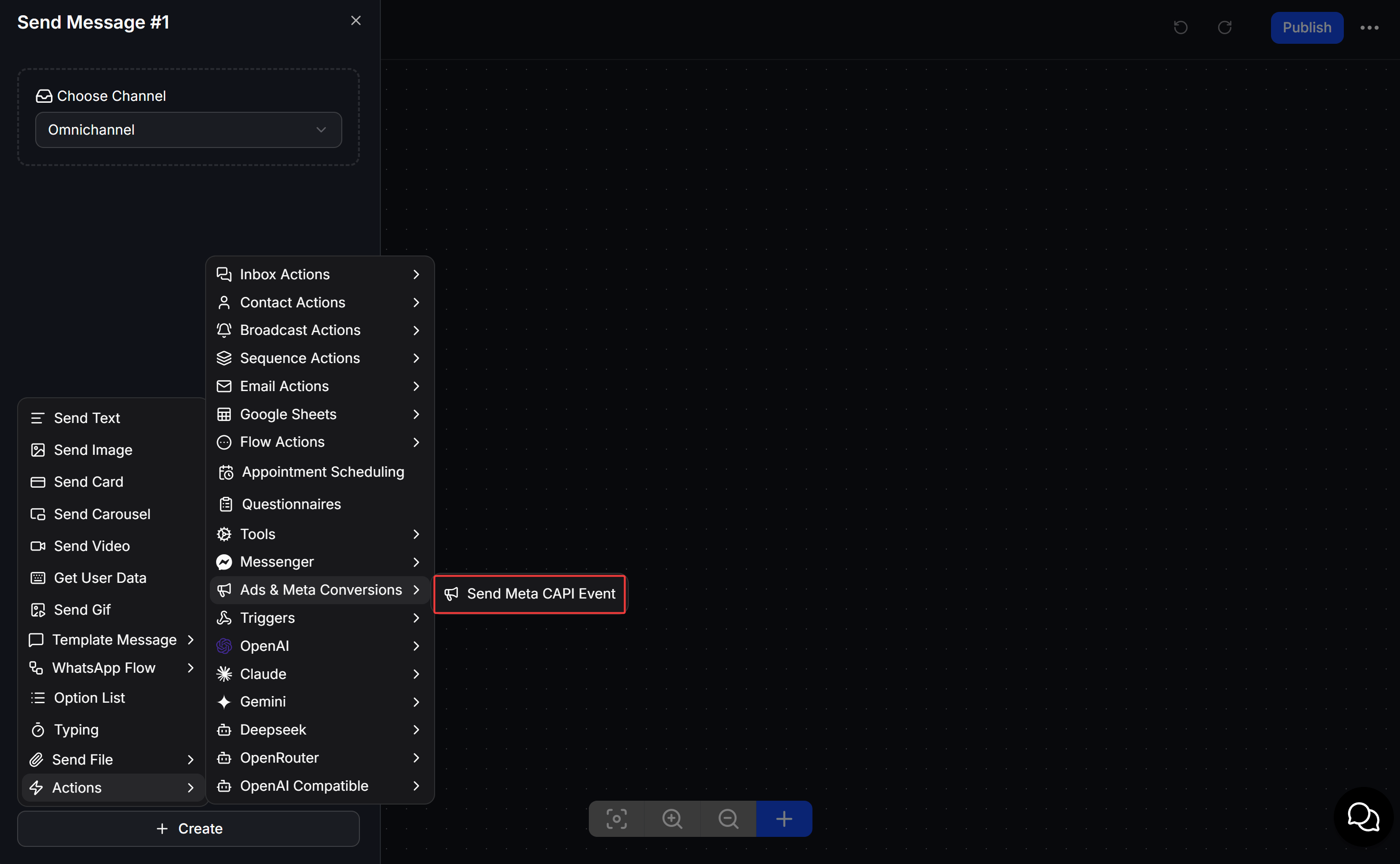
Select Send Meta CAPI Event
In the Action library, choose the Ads & Meta Conversions category and select Send Meta CAPI Event.
Event Configuration Details
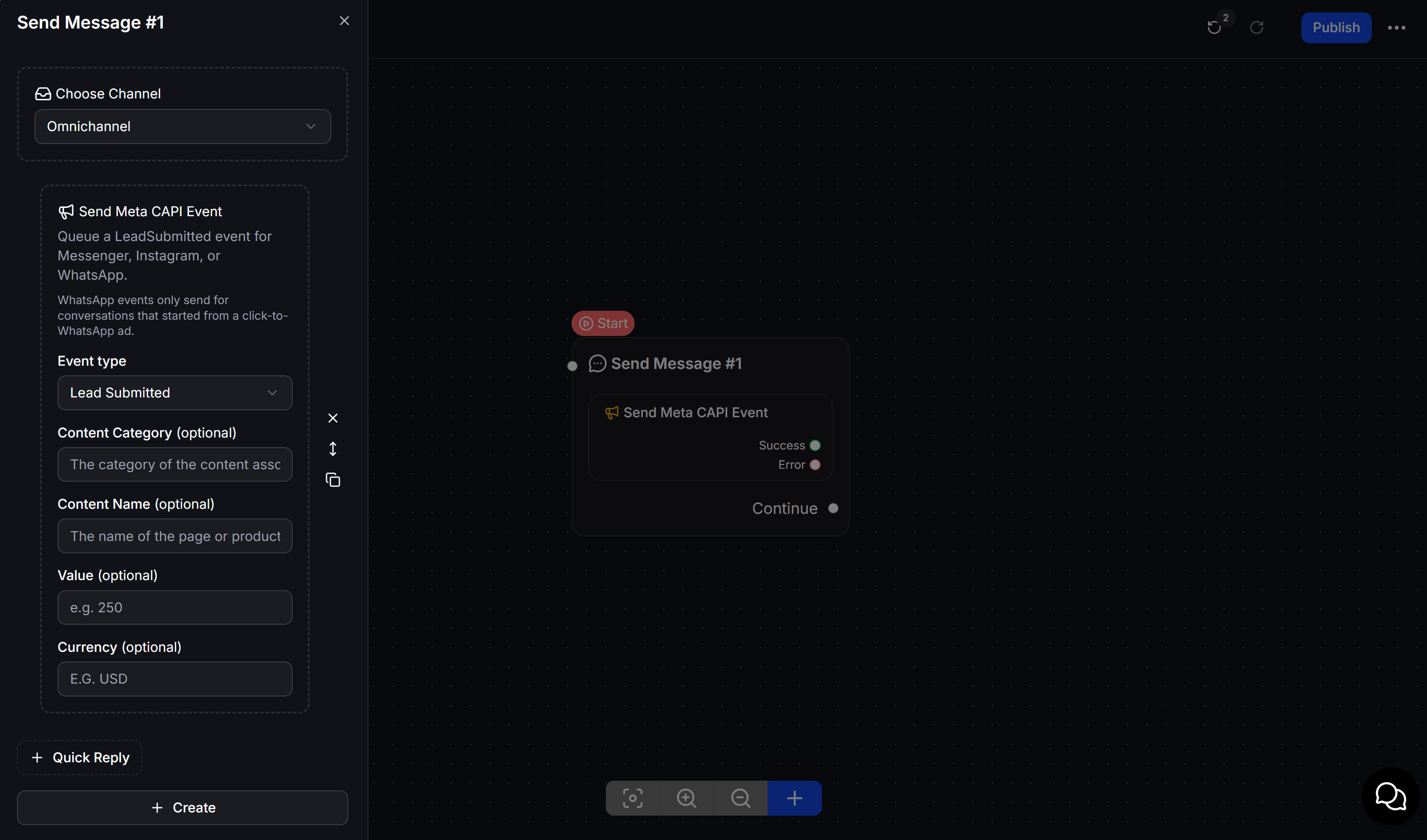
Inside the Send Meta CAPI Event configuration panel, customize the following fields:- Event type: Select the conversion event to send to Meta, organized by business category:
- Commerce Category:
Purchase: Customer completed an order payment.Initiate Checkout: Customer began checkout.AddToCart: Item added to cart.View Content: Customer viewed product or service details.Cart Abandoned: Customer left items in cart without completing purchase.
- Leads Category:
Lead Submitted: Customer completed an inquiry form or provided contact details.Qualified Lead: Lead has been validated as qualified.
- Orders Category:
Order Created: New order placed.Order Shipped: Order has been shipped.Order Delivered: Order was successfully delivered to customer.Order Canceled: Order was canceled.Order Returned: Order was returned.
- Feedback Category:
Rating Provided: Customer provided a numerical service/product rating.Review Provided: Customer submitted a written review or feedback.
- Commerce Category:
- Action source: Where the conversion event took place (based on Meta’s action source specification):
Business Messaging(default): Event occurred within messaging channels (Messenger, WhatsApp, Instagram).Email: Event occurred via email communications.Phone Call: Event occurred during a sales or support telephone call.Chat: Event occurred on website live chat.Physical Store: Conversion occurred in-person at a physical store location.System Generated: Event was triggered automatically by backend systems.Other: Other miscellaneous conversion points.
- Content Category (optional): Category or vertical of the item (e.g.,
Real Estate,Education,Beauty). - Content Name (optional): Specific product or package name (e.g.,
AI Automation Masterclass). - Content IDs (optional): Specific product or content identifiers (supports dynamic field insertion via
</>). - Value (optional): Estimated monetary value of the conversion or total order price.
- Currency (optional): 3-letter currency code matching the Value field (e.g.,
VND,USD).
Triggering Meta CAPI Events Automatically with Triggers
In addition to placing the action directly inside a Flow, you can configure ChatbotX to fire Meta CAPI events automatically whenever contact-level events occur using Triggers & Actions. This is ideal when you want to report conversions as soon as a staff member tags a contact (e.g., tagging a customer ashot-lead or closed-won), or when a Custom Field updates without relying on an active chat flow.
Step-by-Step Trigger Setup
1
Navigate to Triggers
From the left sidebar, go to Triggers and click + Create Rule to create a new automation rule.
2
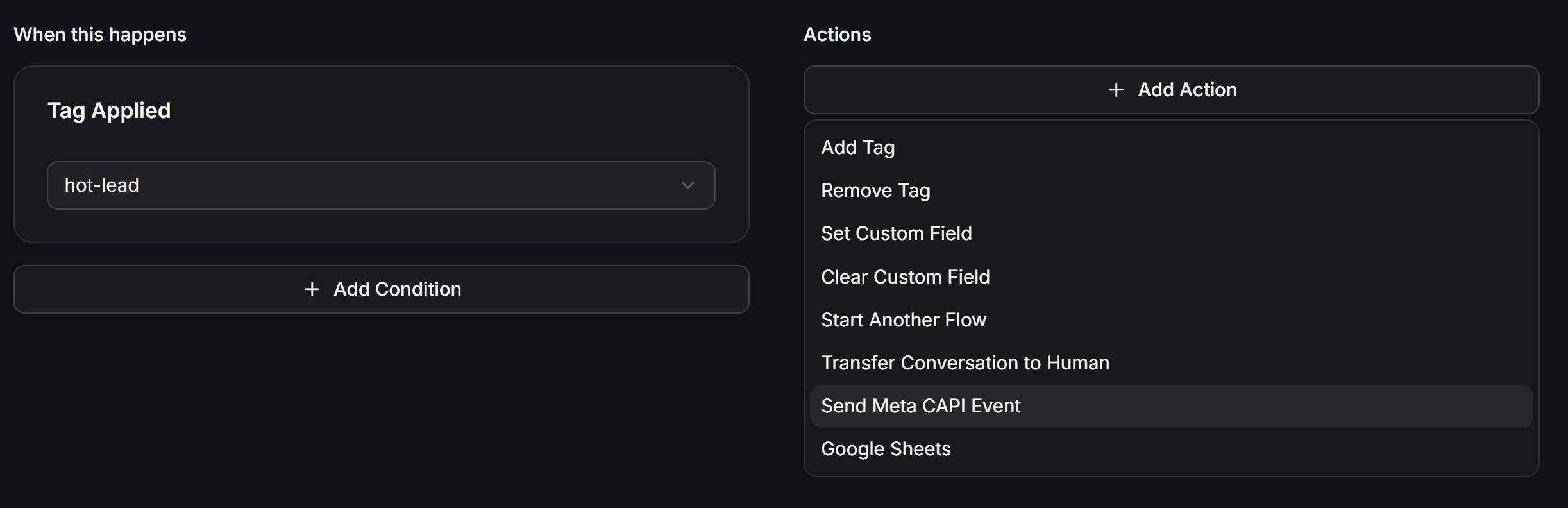
Configure the Trigger Condition (When this happens)
Select the starting event for your rule. For example, choose Tag Applied and select the
hot-lead tag. You can optionally click + Add Condition to add extra filtering rules.3
Add the Send Meta CAPI Event Action
Under the Actions section on the right, click + Add Action and select Send Meta CAPI Event from the dropdown menu.
Configuring the Send Meta CAPI Event Action in Triggers
Once selected, configure the event tracking parameters: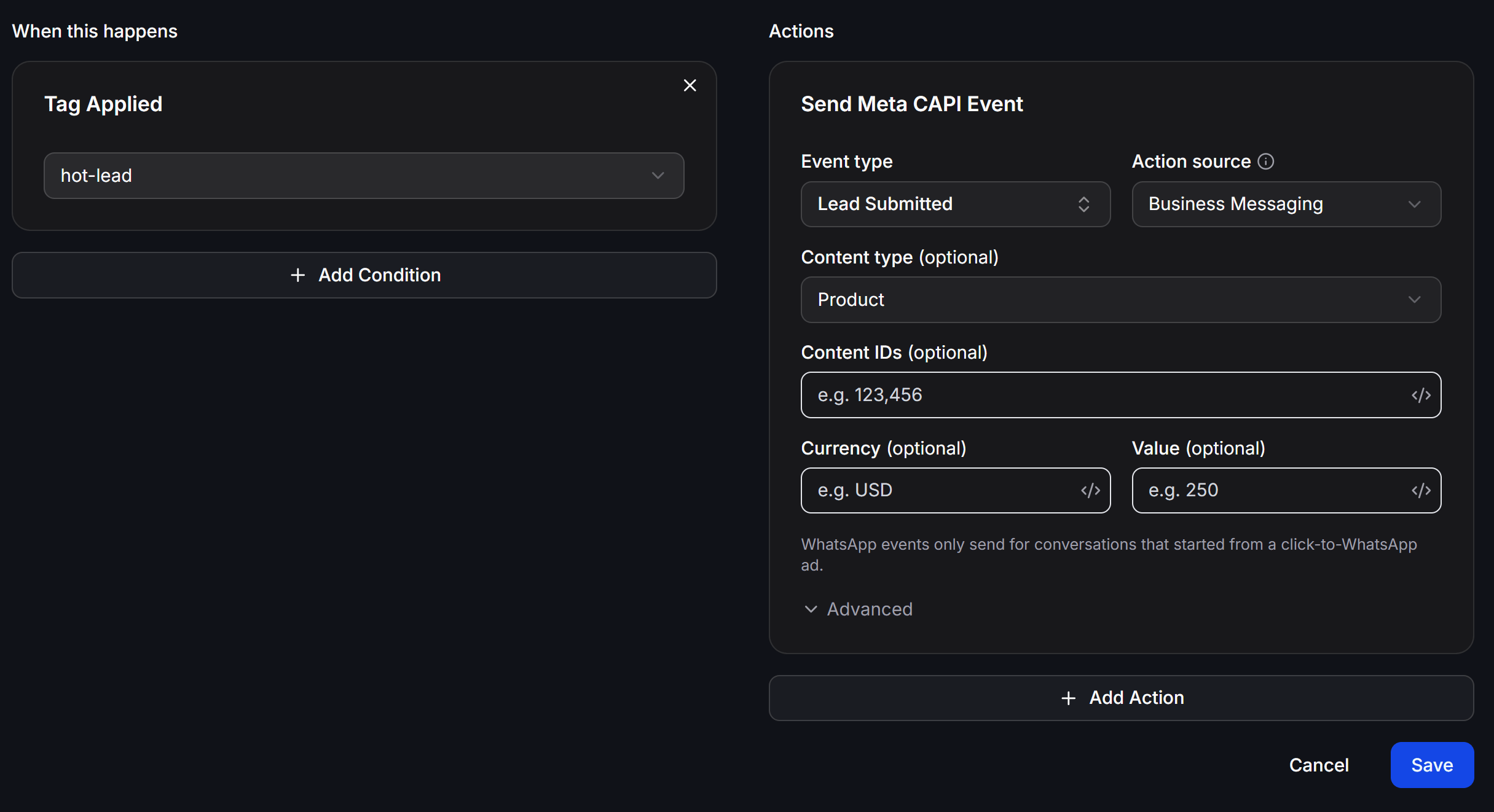
- Event type: Select the conversion event to send to Meta (e.g.,
Lead Submitted,Purchase,Qualified Lead). - Action source: The attribution source for the event (defaults to
Business Messaging). - Content type (optional): Category or type of item (e.g.,
Product). - Content IDs (optional): Item or product identifier. Click the
</>icon to map dynamic values from contact Custom Fields. - Currency (optional): 3-letter currency code (e.g.,
USD,VND). - Value (optional): Monetary value of the conversion (e.g.,
250or dynamic field). - Advanced: Expand additional advanced payload parameters if required.
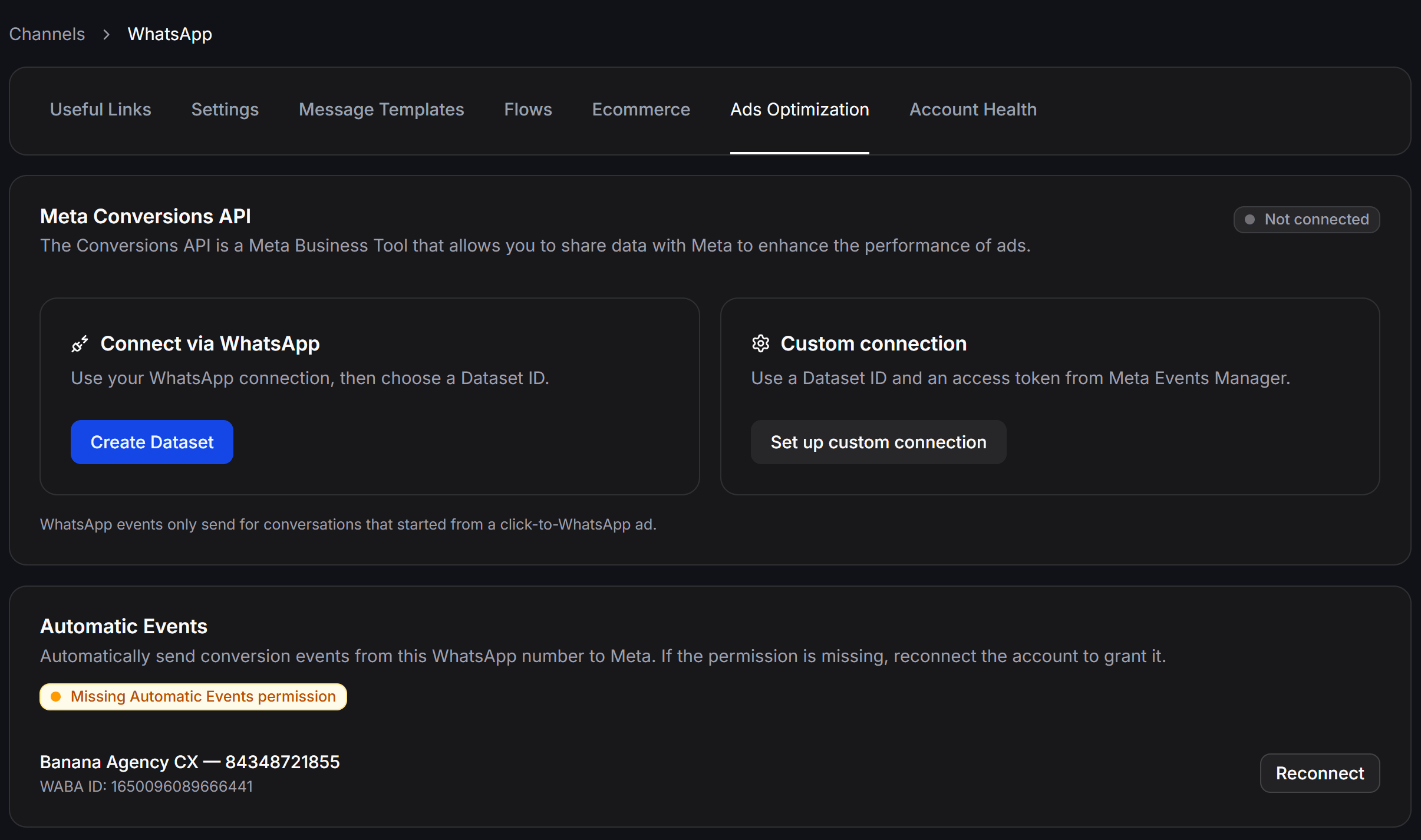
For WhatsApp, Meta CAPI conversion events are only sent for conversations that originated from a Click-to-WhatsApp (CTWA) ad.
Example: Full-Funnel Growth Architecture
A standard end-to-end implementation workflow:- User Clicks Ad: A potential client clicks a CTM, CTWA, or CTID ad on Facebook or Instagram.
- Instant Automated Greeting: The chat opens, and ChatbotX immediately triggers a welcome flow asking for their name and phone number.
- Triggering Server-Side Conversion: As soon as the customer provides their phone number, the flow triggers the Send Meta CAPI Event action with
Lead Submittedand a value of500,000 VND. - Meta Algorithm Optimization: Event data streams instantly to Meta Events Manager (Dataset ID), helping Meta’s machine learning find higher-intent leads at lower acquisition costs.
Important Notes
Meta may take up to 40 minutes to process and display new events in Meta Events Manager and the Meta Leads dashboard in Ads Manager.