

Before you begin
Connect the TikTok business account you want to use in ChatbotX and prepare the content for the campaign. The available sending options depend on the channel configuration in your workspace.Create a TikTok Broadcast
1
Start creating a campaign
From the left menu, select Broadcasts (1), then click the + Create Broadcast button (2) in the top right corner of the screen.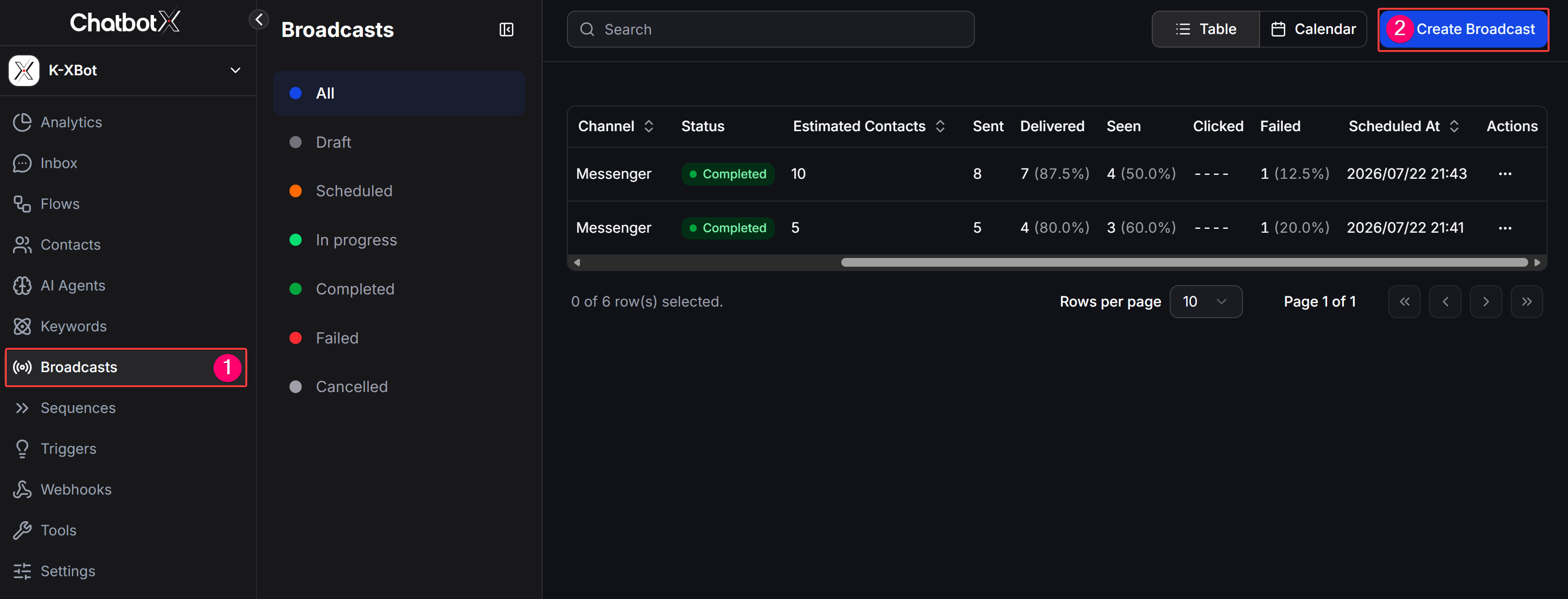
2
Choose TikTok
On the Choose Channel screen, select TikTok, then click Continue.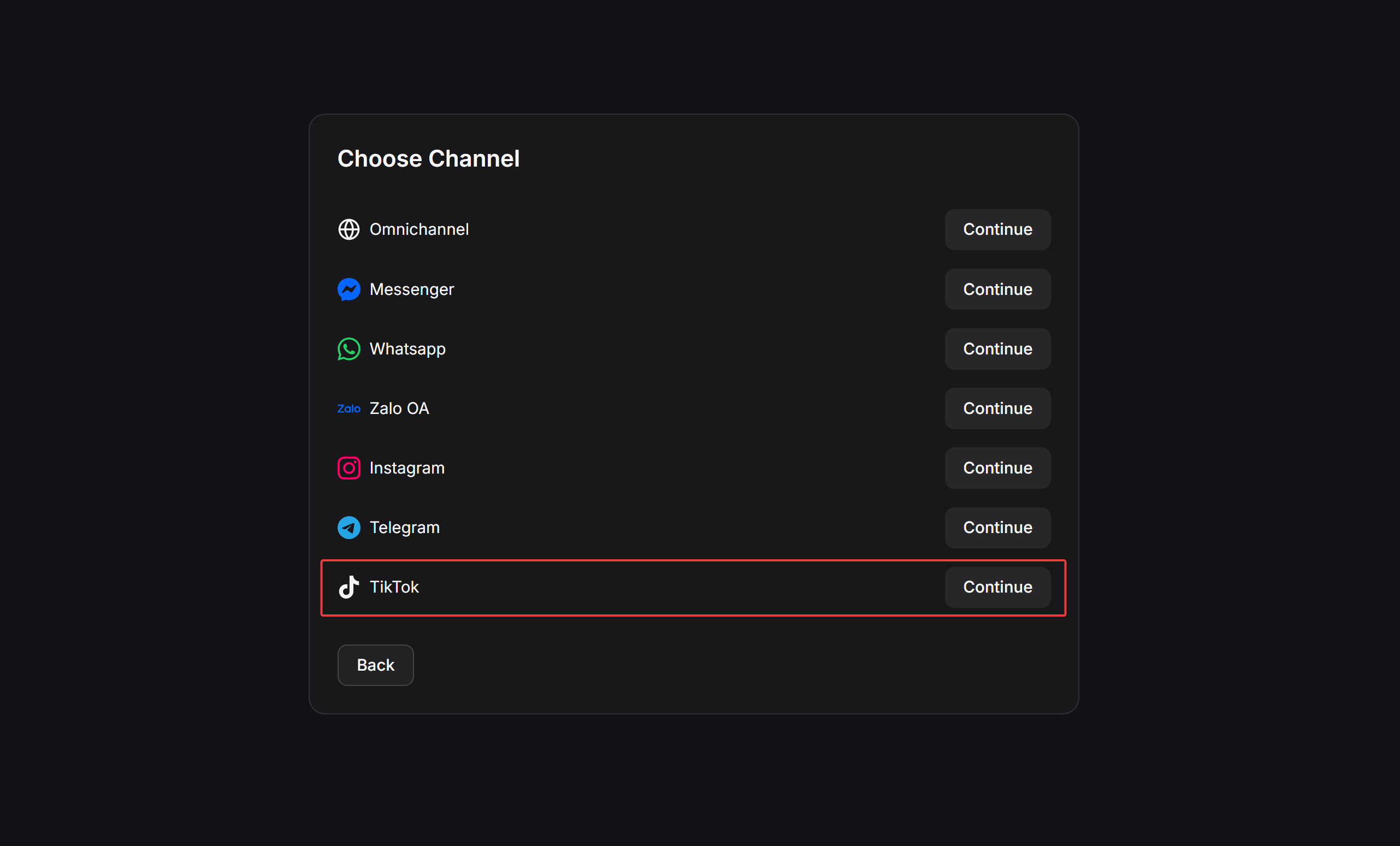
3
Complete the campaign setup
Select the sending configuration shown for your connected TikTok account, enter the campaign details, then set Schedule and Contact filter before confirming the Broadcast.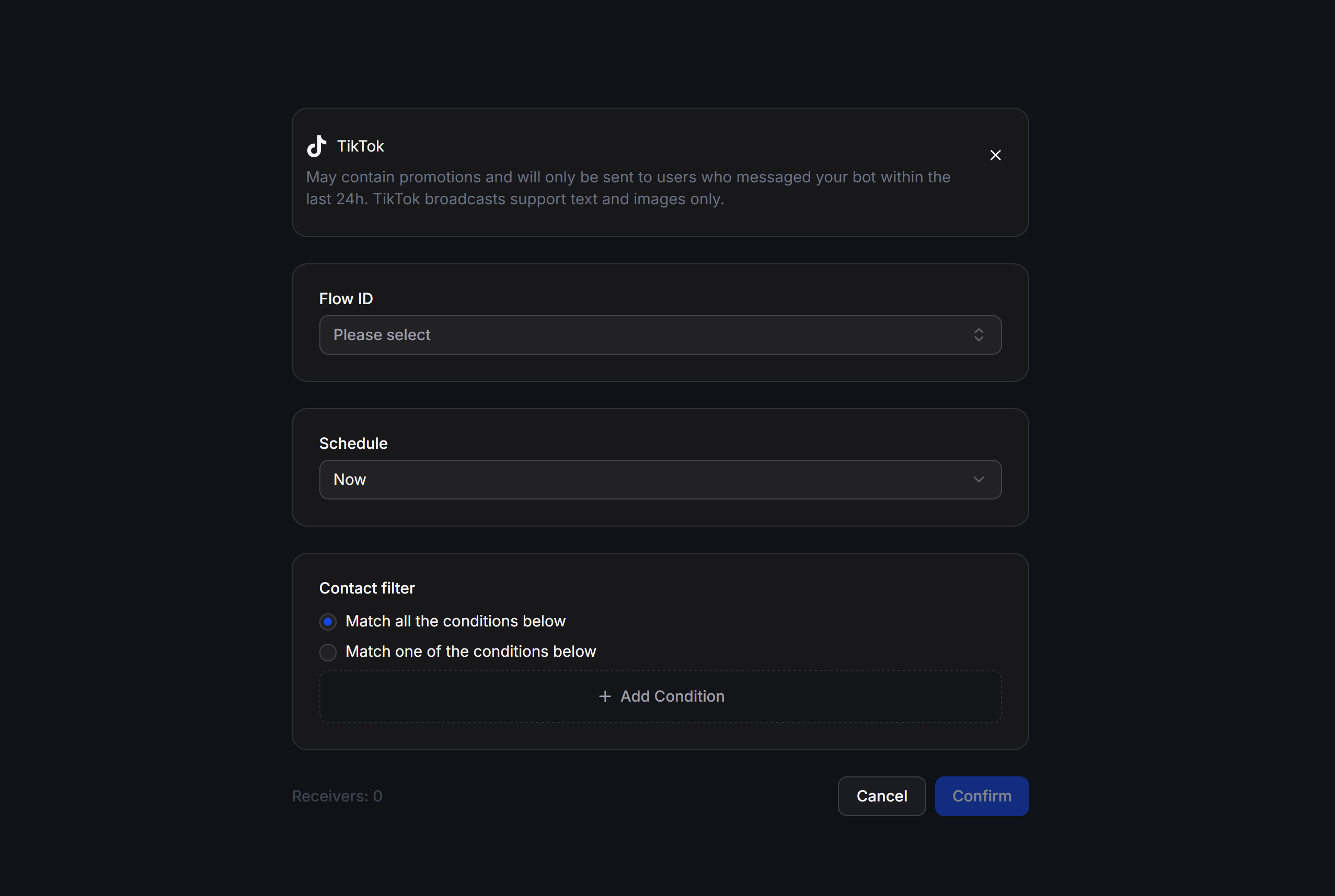
Set the schedule and audience
Use Now to send the campaign after you confirm it. Use Schedule for later when you need to select a date, time, and timezone. Use Contact filter to target the right recipients. You can require contacts to match all conditions or at least one condition. Check the number in Receivers before confirming the campaign.The campaign only reaches contacts that match the selected filter and are available for the TikTok sending configuration you chose.
Example
A beauty shop can send a TikTok Broadcast to contacts taggedLive Stream Reminder, schedule it before a product demonstration, and review the recipient count before confirming.
Check before sending
- Confirm the connected TikTok account and campaign content.
- Review the Receivers count and the sending time.
- Open the Broadcasts list after sending to review the available delivery metrics.