

Setting Up a Messaging Campaign in Meta Ads Manager
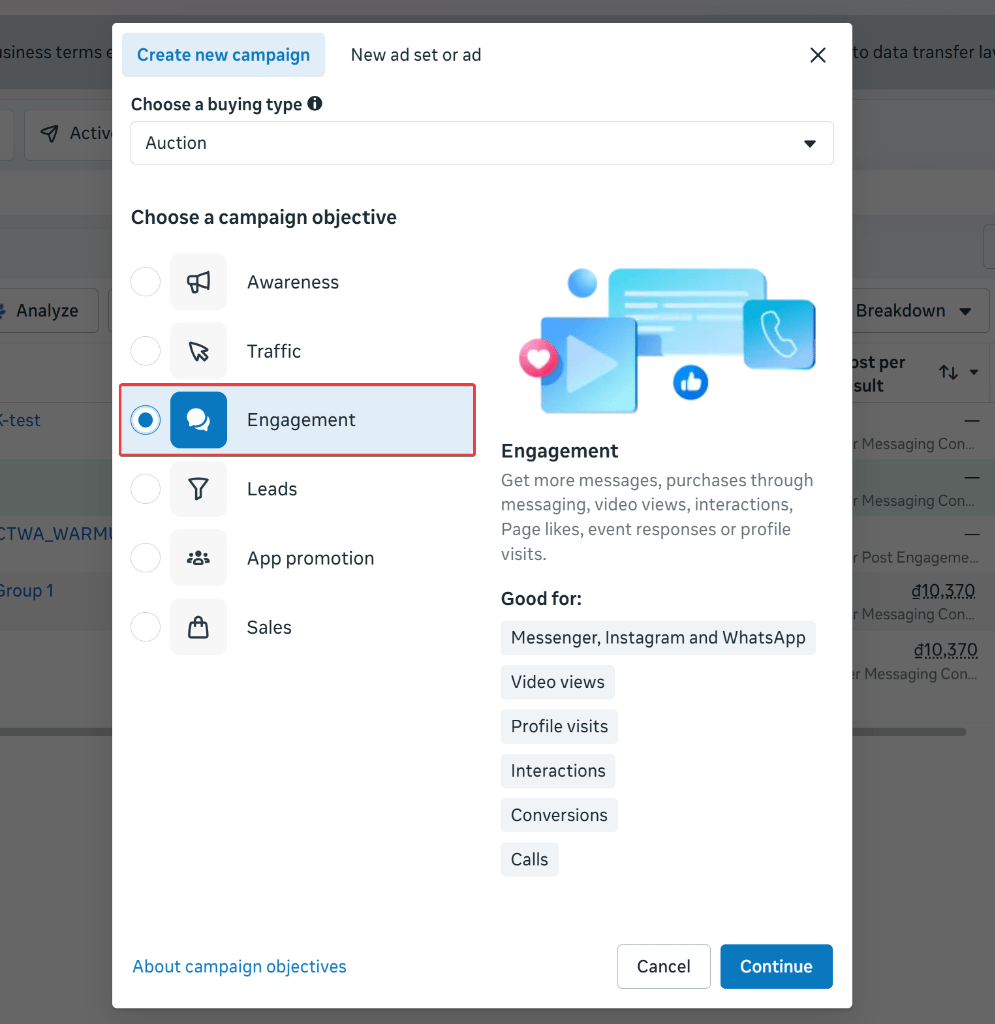
Before connecting your chatbot flow, create an ad campaign with the messaging objective in Meta Ads Manager.Select the Engagement campaign objective
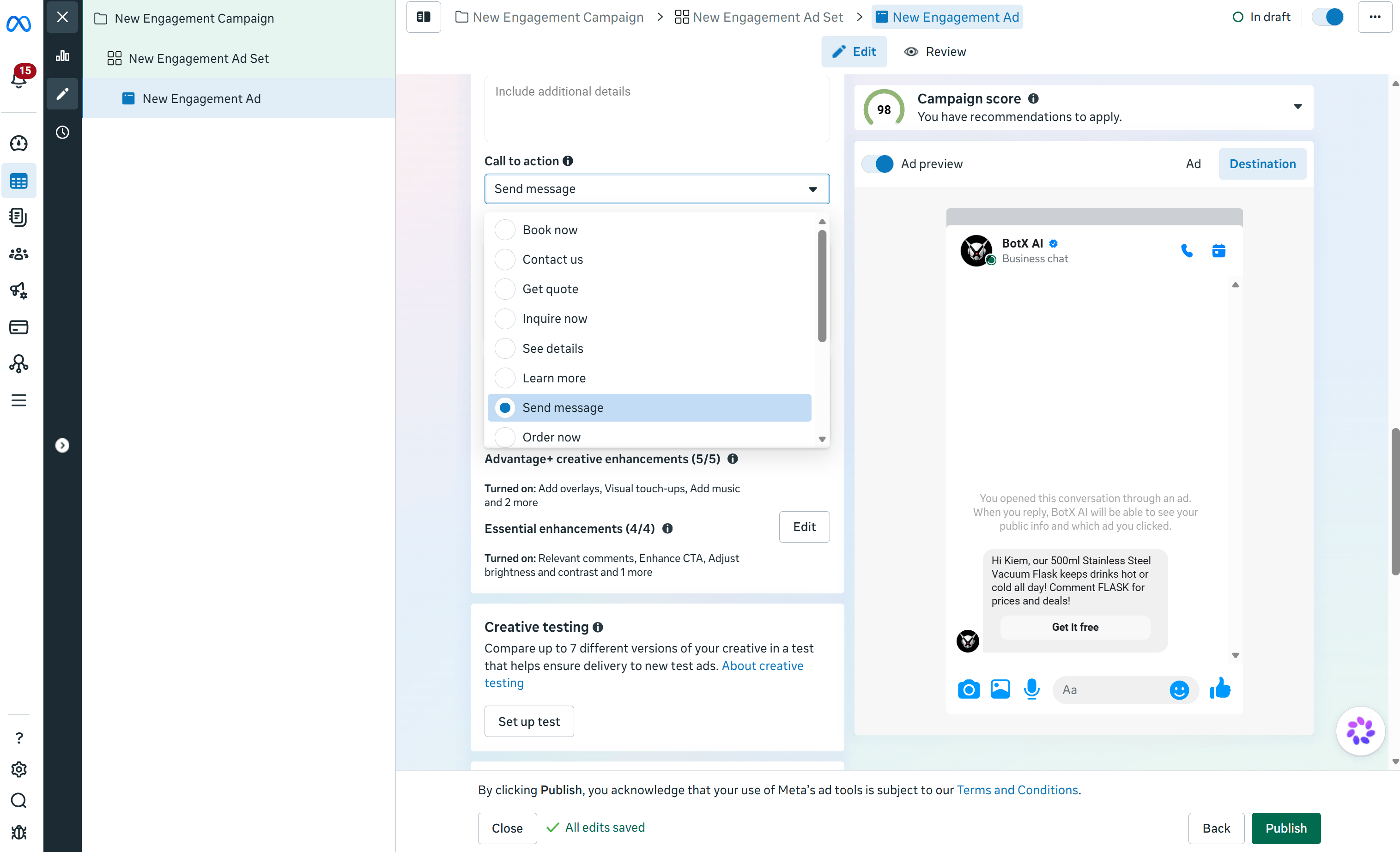
Configure the ad set
Set the Call to Action to Send Message
Designing the Welcome Flow in ChatbotX
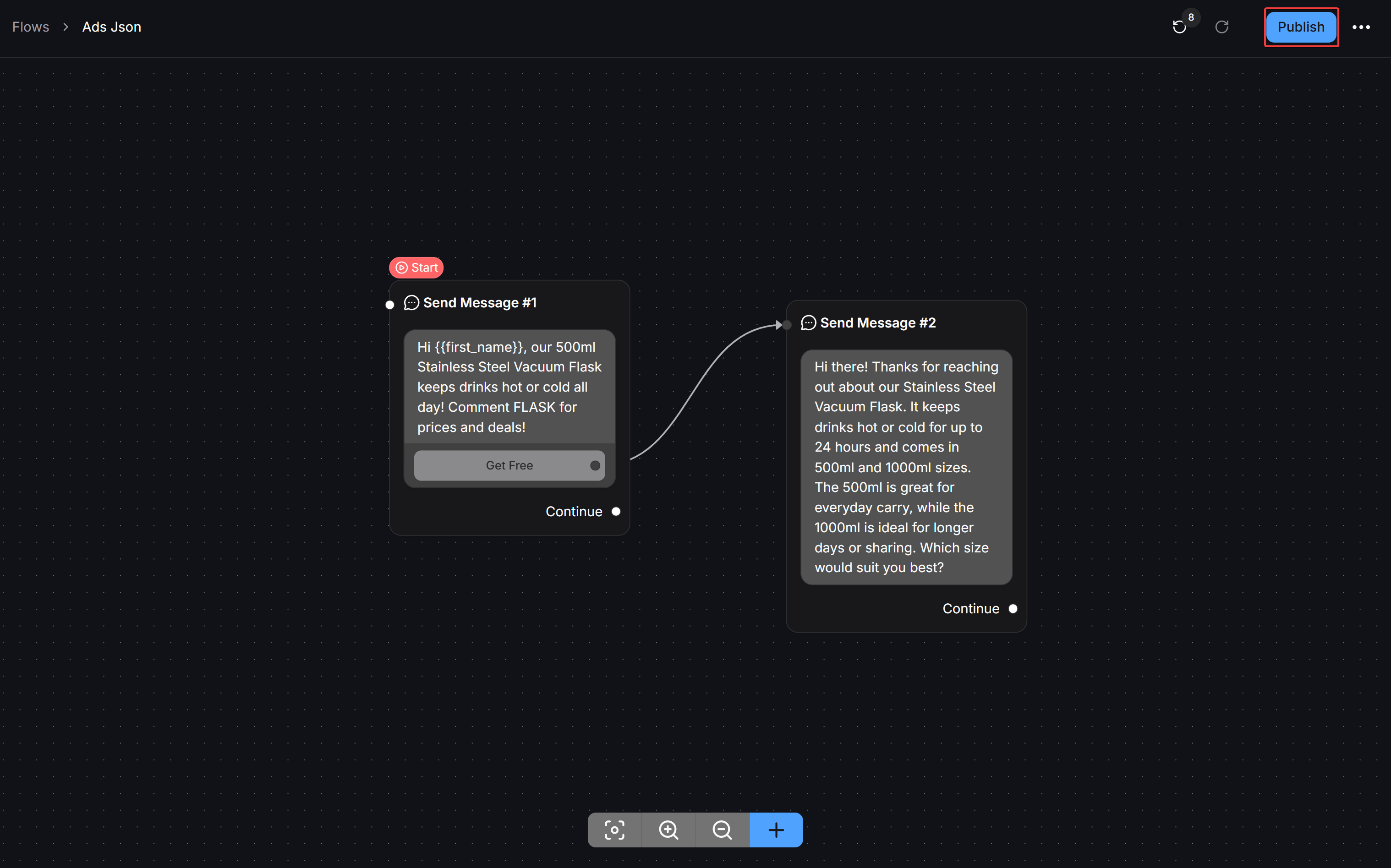
To automate responses when users tap your ad, build a dedicated flow in ChatbotX.Create a new flow
Configure the starting message step
{{first_name}} system variable to personalize the greeting.Connect follow-up steps
Publish the flow
Three Methods to Connect Flows to Meta Ads
Once your flow is published in ChatbotX, you can choose from three methods to link it to your Meta ad template.Partner App Selection
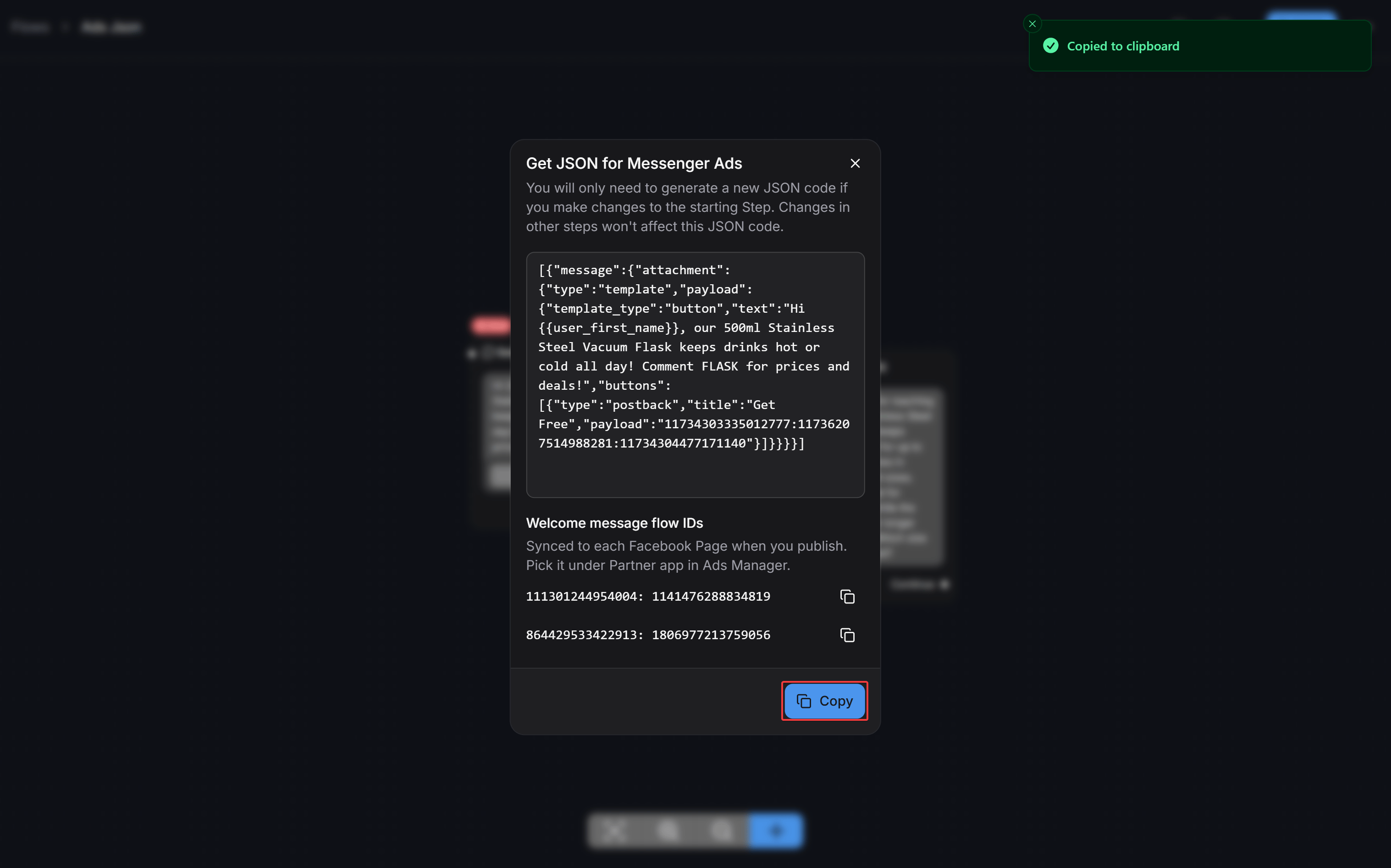
Paste JSON Code
Postback Payload ID
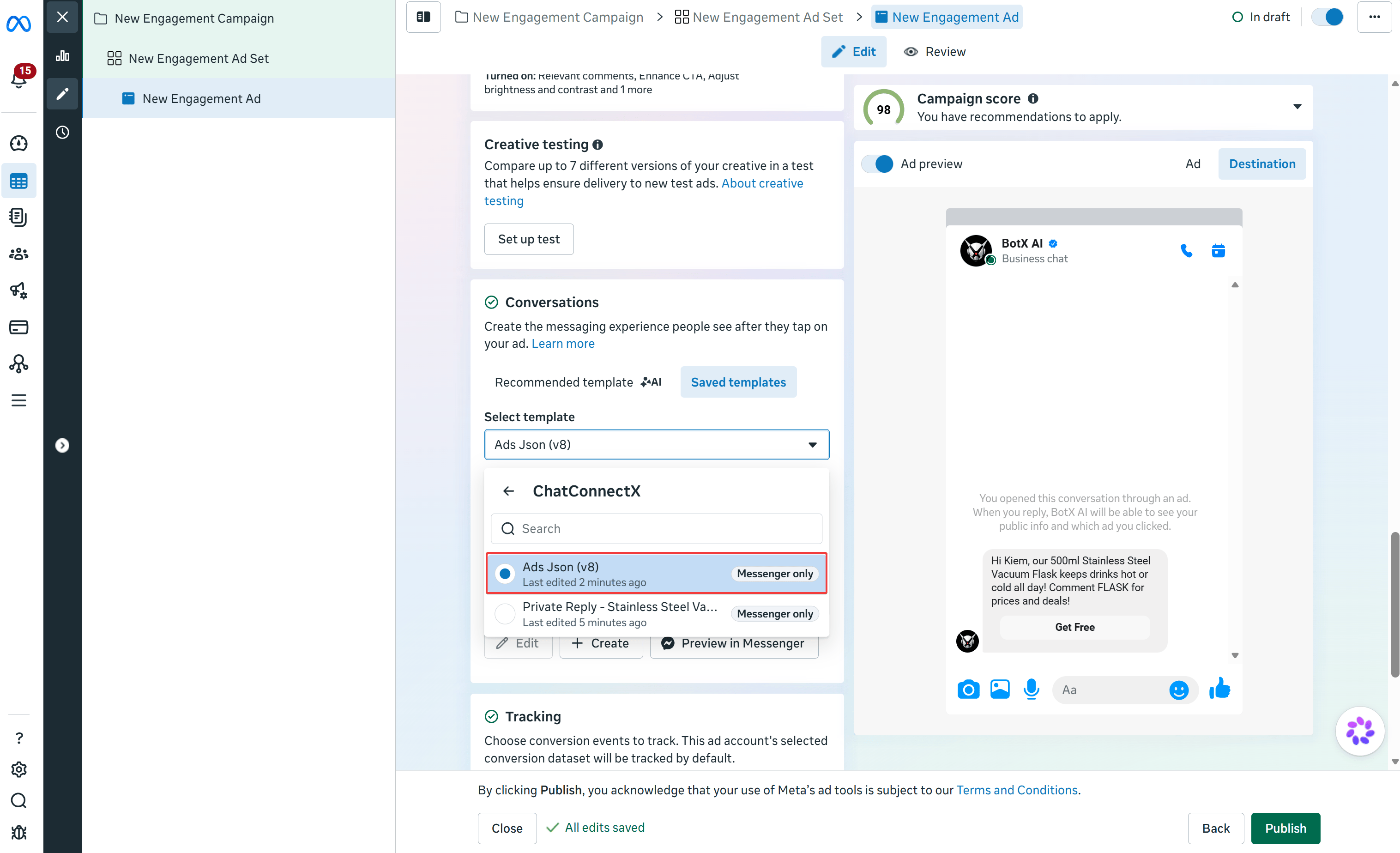
Method 1: Select the ChatConnectX Partner App Template
This is the fastest and most reliable method recommended by ChatbotX.Open Saved templates
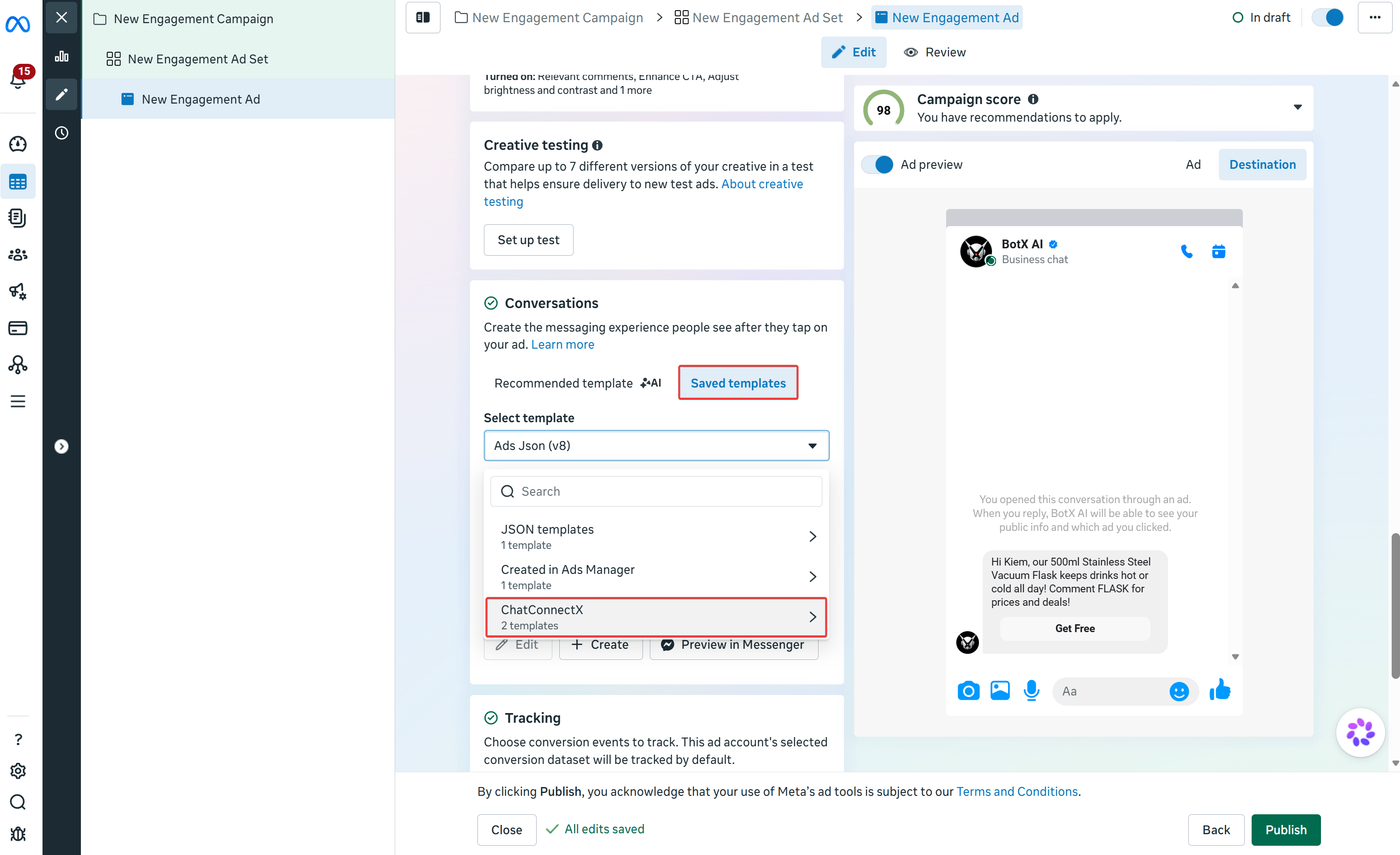
Select the synced flow template
Method 2: Paste JSON Code Directly
If you prefer to manage templates manually or use them across accounts that are not directly connected, you can copy the raw JSON code directly from your ChatbotX flow.Open the flow options menu
...) in the top right corner next to the Publish button. Select Get JSON for Messenger Ads.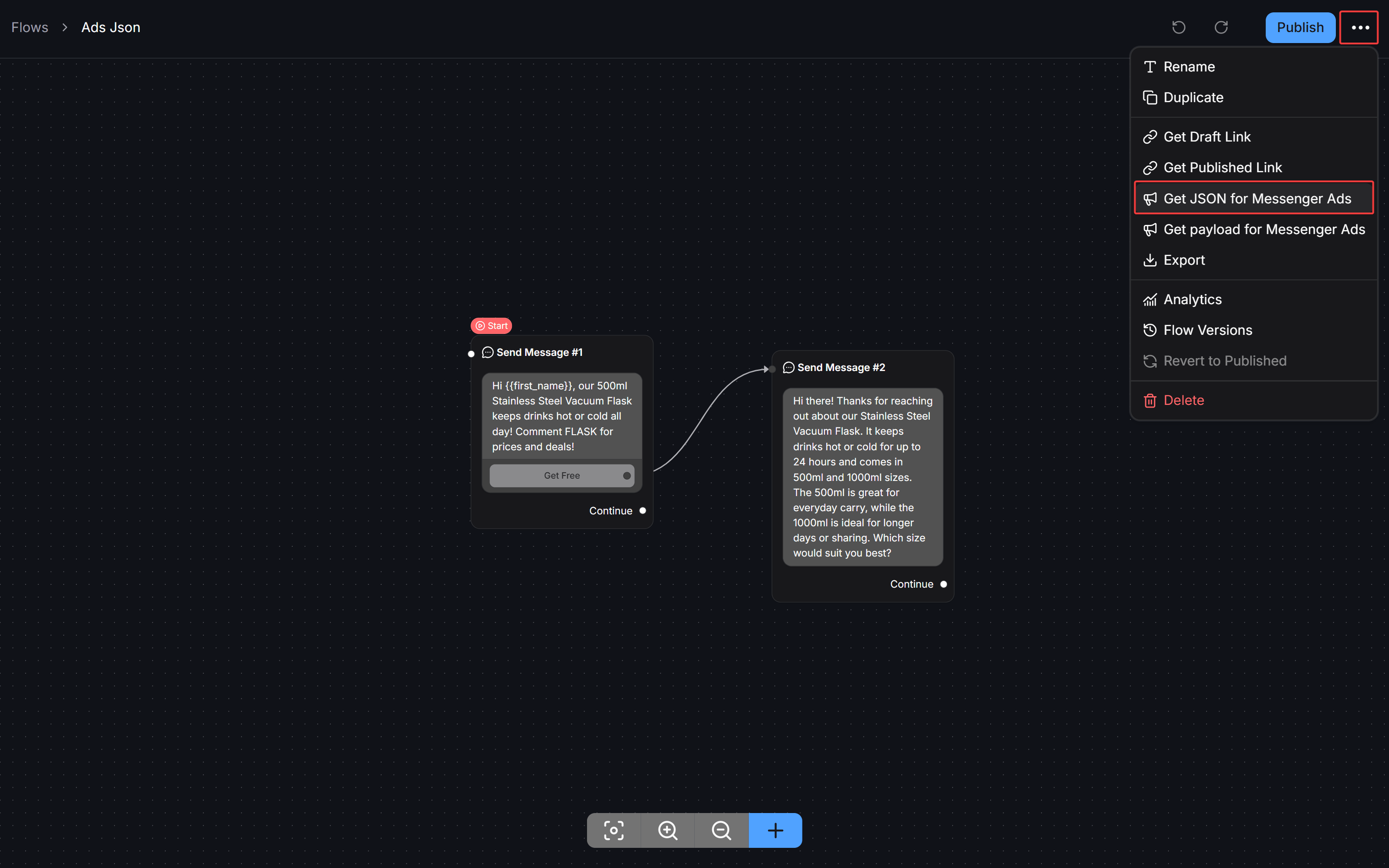
Copy the JSON snippet
Create a new template in Meta
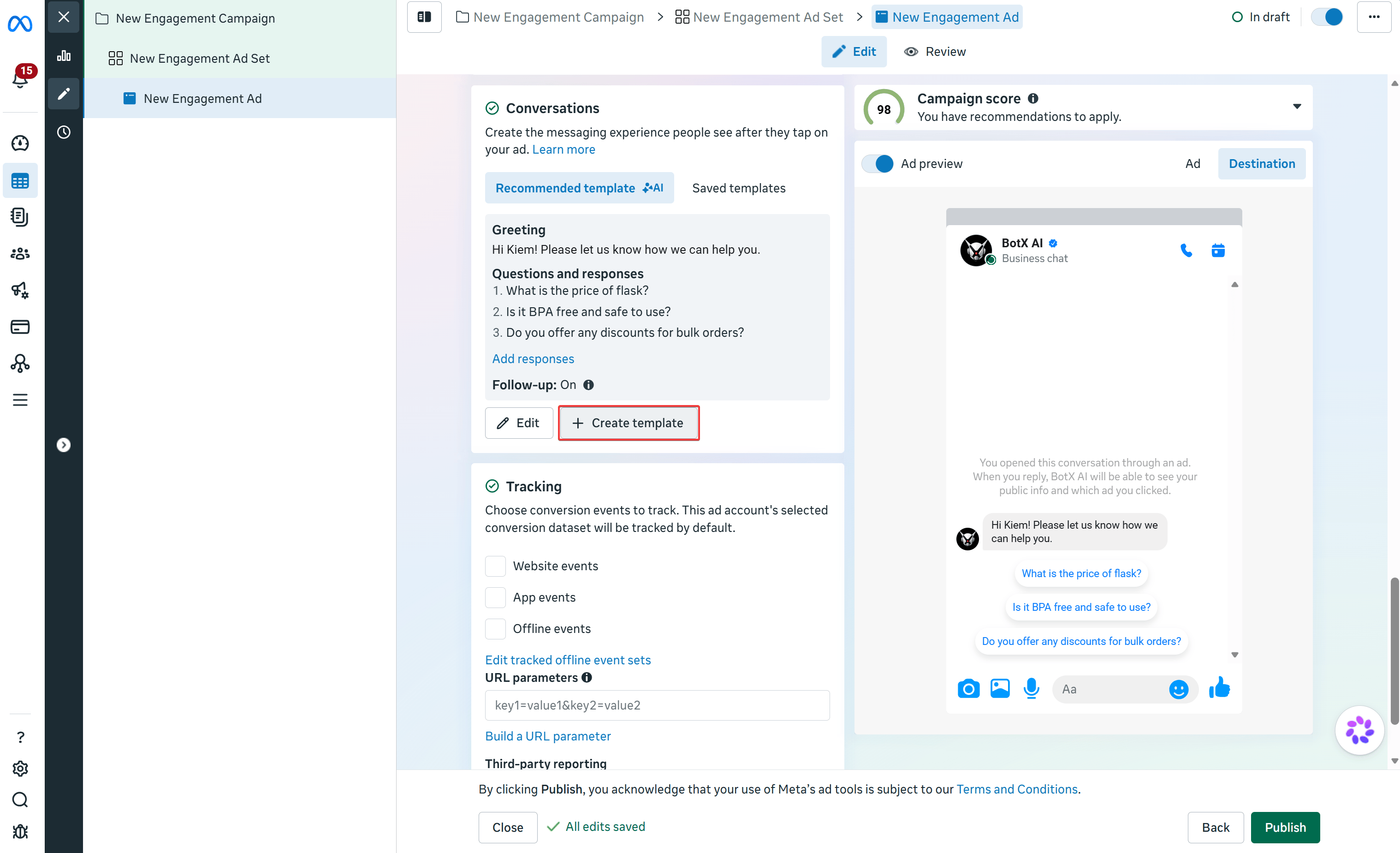
Select the JSON template option
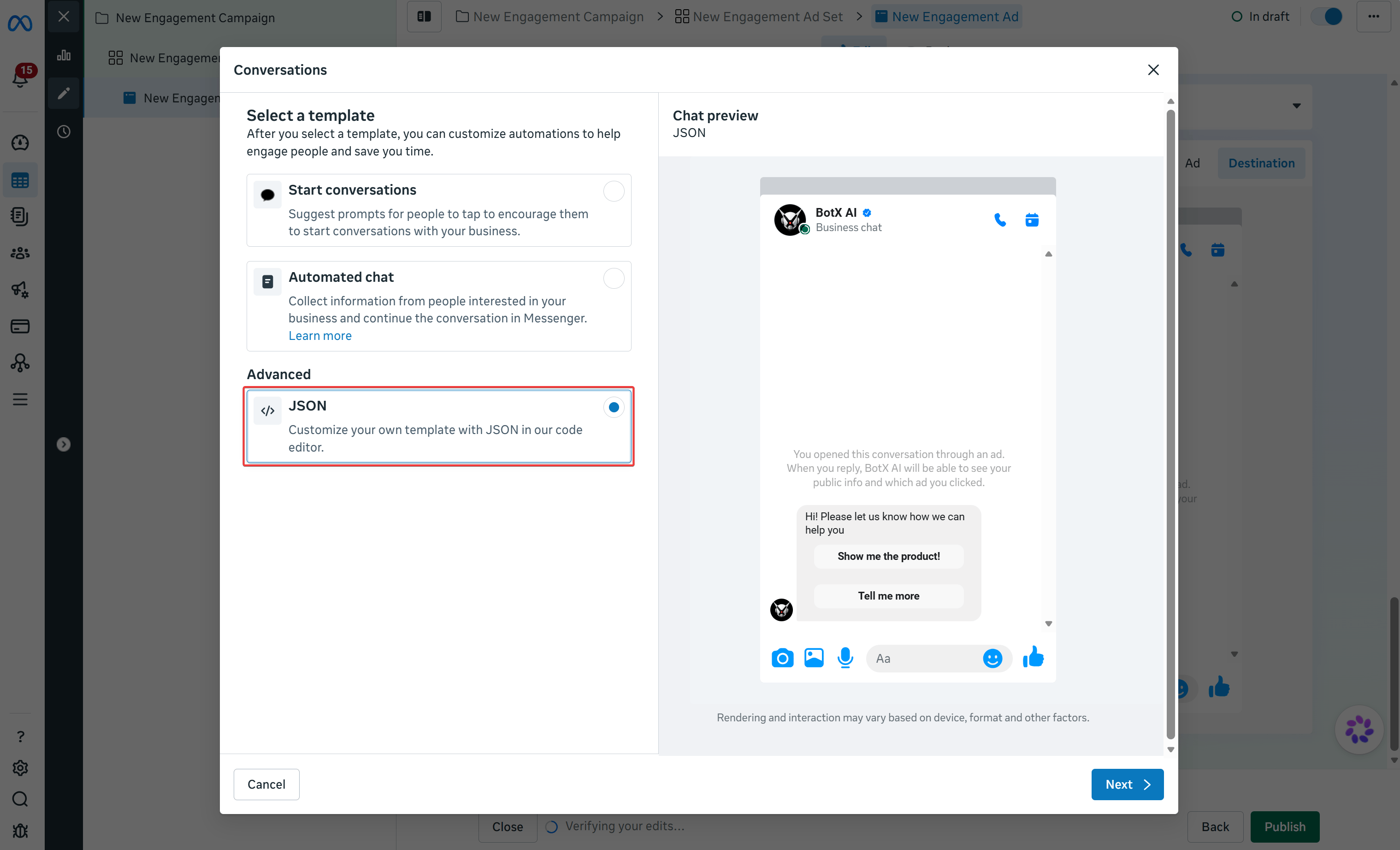
Paste the JSON code and save
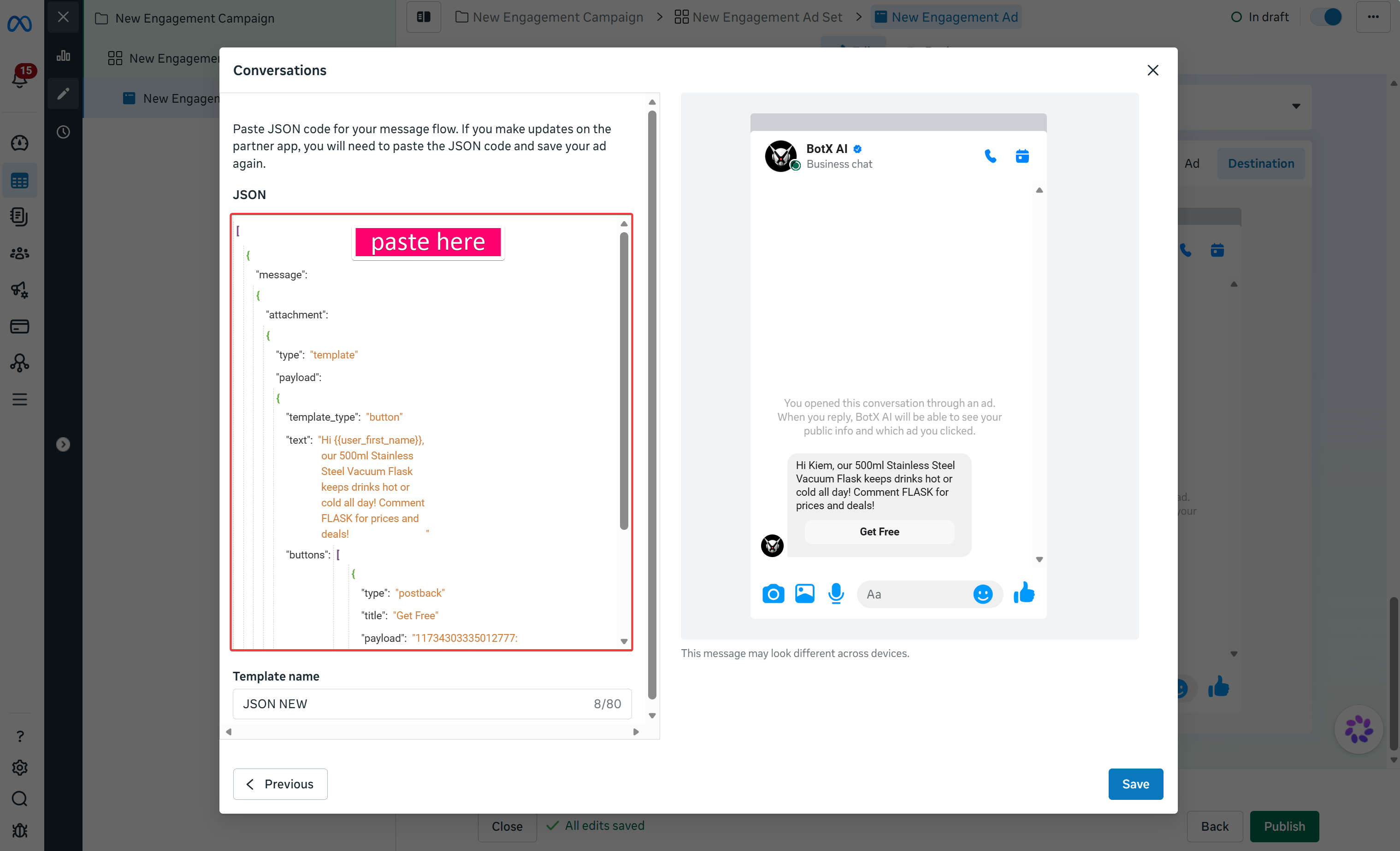
Method 3: Use Postback Payload IDs
This method allows you to use Meta’s native Start conversations template while attaching a postback payload to trigger your ChatbotX flow when the user taps a button.Get the Payload ID in ChatbotX
...) in the top right corner and select Get payload for Messenger Ads.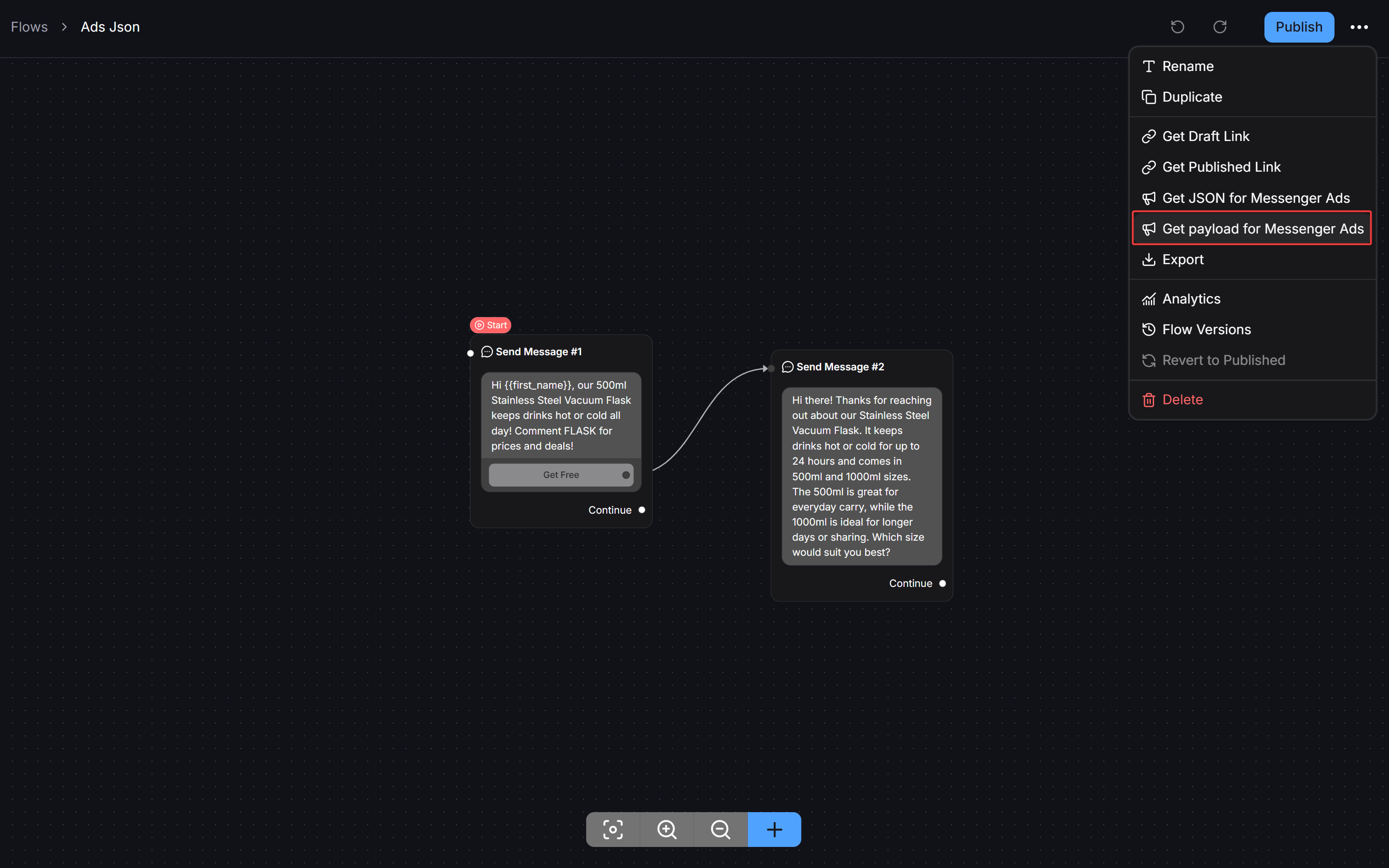
Copy the Payload ID
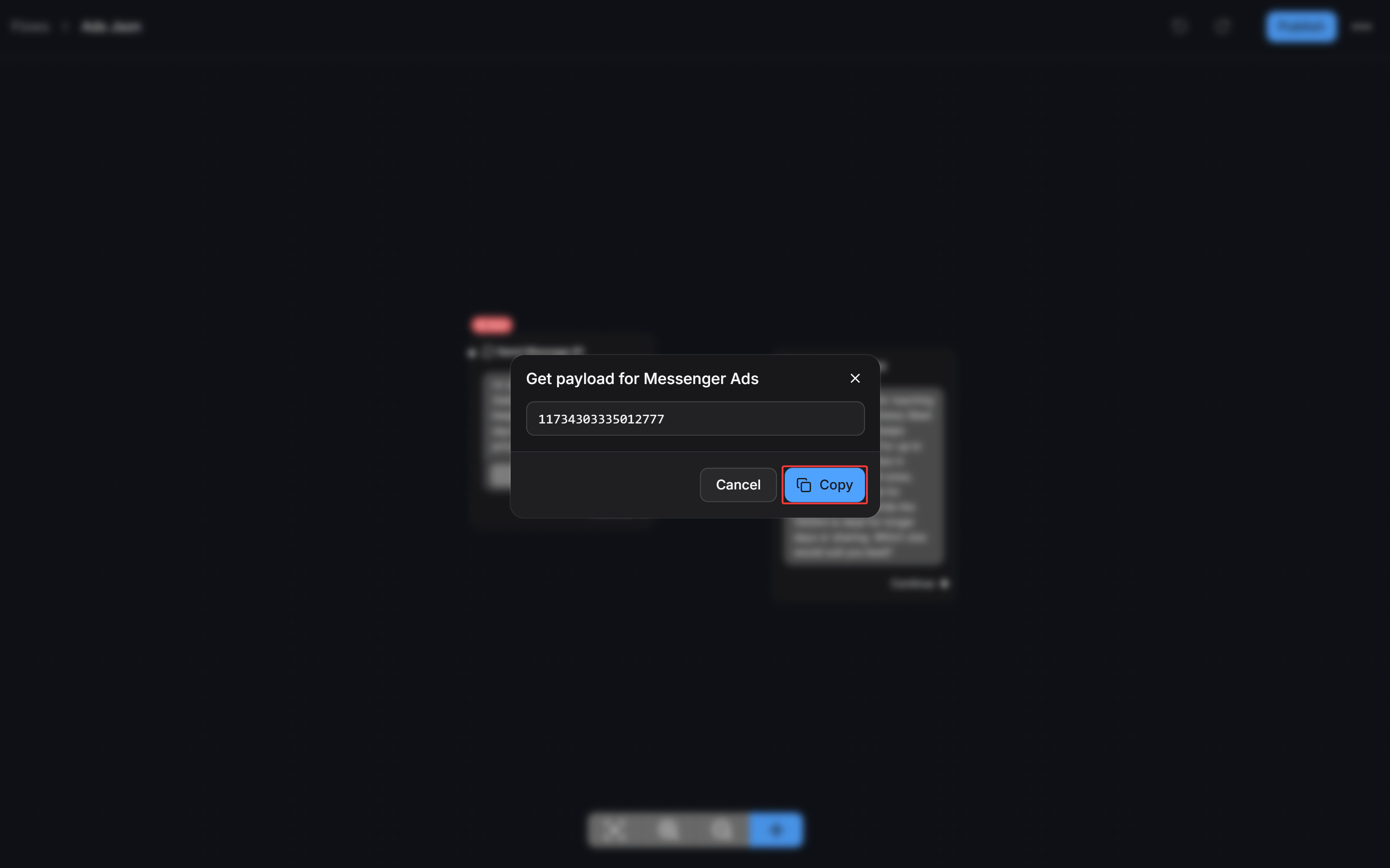
Create a template in Meta
Select Start conversations
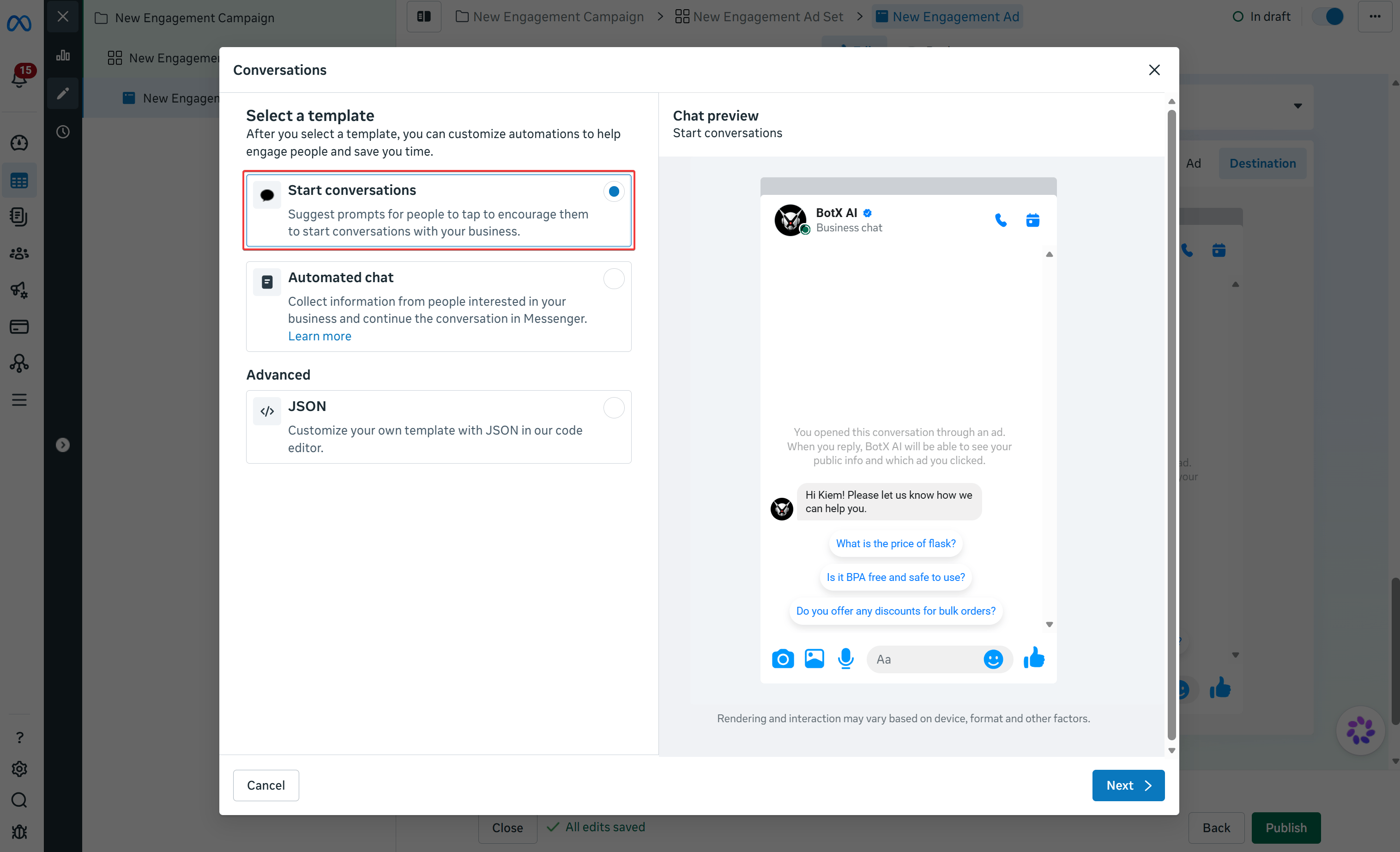
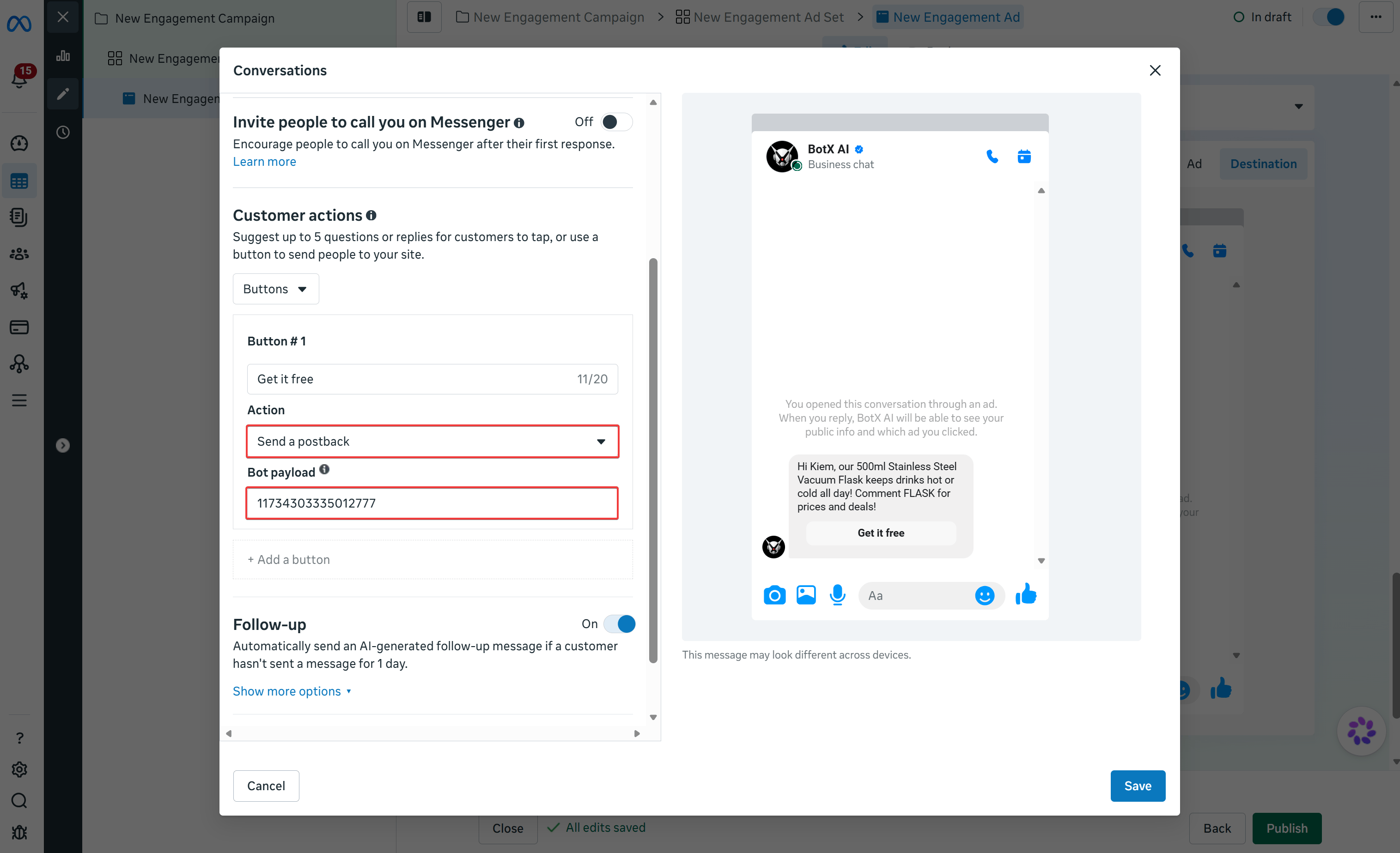
Configure the button action and paste the payload
- Enter a button label.
- Set the Action dropdown to Send a postback.
- In the Bot payload field, paste the Payload ID copied from ChatbotX.
Comparing Connection Methods
Choose the method that best aligns with your team’s workflow and campaign requirements:Best Practices for Maximizing Ad Conversions
Follow these practical guidelines to maximize conversation rates and ROI from Click to Messenger ads:Optimize First-Button Call to Action
Users who click an ad expect immediate relevance. Use clear, value-driven button text such as claiming a discount, viewing pricing, or requesting a free consultation rather than generic phrases.Respect the Meta 24-Hour Messaging Window
Meta enforces a 24-hour messaging policy for business communication. When a user taps a button on your ad greeting, this interaction officially opens the standard 24-hour window, enabling your chatbot to send automated follow-up messages at no additional messaging cost.Track Campaign Attribution with Custom Fields
Add an Add Tag or Set Custom Field action in the subsequent steps of your ChatbotX flow to record which ad campaign or offer brought in the contact. This helps your sales team tailor their conversations and gives marketing clear attribution data.Frequently Asked Questions
How quickly does a published flow appear in Meta Ads Manager?
How quickly does a published flow appear in Meta Ads Manager?
Why hasn't the bot triggered follow-up steps after someone clicked my ad?
Why hasn't the bot triggered follow-up steps after someone clicked my ad?
Do I need to update my ad if I edit later blocks in my flow?
Do I need to update my ad if I edit later blocks in my flow?
Can I use the same flow for multiple ads?
Can I use the same flow for multiple ads?