

Key Benefits of Automatic Events
Automated Conversion Detection
Meta analyzes conversations in real time to recognize high-intent milestones such as lead generation and completed purchases.
Ad Campaign Optimization
Provides actual conversation conversion signals to Meta ad algorithms, optimizing delivery toward audiences most likely to convert.
Accurate Revenue Attribution
Measures genuine return on investment (ROI) and conversion rates for Click-to-WhatsApp ad campaigns directly in Meta Ads Manager.
Frictionless Setup
Grant permission once during WhatsApp onboarding without needing custom API endpoints or external webhook listeners.
Checking Feature Status in ChatbotX
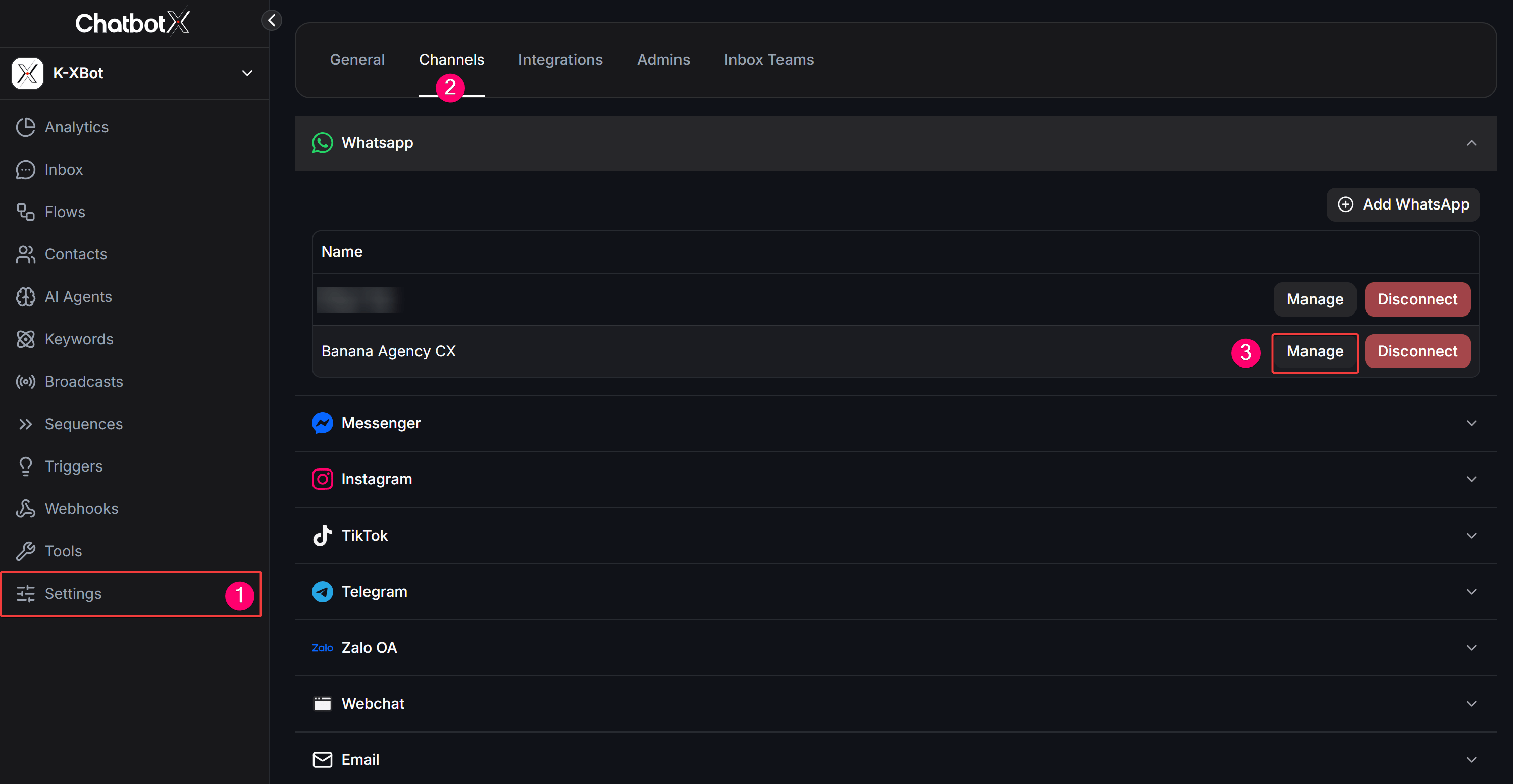
To check the active status of WhatsApp Automatic Events on your connected number:1
Open Settings
From the left sidebar of ChatbotX, click Settings.
2
Select Channels
In the top horizontal navigation bar, select the Channels tab.
3
Manage WhatsApp Account
Under the Whatsapp channel list, locate your phone number and click Manage.
Understanding Automatic Events Statuses
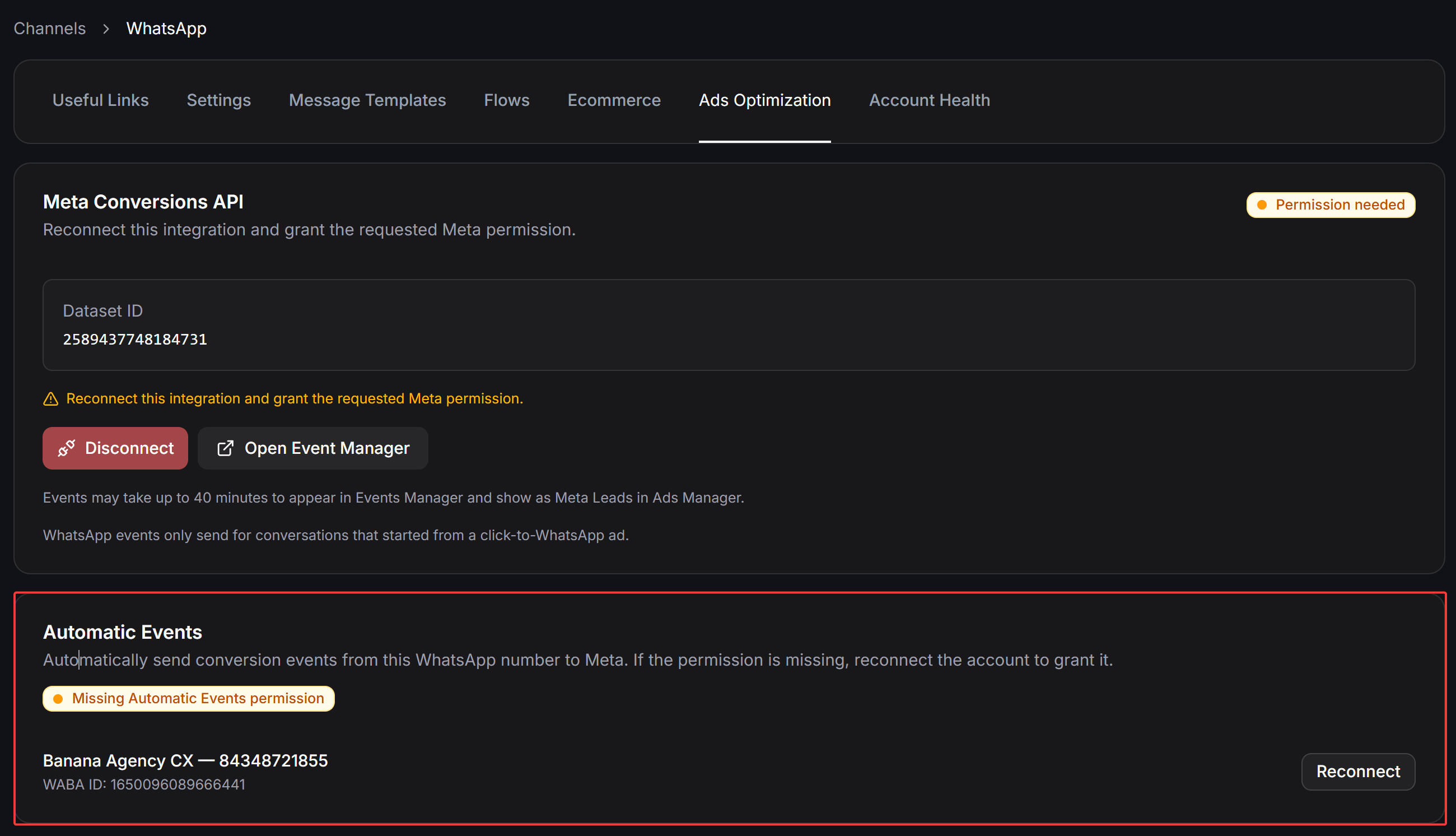
The Automatic Events card displays your connected WhatsApp Business Account (WABA ID), phone number, and current permission status:- Missing Automatic Events permission (Orange Badge): Your WhatsApp account has not been granted the required permission for automatic event recognition. This occurs if the checkbox was omitted during onboarding or if permissions were revoked. Click the Reconnect button next to your account to grant access.
- Automatic events ready (Green Badge): The account has all necessary permissions configured and is ready to stream conversion signals to Meta.
How to Enable and Grant Permissions
You can activate this feature using either of the following methods:Method 1: Reconnect from ChatbotX (Recommended)
If the Automatic Events card displays Missing Automatic Events permission, you can quickly grant the missing permission by reconnecting your account:1
Click Reconnect
In the Automatic Events card under Ads Optimization, click Reconnect next to your WhatsApp account.
2
Log in to Meta
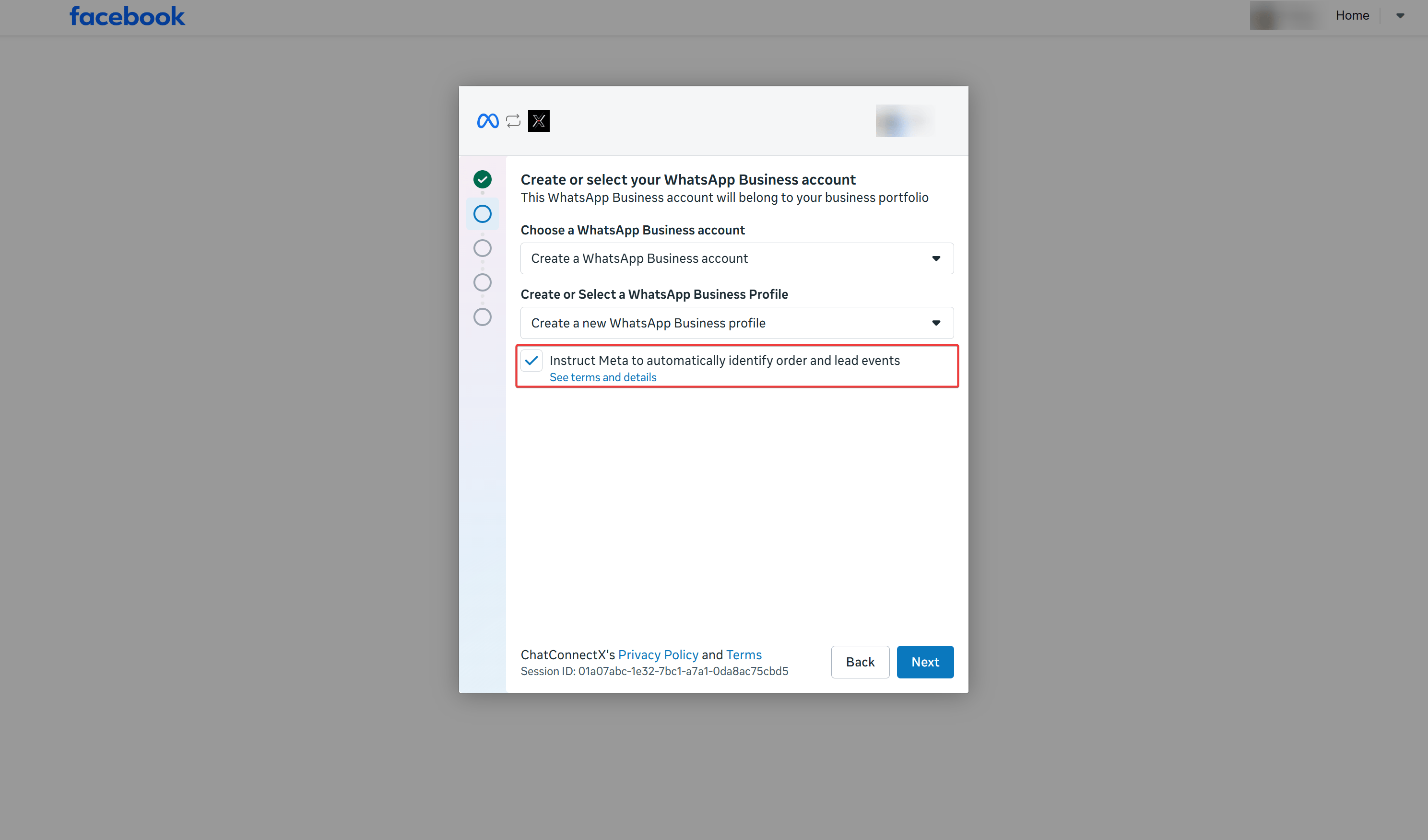
The Meta Facebook Embedded Signup popup appears. Log in with the Facebook profile that has Admin access to your WhatsApp Business Account.
3
Grant Event Recognition Permission
Under the Create or select your WhatsApp Business account step, ensure you check the box:Instruct Meta to automatically identify order and lead eventsThis authorizes Meta to automatically recognize lead and order milestones within your chats.
4
Complete Setup
Click Next and complete the remaining on-screen prompts. When you return to ChatbotX, the status badge will update to green Automatic events ready.
Method 2: Enable from Meta WhatsApp Manager
You can also toggle this feature directly from WhatsApp Manager inside Meta Business Suite:1
Open WhatsApp Manager
Log in to Meta Business Suite and open WhatsApp Manager for your business portfolio.
2
Locate the Alert Banner
In the Overview section, look for the alert banner under Alerts stating:Instruct Meta to turn on automatic events to stay up to date with your conversations?
3
Turn On the Feature
Click Turn on to accept the Meta terms and enable automatic event tracking across your WhatsApp Business accounts.
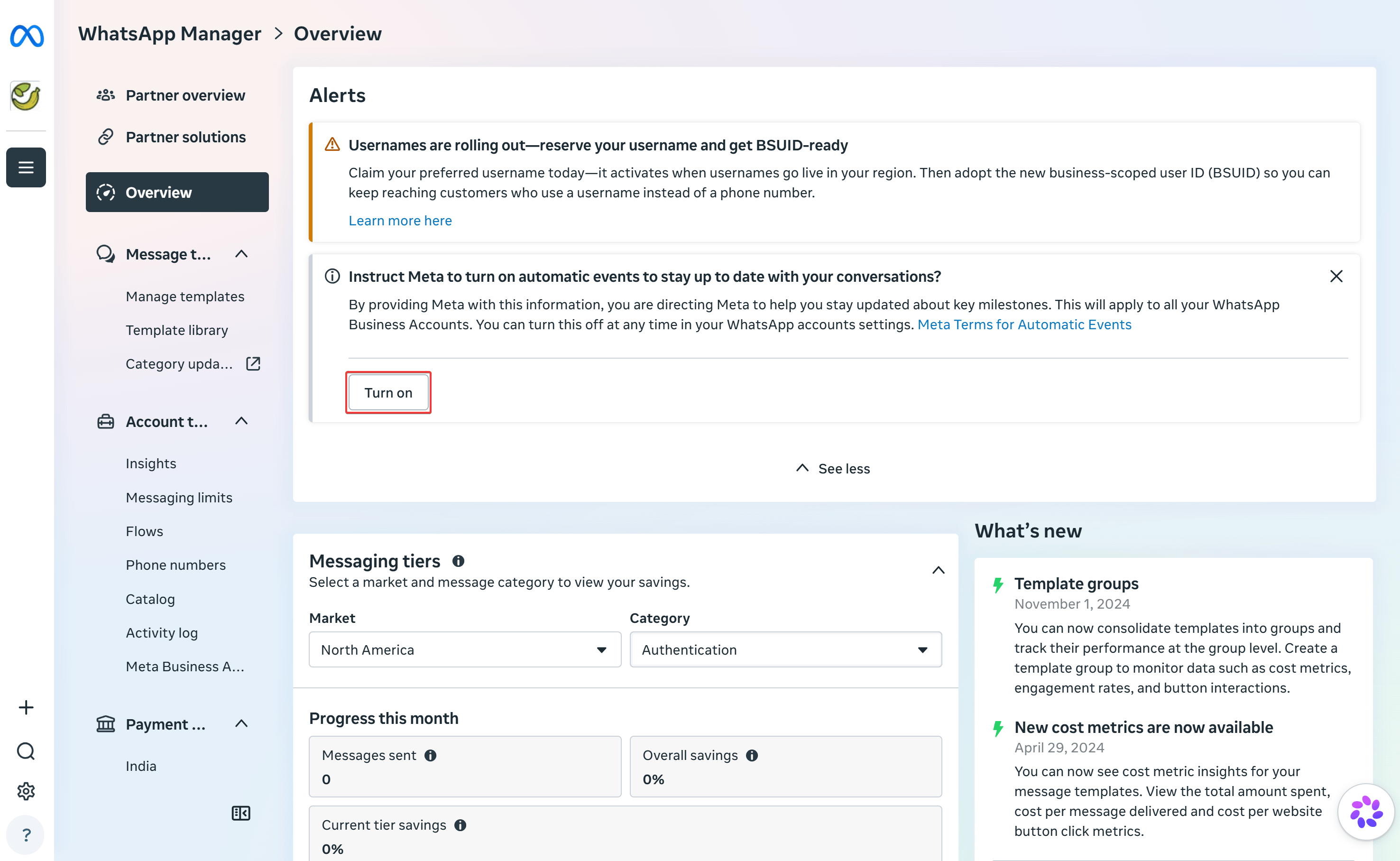
The alert banner in WhatsApp Manager only appears if the feature has never been toggled. If you dismissed the alert or if ChatbotX displays a Missing Automatic Events permission error, use Method 1 (Reconnect via ChatbotX) to grant the OAuth permissions directly through the Meta authorization popup.
Automatic Events vs. Meta Conversions API (CAPI)
Both tools transmit conversion signals to Meta, but they serve distinct use cases and operate differently:For comprehensive conversion tracking and optimal ad performance, enable Automatic Events on your WhatsApp channel while also adding Meta CAPI Event action blocks at critical transaction checkpoints in your flows.
Important Considerations
- Data Latency: Conversions may take up to 40 minutes to appear in Meta Events Manager and reflect as Meta Leads / Purchases in Meta Ads Manager.
- Regional Restrictions: Due to data privacy regulations, Meta does not support Automatic Events for businesses registered in the European Union (EU), the United Kingdom (UK), or Japan.
- Account Permissions: You must have full Administrator permissions on the Meta Business Suite portfolio managing the WhatsApp account to grant and update these permissions.