

Prerequisites
Before connecting TikTok, make sure these requirements are met:- TikTok Business Account: You must have a TikTok Business Account (personal TikTok accounts are not supported).
- Message permissions: Enable Everyone under the direct messaging settings in your TikTok app to receive messages.
- Region availability: The TikTok Business Messaging API is currently restricted in the UK, EEA, and Switzerland.
Connect TikTok
You can start the connection in either of these ways:Method 1: From the Create Inbox flow
1
Open Analytics and click + Create Inbox
In your ChatbotX workspace, choose Analytics from the left menu, then click the + Create Inbox button.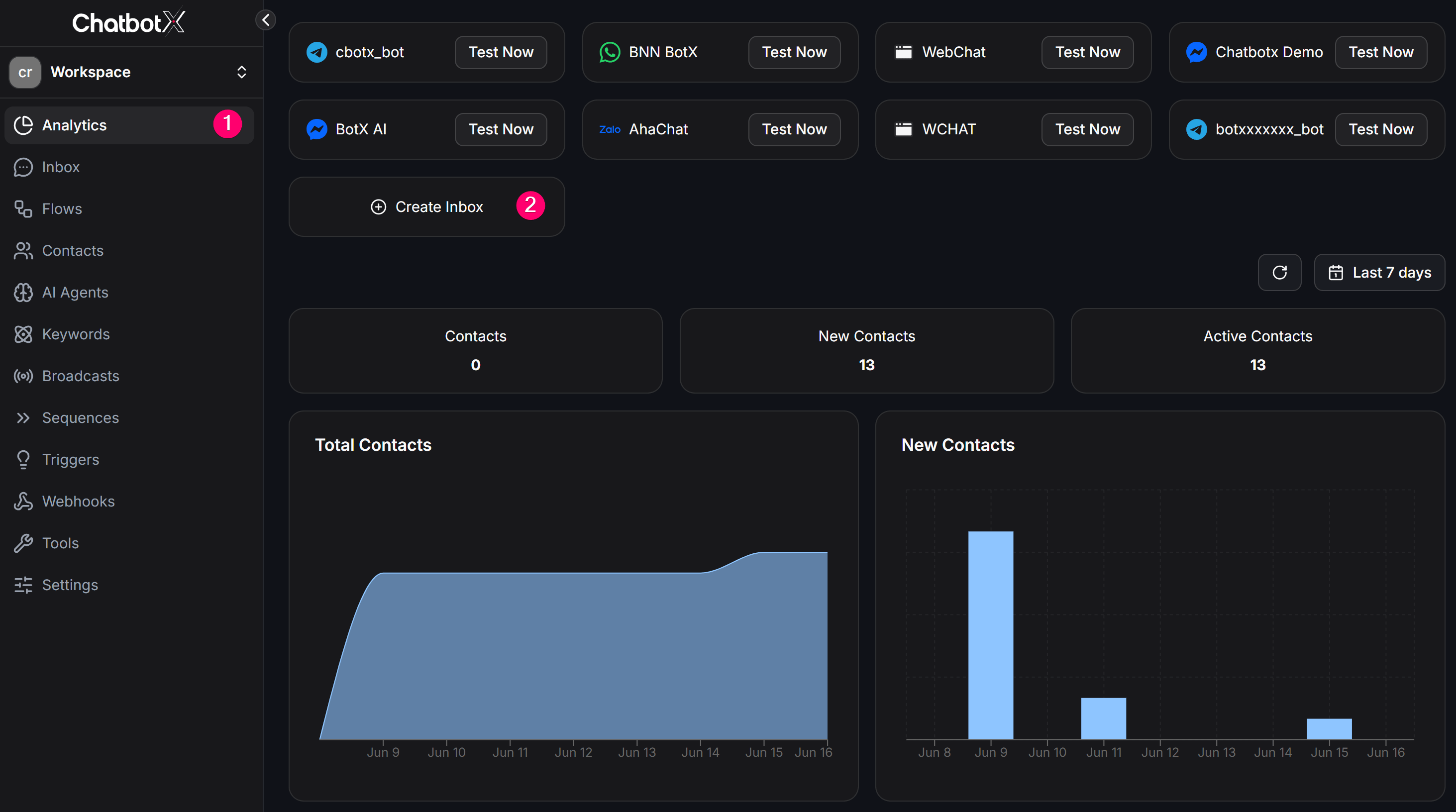
2
Select TikTok and click Continue
Select TikTok from the channel list in the modal, then click Continue to proceed to the authorization page.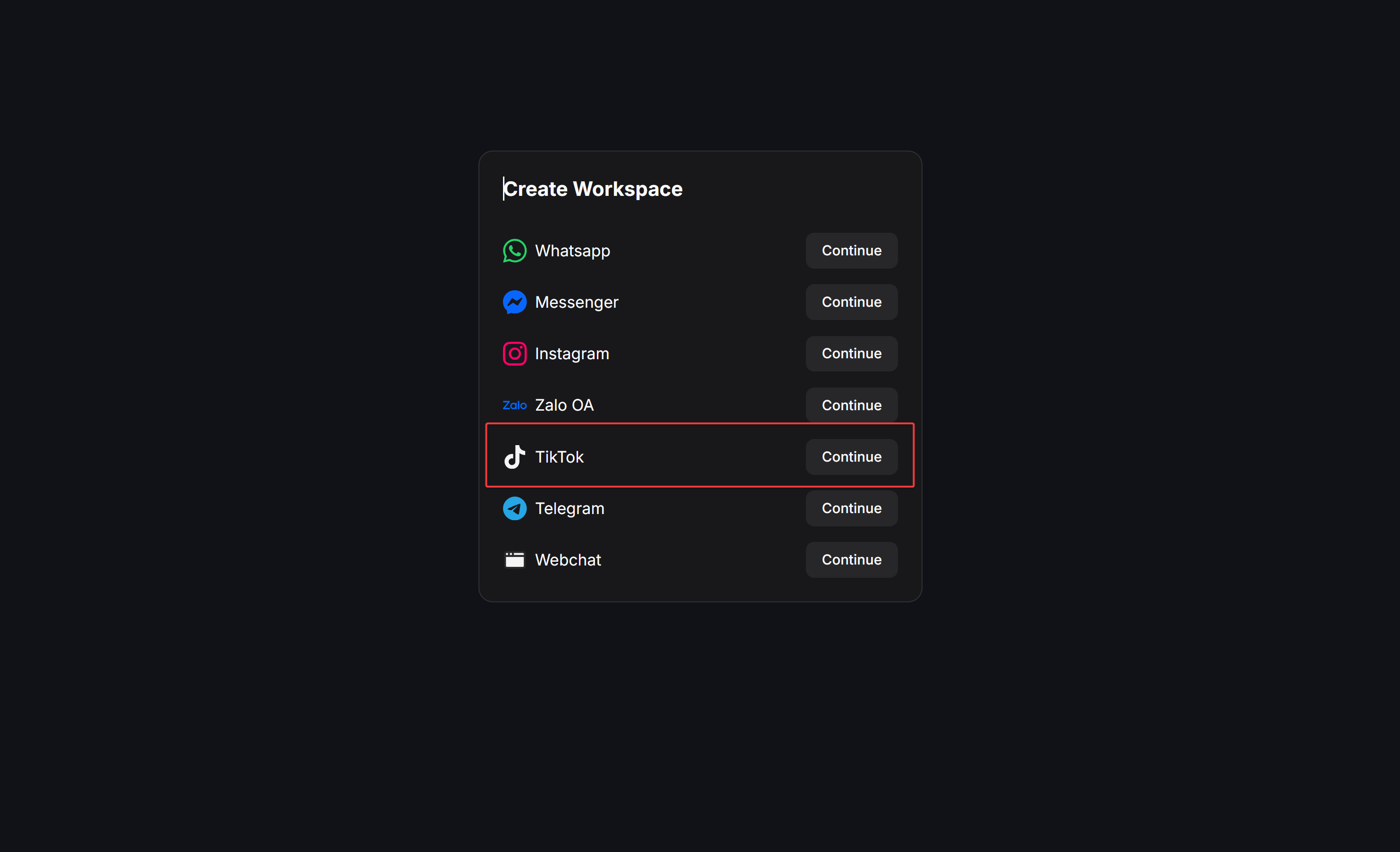
3
Authenticate with TikTok
The system will redirect you to the TikTok authorization screen. Click Continue to grant ChatConnectX access to your TikTok account.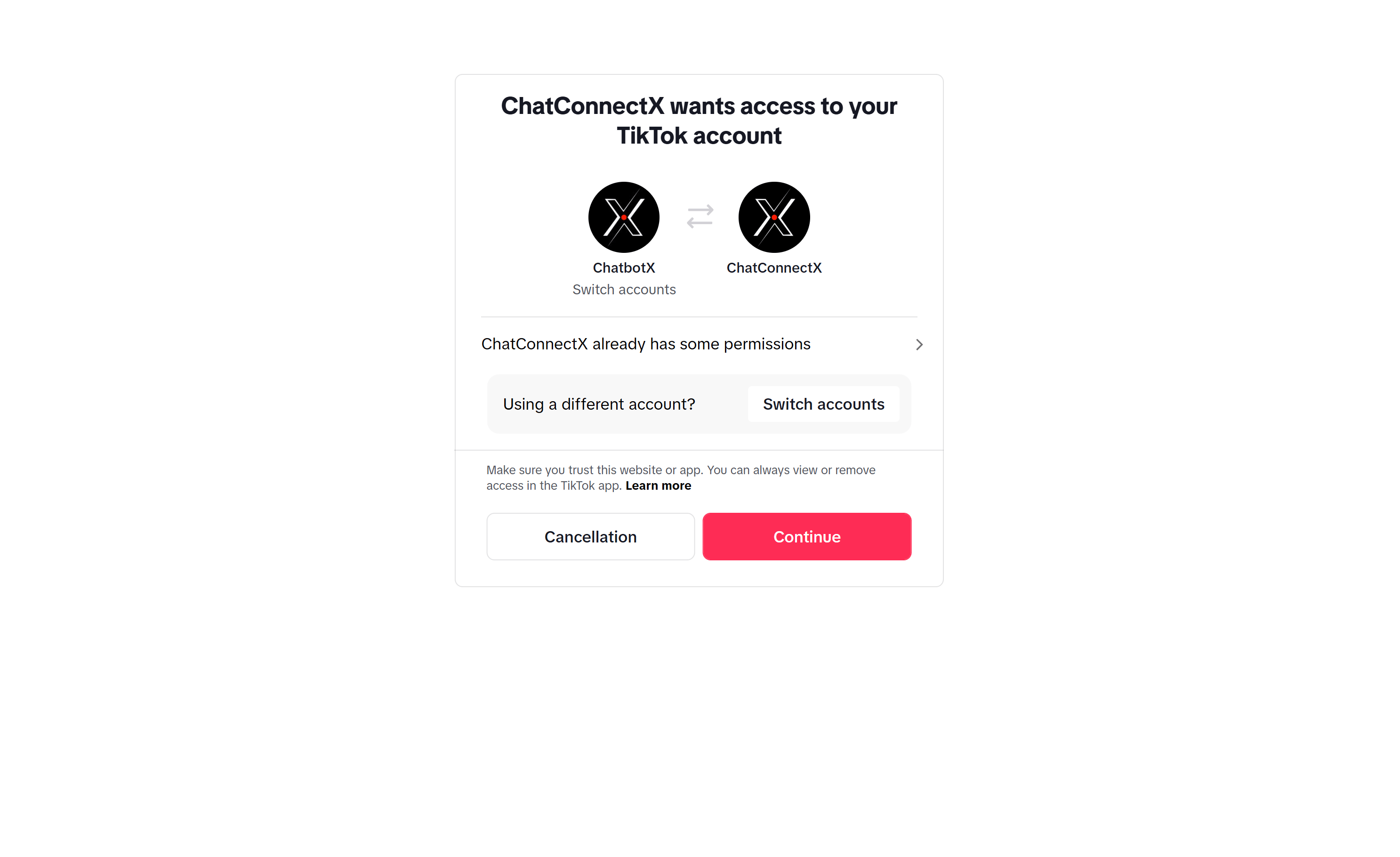
Method 2: From Channels management
1
Navigate to Channels settings
Go to Settings -> Channels from the left sidebar.
2
Connect TikTok
Find TikTok in the channel list and click Add TikTok.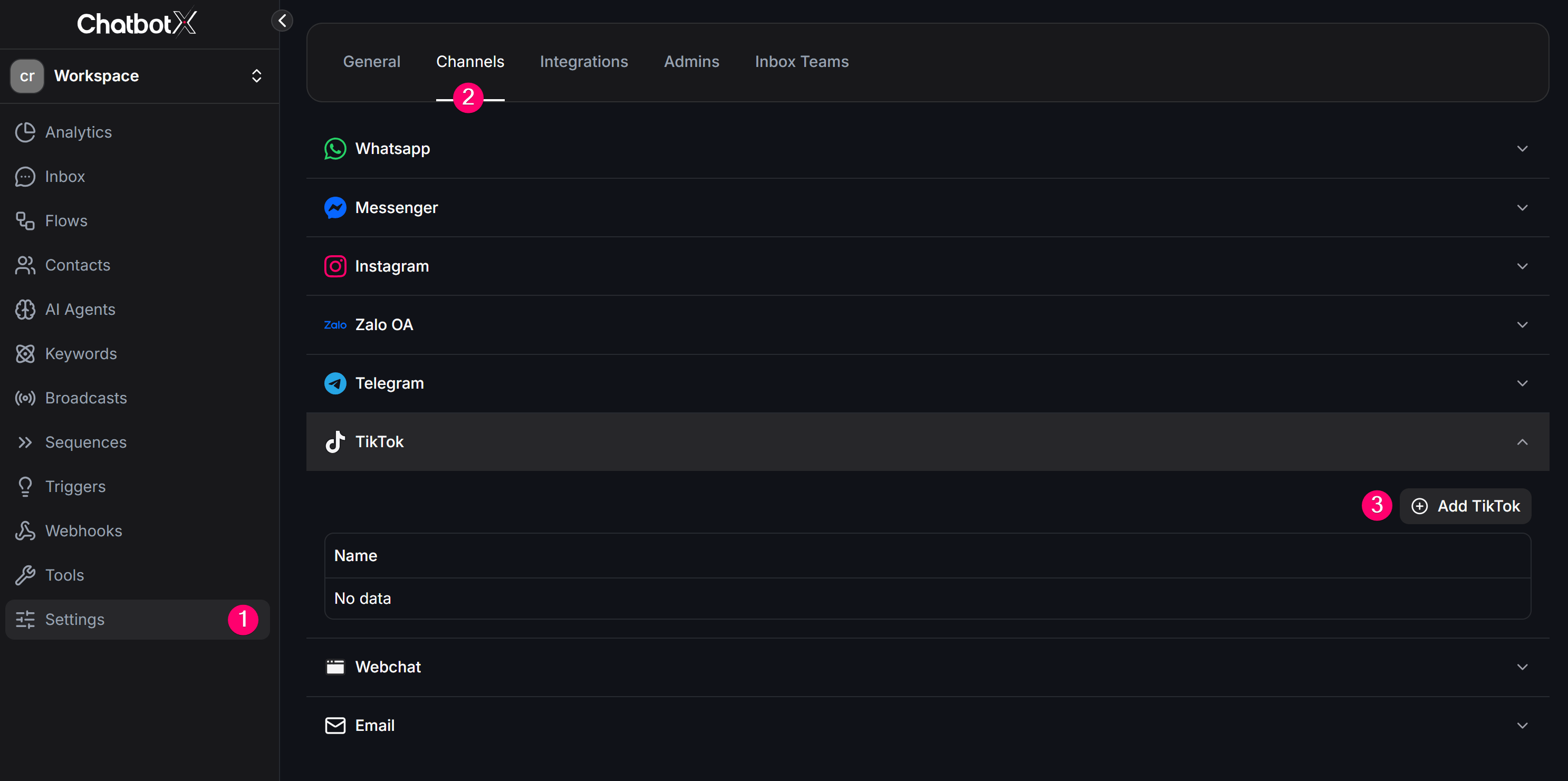
3
Authenticate with TikTok
The system will redirect you to the TikTok authorization screen. Review the requested permissions and click Continue to grant ChatConnectX access to your TikTok account.
Return to ChatbotX
After authentication succeeds, TikTok will redirect you back to ChatbotX. Check that the TikTok channel now appears on the dashboard page as active and connected.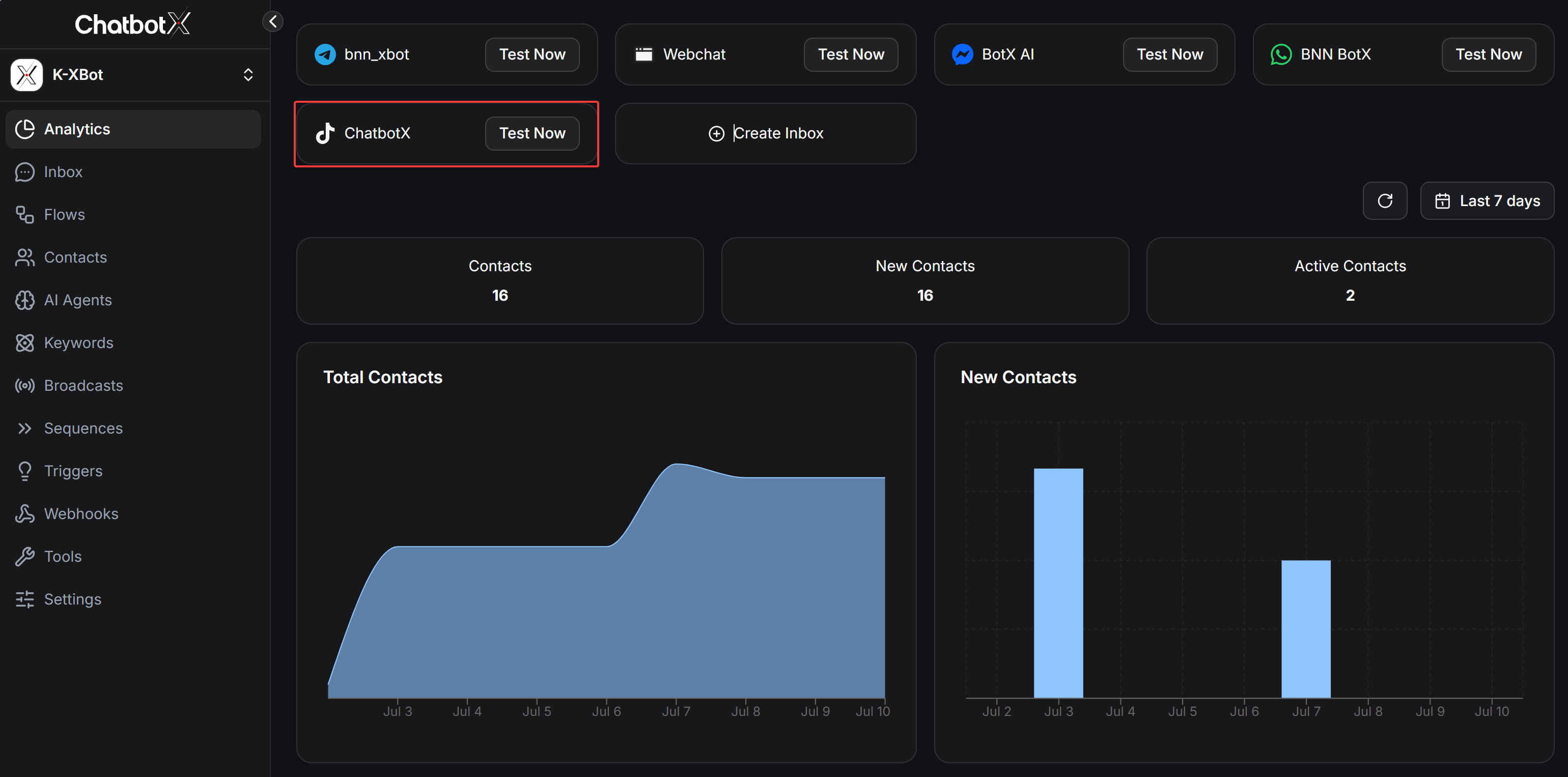
Finalize and check
When the setup is complete, go to Channels or Inbox to confirm that TikTok is connected. Send a test direct message from a personal TikTok account to your TikTok Business account to check whether the conversation arrives in your ChatbotX workspace.Test your automation
Now that TikTok is connected, you can start automating conversations.- Option 1: Create a Flow
- Open Flows from the sidebar.
- Build a simple welcome message.
- Send a message to your TikTok account from a personal TikTok account and check the reply.
- Option 2: Set up an AI Agent
- Open AI Agent and configure the tone and knowledge base for the assistant.
- Assign that AI Agent to your TikTok channel so it can answer incoming questions automatically.