

Check your TikTok account status
If your TikTok account is already business-verified or already belongs to a Business Center, skip this guide and go directly to Connect TikTok.If you are not sure which level your account is at, read the comparison table below first. For most shops and marketing teams, Advanced Access is the fastest way to get started.
Understand TikTok account types
TikTok categorizes business account permissions into 3 main levels. Each level determines which business tools the account can use in TikTok for Business, Business Suite, and related integration flows.Advanced Access does not necessarily require a business license. You can reach this level by linking your TikTok account to TikTok for Business or an unverified Business Center.
Preparation before creating or upgrading
Before you begin, prepare the following:- The TikTok account you want to use to receive customer messages.
- An email or login credentials for TikTok for Business.
- A phone logged in to the TikTok account to confirm Authorize, scan QR codes, or accept invitations.
- Basic business information such as business name, country or region, and website (if available).
- A valid business license if you want to set up a Verified Business Account.
Create a TikTok Account with Advanced Access
There are 2 paths to upgrade your TikTok account to Advanced Access. Choose the path that fits how you manage your account.Path A: Link TikTok with TikTok for Business
Choose this path if you are managing a single TikTok account and want a quick setup.1
Open TikTok for Business
Go to business.tiktok.com and select Sign up or Log in, then log in to the TikTok account you want to use for business.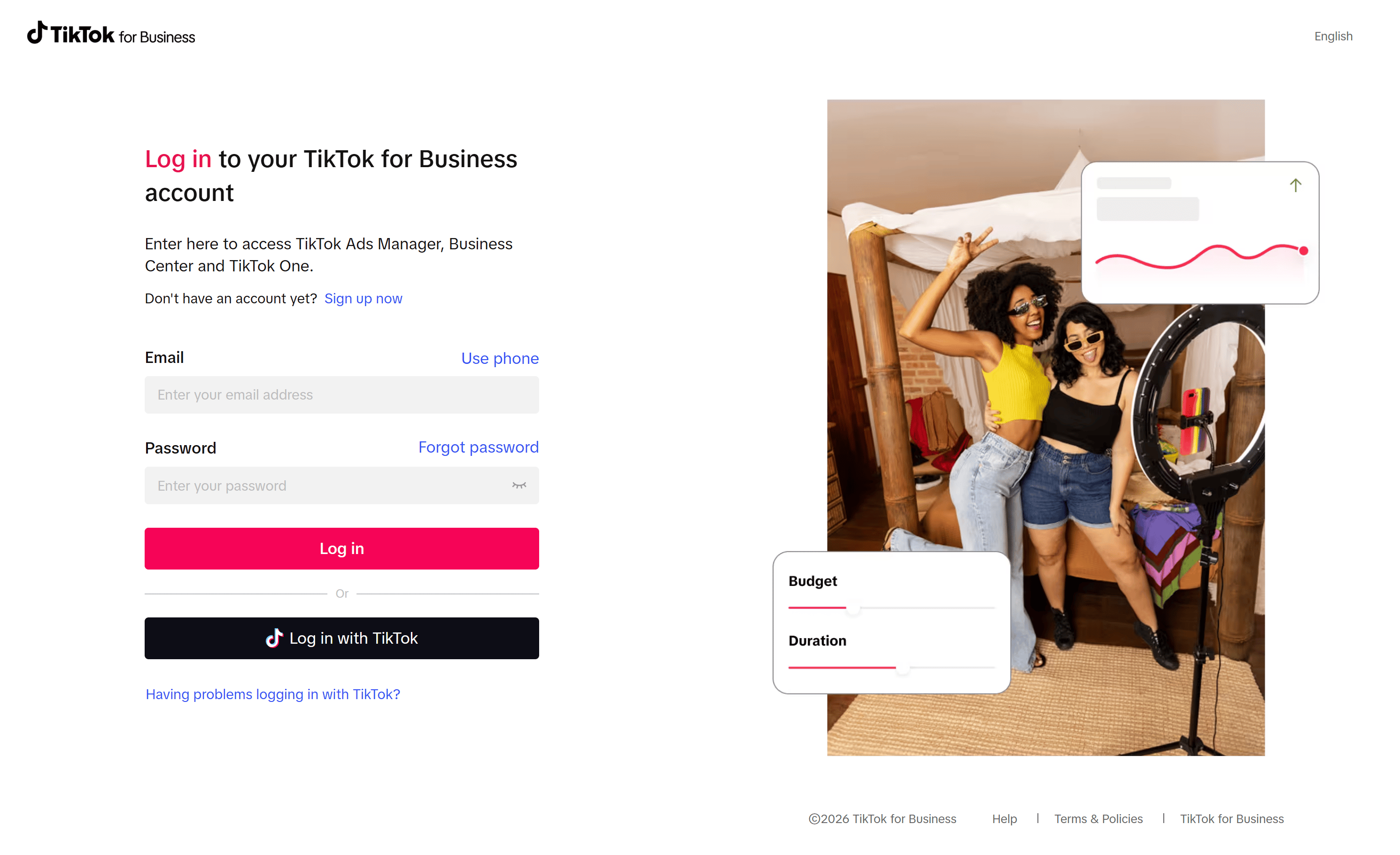
2
Authorize the account link
Click Continue to authorize linking your TikTok account with TikTok for Business.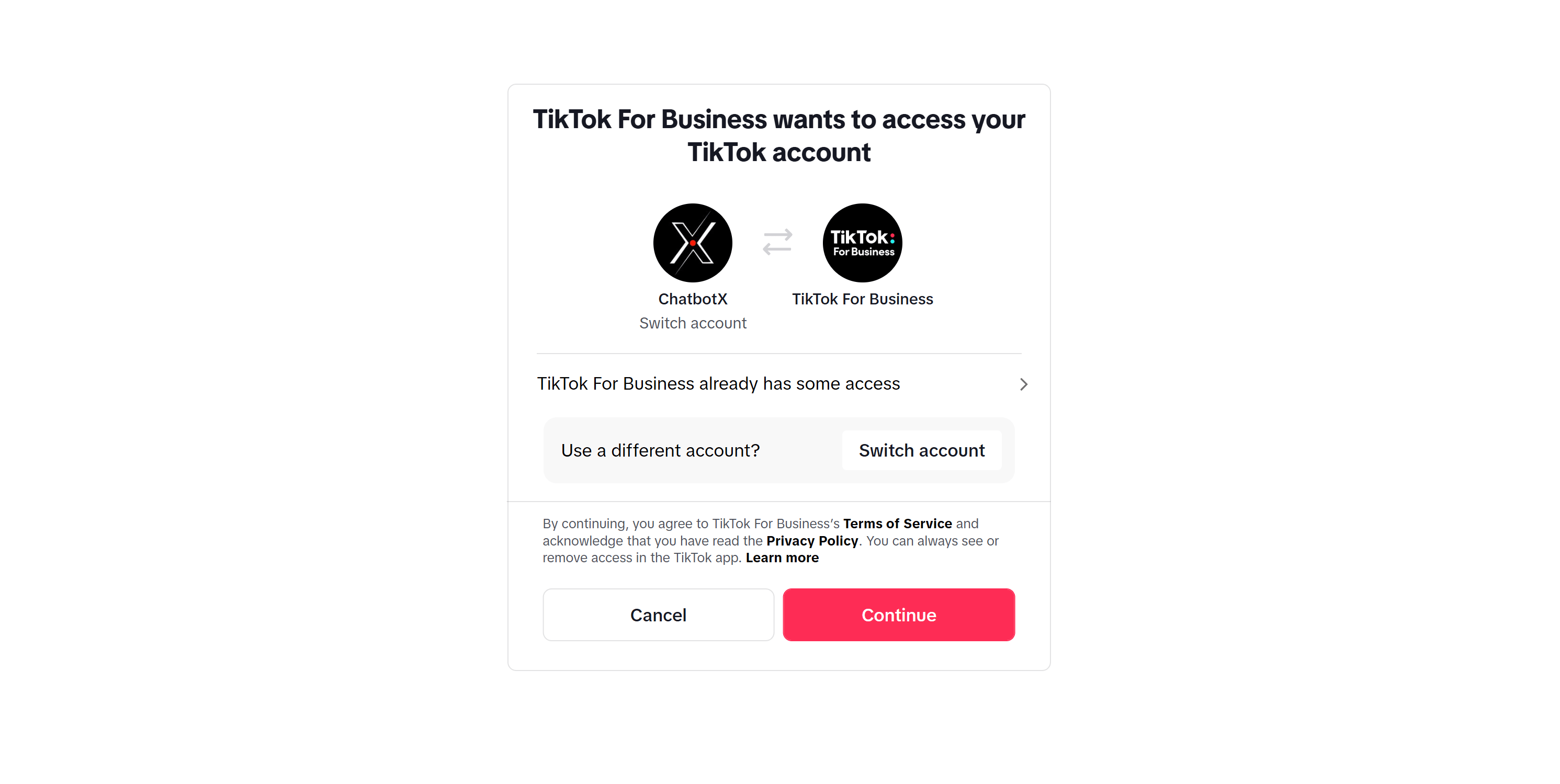
3
Complete business details
Fill in the basic business information requested by TikTok for Business. Once completed, the TikTok account will receive Advanced Access.
Path B: Link TikTok to Business Center
Choose this path if multiple people manage the account, or if you want to centralize your TikTok assets in one place.1
Open Business Center
Go to business.tiktok.com and log in to your company’s Business Center.
2
Create a Business Center if needed
If you do not have a Business Center account yet, select Sign up and fill in your business type, country or region, business name, and contact details.
3
Go to TikTok Accounts
In Business Center, navigate to Accounts > TikTok accounts.
4
Add TikTok account
Click Add a TikTok account, select Link an existing TikTok account, and then choose to scan the QR code or approve the request following TikTok’s instructions.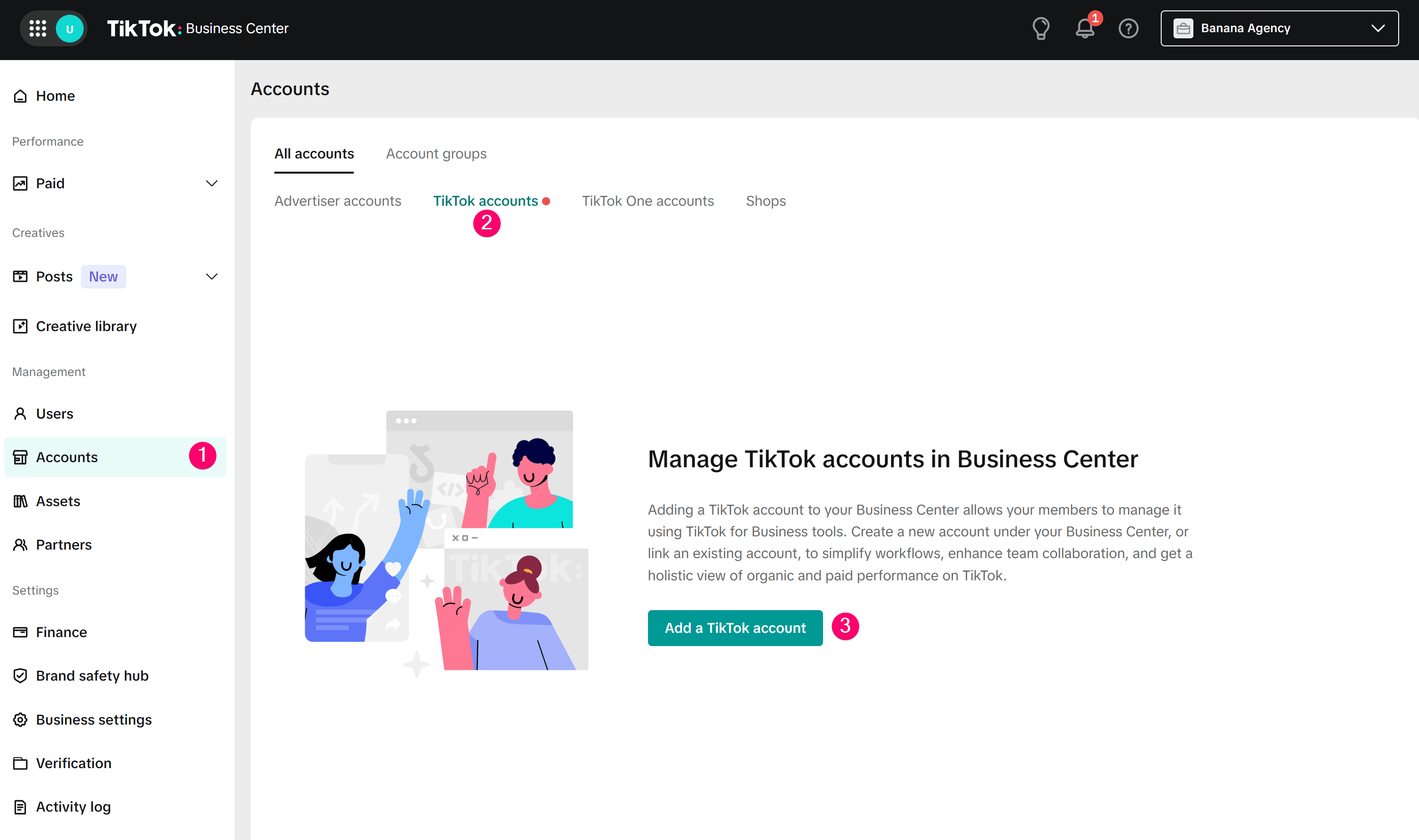
5
Approve on the TikTok app
Open the TikTok app with the account you want to link, then scan the QR code or accept the invitation. Once completed, the account will appear in your Business Center.
When to use a Verified Business Account
You should only set up a Verified Business Account when TikTok requires additional permissions, when your business needs a complete verification profile, or when you want to use the verification from your Business Center to verify linked TikTok accounts. Business verification is TikTok’s process for reviewing business details and valid documents. This process is different from the blue checkmark on a TikTok profile. You can complete verification using one of the following methods:- Open Web Business Suite or TikTok Ads Manager and complete Business Verification.
- Open the TikTok app, go to Profile > Menu > Business Suite > Verification.
- Link your TikTok account to a verified Business Center to use shared verification.
Next steps
Once your TikTok account has Advanced Access or Verified Business Account status, go to the Connect TikTok guide to connect the account to ChatbotX.TikTok Business Messaging is restricted by region. If your account belongs to the UK, EEA, or Switzerland, please check the details in the Connect TikTok guide before setting up message automation.
FAQ
Do I need a business license?
Do I need a business license?
Not always. To get Advanced Access, you can link your TikTok account to TikTok for Business or an unverified Business Center. A business license is usually required when you want a Verified Business Account.
What is the difference between Advanced Access and Verified Business Account?
What is the difference between Advanced Access and Verified Business Account?
Advanced Access is an intermediate level, sufficient to unlock basic business tools after linking the account. Verified Business Account is a higher level that requires business verification, suitable when your business needs a fully verified profile.
Do I still need this guide if my account is already in a Business Center?
Do I still need this guide if my account is already in a Business Center?
Usually not. You only need to verify that the account has been correctly linked to the Business Center and has the appropriate permissions.