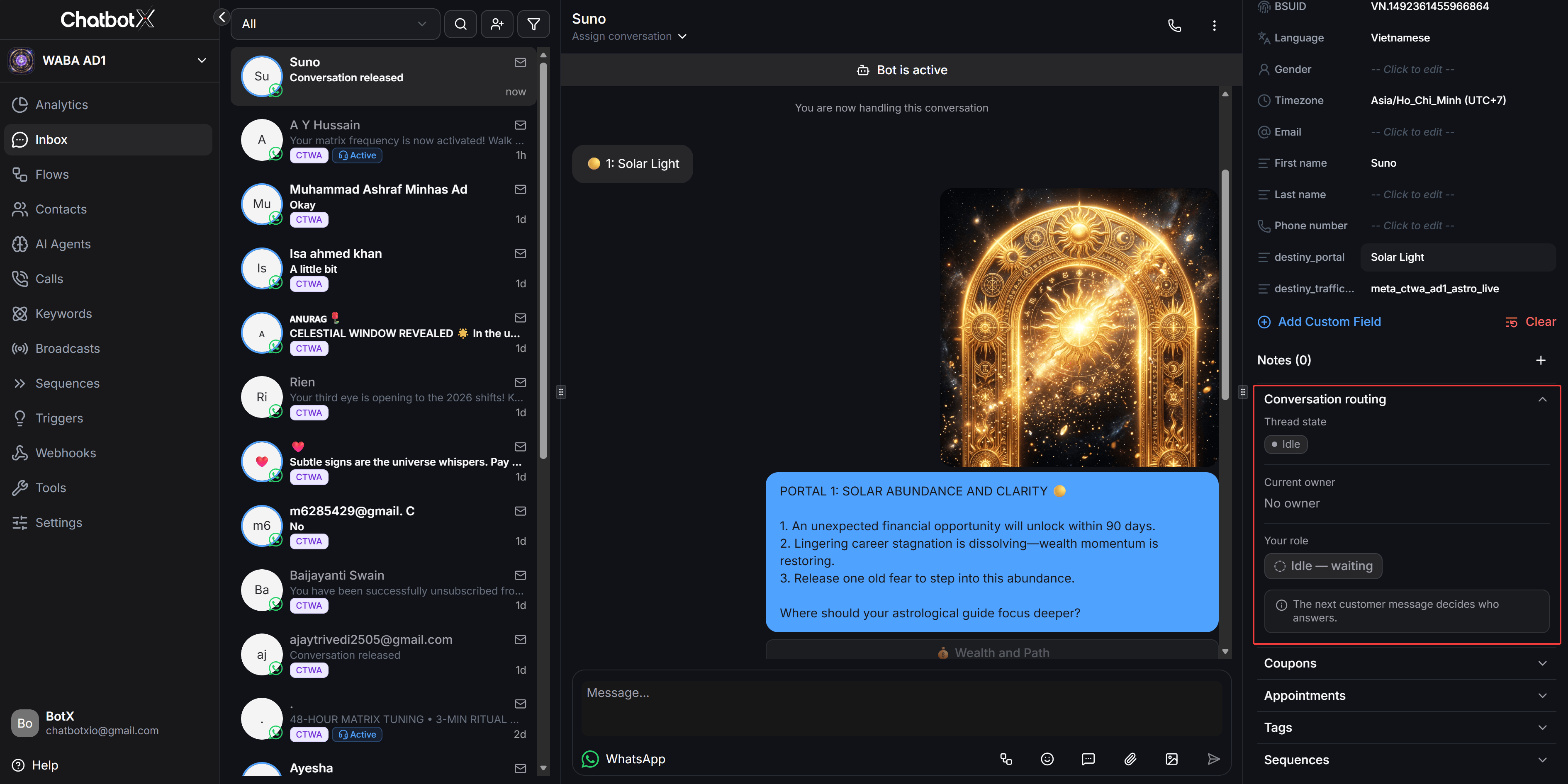
Core Conversation Thread States
Under Meta’s conversation orchestration model, any conversation between a customer and your WhatsApp phone number always belongs to one of three states:Standby
Another partner owns the conversation. The ChatbotX message box is safely locked to prevent duplicate replies.
Owned
ChatbotX has active ownership. Agents can freely send direct messages to the contact in Live Chat.
Idle
No partner currently owns the conversation. The next customer message determines which partner responds.
Configure Handover Resume Flow
When a third-party partner encounters an unanswerable question or a contact requests human assistance, that partner passes thread control to ChatbotX. You can configure an automated flow to greet contacts and collect details immediately upon receiving control.1
Access WhatsApp channel settings
From the left navigation menu, go to Settings > Channels. In the list of connected WhatsApp numbers, click Manage next to the phone number you want to configure.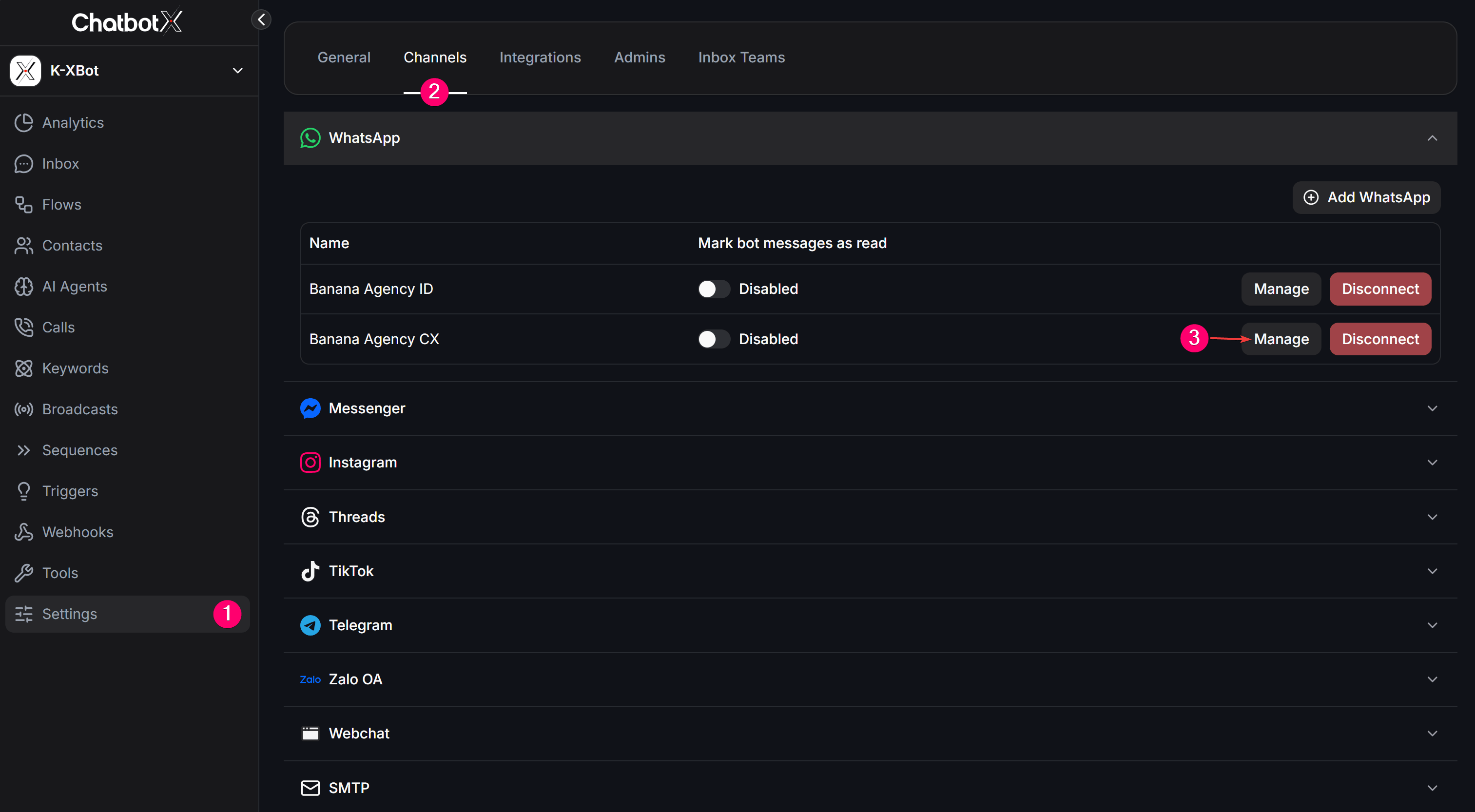
2
Select a handover flow
Switch to the Settings tab, scroll down to the Automation section, and locate Handover resume flow. Under Choose a flow, select the automated flow you want to trigger when control is handed back.
3
Save changes
Click Save changes to complete the setup. The system displays a confirmation notification.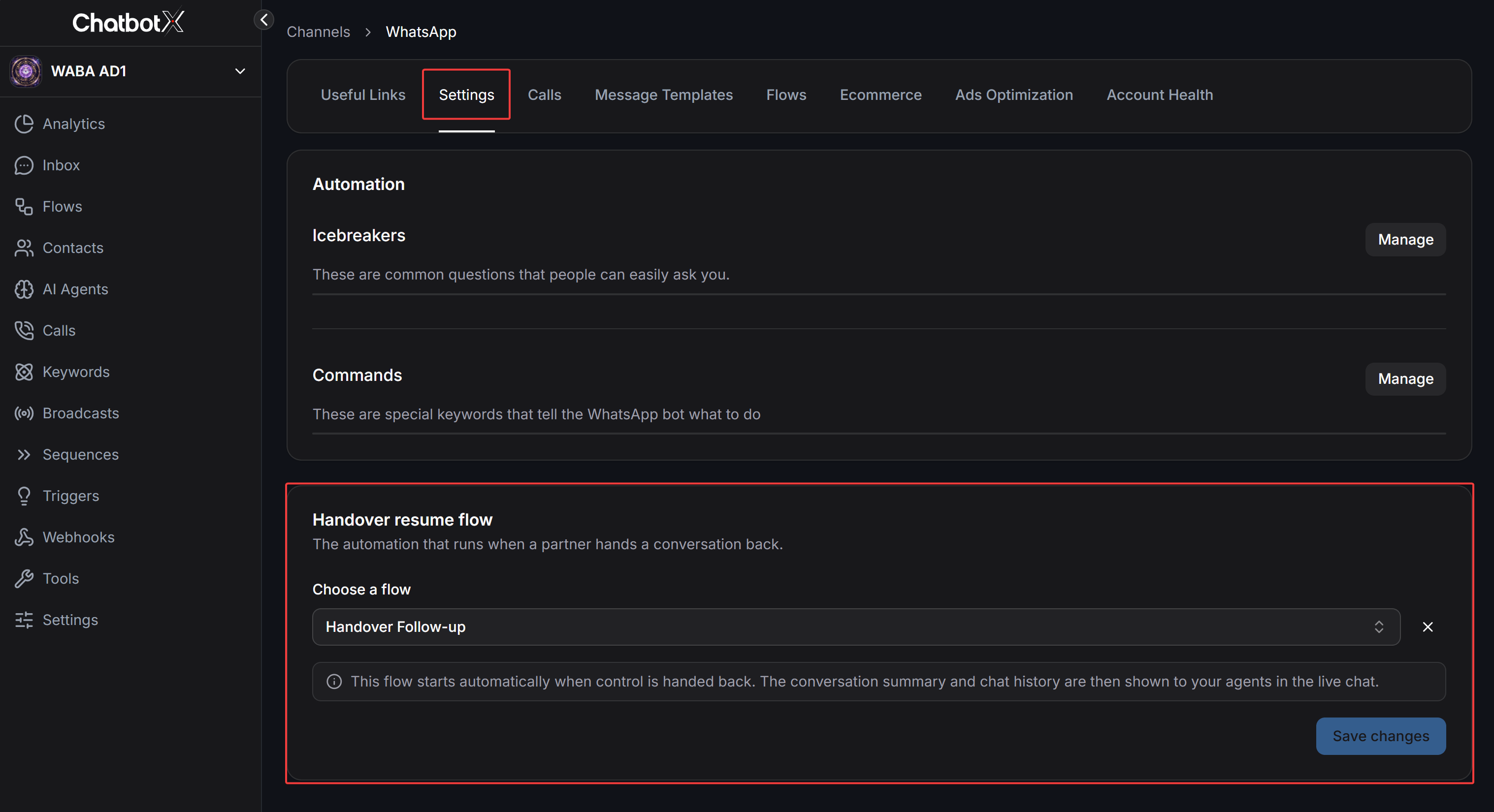
When a partner hands control back, ChatbotX automatically pins the conversation summary and chat history inside Live Chat so agents understand context immediately without reading through older message threads.
Manage Conversations in Inbox
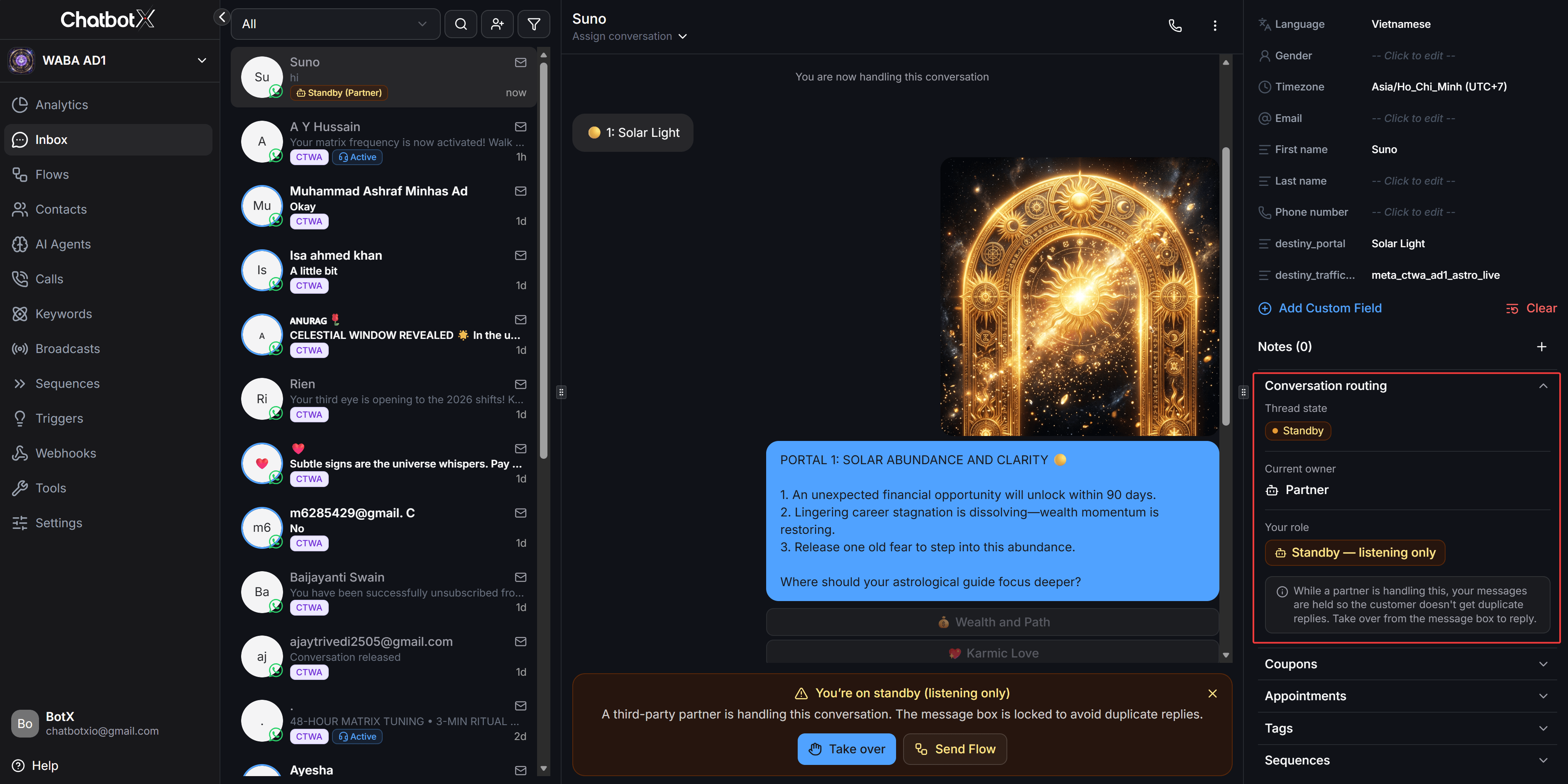
Standby Mode While Another Partner Responds
When a third-party partner owns the conversation, ChatbotX automatically enters passive listening mode:- The contact list displays an orange badge labeled Standby (Partner).
- The Conversation routing panel on the right sidebar displays the
Standbystate andStandby - listening onlyrole. - The central chat area displays a warning banner and locks the message composer to prevent duplicate customer replies.
Take Over Conversation Control
When human intervention is urgently required, agents can take over conversation ownership immediately:- Click Take over on the bottom warning banner, or directly send a message from the Inbox.
- The system invokes escalation privileges, reclaims ownership from the previous partner, and transitions the thread to Owned.
- The contact badge changes to blue Active, and the message composer unlocks completely for real-time conversation.
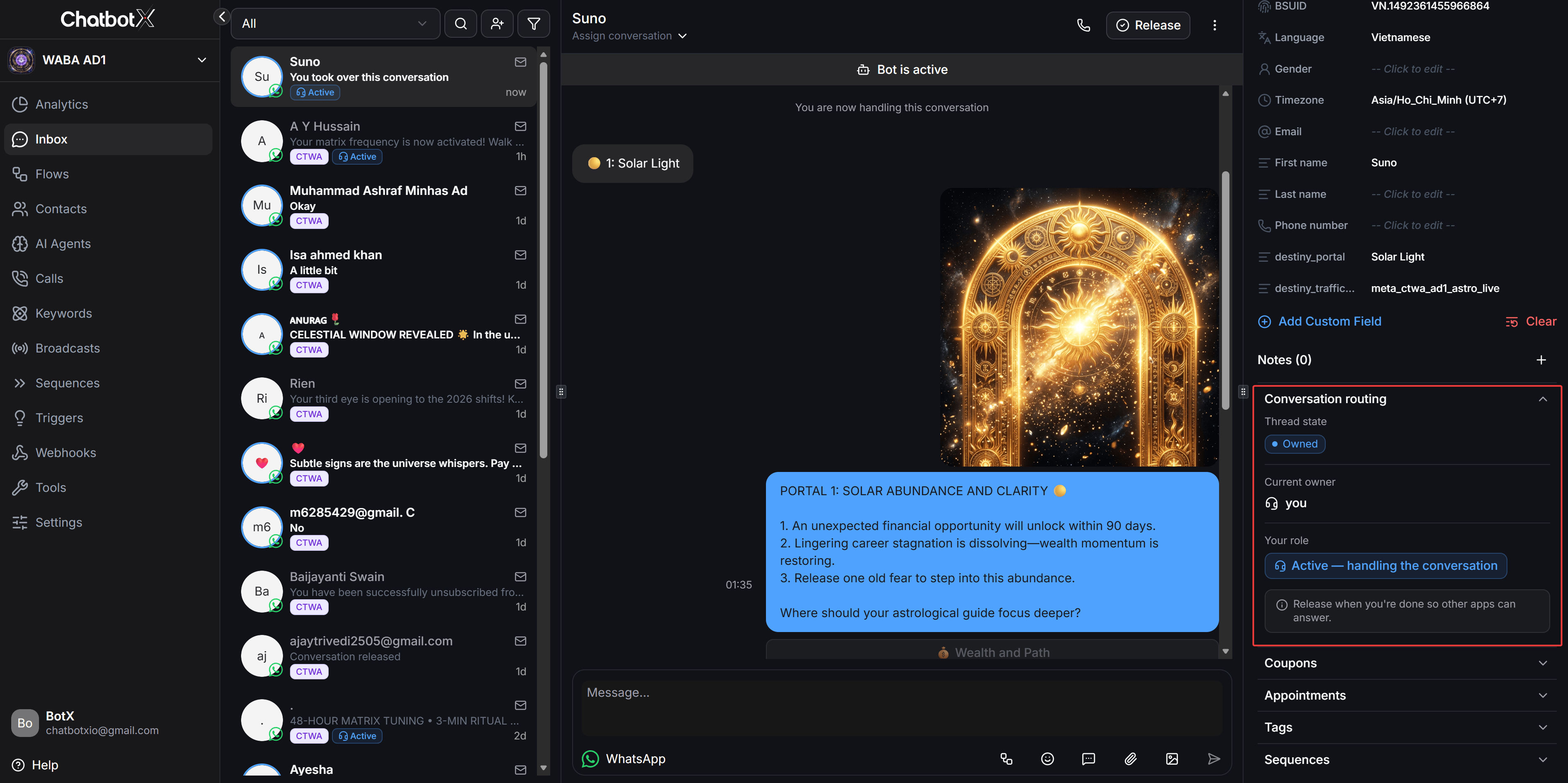
Release Conversation After Resolution
After resolving the contact inquiry, release the thread back to Idle so automated entry flows can resume:- Click Release on the top header toolbar.
- The system displays a confirmation notification that the conversation has been released.
- The thread transitions to Idle with the role
Idle - waiting. The next inbound customer message routes according to your business entry-point settings without waiting for the 24-hour inactivity timeout.