


1. Steps to register an OA
Step 1: Open the OA creation page
Sign in to your OA account through this link. There are 2 sign-in methods:- Sign in with the phone number and password already registered with Zalo
- Scan the QR code
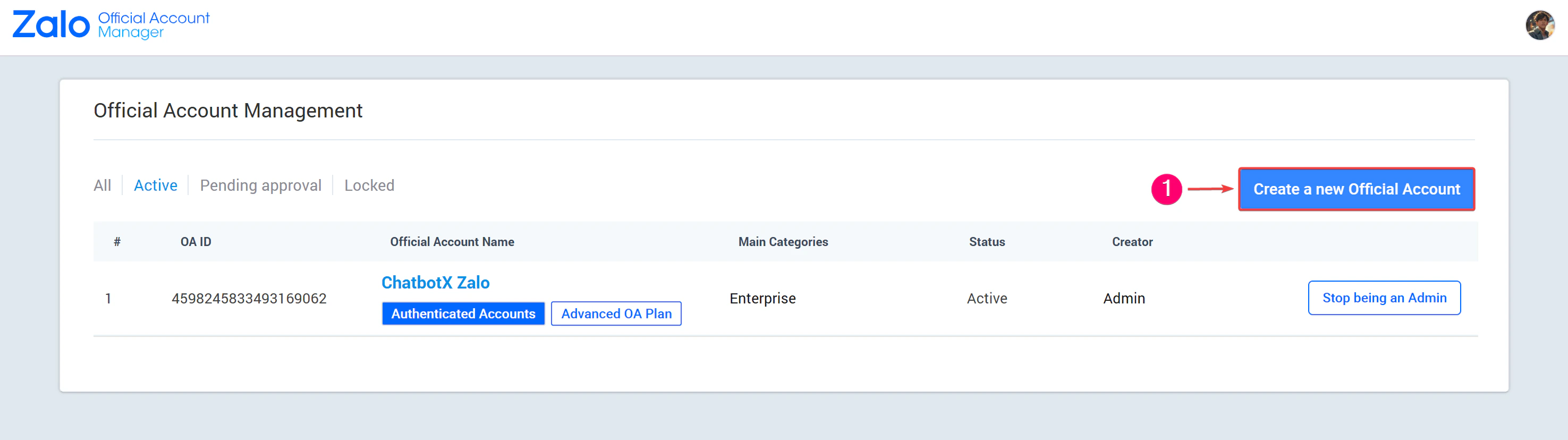
Step 2: Start registration
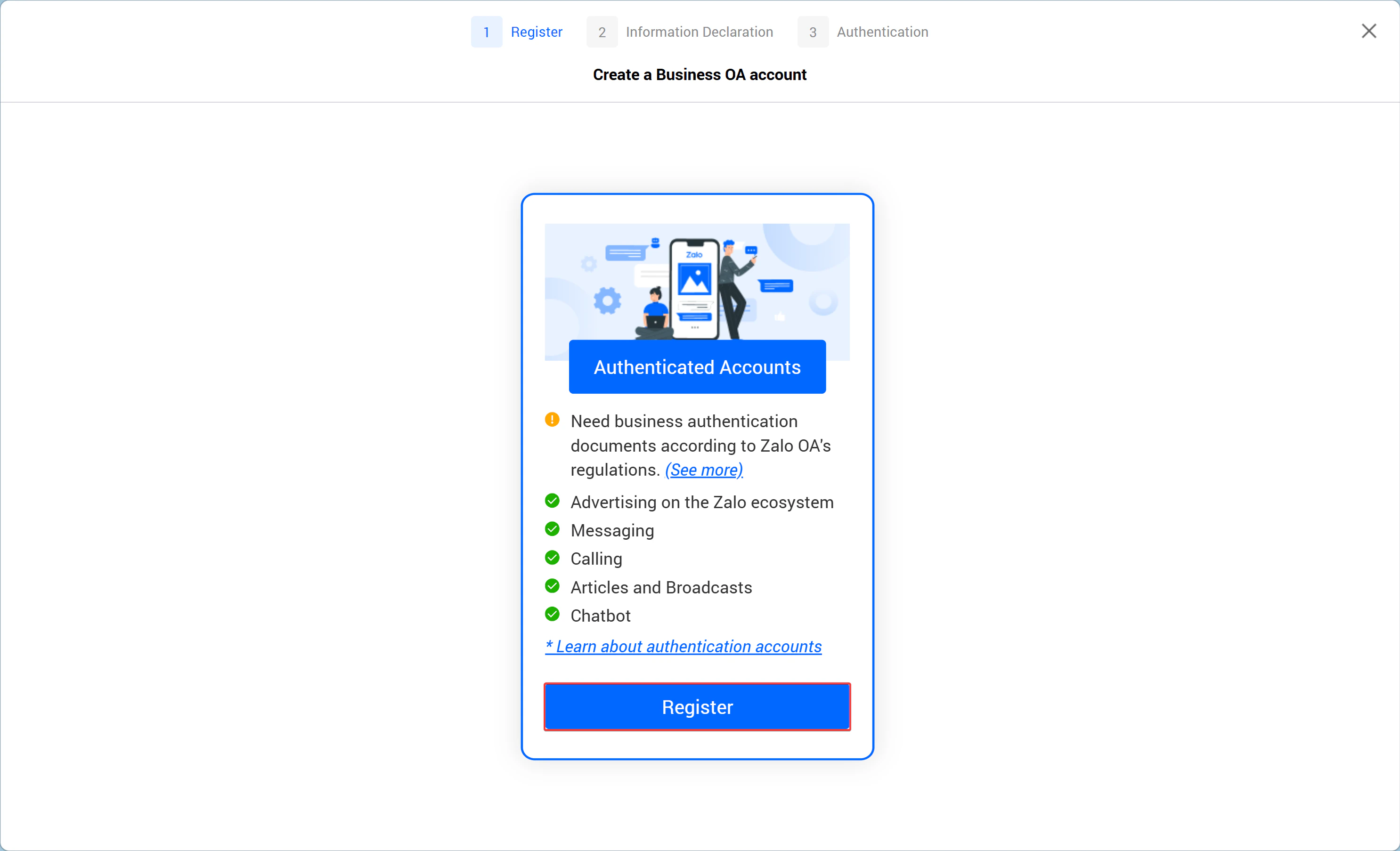
Step 3: Enter business information
Fill in the required details: Category, Official Account name, description, address, and the company logo.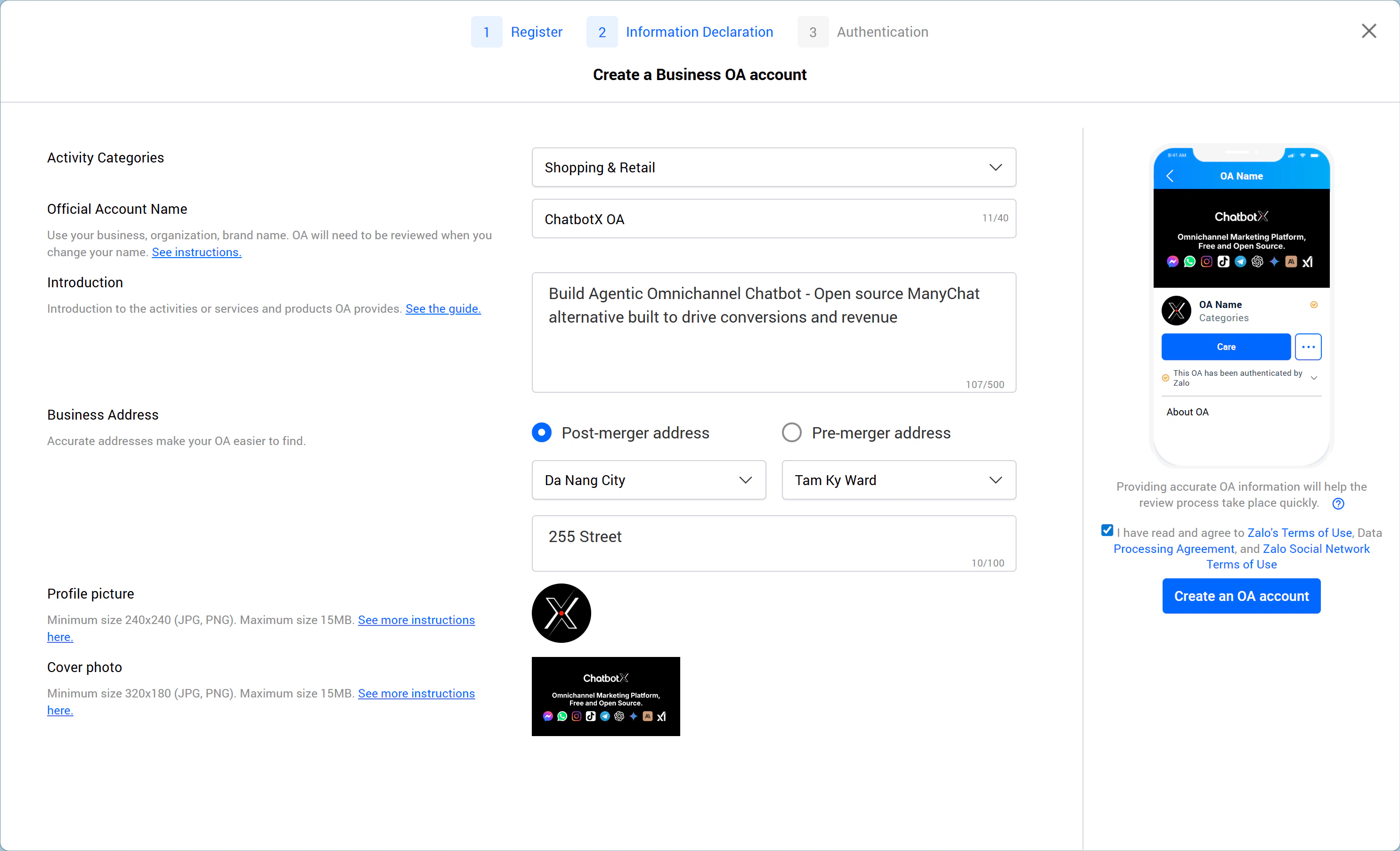
Step 4: Verify the OA account
Zalo Official Account represents a business, so Zalo requires verification to confirm that the account belongs to the real business. Once approved, the business receives the yellow badge, similar in concept to the blue check on a Facebook Fanpage. Upload the required information to start the verification process.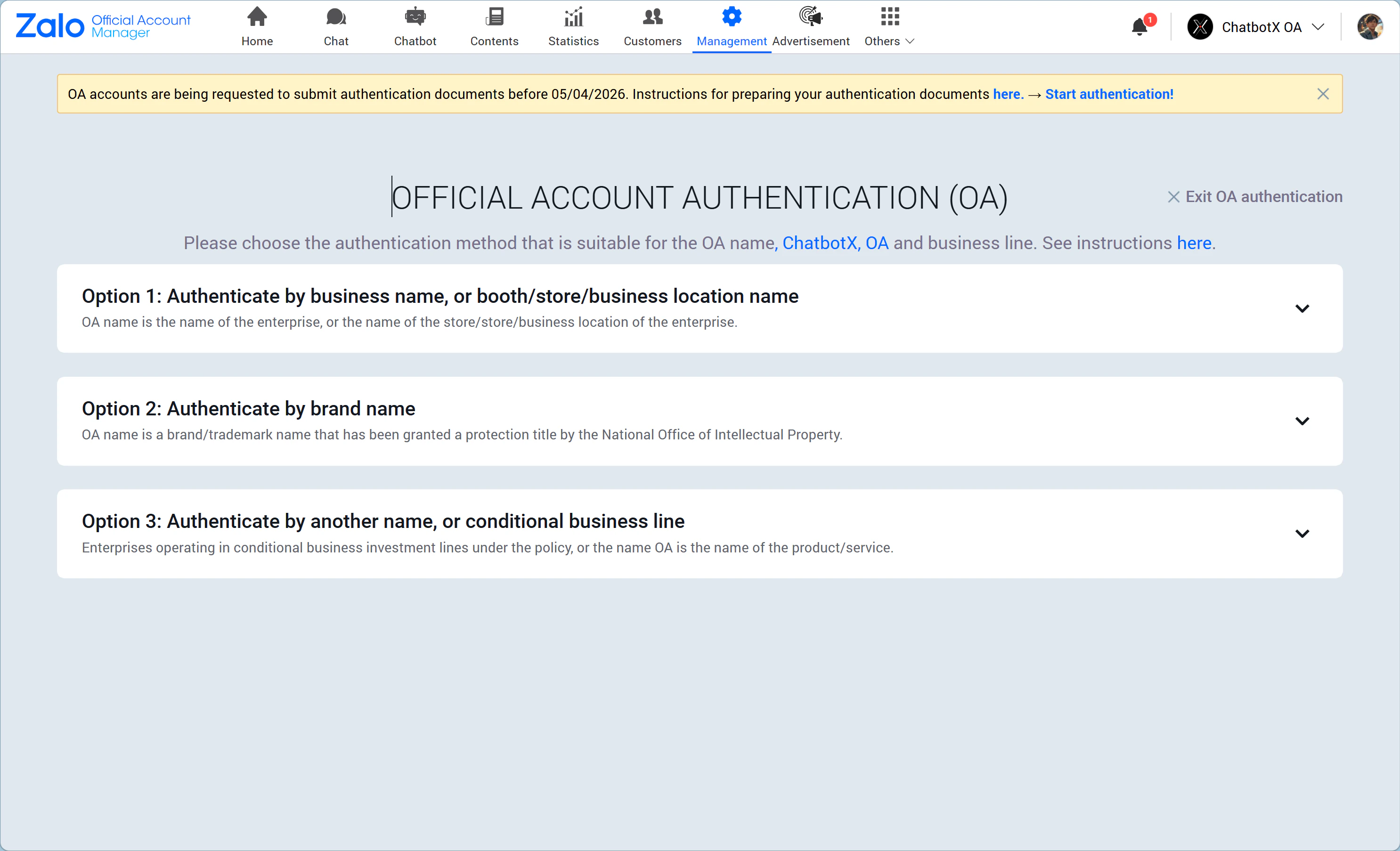
Method 1: Verify using the business name, store name, or business location name
You can choose one of these two document sets: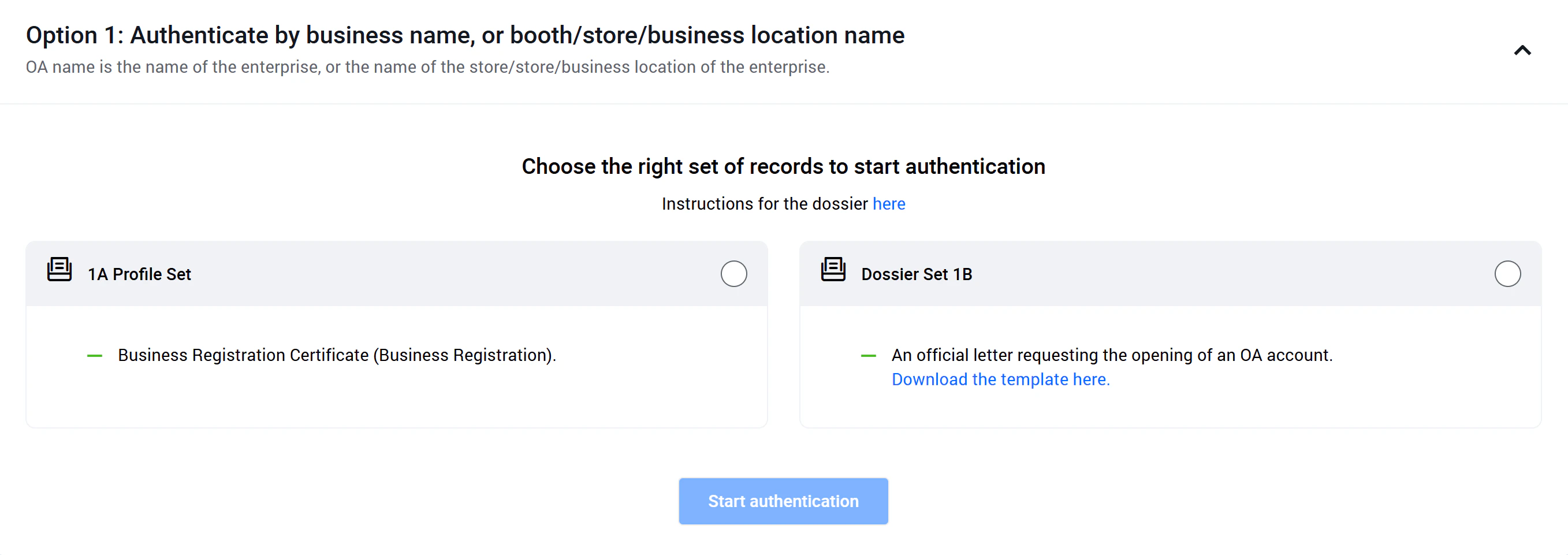
- Business license: The registered business category must match your service according to the law, and the document must still be valid.
- Citizen ID / national ID / passport: The information must match the legal representative named on the business registration certificate. If you cannot provide the representative’s ID or passport, use document set 1B instead.
Method 2: Verify using the brand name
You can choose one of these two proof sets: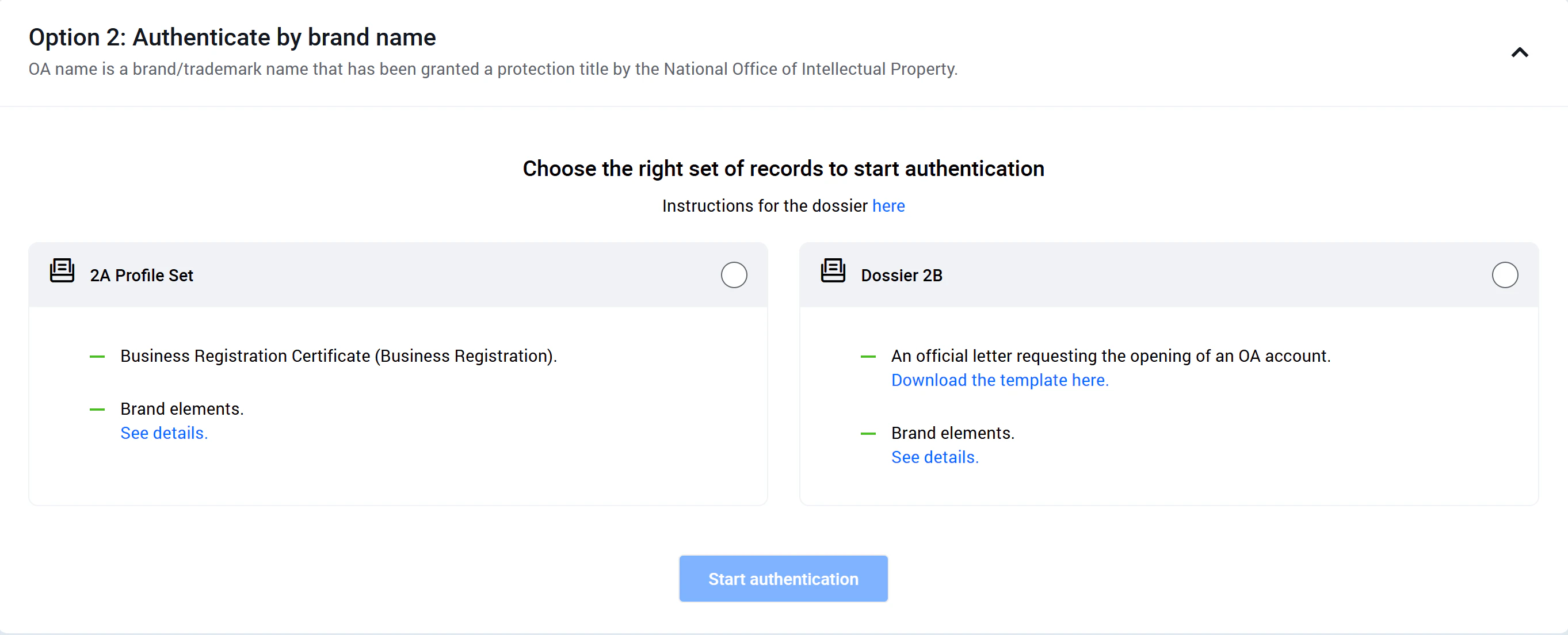
- Business license: The registered business category must match the business activity, and the document must still be valid.
- Citizen ID / national ID / passport: The information must match the legal representative on the business registration certificate. If you cannot provide that ID, use document set 2B instead.
- Brand verification documents: This may include a valid trademark registration certificate issued by the Intellectual Property Office, a valid trademark authorization from the parent company, or any other legal document proving that the OA has the right to own or use the protected trademark in Vietnam. See more details here.
- A photo or scan of the official OA verification letter with the company’s red stamp, based on this template.
- Brand verification documents: This can be a trademark registration certificate, a valid trademark authorization, or another legal document proving the OA has the right to use the protected brand in Vietnam. See more details here.
Method 3: Verify using another name or a regulated business category
You can choose one of these two document sets: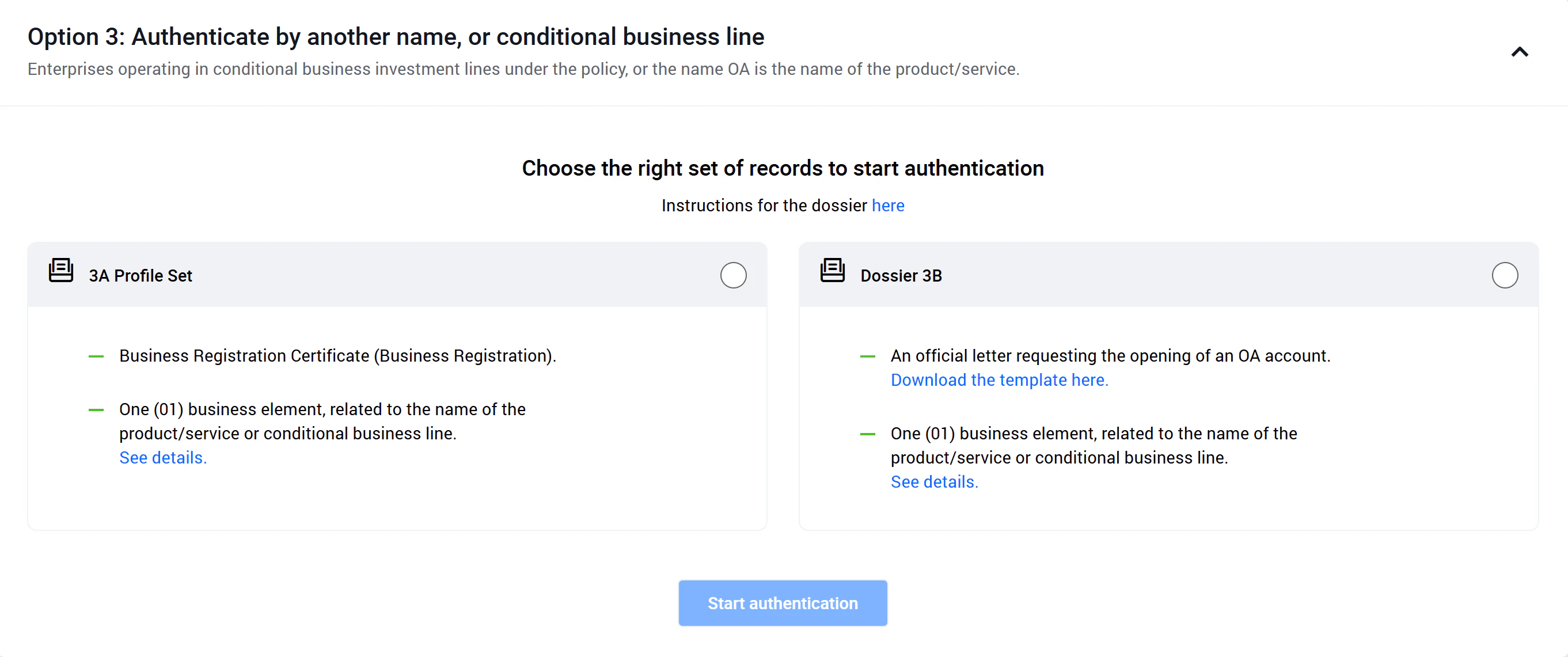
- Business license: The business category on the license must match the service provided and must still be valid.
- Citizen ID / national ID / passport: The information must match the legal representative listed on the certificate. If you cannot provide the representative’s ID, use document set 3B instead.
- One business proof document: Please review the accepted document types here.
- A photo or scan of the official OA verification letter with the company’s red stamp, based on this template.
- One business proof document: Please review the accepted document types here.
Zalo OA support will usually send a confirmation within about 7 working days. Once the approval is complete, you can access the full set of advanced Zalo OA features. Wishing you a smooth and successful launch.